1. Introduction
Thank you for purchasing the BLAUPUNKT Camden 450 Digital Multimedia Receiver. This manual provides essential information for the proper installation, operation, and maintenance of your new car audio system. Please read this manual thoroughly before use to ensure optimal performance and to prevent damage.
2. Safety Information
Always observe the following safety precautions:
- Do not operate the unit in a way that distracts you from driving.
- Ensure proper wiring and connections to prevent short circuits or electrical hazards.
- Consult a professional for installation if you are unsure about any steps.
- Keep the volume at a level that allows you to hear external sounds, such as emergency vehicles.
- Avoid exposing the unit to extreme temperatures, direct sunlight, or moisture.
3. Package Contents
Verify that all items are present in the package:
- BLAUPUNKT Camden 450 Multimedia Receiver Unit
- Remote Control
- Wiring Harness
- Mounting Hardware
- User Manual (this document)

Image: The BLAUPUNKT Camden 450 receiver unit shown with its included remote control, illustrating the main components of the package.
4. Product Features
The BLAUPUNKT Camden 450 is a versatile 2DIN in-dash digital multimedia receiver designed to enhance your in-car entertainment experience. Key features include:
- 6.9" 1024x600 Touch Screen Display
- Bluetooth Connectivity (HFP, A2DP, AVRCP, PBAP)
- USB Playback (Audio & Video)
- MicroSD Card Slot
- Front AUX Input
- AM/FM Radio with 30 Station Presets
- Electronic Skip Protection
- Supports Front & Rear Cameras
- Compatible with Android™ and iPhone® devices
- Divx, WMA, MP3, CD & MP5 Compatible
- EQ Curves: Pop, Rock, Classic, Jazz, & Custom
- Rear Microphone Input
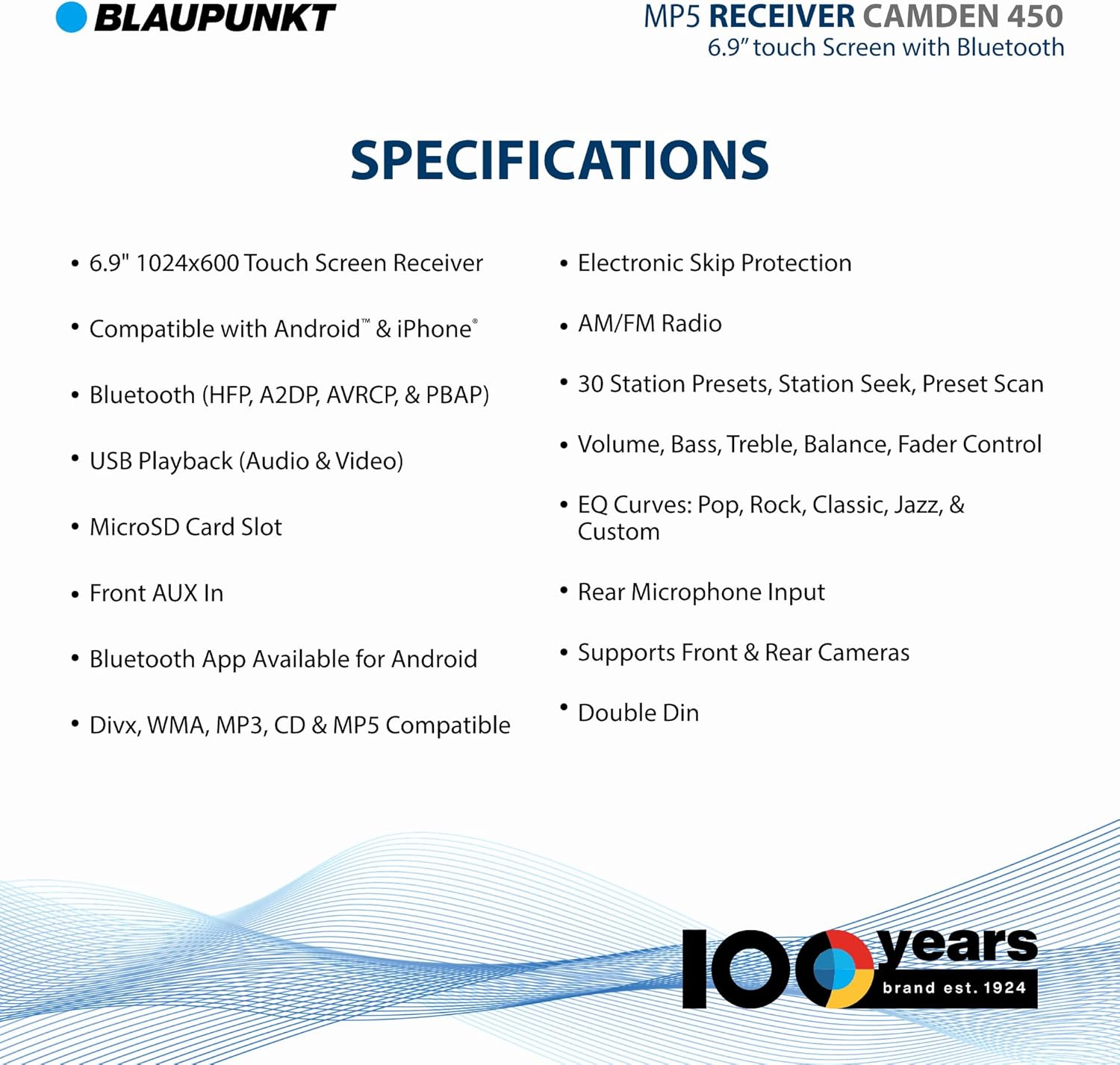
Image: A detailed list of technical specifications and features for the BLAUPUNKT Camden 450 receiver, including screen resolution, connectivity, and media compatibility.
5. Setup and Installation
The Camden 450 is designed for a standard 2DIN installation. Professional installation is recommended.
5.1. Dimensions
Before installation, ensure adequate space in your vehicle's dashboard.

Image: Diagram showing the dimensions of the BLAUPUNKT Camden 450 receiver, with a width of 8.6 inches (218mm) and a height of 7 inches (178mm).
5.2. Wiring Connections
Refer to the wiring diagram provided with your unit's wiring harness. Key connections include:
- Power: Connect to constant 12V, accessory 12V, and ground.
- Speakers: Connect to appropriate speaker outputs (Front L/R, Rear L/R).
- Antenna: Connect to the vehicle's antenna.
- Camera Inputs: Connect front and rear cameras to their respective inputs.
- RCA Outputs: For external amplifiers or subwoofers.

Image: Views of the rear and side of the BLAUPPAUNKT Camden 450 receiver, highlighting various input/output ports for wiring connections, including RCA, antenna, and power inputs.
6. Operating Instructions
6.1. Basic Operation
- Power On/Off: Press the power button on the front panel or remote.
- Volume Control: Use the rotary knob or remote buttons.
- Source Selection: Tap the "Source" icon on the touchscreen or use the remote to switch between Radio, Bluetooth, USB, MicroSD, and AUX.
- Menu Navigation: Use the touchscreen to navigate through menus and settings.
6.2. Bluetooth Pairing
To connect your mobile device via Bluetooth:
- Ensure Bluetooth is enabled on your mobile device.
- On the Camden 450, select the Bluetooth source.
- Search for available devices on your mobile phone. The unit will appear as "BLAUPUNKT CAMDEN 450".
- Select the unit to pair. If prompted for a PIN, enter "0000".
- Once paired, you can stream audio and make/receive calls hands-free.
6.3. Media Playback (USB/MicroSD/AUX)
- USB/MicroSD: Insert a USB drive or MicroSD card into the respective slot. The unit will automatically switch to the source and begin playback. Supported formats include Divx, WMA, MP3, CD, and MP5.
- AUX Input: Connect an external audio device (e.g., MP3 player) to the front 3.5mm AUX input using an audio cable. Select "AUX" as the source.
6.4. Radio Operation
- Select the "Radio" source.
- Use the "Seek" or "Scan" functions to find radio stations.
- To save a station, tune to the desired frequency and press and hold one of the preset buttons (1-6) until you hear a confirmation beep.
6.5. Camera Display
If front and/or rear cameras are connected, the display will automatically switch to the camera view when the corresponding signal is received (e.g., shifting into reverse for the rear camera).
7. Maintenance
- Cleaning: Use a soft, dry cloth to clean the display and unit. Do not use abrasive cleaners or solvents.
- Firmware Updates: Check the BLAUPUNKT website periodically for any available firmware updates to ensure optimal performance and compatibility.
8. Troubleshooting
| Problem | Possible Cause | Solution |
|---|---|---|
| No power | Incorrect wiring; Blown fuse | Check power and ground connections; Replace fuse if necessary. |
| No sound | Speaker wires disconnected; Volume too low; Incorrect source selected | Check speaker connections; Increase volume; Select correct audio source. |
| Bluetooth not connecting | Device not in pairing mode; Interference; Already connected to another device | Ensure device is discoverable; Move closer to unit; Disconnect from other devices. |
| USB/MicroSD not playing | Unsupported file format; Corrupted media; Improperly inserted | Check file formats; Try different media; Reinsert USB/MicroSD. |
9. Specifications
| Feature | Detail |
|---|---|
| Display | 6.9" 1024x600 Touch Screen |
| Connectivity | Bluetooth, USB, MicroSD, Auxiliary |
| Bluetooth Profiles | HFP, A2DP, AVRCP, PBAP |
| Compatible Devices | Android™, iPhone® |
| Audio Output Mode | Stereo (2.0 Surround Sound Channel Configuration) |
| Dimensions (Product) | 9 x 8.6 x 7 inches |
| Item Weight | 2.4 pounds |
| Model Number | CAMDEN 450 |
| ASIN | B0CWMLT4HZ |
10. Warranty and Support
BLAUPUNKT products are designed for reliability and performance. For warranty information and technical support, please refer to the warranty card included with your product or visit the official BLAUPUNKT website.
Online Support: Visit the BLAUPUNKT Store on Amazon
For further assistance, please contact BLAUPUNKT customer service.