Introduction
This manual provides detailed instructions for the JPHTEK Mini Foldable Bluetooth Keyboard, Model JPH-US-023. This portable wireless keyboard is designed for use with various devices, offering a compact and efficient typing experience.

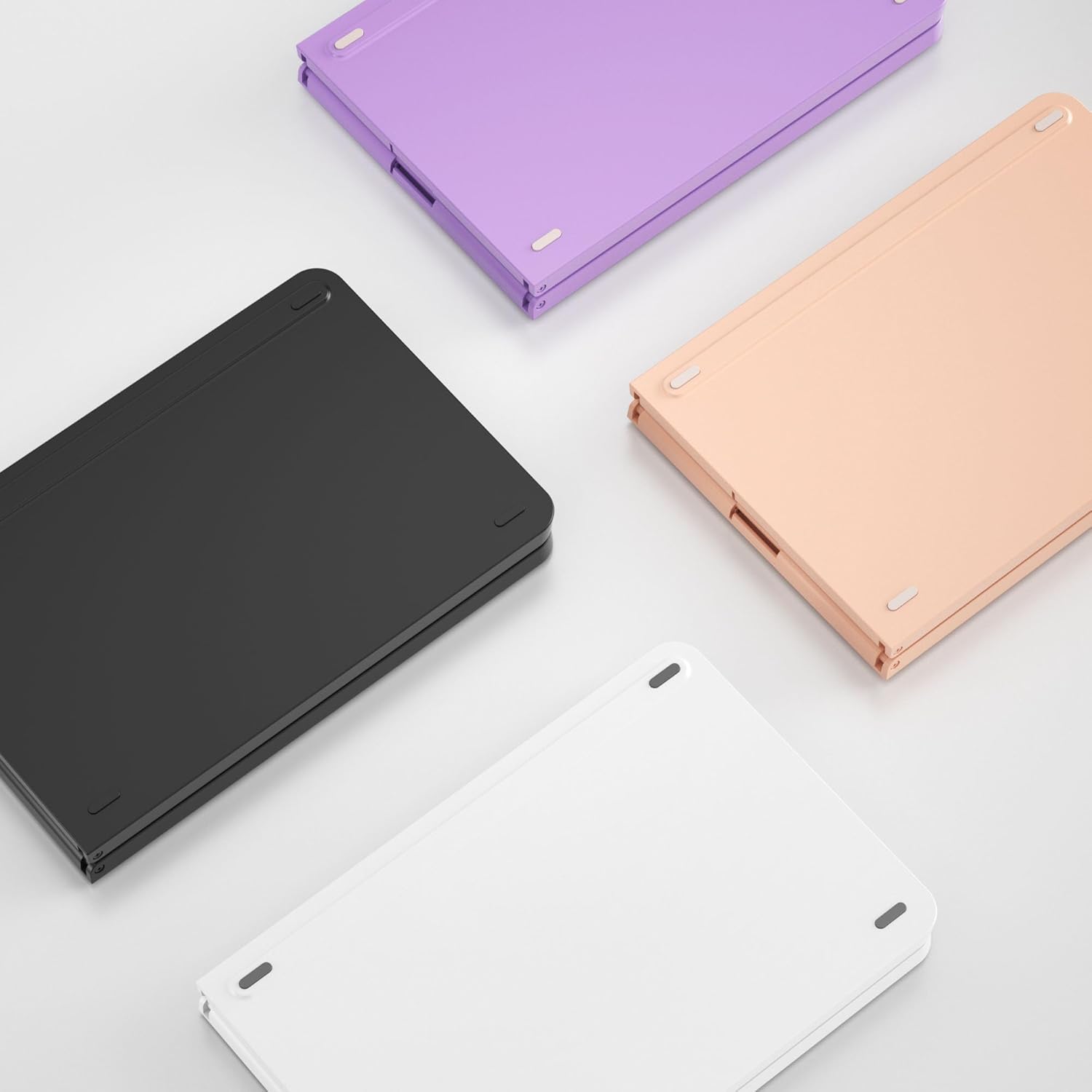
The JPHTEK Mini Foldable Bluetooth Keyboard in its compact, folded state and fully open, ready for use alongside a smartphone.
Setup
1. Charging the Keyboard
Before initial use, fully charge the keyboard. Connect the provided USB-C cable to the charging port on the keyboard and to a compatible USB power source. A full charge typically takes 2-3 hours and provides approximately 40 hours of continuous use or 180 days of standby time.

The keyboard features a Type-C charging port for convenient power replenishment, indicated by the charging icon.
2. Bluetooth Pairing
- Power On: Unfold the keyboard to automatically power it on. The indicator light will illuminate.
- Activate Pairing Mode: Press the 'Connect' button located on the keyboard. The Bluetooth indicator light will begin to flash, signifying that the keyboard is in pairing mode.
- Enable Bluetooth on Your Device: On your smartphone, tablet, or computer, navigate to the Bluetooth settings and ensure Bluetooth is enabled.
- Select Keyboard: In the list of available Bluetooth devices, locate and select 'Bluetooth Keyboard' (or a similar name). Follow any on-screen prompts to complete the pairing process.
- Confirmation: Once successfully paired, the Bluetooth indicator light on the keyboard will stop flashing and remain solid for a few seconds before turning off, indicating a stable connection.
The keyboard supports connection to up to 3 devices simultaneously. To switch between paired devices, refer to the operating instructions.
The keyboard is compatible with multiple operating systems, including iOS, Android, and Windows, allowing seamless switching between up to three paired devices.
Operating Instructions
1. Basic Typing
Once connected, the keyboard functions like a standard QWERTY keyboard. Simply begin typing on your paired device.
2. Function Keys
The keyboard includes a full set of function keys (F1-F12) and other standard keys such as Tab, Caps Lock, Shift, Ctrl, Fn, Alt, and Command/Option. These keys provide shortcuts and special functions depending on your operating system.
3. Multi-System Compatibility
The keyboard is compatible with iOS, Android, and Windows operating systems. It maintains a stable connection and fast response within 10 meters of operation.
4. Auto Wake/Sleep Feature
The keyboard is equipped with a sensitive magnetic induction system that automatically wakes up when unfolded and goes to sleep when folded, conserving battery life.

The keyboard automatically powers on when opened and enters sleep mode when closed, thanks to its magnetic induction design.
5. Using the Included Phone Holder
The keyboard comes with a foldable stand designed to hold your smartphone or tablet, providing multiple adjustable viewing angles for an optimal typing setup.

The included foldable stand offers six adjustable screen views, enhancing usability with your smartphone or tablet.
Maintenance
To ensure the longevity and optimal performance of your keyboard, follow these maintenance guidelines:
- Cleaning: Use a soft, dry cloth to wipe the keyboard surface. For stubborn dirt, a slightly damp cloth with mild soap can be used, ensuring no liquid enters the keyboard.
- Storage: When not in use, fold the keyboard to protect the keys and conserve battery. Store in a cool, dry place away from direct sunlight and extreme temperatures.
- Charging: Recharge the keyboard when the battery indicator is low. Avoid overcharging for extended periods.
- Avoid Liquids: Keep the keyboard away from liquids to prevent internal damage.
Troubleshooting
| Problem | Possible Cause | Solution |
|---|---|---|
| Keyboard does not power on. | Low battery or not unfolded. | Charge the keyboard fully. Ensure the keyboard is completely unfolded. |
| Unable to pair via Bluetooth. | Keyboard not in pairing mode, Bluetooth off on device, or interference. | Press the 'Connect' button to enter pairing mode. Ensure Bluetooth is enabled on your device. Move closer to the device and away from potential interference sources. |
| Keys are unresponsive or typing is delayed. | Weak Bluetooth connection, low battery, or device software issue. | Ensure the keyboard is fully charged. Re-pair the keyboard with your device. Restart your device. |
| Keyboard disconnects frequently. | Distance from device, interference, or low battery. | Keep the keyboard within 10 meters of your device. Minimize interference from other wireless devices. Charge the keyboard. |
Specifications
- Product Dimensions (Folded): 5.5 x 3.7 x 0.5 inches
- Product Dimensions (Unfolded): Approximately 11 x 3.7 x 0.25 inches (estimated from image)
- Item Weight: 8.8 ounces
- Manufacturer: JPHTEK
- Model Number: JPH-US-023
- Connectivity Technology: Bluetooth
- Compatible Devices: Laptop, PC, Smart TV, Tablet, Smartphone (iOS, Android, Windows)
- Special Feature: Mini Foldable, Auto Wake/Sleep
- Material: Aluminum
- Battery Life: 40 hours continuous work, 180 days standby (after 2-3 hours charge)

The keyboard's compact dimensions when folded are comparable to an iPhone 14, making it highly portable.
Product Overview Video
This video provides a brief overview of the JPHTEK Mini Foldable Bluetooth Keyboard, showcasing its various color options and folding mechanism.
Warranty and Support
JPHTEK offers customer support for its products. For any questions or assistance, please contact JPHTEK customer service. They provide 24-hour email response and technical support.


