Introduction
This manual provides comprehensive instructions for the setup, operation, maintenance, and troubleshooting of your ChefsTemp ProTemp Plus Next-Gen Wireless Meat Thermometer. Designed for precision and convenience, this smart thermometer offers unlimited range monitoring for various cooking applications, including grilling, smoking, BBQ, oven, and rotisserie. Please read this manual thoroughly before using the device to ensure optimal performance and safety.
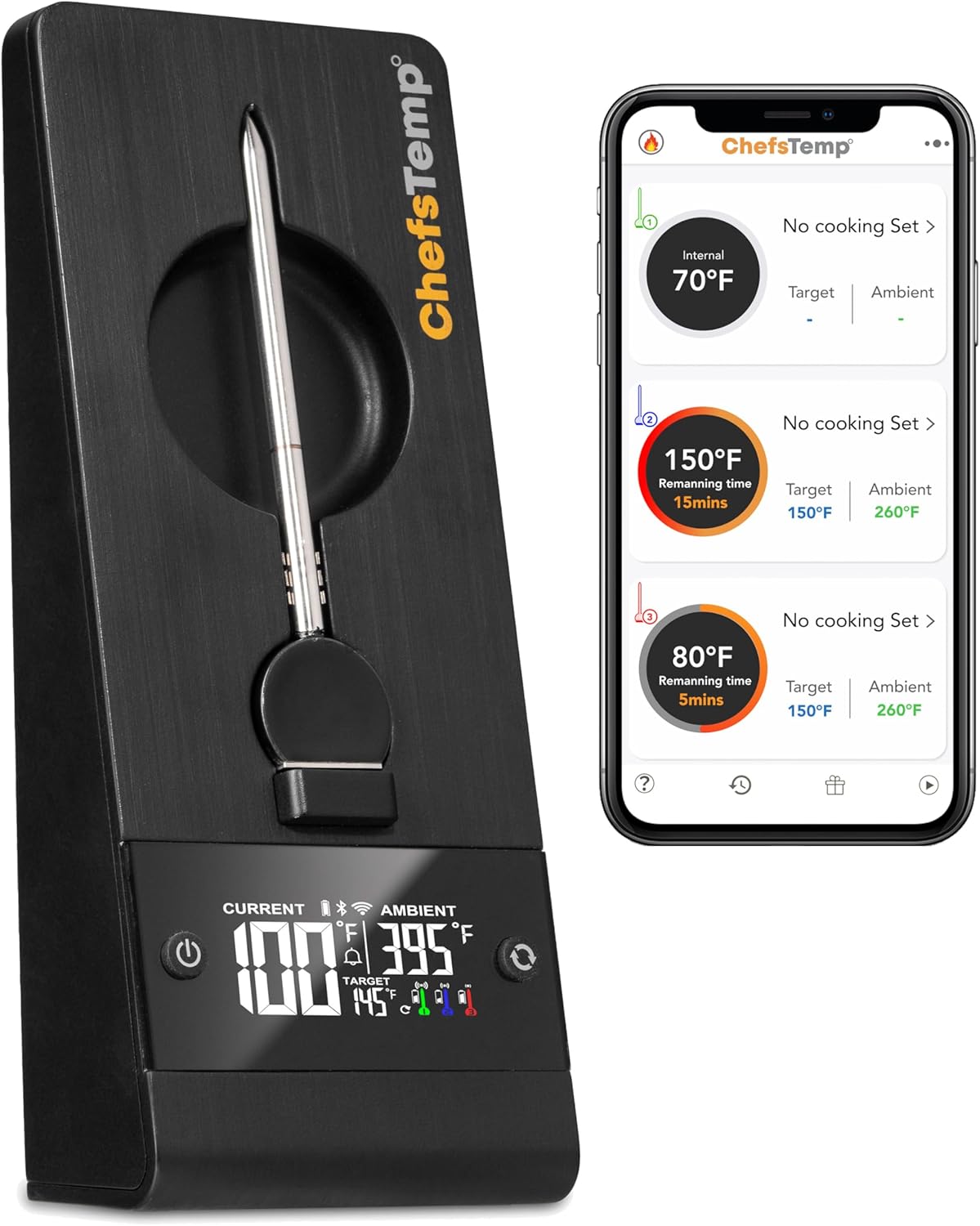
The ProTemp Plus stand and its accompanying mobile application for remote temperature monitoring.
Included Components
Your ChefsTemp ProTemp Plus package includes the following items:
- ProTemp Plus Stand
- 1 Regular Probe
- User Manual
- Type-C Charging Cable
Key Features
Unlimited Range Compatibility
The ProTemp Plus is the first 100% wireless meat thermometer featuring both Wi-Fi and Bluetooth capabilities. This combination allows for an extended transmission distance of up to 500ft (190m) in open areas, ensuring you receive alerts when your food is ready without worrying about signal loss or disconnections.
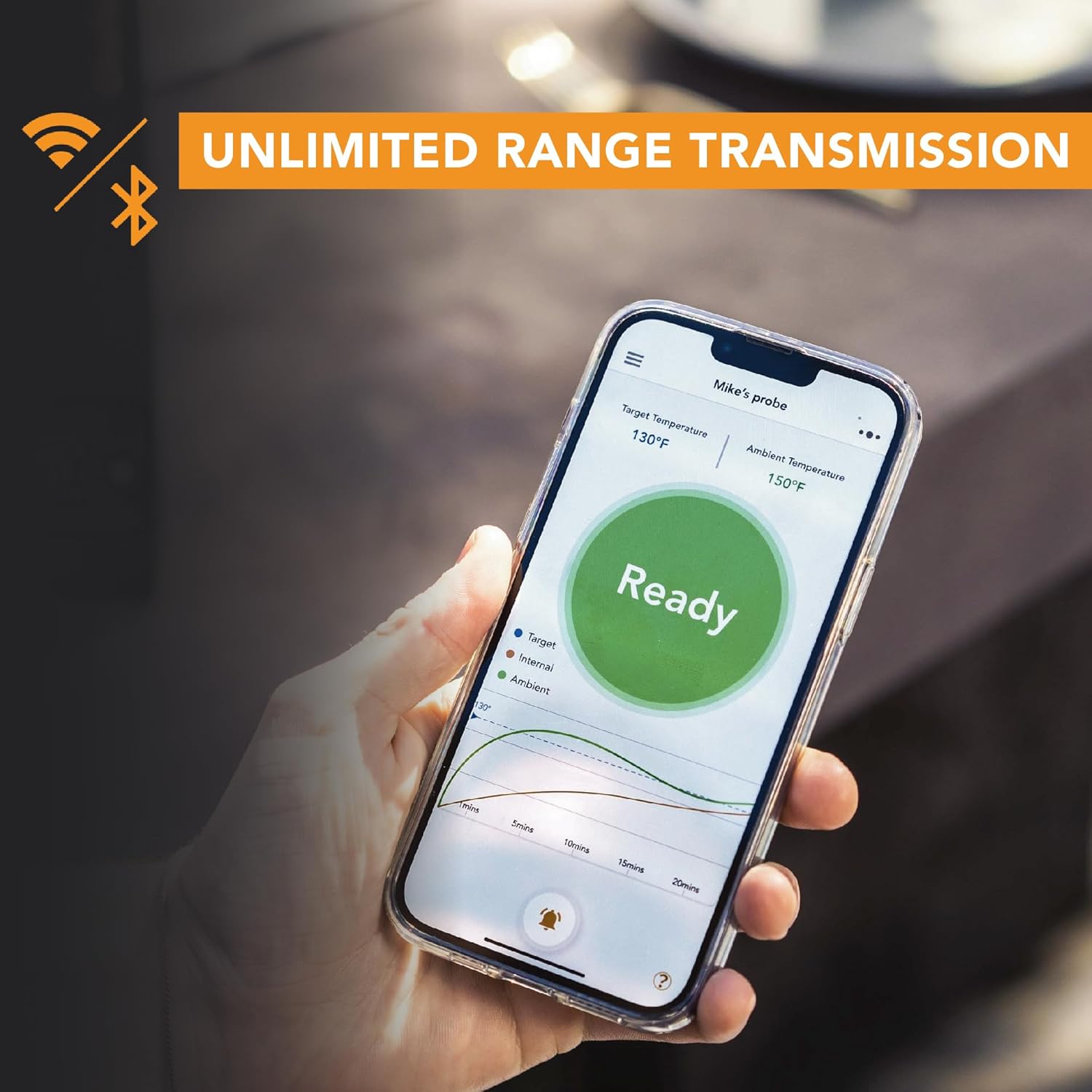
Monitor your cook from anywhere with the unlimited range transmission.
Multiple Probes Option
Expand your cooking versatility with the ability to use and charge multiple probes simultaneously. The ProTemp Plus Stand supports up to 3 probes, allowing you to monitor different cuts of meat or various dishes at once.

The ProTemp Plus supports multiple probes, including mini-sized options.
Mini Size Probes Available
ChefsTemp offers mini probes specifically designed for smaller cuts of meat. With the ProTemp Plus, you can utilize both standard probes for larger portions and mini probes for smaller items, providing unmatched flexibility in your cooking.
Long-Lasting Battery Performance
The ProTemp Plus Stand is equipped with large rechargeable batteries, providing 80-100 hours of use in Wi-Fi mode or over 1000 hours in Bluetooth mode. This ensures reliable operation throughout extended cooking, camping, or smoking sessions without power interruptions.
Control Multiple Devices with One App
The ChefsTemp app allows you to control up to 3 ProTemp Plus devices simultaneously, enabling you to monitor up to 9 probes from a single interface.
Dual Screen Temp Display
Temperature readings are conveniently displayed on both the ProTemp Plus stand and the mobile app. This dual display allows for remote monitoring via your phone or direct temperature checks on the stand when nearby.

Temperatures are visible on both the stand and your mobile device.
All-Weather Companion
The ProTemp Plus Stand features an IP55 water-resistant rating, protecting it from dust and rain. This robust design makes it suitable for both indoor and outdoor cooking environments.

The ProTemp Plus is designed for all-weather use with its IP55 rating.
High-Temp Resistant Material
Crafted from durable and heat-resistant zirconia material, the thermometer can withstand temperatures up to 662°F (350°C), preventing melting or damage during high-temperature cooking.

The probe is made from high-temp resistant zirconia material.
Greater Precision
Achieve precise temperature measurements with 1°F (0.5°C) accuracy, thanks to the industry's first combination of digital and thermocouple sensors. This ensures stability, responsiveness, and a wide temperature range.
Faster Reading
Utilizing world-leading sensor technology and patented ChefsTemp innovations, the ProTemp Plus provides temperature readings within 4 seconds, significantly faster than many other thermometers.
Magnet Backing
The ProTemp Plus stand features a magnetic backing, allowing for convenient placement on metallic surfaces like refrigerators or grill sides.

Convenient magnetic backing for easy placement.
Setup Guide
Initial Charging
Before first use, fully charge the ProTemp Plus Stand using the provided Type-C charging cable. Connect the cable to the charging port on the stand and plug the other end into a compatible USB power source. The display will indicate charging status.
Download the ChefsTemp App
Search for "ChefsTemp" in your smartphone's app store (iOS App Store or Google Play Store) and download the official application. Ensure your device meets the minimum system requirements.
Pairing with Your Device
Open the ChefsTemp app and follow the on-screen instructions to pair your ProTemp Plus thermometer via Bluetooth. Once connected via Bluetooth, the app will guide you through setting up Wi-Fi connectivity for extended range monitoring.
Probe Insertion
Carefully insert the probe into the thickest part of the meat, ensuring the probe tip is centered and does not touch any bones, which can affect accuracy. The probe should be inserted deep enough so that the sensor is fully within the meat.
Operating Instructions
Monitoring Temperatures
Once the probe is inserted and the device is paired, you can monitor the internal and ambient temperatures directly on the ProTemp Plus stand's digital display or through the ChefsTemp mobile app. The app provides real-time graphs and historical data.
Setting Target Temperatures and Alarms
Use the ChefsTemp app to select preset meat types and doneness levels, or set custom target temperatures. The app will notify you when your food reaches the desired temperature, ensuring perfect results every time.
Using Multiple Probes
If you have additional probes, insert them into the available slots on the ProTemp Plus Stand. The app will automatically detect and allow you to monitor each probe individually, setting separate target temperatures and alarms for each.
Maintenance and Care
Cleaning
After each use, allow the probe to cool down. Wipe the probe and the stand clean with a damp cloth. Do not submerge the stand in water. The probe can be washed with soap and water, but ensure the connection point to the stand remains dry.
Storage
Store the ProTemp Plus thermometer and probes in a clean, dry place when not in use. Ensure probes are fully dry before storing them in the stand.
Troubleshooting
| Issue | Possible Cause | Solution |
|---|---|---|
| No connection to app/device | Bluetooth/Wi-Fi off, out of range, low battery, app not running. | Ensure Bluetooth/Wi-Fi is enabled on your phone. Move closer to the stand. Charge the stand. Restart the ChefsTemp app. |
| Inaccurate temperature readings | Probe not inserted correctly, probe damaged, sensor touching bone. | Re-insert probe into the thickest part of the meat, avoiding bone. Check probe for visible damage. If damaged, replace the probe. |
| Stand display not working | Low battery, device off, malfunction. | Charge the stand. Press the power button to turn it on. If the issue persists, contact customer support. |
| App not receiving alerts | App notifications disabled, app not running in background, connectivity issues. | Check your phone's notification settings for the ChefsTemp app. Ensure the app is running or allowed to run in the background. Verify stable Bluetooth/Wi-Fi connection. |
Specifications
| Feature | Detail |
|---|---|
| Brand | ChefsTemp |
| Model Name | PROTEMP PLUS |
| Item Model Number | Stand + 1 Probe |
| Special Feature | Alarm, App Companion, Programmable, Rechargeable, Wi-Fi Support |
| Color | Black |
| Included Components | ProTemp Plus Stand + 1 Regular Probe + Manual + Type-C Charging Cable |
| Outer Material | Zirconia |
| Specification Met | CE |
| Display Type | Digital |
| Connectivity Technology | Bluetooth, USB, Wi-Fi |
| Product Care Instructions | Wipe Clean |
| Power Source | Battery Powered (1 Lithium Ion battery included) |
| Item Weight | 1.65 pounds |
| Upper Temperature Rating | 662°F (350°C) for probe, 212°F for ambient |
| Lower Temperature Rating | 32°F (0°C) |
| Response Time | 4 seconds (typical) |
| Reusability | Rechargeable |
| Indoor/Outdoor Usage | Indoor, Outdoor (IP55 water-resistant stand) |
| Date First Available | February 27, 2024 |
Warranty Information
Specific warranty details for your ChefsTemp ProTemp Plus thermometer are typically provided within the product packaging or can be found on the official ChefsTemp website. Please refer to these resources for comprehensive information regarding warranty coverage, terms, and conditions.
Customer Support
For further assistance, technical support, or inquiries regarding your ChefsTemp ProTemp Plus, please visit the official ChefsTemp store or contact their customer service directly.
Official ChefsTemp Store: https://www.amazon.com/stores/chefstemp/page/F5422830-9E23-4B21-ADFC-BD073D6EDBB3
Note: No relevant official product videos from the seller were found in the provided product data to embed in this manual.


