
ACHAZEL 10000 BTU Window Air Conditioner
ACHAZEL 10000 BTU Window Air Conditioner User Manual
Model: 10000 BTU Window Air Conditioner
Brand: ACHAZEL
1. Introduction
Thank you for purchasing the ACHAZEL 10000 BTU Window Air Conditioner. This manual provides essential information for the safe operation, installation, maintenance, and troubleshooting of your new air conditioning unit. Please read this manual thoroughly before installation and use, and retain it for future reference.
This 10000 BTU window air conditioner is designed to efficiently cool spaces up to 450 square feet, making it ideal for living rooms, home offices, and bedrooms. It features smart control capabilities via a mobile app, multiple operating modes, and energy-saving functions to enhance your comfort.
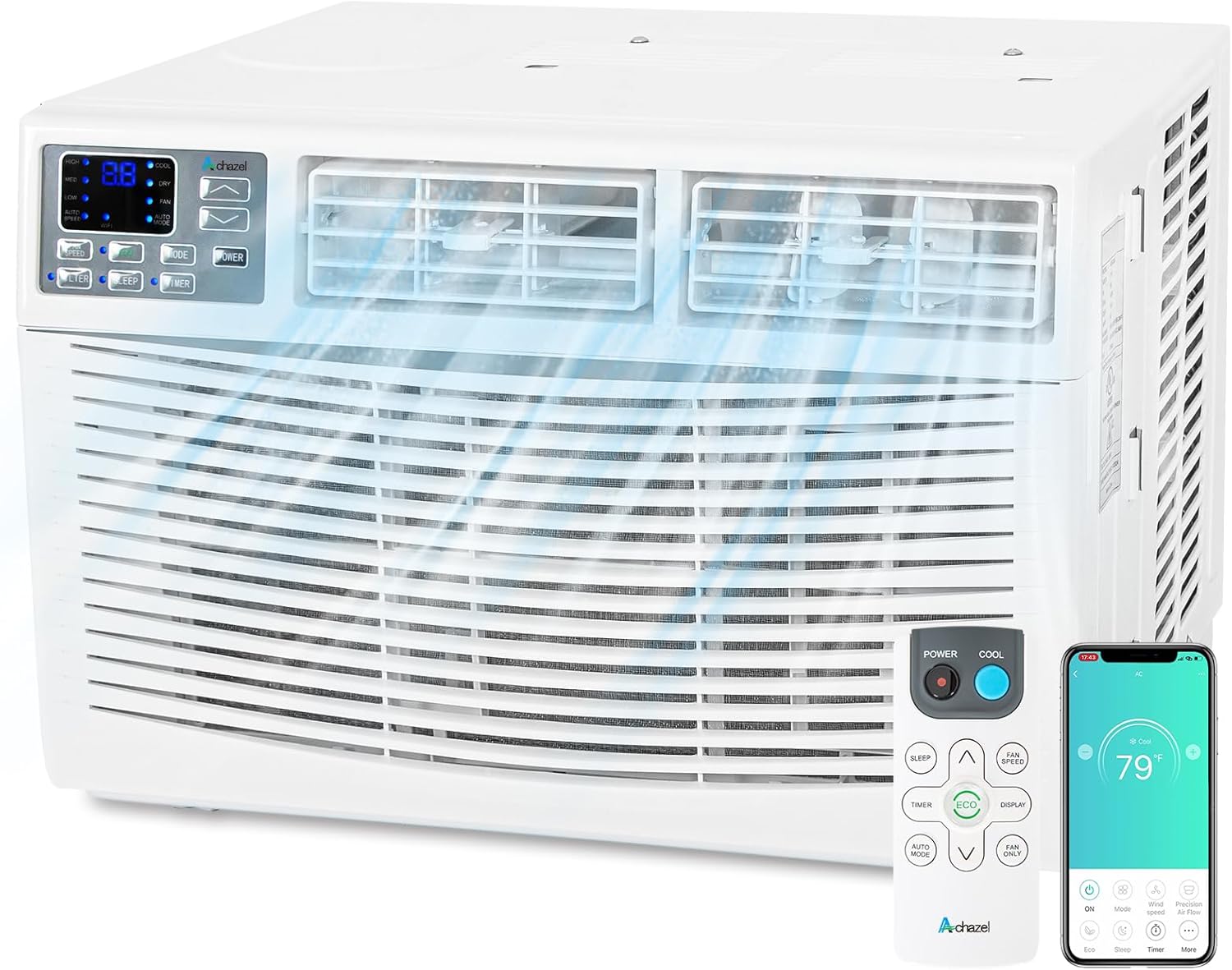
Figure 1.1: ACHAZEL 10000 BTU Window Air Conditioner
2. Important Safety Information
To prevent injury to the user or other people and property damage, the following instructions must be followed. Incorrect operation due to ignoring instructions may cause harm or damage.
General Safety Precautions
- Always plug into a grounded 3-prong outlet. Do not remove the ground prong.
- Do not use an adapter or extension cord.
- Do not operate any air conditioner with a damaged cord or plug.
- Do not attempt to repair or replace any part of the air conditioner unless specifically recommended in this manual. All other servicing should be referred to a qualified technician.
- Unplug the air conditioner before cleaning or servicing.
- Do not block air openings.
- Do not use the air conditioner in a wet room such as a bathroom or laundry room.
- Keep children away from the unit.
- Ensure the unit is installed securely to prevent falling.
3. Package Contents
Before beginning installation, check the package contents to ensure all parts are present and undamaged. If any parts are missing or damaged, do not proceed with installation and contact customer support.

Figure 3.1: Included Components
- 1 x ACHAZEL 10000 BTU Window Air Conditioner Unit
- 1 x Remote Control
- 2 x AAA Batteries (for remote)
- 1 x User Manual (this document)
- 1 x Wi-Fi Function User Manual
- 2 x Filler Panels
- 2 x Insulation Strips
- 1 x Window Sash Seal
- 1 x Top Rail (with sponge)
- Screws (various sizes for installation)
- 1 x Sash Lock
- 1 x Lock Frame
4. Installation Guide
This air conditioner is designed for installation in standard double-hung windows with opening widths between 23 inches and 36 inches, and a minimum opening height of 14.5 inches. Ensure the window frame is sturdy enough to support the unit's weight (approximately 76 pounds).
Tools Required (Not Included):
- Phillips head screwdriver
- Drill (optional, for pilot holes)
- Measuring tape
- Level
Installation Steps:
- Prepare the Window: Open the window sash and clean the window sill.
- Attach Top Rail: Slide the top rail onto the top of the air conditioner unit until it clicks into place.

Figure 4.1: Installation Accessories Overview
- Install Side Panels: Attach the accordion-style side panels to the sides of the air conditioner unit. Extend them fully.
- Place Unit in Window: Carefully lift the air conditioner and place it in the window opening. Ensure the bottom rail of the unit rests securely on the window sill. Tilt the unit slightly outwards to allow for proper drainage.

Figure 4.2: Unit Installed in Window
- Secure the Unit: Lower the window sash down behind the top rail of the air conditioner. Extend the side panels to fill the window opening and secure them to the window frame using the provided screws.
- Install Sash Lock and Seal: Install the sash lock to prevent the window from being opened from the outside. Apply the window sash seal and insulation strips to seal any gaps around the unit and panels, improving energy efficiency.
- Plug In: Once securely installed, plug the air conditioner into a grounded electrical outlet.
5. Operating Instructions
Control Panel Overview

Figure 5.1: Control Panel Details
- Digital Display: Shows current temperature or timer settings.
- WiFi Symbol: Indicates WiFi connectivity status.
- Speeds: Low, Medium, High, Auto fan speeds.
- Modes: Cool, Dry, Fan, Auto, Sleep, Eco.
- Timer: Set automatic operation from 0.5 to 24 hours.
- Temperature Range: Adjustable from 61°F to 88°F (16°C to 31°C).
Operating Modes
- Cool Mode: Provides cooling. Adjust temperature and fan speed.
- Dry Mode: Dehumidifies the room.
- Fan Mode: Circulates air without cooling. Choose fan speed.
- Auto Mode: Automatically selects cooling or fan mode based on room temperature.
- Eco Mode: Energy-saving mode. The unit will cycle on and off to maintain the set temperature, reducing power consumption.
- Sleep Mode: Adjusts temperature gradually for comfortable sleeping conditions and operates at a lower noise level.

Figure 5.2: Remote Control Mode Selection
Smart Control (Wi-Fi App)
Control your air conditioner remotely using the SmartLife-SmartHome app on your iOS or Android device. This allows you to adjust settings from anywhere, providing convenience and energy savings.

Figure 5.3: Smart Control via Mobile App
- Download the "SmartLife-SmartHome" app from the App Store (iOS) or Google Play Store (Android).
- Follow the instructions in the dedicated Wi-Fi Function User Manual to connect your air conditioner to your home Wi-Fi network.
- Once connected, you can control power, mode, temperature, fan speed, and set timers directly from your smartphone.
6. Maintenance
Regular maintenance ensures optimal performance and extends the lifespan of your air conditioner. Always unplug the unit before performing any maintenance.
Cleaning the Washable Filter
The air conditioner is equipped with a washable, reusable filter. The "Filter Check" light will illuminate to remind you to clean the filter, typically every two weeks depending on usage and air quality.

Figure 6.1: Cleaning the Washable Filter
- Remove Filter: Open the front grille of the air conditioner and carefully slide out the filter.
- Clean Filter: Wash the filter with warm, soapy water. Rinse thoroughly under running water. For heavily soiled filters, a vacuum cleaner can be used to remove loose dirt before washing.
- Dry Filter: Allow the filter to air dry completely before reinserting it. Do not use direct heat to dry.
- Reinstall Filter: Slide the dry filter back into its slot and close the front grille.
Cleaning the Unit Exterior
Wipe the exterior of the air conditioner with a soft, damp cloth. Do not use harsh cleaners, waxes, or polishes as they may damage the finish.
7. Troubleshooting
Before contacting customer service, try the following solutions for common issues:
| Problem | Possible Cause | Solution |
|---|---|---|
| Air conditioner does not start. | No power; circuit breaker tripped; unit unplugged. | Check power cord connection; reset circuit breaker; ensure unit is plugged in. |
| Unit blows air but does not cool. | Filter is dirty; temperature setting is too high; room is too large; windows/doors open. | Clean the air filter; lower the set temperature; ensure room size is within unit capacity (450 sq ft); close all windows and doors. |
| Unit is noisy. | Loose installation; fan obstruction. | Ensure unit is securely installed; check for any obstructions around the fan. Note: A normal operating noise level is around 56 dB. |
| "E1" error code on display. | Communication error or sensor issue. | Unplug the unit for 5 minutes, then plug it back in. If the error persists, contact customer support. |
| Wi-Fi connection issues. | Incorrect Wi-Fi password; router too far; app not configured correctly. | Refer to the Wi-Fi Function User Manual for detailed setup steps. Ensure correct password and strong signal. |
8. Specifications
| Feature | Detail |
|---|---|
| Model Name | 10000 BTU Window Air Conditioner |
| Cooling Power | 10000 British Thermal Units (BTU) |
| Coverage Area | Up to 450 Square Feet |
| Product Dimensions (D x W x H) | 19.69"D x 21.26"W x 14.96"H |
| Item Weight | 76 pounds |
| Noise Level | 56 dB |
| Power Source | Corded Electric |
| Filter Type | Washable, Reusable Filter |
| Refrigerant | R 410A |
| Special Feature | Remote Controlled, Wi-Fi Smart Control |
| Window Compatibility | Width: 23''-36'', Height: Min 14.5'' |

Figure 8.1: Recommended Coverage Area by BTU

Figure 8.2: Noise Level Comparison
9. Warranty and Customer Support
For warranty information, please refer to the warranty card included with your product or contact ACHAZEL customer support. Keep your purchase receipt as proof of purchase.
If you encounter any issues not covered in the troubleshooting section or require further assistance, please contact ACHAZEL customer support. Contact details can typically be found on the product packaging, the official ACHAZEL website, or the Wi-Fi Function User Manual.
Online Support: Visit the ACHAZEL store on Amazon for FAQs and additional resources: ACHAZEL Store
Ask a question about this manual
Ask about setup, troubleshooting, compatibility, parts, safety, or missing instructions. Manuals+ will review the question and use this page’s manual context to help answer it.