
1. Product Overview
The SAMSUNG 30" Single Wall Oven with Steam Cook, Model NV51CG600SMTAA, is designed for integration into modern kitchens. This electric wall oven features a 5.1 cubic feet capacity and offers multiple cooking functions including Steam Cook, Air Sous Vide, and Air Fry. It is equipped with Wi-Fi connectivity for remote monitoring and control via the SmartThings App.

Figure 1: Front view of the Samsung 30-inch Single Wall Oven.
Key Features:
- Steam Cook: Provides precise moisture for baking, broiling, and roasting.
- Air Sous Vide: Preserves food's natural flavor and prevents overcooking.
- Air Fry: Allows for healthier fried foods without preheating.
- Convection Cooking: Utilizes two powerful dual convection fans for fast and even cooking.
- Wi-Fi Connectivity: Enables remote control and monitoring via the SmartThings App.
- Hybrid Clean: Combines low-temperature cleaning with less odor.
2. Installation and Setup
This wall oven is designed for built-in installation. Professional installation is recommended to ensure proper electrical connection and secure mounting within cabinetry. Refer to the separate installation guide for detailed instructions, electrical requirements, and cabinet cutout dimensions.

Figure 2: Oven dimensions for installation planning.
Initial Setup:
- After installation, ensure the oven is properly connected to power.
- Remove all packing materials, including any tape or protective film from the interior and exterior surfaces.
- Clean the oven interior with a damp cloth and mild detergent before first use.
- Connect the oven to your home Wi-Fi network using the SmartThings App for smart features.
3. Operating Instructions
The oven features an intuitive control panel with an LCD display and a control knob for selecting functions and temperatures.
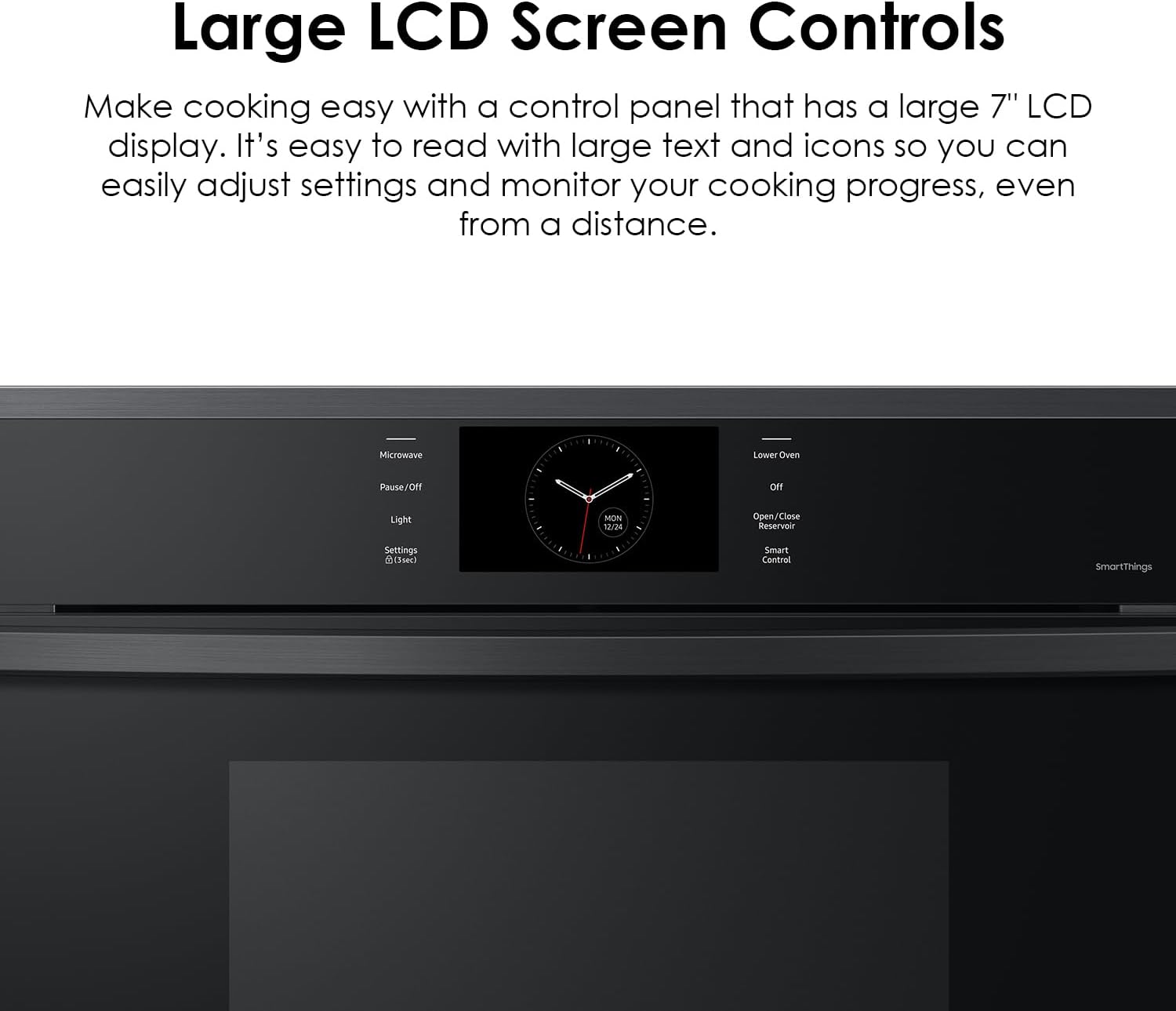
Figure 3: LCD screen and control panel.
3.1 Basic Operation:
- Power On/Off: Press the power button on the control panel.
- Selecting a Mode: Turn the control knob to select desired cooking modes such as Bake, Broil, Roast, Steam Bake, Steam Roast, Healthy Cook, Gourmet Cook, or Keep Warm.
- Setting Temperature: Once a mode is selected, use the temperature adjustment controls on the display to set the desired temperature.
- Start Cooking: Press the 'Start' button to begin the cooking cycle.
Video 1: Demonstration on how to set the temperature on a similar oven control panel.
3.2 Special Cooking Functions:
- Steam Cook: Fill the water reservoir located inside the oven cavity. Select the Steam Cook mode for dishes requiring added moisture.
- Air Sous Vide: Place vacuum-sealed food on a rack. Select Air Sous Vide mode. This function uses precise temperature control to cook food evenly.
- Air Fry: Use the dedicated Air Fry tray (if included) or a suitable perforated pan. Select Air Fry mode. No preheating is required for this function.
- Convection: This mode uses fans to circulate hot air for faster and more even cooking, ideal for baking and roasting.

Figure 4: Steam Cook function in use with the water reservoir.

Figure 5: Air Sous Vide cooking a vacuum-sealed item.
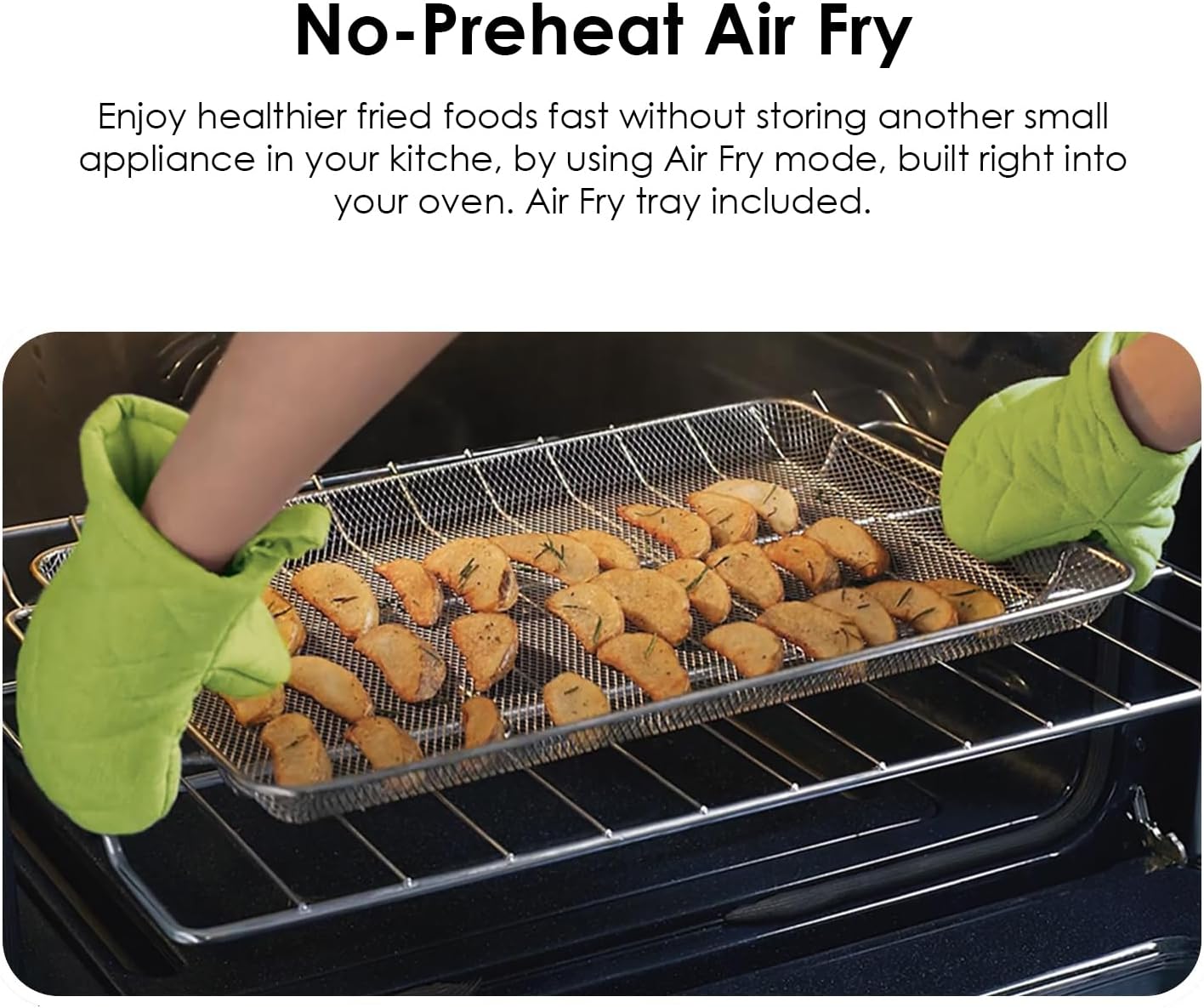
Figure 6: Air Fry function in use with a dedicated tray.

Figure 7: Dual convection fans for even heat distribution.
3.3 SmartThings App Integration:
The SmartThings App allows you to control and monitor your oven remotely. You can preheat the oven, adjust cooking temperatures, and receive notifications on your smartphone. The app also provides access to recipes and meal planning features.

Figure 8: Controlling the oven via the SmartThings App.
4. Maintenance and Cleaning
Regular cleaning and maintenance will ensure optimal performance and longevity of your oven.
4.1 Cleaning the Oven Interior:
- Hybrid Clean: This setting uses low temperatures to clean stuck-on grease and residue, emitting less odor. Follow the instructions on the oven display for initiating a Hybrid Clean cycle.
- Steam Clean: For lighter cleaning, the Steam Clean function can be used. Add water to the oven cavity as instructed and run the cycle. Wipe away loosened debris after the cycle.
- Manual Cleaning: For spills, allow the oven to cool completely. Use a damp cloth and mild, non-abrasive cleaner. Do not use harsh chemicals or abrasive pads.

Figure 9: The Hybrid Clean process for removing residue.
4.2 Cleaning the Exterior:
Wipe the exterior surfaces, including the control panel and door, with a soft cloth and mild soap or a stainless steel cleaner. Avoid spraying cleaners directly onto the control panel.
5. Troubleshooting
If you encounter issues with your oven, refer to the following common troubleshooting tips:
- Oven Not Heating: Check if the oven is properly plugged in and if the circuit breaker has tripped. Ensure the correct cooking mode and temperature are selected.
- Uneven Cooking: Verify that bakeware is not blocking vents and that the oven racks are positioned correctly. For best results, use the convection mode.
- Display Not Working: Try resetting the oven by turning off the power at the circuit breaker for a few minutes, then turning it back on.
- SmartThings App Connectivity Issues: Ensure your home Wi-Fi network is active and the oven is within range. Re-pair the oven with the app if necessary.
For more detailed troubleshooting or issues not listed, please consult the full product manual or contact Samsung customer support.
6. Specifications
| Feature | Specification |
|---|---|
| Brand | Samsung |
| Model Number | NV51CG600SMTAA |
| Capacity | 5.1 Cubic Feet |
| Installation Type | Built-In |
| Color | Matte Black |
| Fuel Type | Electric |
| Voltage | 240 Volts |
| Wattage | 4.9 kWh |
| Annual Energy Consumption | 2422 Kilowatt Hours |
| Oven Cooking Mode | Convection |
| Item Weight | 167.6 pounds |
| Package Dimensions | 33.5 x 33 x 30 inches |
| Included Components | Wall Oven |
7. Warranty and Support
For warranty information, please refer to the warranty card included with your product or visit the official Samsung website. For technical support, service requests, or to purchase replacement parts, please contact Samsung Customer Service. You can find contact details on the Samsung website or in your product documentation.
Online Resources: www.samsung.com


