
1. Introduction
This manual provides detailed instructions for the proper use and care of your Timex Unisex Q LCA 35mm Digital Watch. Please read this manual thoroughly to ensure optimal performance and longevity of your timepiece. This watch features a digital display, an acrylic lens, and is water resistant up to 30 meters.
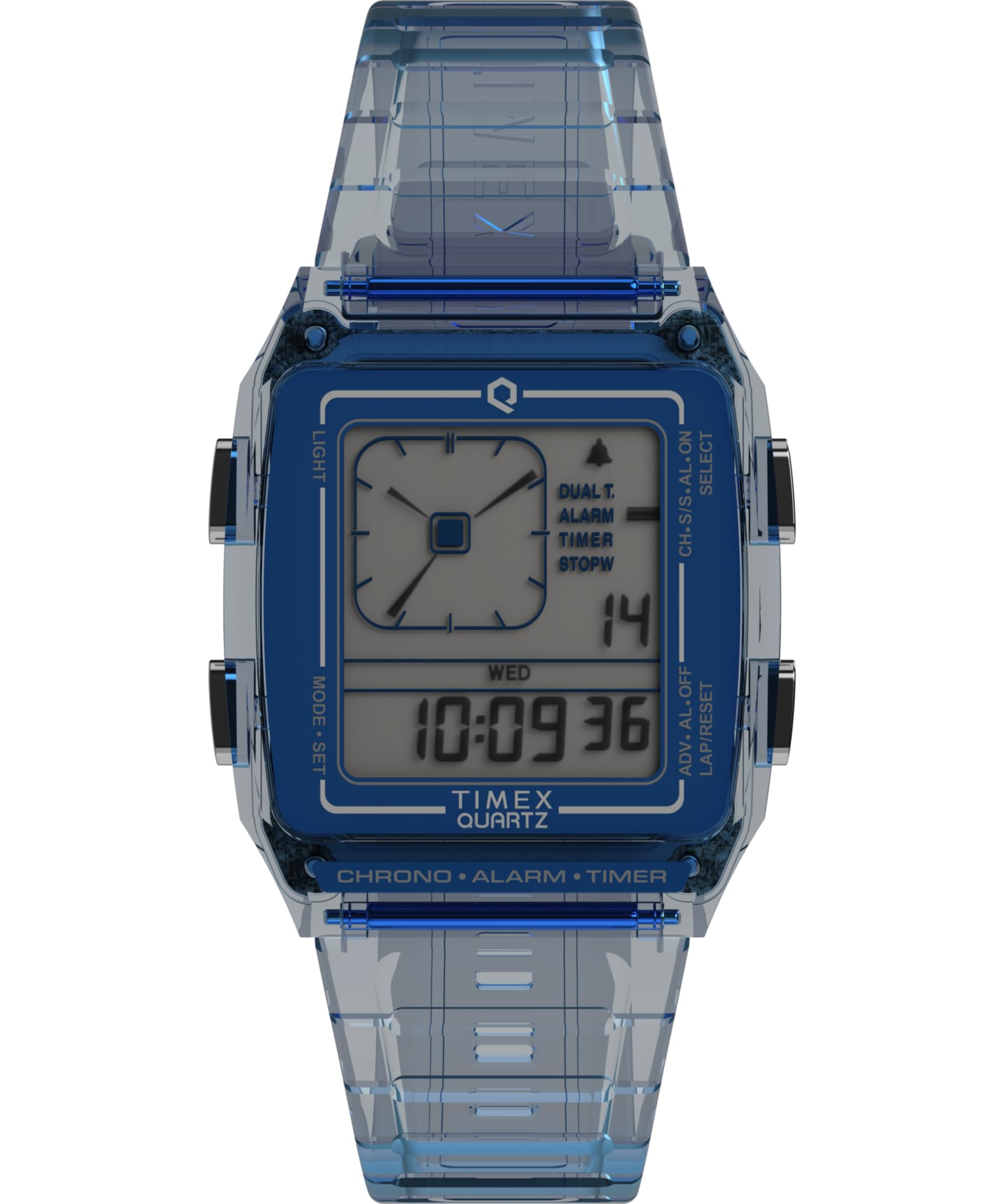
Image 1.1: Front view of the Timex Q LCA 35mm Digital Watch.
2. Setup
2.1 Initial Activation
Your watch comes with a pre-installed lithium metal battery. If the display is not active, gently press any button to activate it. No special activation steps are typically required for new watches.
2.2 Setting Time and Date
To set the time and date, locate the control buttons on the side of the watch case. The exact procedure may vary slightly, but generally involves:
- Pressing a specific button (often labeled 'MODE' or 'SET') to enter setting mode.
- Using other buttons (often 'ADJUST' or '+' / '-') to change the flashing digits (hours, minutes, year, month, day).
- Pressing the 'MODE' or 'SET' button again to confirm each setting and move to the next, or to exit setting mode.

Image 2.1: Side view of the watch, highlighting the control buttons used for setting time and functions.
2.3 Strap Adjustment
The watch features an adjustable resin strap with a buckle clasp. To adjust the fit, simply move the buckle pin to the desired hole on the strap. Ensure the watch is snug but comfortable on your wrist.

Image 2.2: Top view of the watch, illustrating the adjustable strap and buckle mechanism.
3. Operating Instructions
3.1 Basic Time Display
The watch primarily displays time in a digital format. The default display shows hours, minutes, and seconds. Some models may also show the day of the week or date.
3.2 Mode Functions
Your watch may include various modes accessible via the 'MODE' button. These typically include:
- Stopwatch: For measuring elapsed time.
- Timer: For countdown functions.
- Alarm: To set a daily alarm.
Refer to the on-screen indicators or specific button labels for navigating and operating each mode.
3.3 Illumination Light
To illuminate the display in low-light conditions, press the designated light button, usually located on the side of the watch case. The light will typically remain on for a few seconds.
3.4 Water Resistance
This watch is water resistant up to 30 meters (3 ATM). This means it is suitable for everyday use and can withstand splashes or brief immersion in water. It is not recommended for swimming, showering, or diving. Avoid pressing buttons while the watch is wet or submerged to prevent water ingress.
4. Maintenance
4.1 Cleaning
Clean your watch regularly with a soft, damp cloth. For the resin case and strap, a mild soap solution can be used, followed by rinsing with clean water and thorough drying. Avoid harsh chemicals or abrasive materials.
4.2 Battery Replacement
The watch uses one lithium metal battery. When the display dims or functions become erratic, it may be time for a battery replacement. Due to the specialized Y-shaped screws on the case back, it is recommended to have the battery replaced by a qualified watch technician to ensure proper sealing and prevent damage.
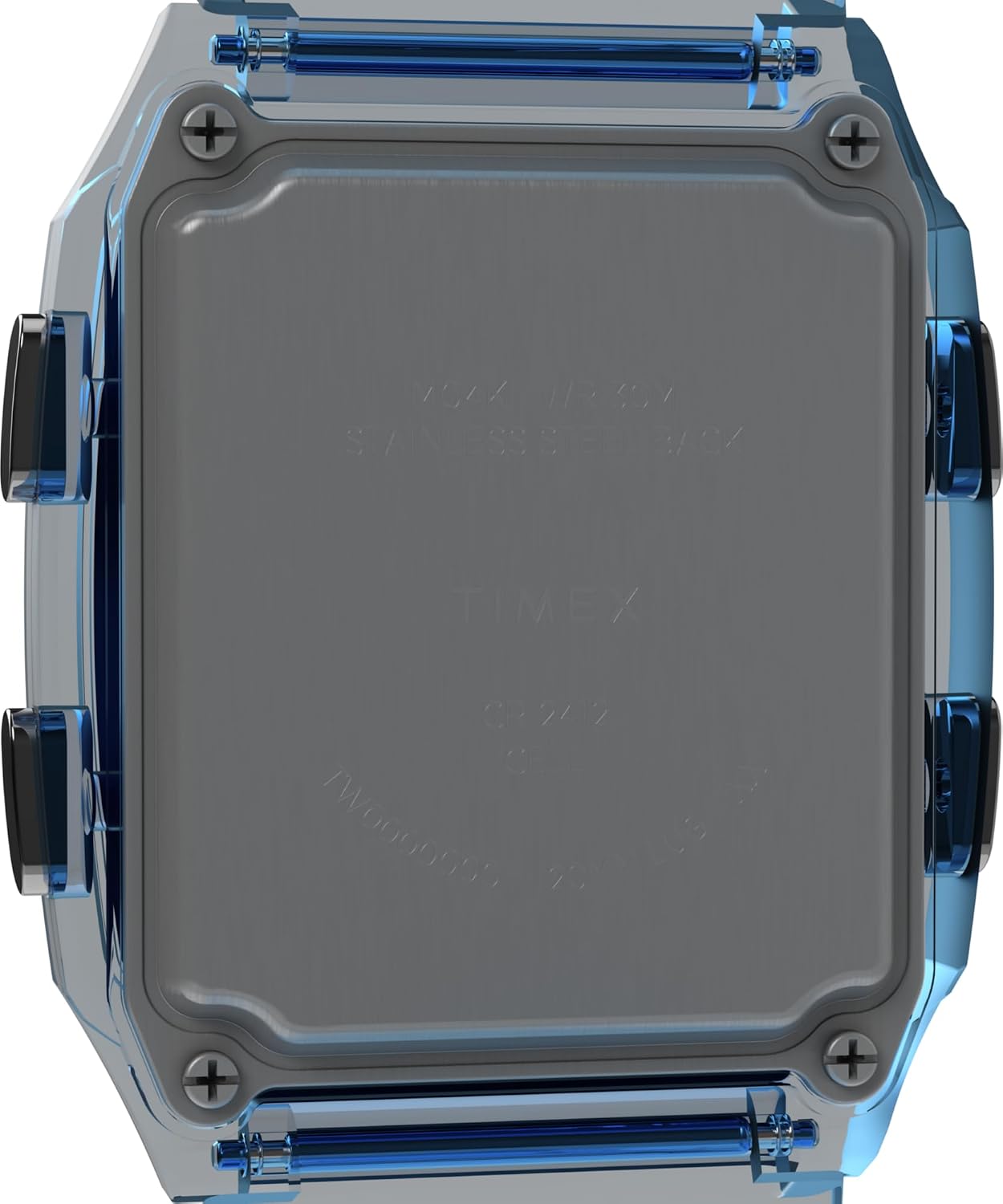
Image 4.1: Back view of the watch, showing the case back and screw locations.
4.3 Water Resistance Seal
The water resistance of your watch is not a permanent condition and may eventually be affected by the aging of gaskets or accidental shocks to the crown or case. It is advisable to have the water resistance checked periodically, especially after battery replacement.
5. Troubleshooting
- Display is blank or dim: The battery may be low or depleted. Refer to Section 4.2 for battery replacement.
- Time is incorrect: The time may need to be reset. Refer to Section 2.2 for setting time and date.
- Light function is weak: This can be a sign of a low battery.
- Buttons are unresponsive: Ensure the watch is not in a locked mode. If the issue persists, a battery replacement or professional inspection may be required.
For issues not covered here, please contact Timex customer support.
6. Specifications
| Feature | Specification |
|---|---|
| Model Number | TW2W45100VQ |
| Case Diameter | 35 Millimeters |
| Case Thickness | 9 Millimeters |
| Band Width | 20 Millimeters |
| Band Length | 8 Inches |
| Water Resistance Depth | 30 Meters (3 ATM) |
| Movement Type | Quartz |
| Display Type | Digital |
| Case Material | Resin |
| Band Material | Resin |
| Crystal Material | Acrylic |
| Power Source | Battery Powered (1 Lithium Metal battery included) |
| Item Weight | 0.2 Kilograms |
| UPC | 194366329735 |
7. Warranty Information
Your Timex watch is covered by a Limited Warranty. This warranty typically covers manufacturing defects in materials and workmanship under normal use. It does not cover damage resulting from improper handling, accidents, unauthorized repairs, or normal wear and tear. For specific terms and conditions of your warranty, please refer to the warranty card included with your purchase or visit the official Timex website.
8. Customer Support
If you require further assistance, have questions about your watch, or need to initiate a warranty claim, please contact Timex customer support. You can typically find contact information on the official Timex website or through the retailer where you purchased the watch.
For online resources and frequently asked questions, visit the Official Timex Website.