1. Introduction
Thank you for choosing the Luqeeg Type C Universal Learning Infrared Controller. This device transforms your smartphone into a universal remote control for various infrared-enabled appliances such as TVs, air conditioners, and more. Its compact design and Type C interface ensure convenient and efficient control.
Please read this manual thoroughly before using the product to ensure proper operation and to maximize its lifespan.
2. Safety Information
- Do not expose the device to extreme temperatures, direct sunlight, or moisture.
- Keep out of reach of children.
- Avoid dropping or subjecting the device to strong impacts.
- Do not attempt to disassemble or modify the device, as this will void the warranty and may cause damage.
- Ensure your smartphone's rotation function is enabled for optimal app interface display.
3. Package Contents
Verify that all items are present in your package:
- 1 x Luqeeg Type C Universal Learning Infrared Controller
- 1 x Silicone Protective Case
- 1 x Beaded Chain

Image: The Luqeeg Type C Universal Learning Infrared Controller shown with its included silicone protective case and a beaded chain for attachment.
4. Product Overview
The Luqeeg Type C Universal Learning Infrared Controller is designed for convenience and durability. It features a Type C interface for direct connection to compatible smartphones and is constructed from premium aluminum alloy. The included silicone case provides 360° protection.
- Interface: Type C for direct smartphone connection.
- Material: Durable aluminum alloy.
- Protection: Comes with a silicone case for enhanced durability.
- Range: Effective remote control distance of approximately 8 meters (26.2 feet).
- Compatibility: Works with a wide range of IR-controlled devices such as TVs and air conditioners.

Image: A detailed view of the Luqeeg Type C IR remote control, highlighting its compact design and the protective silicone case.

Image: An illustration demonstrating the Luqeeg IR remote control securely housed within its silicone case, indicating comprehensive protection.
5. Setup
Setting up your Luqeeg Type C Universal Learning Infrared Controller is a simple plug-and-play process.
- Download the App: Search for and download the compatible universal remote control application from your smartphone's app store (e.g., "ZaZa Remote" or similar universal IR remote app).
- Insert the Controller: Plug the Luqeeg Type C IR Controller into your smartphone's Type C port.
- Open the App: Launch the downloaded universal remote control application. The app should detect the connected IR controller.
- Enable Screen Rotation: Ensure your smartphone's screen rotation function is enabled. If disabled, the remote control interface within the app may not display correctly.
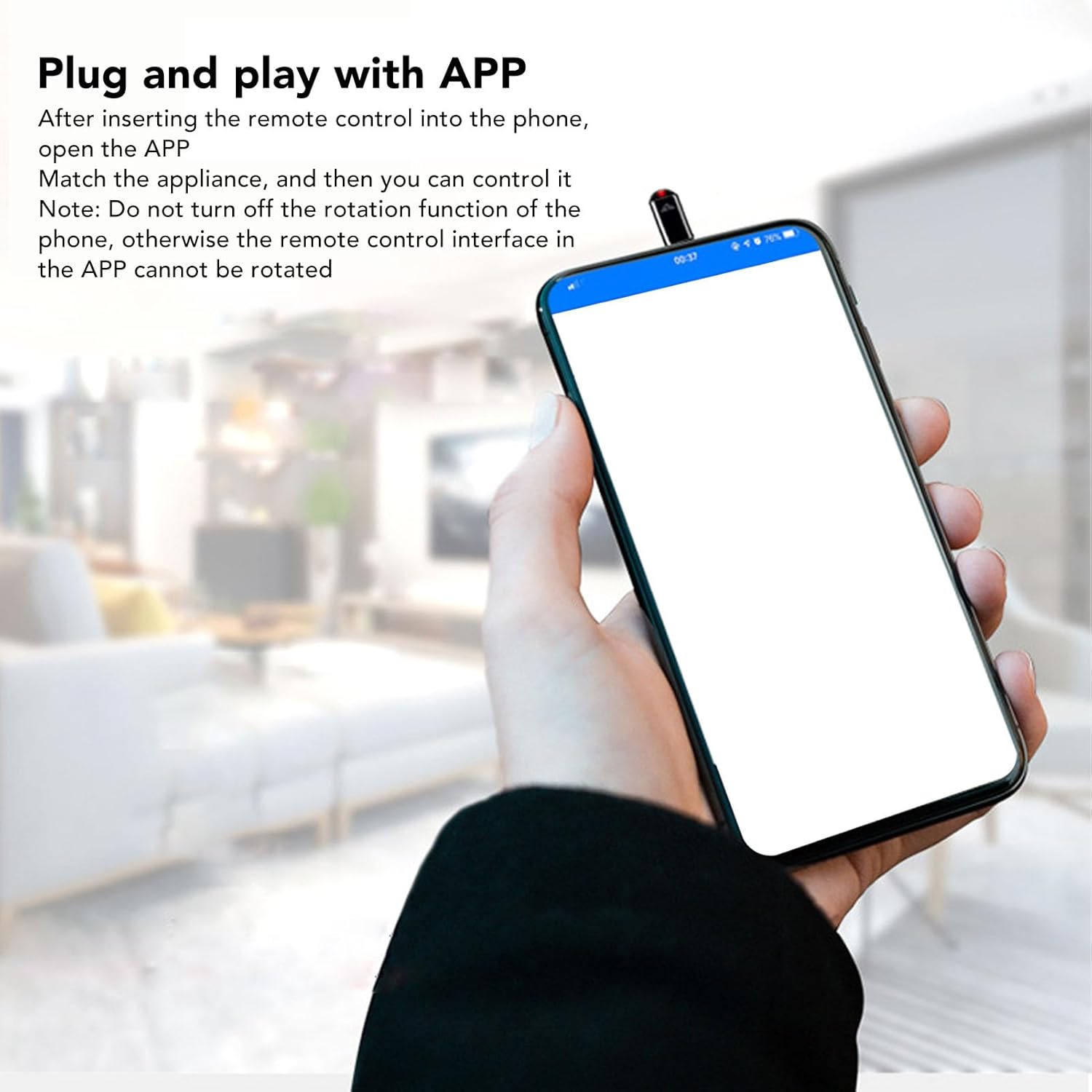
Image: The Luqeeg Type C IR remote control inserted into the Type C port of a smartphone, ready for use.

Image: A smartphone displaying the universal remote control application interface, indicating the device is ready for pairing and control after the IR controller is plugged in.
6. Operating Instructions
Once the controller is set up and the app is open, you can begin controlling your devices.
- Add Appliance: Within the app, select the option to "Add Appliance" or "Match Device."
- Select Device Type: Choose the type of device you wish to control (e.g., TV, Air Conditioner, Set-top Box, Projector).
- Brand Selection: Select the brand of your appliance from the list provided in the app.
- Pairing/Learning: Follow the on-screen instructions to pair the remote with your appliance. This usually involves pointing the IR controller towards the appliance and testing various codes until a match is found. Some apps may offer a "learning" function where the controller can learn signals from your original remote.
- Control: Once successfully paired, you can use the virtual remote interface on your smartphone to control the appliance.
The controller offers a wide remote control distance of up to 8 meters, allowing flexible control within your living space.

Image: A smartphone with the Luqeeg IR remote attached, illustrating its capability to control various home devices like TVs, air conditioners, and projectors from a central point.
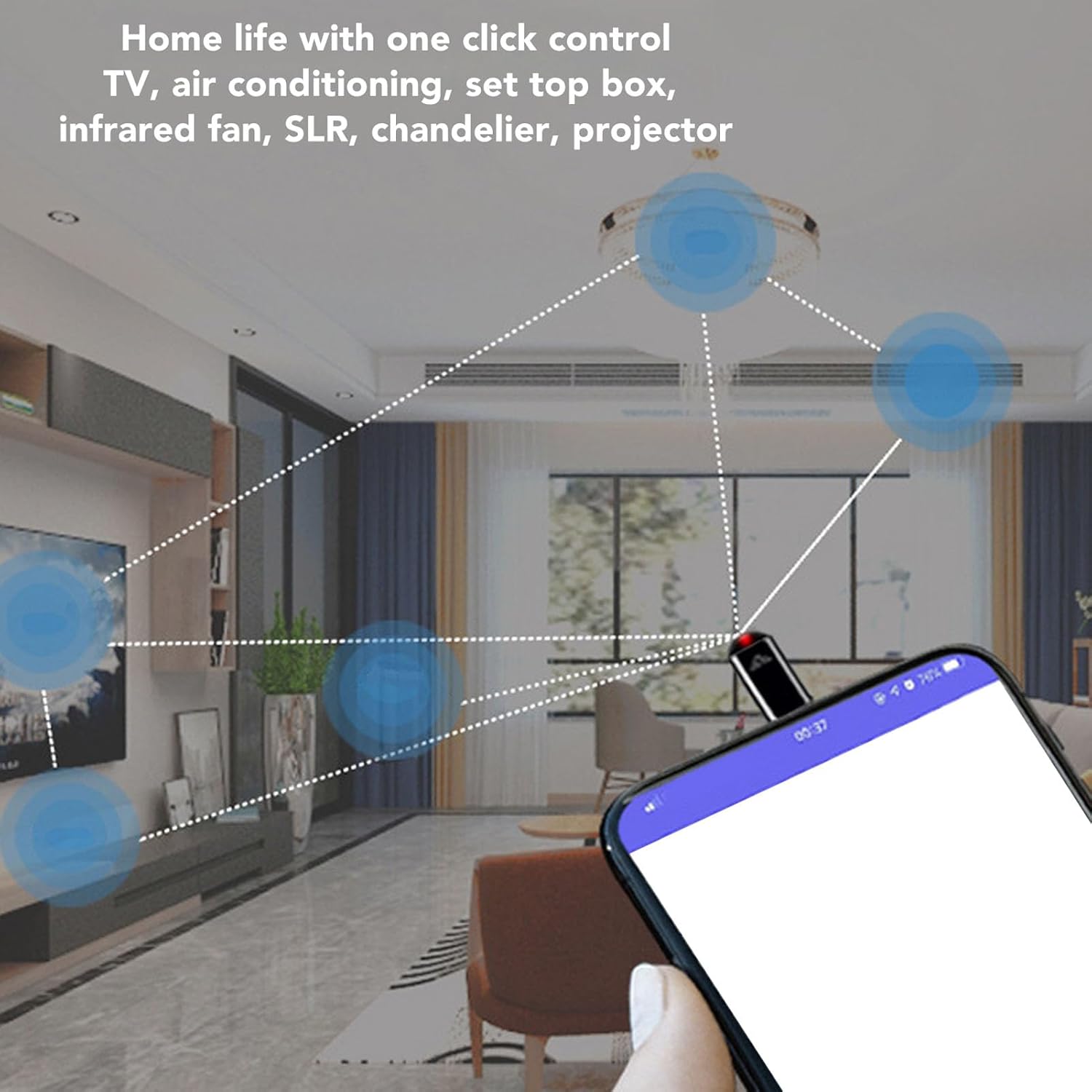
Image: The smartphone screen showing a digital remote control interface for an air conditioner, demonstrating the Luqeeg IR remote's function in controlling climate devices.

Image: A close-up view of the Luqeeg IR remote control, indicating it is actively transmitting an infrared signal to control an air conditioner, with the temperature display visible on the phone screen.
Remote Selfie Function (if supported by app)
Some universal remote applications may offer additional features, such as controlling a DSLR camera for remote selfies. This function helps to prevent camera shake during photo capture.

Image: An illustration depicting a DSLR camera being triggered by a smartphone equipped with an IR remote, demonstrating its use for remote photography to avoid camera shake.
7. Maintenance
To ensure the longevity and optimal performance of your Luqeeg IR Controller, follow these maintenance guidelines:
- Cleaning: Use a soft, dry cloth to wipe the device. Do not use liquid cleaners or abrasive materials.
- Storage: When not in use, store the controller in its silicone case to protect it from dust, scratches, and minor impacts.
- Protection: Always use the provided silicone case for 360° protection against wear and accidental loss. The beaded chain can be used to attach it to keys or bags.

Image: The Luqeeg Type C IR remote control attached to a keychain, demonstrating its portability and how the beaded chain can help prevent loss.
8. Troubleshooting
If you encounter issues with your Luqeeg IR Controller, refer to the following common problems and solutions:
| Problem | Possible Cause | Solution |
|---|---|---|
| Controller not detected by phone/app. |
|
|
| Cannot control appliance. |
|
|
| App interface not rotating. |
|
|
9. Specifications
| Feature | Detail |
|---|---|
| Item Type | Smartphone IR Remote Control |
| Model Number | Luqeegfznubrie21 |
| Brand | Luqeeg |
| Material | Aluminum Alloy |
| Interface | Type C |
| Remote Control Distance | Approx. 8m / 26.2ft |
| Compatible Devices | Air Conditioner, Television, Set-top Box, Projector (via app pairing) |
| Max Number of Supported Devices | Multiple (via app profiles) |
| Item Weight | 0.317 ounces (approx. 9 grams) |
| Package Dimensions | 3.54 x 3.15 x 0.79 inches |
10. Warranty Information
Luqeeg products are manufactured to high-quality standards. This product comes with a standard manufacturer's warranty against defects in materials and workmanship from the date of purchase. Please retain your proof of purchase for warranty claims.
The warranty does not cover damage caused by misuse, accident, unauthorized modification, or normal wear and tear. For specific warranty terms and conditions, please refer to the documentation provided with your purchase or contact customer support.
11. Support
For technical assistance, troubleshooting not covered in this manual, or warranty inquiries, please contact Luqeeg customer support through the retailer where you purchased the product or visit the official Luqeeg brand store on Amazon:
Visit the Luqeeg Store on Amazon
Please have your product model number (Luqeegfznubrie21) and proof of purchase ready when contacting support.