
Introduction
This manual provides instructions for the installation, use, and maintenance of your new Generic Translucent Acrylic+TPU Soft Edge Shell Phone Case, designed specifically for the Oppo Reno11 5G CPH2599 model. This case offers full-body protection, shock absorption, and precise cutouts for optimal functionality.
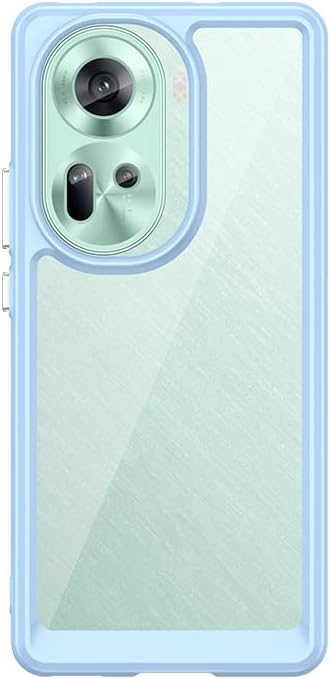
Image: The Generic Translucent Acrylic+TPU Soft Edge Shell Phone Case in blue, fitted onto a compatible Oppo Reno11 5G CPH2599 smartphone.
Setup and Installation
- Prepare Your Device: Ensure your Oppo Reno11 5G CPH2599 is clean and free of dust or debris.
- Align the Case: Hold the phone case with the back facing up. Carefully align your phone with the case, ensuring the camera cutouts and button positions match.
- Insert the Phone: Gently press your phone into the case, starting with one side (e.g., the top or bottom edge). Apply even pressure around the edges until the phone is fully seated within the soft TPU border.
- Check Fit: Verify that all edges of the phone are securely covered by the case and that there are no gaps. Ensure all ports and buttons are accessible through the precise cutouts.
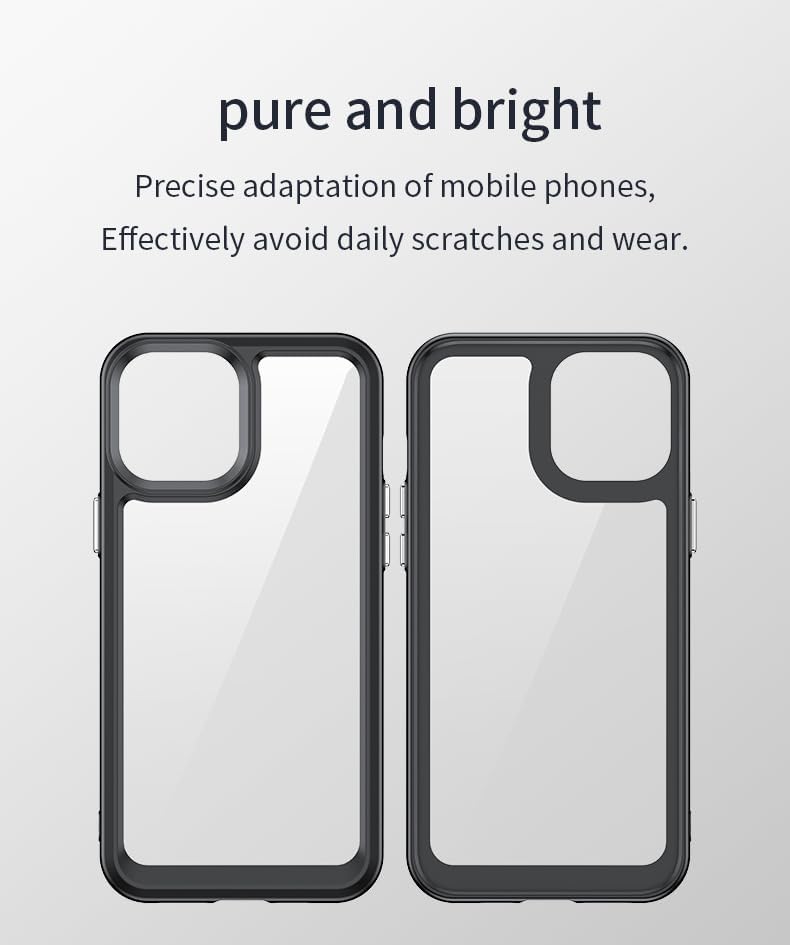
Image: Illustration showing the precise design of the case for optimal fit and protection against scratches.
Operating Your Device with the Case
The case is designed to enhance your phone's usability while providing protection.
- Button Access: The case features individually plated keys that are accurate, responsive, and easy to press, ensuring full functionality of your phone's power and volume buttons.
- Port Access: Precise cutouts allow for easy access to all charging ports, headphone jacks (if applicable), and speakers without needing to remove the case.
- Camera Protection: The case provides enhanced protection around the camera module, helping to prevent scratches and impacts to the lenses.
- Comfortable Handling: The soft TPU edges and slim design contribute to a comfortable grip and make the phone easy to carry in a pocket or bag.

Image: Detailed view highlighting the independent button design, soft border for easy installation, and elevated protection around the screen and camera.

Image: A hand holding a phone with a similar case, illustrating the comfortable and ergonomic feel provided by the soft, delicate, and elastic material.
Maintenance and Care
- Cleaning: To clean the case, gently wipe it with a soft, damp cloth. For stubborn dirt, a mild soap solution can be used. Avoid harsh chemicals or abrasive cleaners, as these may damage the material.
- Drying: Allow the case to air dry completely before re-installing your phone.
- Storage: When not in use, store the case in a cool, dry place away from direct sunlight to prevent material degradation.
Troubleshooting
- Case does not fit properly:
- Ensure you have the correct model case for your phone (Oppo Reno11 5G CPH2599). Remove the phone and re-install, ensuring all edges are properly seated within the case's soft border.
- Buttons are stiff or unresponsive:
- Check if the case is fully seated. The independent keys are designed for responsiveness; if issues persist, remove and re-install the case, ensuring proper alignment over the phone's buttons.
- Case appears dirty or discolored:
- Follow the cleaning instructions in the "Maintenance and Care" section. Regular cleaning can help maintain the translucent appearance of the acrylic back.
Specifications
| Feature | Detail |
|---|---|
| Compatible Model | Oppo Reno11 5G CPH2599 |
| Material | Translucent Acrylic back + TPU Soft Edge Shell (with individually plated keys) |
| Protection Features | Shockproof, Anti-drop, Full Body Protection, Drop protection on all four corners, Enhanced camera protection |
| Color | Blue (as per product variant) |
| Water Resistance Level | Not Water Resistant |
| Dimensions | 0.39 x 0.39 x 0.39 inches (Item dimensions, approximate for case thickness) |
Warranty Information
Specific warranty details for this product are not provided. Please refer to the retailer's return policy or contact the seller directly for information regarding product guarantees or defects.
Support
For further assistance or inquiries, please contact the seller through the platform where the product was purchased. Ensure you have your order details readily available.
