Introduction
This manual provides detailed instructions for the setup, operation, maintenance, and troubleshooting of your Volkano Cyclone Series Portable Bluetooth Speaker. Please read this guide thoroughly before using the product to ensure proper function and longevity.
Safety Information
- Do not expose the speaker to extreme temperatures, direct sunlight, or high humidity.
- Keep the speaker away from water and liquids. This product is not water-resistant.
- Do not attempt to disassemble or modify the speaker. This may void the warranty and cause damage.
- Use only the specified charging voltage (5V DC, 1A) to prevent damage to the battery and speaker.
- Keep out of reach of children.
Package Contents
Ensure all items are present in the package:
- Volkano Cyclone Series Portable Bluetooth Speaker
- USB Charging Cable
- Auxiliary Cable
- User Manual
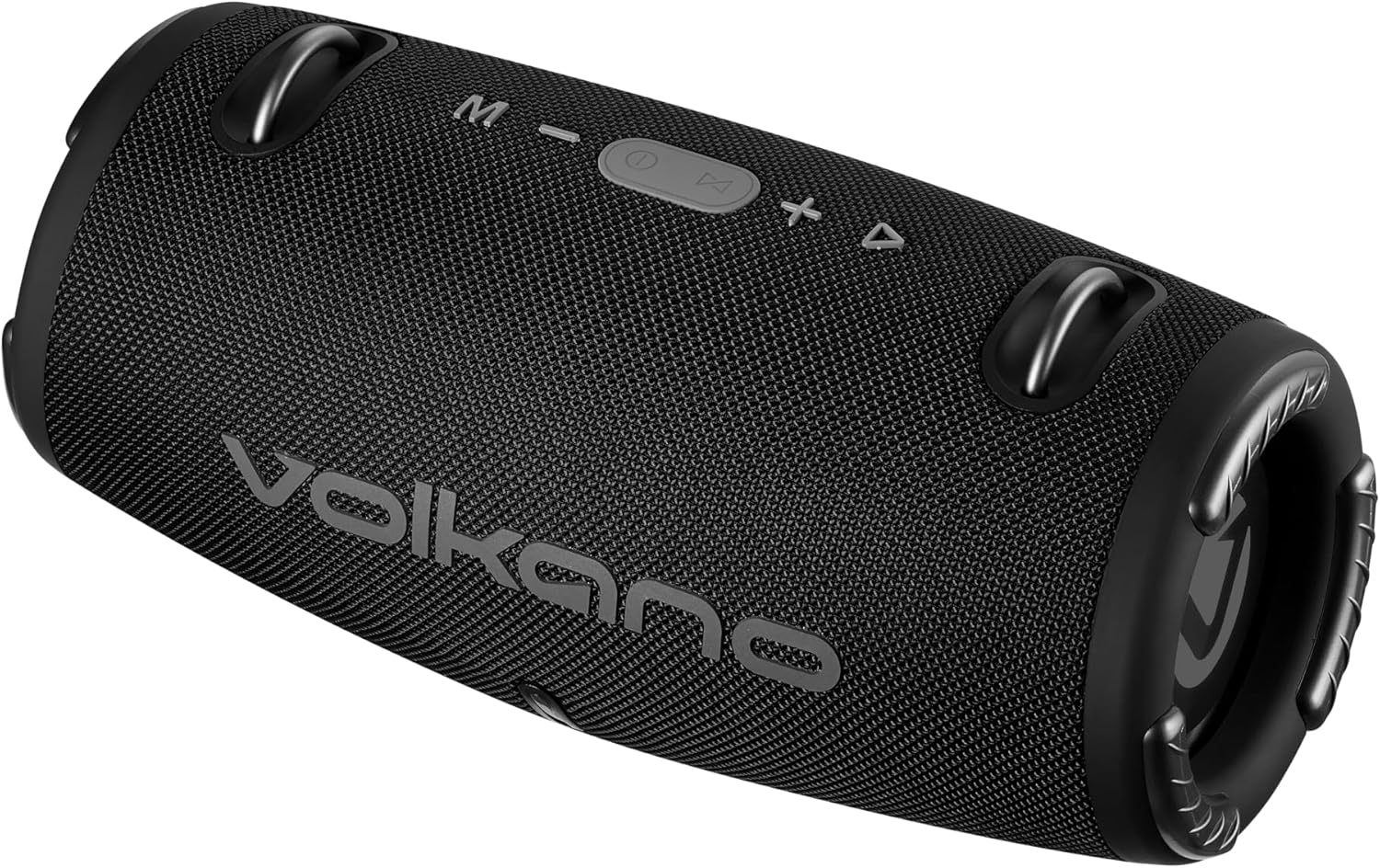
Image: Front view of the Volkano Cyclone Series Portable Bluetooth Speaker, showing the Volkano logo and control buttons on top.
Product Overview
Familiarize yourself with the speaker's components and controls.
Control Panel
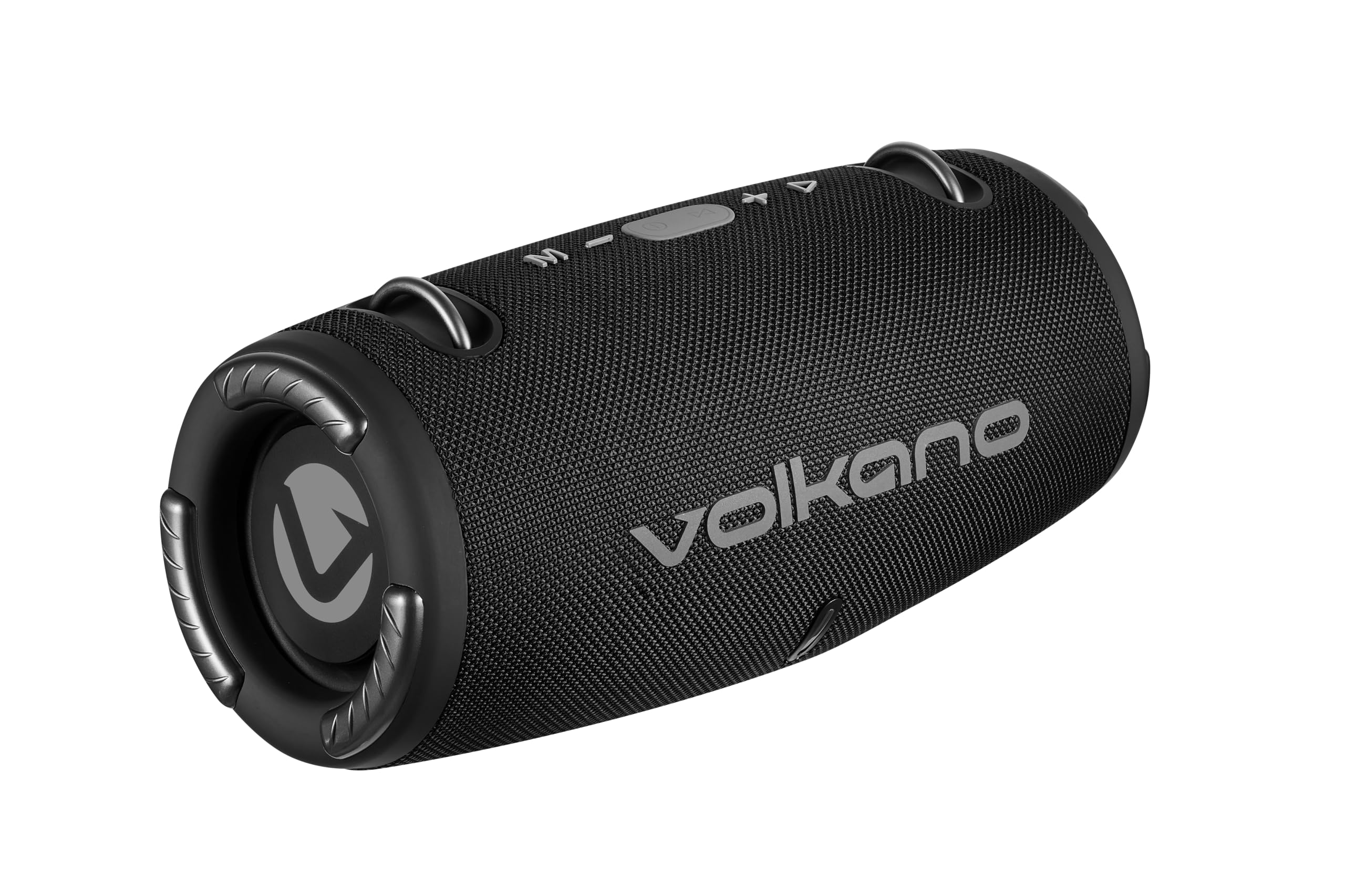
Image: Top view of the speaker, highlighting the control buttons: Mode (M), Volume Down (-), Play/Pause/Call (Power button), Volume Up (+), and Track Skip (triangle).
- M (Mode) Button: Press to switch between Bluetooth, FM Radio, USB, and AUX modes.
- - (Volume Down) Button: Press to decrease volume. Hold to go to the previous track.
- Play/Pause/Call Button: Press to play or pause music. Press to answer or end calls. Hold to power on/off.
- + (Volume Up) Button: Press to increase volume. Hold to go to the next track.
- LED Indicator: Shows charging status and Bluetooth pairing status.
Ports and Connections
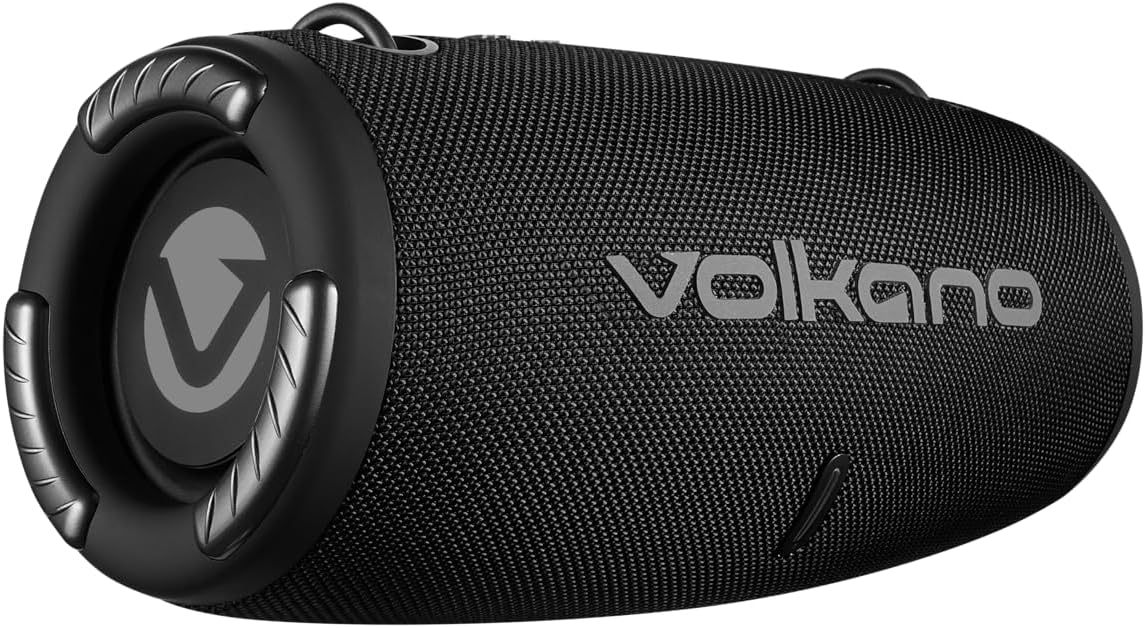
Image: Rear view of the speaker, showing the covered input ports for charging, USB, and AUX connections.
- DC 5V Charging Port: For charging the speaker using the provided USB cable.
- USB Port: For playing music from a USB flash drive.
- AUX Input: For connecting external audio devices via a 3.5mm auxiliary cable.
Setup
Charging the Speaker
- Connect the USB charging cable to the DC 5V port on the speaker.
- Connect the other end of the USB cable to a compatible USB power adapter (5V DC, 1A output) or a computer's USB port.
- The LED indicator will illuminate to show charging status. Charging takes approximately 3.5 hours.
- Once fully charged, the LED indicator will change (e.g., turn off or change color). Disconnect the charging cable.
Powering On/Off
- To power on, press and hold the Play/Pause/Call button until you hear an audible prompt.
- To power off, press and hold the Play/Pause/Call button until you hear an audible prompt and the LED indicator turns off.
Operating Instructions
Bluetooth Pairing
- Ensure the speaker is powered on and in Bluetooth mode (indicated by a flashing LED). If not, press the 'M' button to switch modes.
- Enable Bluetooth on your smartphone or tablet (e.g., Android, iPhone).
- Search for available Bluetooth devices.
- Select "Volkano Cyclone" (or similar name) from the list.
- Once paired, the LED indicator will stop flashing and remain solid, and you will hear a confirmation sound.
- You can now play audio from your device through the speaker. The speaker has a wireless range of up to 10 meters.
Playing Music
- Bluetooth Mode: After pairing, play music directly from your connected device.
- USB Mode: Insert a USB flash drive into the USB port. The speaker will automatically switch to USB mode and begin playing music.
- AUX Mode: Connect an external audio device (e.g., MP3 player) to the AUX input using a 3.5mm audio cable. Press the 'M' button to switch to AUX mode.
- FM Radio Mode: Press the 'M' button to switch to FM Radio mode. Use the Play/Pause button to auto-scan for stations. Use the +/- buttons to change stations.
Volume and Track Control
- Volume Adjustment: Press the '+' button to increase volume, and the '-' button to decrease volume.
- Next Track: Hold the '+' button.
- Previous Track: Hold the '-' button.
- Play/Pause: Press the Play/Pause/Call button.
Hands-Free Calling
- When a call comes in while connected via Bluetooth, the music will pause.
- Press the Play/Pause/Call button to answer the call.
- Press the Play/Pause/Call button again to end the call.
- The speaker also supports voice control, allowing you to manage calls or music playback through voice commands if your connected device supports it.
Maintenance
- Clean the speaker with a soft, dry cloth. Do not use abrasive cleaners or solvents.
- Store the speaker in a cool, dry place when not in use for extended periods.
- Avoid dropping or subjecting the speaker to strong impacts.
- Charge the battery regularly, even if not in frequent use, to maintain battery health.
Troubleshooting
| Problem | Possible Cause | Solution |
|---|---|---|
| Speaker does not power on. | Low battery. | Charge the speaker for at least 3.5 hours. |
| Cannot pair via Bluetooth. | Speaker not in pairing mode; device Bluetooth off; too far from speaker. | Ensure speaker is in Bluetooth mode (flashing LED). Turn device Bluetooth off/on. Move device closer (within 10m). |
| No sound. | Volume too low; incorrect mode selected; device not playing audio. | Increase speaker and device volume. Press 'M' to select correct input mode. Ensure audio is playing on the connected device. |
| Poor sound quality. | Device too far; interference; low battery. | Move device closer. Avoid obstacles. Charge the speaker. |
Specifications
| Feature | Detail |
|---|---|
| Bluetooth Version | V5.1+EDR |
| Bluetooth Range | Up to 10 meters |
| Battery Capacity | 3.7V, 1500mAh |
| Playtime | 2 - 9 hours (depending on volume) |
| Charging Input | 5V DC, 1A |
| Charging Time | Approximately 3.5 hours |
| Total RMS Power Output | 10 Watts |
| Driver Size | Dual 2.7 inch, 5 Watt drivers |
| Impedance | 4 Ohm |
| Frequency Response | 50 Hz - 20 kHz |
| Sensitivity | 86 dB |
| Product Dimensions (L x W x H) | 295 x 140 x 140 mm |
| Item Weight | 1.38 kg |
| Water Resistance | No |
| Audio Output Mode | Stereo |
| Control Method | Voice, Buttons |
| Compatible Devices | Android, iPhone |
| Manufacturer | SMD TECHNOLOGIES |
Warranty and Support
This Volkano Cyclone Series Portable Bluetooth Speaker comes with a Limited Warranty.
For warranty claims, technical support, or further inquiries, please contact the manufacturer, SMD TECHNOLOGIES, or your local retailer. Keep your proof of purchase for warranty validation.


