Introduction
Thank you for choosing the S20 TWS Wireless Earbuds. These earbuds are designed to provide a seamless audio experience with automatic intelligent connection, touch control, and a comfortable fit for various activities. This manual will guide you through the setup, operation, and maintenance of your new earbuds.
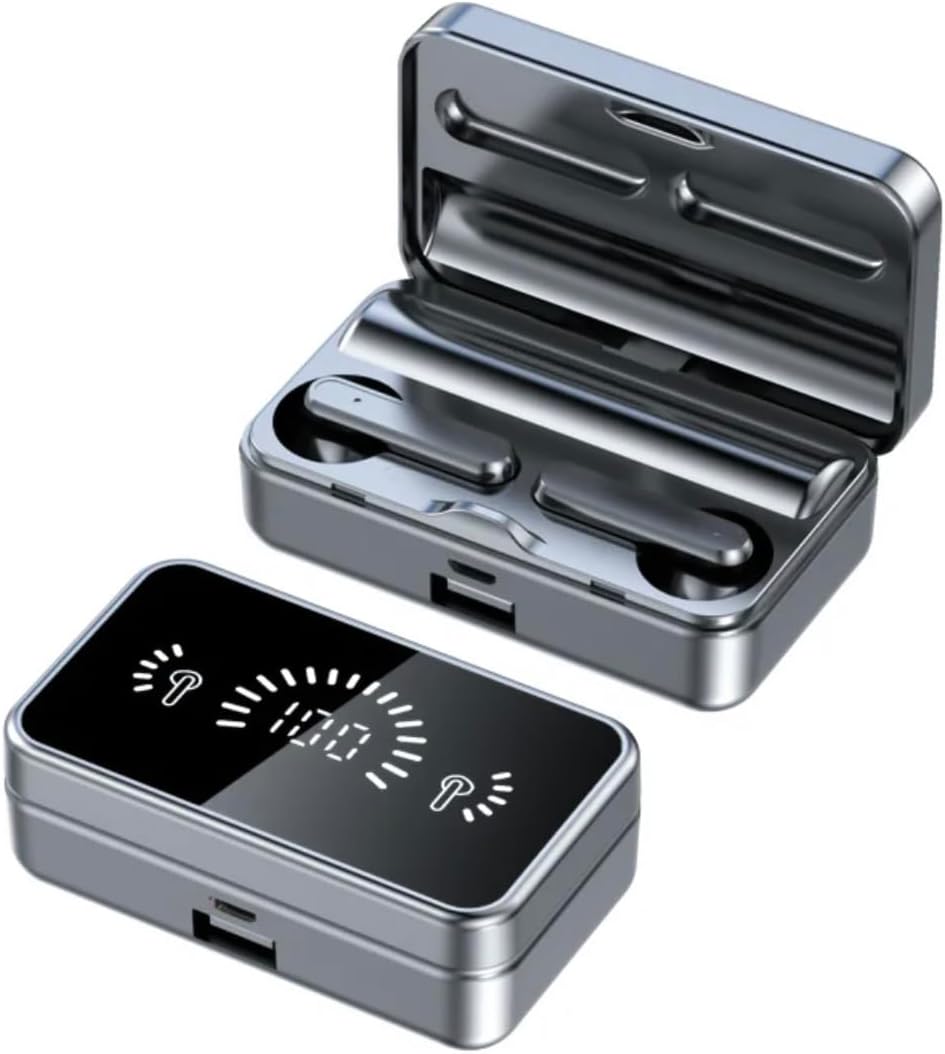
Image: The S20 TWS Wireless Earbuds shown with their charging case, highlighting the compact and reflective design.
Package Contents
Please check the package for the following items:
- S20 TWS Wireless Earbuds (Left and Right)
- Charging Case
- USB Charging Cable
- User Manual
Product Overview

Image: The S20 TWS Wireless Earbuds and their charging case, displaying the intelligent digital battery level indicator on the case.
The S20 earbuds feature a compact design with a charging case that includes an intelligent digital display. This display shows the battery levels for both the left earbud, the right earbud, and the charging case itself, allowing for easy monitoring of power status.

Image: An exploded view diagram of the S20 TWS Wireless Earbuds, illustrating the internal multilayer composite plating titanium diaphragm for high-fidelity sound.
Equipped with a multilayer composite plating titanium diaphragm, the S20 earbuds deliver high-fidelity audio with minimal sound loss, ensuring a rich and clear listening experience.
Setup
Charging the Earbuds and Case
Before first use, fully charge the earbuds and the charging case.
- Place the earbuds into the charging case. Ensure they are correctly seated.
- Connect the USB charging cable to the charging port on the case and plug the other end into a USB power source (e.g., computer, wall adapter).
- The digital display on the case will show the charging status. A full charge takes approximately 30 minutes for the earbuds. The case battery capacity is 3.7V 800mAh Lithium.
Pairing with Your Device
The S20 earbuds feature automatic intelligent connection.
- Open the charging case. The earbuds will automatically power on and enter pairing mode.
- On your device (smartphone, tablet, laptop), enable Bluetooth.
- Search for Bluetooth devices and select "S20" from the list.
- Once connected, you will hear a confirmation tone, and the earbuds will be ready for use.
Note: The earbuds will automatically connect to the last paired device when taken out of the case, if Bluetooth is enabled on the device.
Operating Instructions
Touch Controls
The S20 earbuds utilize touch control for various functions:
| Action | Function |
|---|---|
| Single Tap (Left/Right Earbud) | Play/Pause Music, Answer/End Call |
| Double Tap (Right Earbud) | Next Track |
| Double Tap (Left Earbud) | Previous Track |
| Triple Tap (Left/Right Earbud) | Activate Voice Assistant |
| Long Press (Left/Right Earbud, 2 seconds) | Reject Call |
| Long Press (Left Earbud, 3 seconds) | Decrease Volume |
| Long Press (Right Earbud, 3 seconds) | Increase Volume |
Wearing the Earbuds
Gently insert the earbuds into your ears, ensuring a snug and comfortable fit for optimal sound quality and noise cancellation. The earpiece shape is designed with rounded tips for comfort.
Maintenance
Cleaning
- Regularly clean the earbuds and charging case with a soft, dry, lint-free cloth.
- Do not use abrasive cleaners, alcohol, or chemical solvents.
- Ensure charging contacts on both earbuds and case are clean and free of debris.
Storage
When not in use, store the earbuds in their charging case to protect them and keep them charged.
Water Resistance
The S20 earbuds are waterproof. However, they are not designed for swimming or prolonged submersion. Avoid exposing the charging case to water.
Troubleshooting
| Problem | Possible Solution |
|---|---|
| Earbuds not pairing |
|
| No sound from one earbud |
|
| Charging case not charging |
|
| Poor sound quality |
|
Specifications
| Feature | Detail |
|---|---|
| Model Name | S20 |
| Connectivity Technology | Wireless (Bluetooth 4.0) |
| Wireless Transmission Distance | 10m / 32.8ft |
| Charging Case Battery | 3.7V 800mAh Lithium |
| Charging Time | Approx. 30 minutes (earbuds) |
| Control Method | Touch Control |
| Noise Control | Active Noise Cancellation |
| Water Resistance Level | Waterproof |
| Material | Acrylonitrile Butadiene Styrene (ABS) + PVC |
| Color | Black |
| Item Weight | 4.8 ounces |
Warranty and Support
For warranty information and customer support, please refer to the contact details provided with your purchase or visit the official Generic product support website. Keep your proof of purchase for any warranty claims.