Introduction
Thank you for choosing the ZEALOT S97 Bluetooth Speaker. This manual provides detailed instructions on how to set up, operate, maintain, and troubleshoot your speaker to ensure optimal performance and longevity. Please read this manual carefully before using the product and keep it for future reference.

Image: Front view of the ZEALOT S97 Bluetooth Speaker, showcasing its robust design and integrated handle.
Package Contents
Please check the package for the following items:
- ZEALOT S97 Bluetooth Speaker
- Charging Cable (USB-C)
- User Manual
Product Overview
Familiarize yourself with the speaker's components and controls.

Image: A detailed view of the ZEALOT S97 speaker, highlighting the control panel on top and the illuminated side woofers.
Control Panel
- Power Button: Press and hold to power on/off.
- Mode Button (M): Press to switch between Bluetooth, AUX, and TF card modes.
- Play/Pause Button: Press to play or pause audio. Press and hold for voice assistant.
- Volume Down (-): Press to decrease volume. Press and hold for previous track.
- Volume Up (+): Press to increase volume. Press and hold for next track.
- TWS Button: Press to initiate True Wireless Stereo pairing.
Setup
1. Charging the Speaker
Before first use, fully charge the speaker. Connect the provided USB-C charging cable to the speaker's charging port and the other end to a USB power adapter (not included) or a computer's USB port.
- The charging indicator light will illuminate during charging.
- The light will turn off or change color when fully charged.
- A full charge provides approximately 30 hours of playtime.

Image: The ZEALOT S97 speaker on a wooden table, connected via its charging port to a smartphone, demonstrating its power bank capability and long playtime.
2. Powering On/Off
Press and hold the Power Button for 2-3 seconds to turn the speaker on or off. You will hear an audible prompt.
3. Bluetooth Pairing
- Turn on the ZEALOT S97 speaker. It will automatically enter Bluetooth pairing mode, indicated by a flashing LED light.
- Enable Bluetooth on your device (smartphone, tablet, computer).
- Search for "ZEALOT S97" in the list of available Bluetooth devices.
- Select "ZEALOT S97" to connect. Once connected, the LED light will become solid, and you will hear a confirmation sound.
- If prompted for a password, enter "0000".
The speaker will automatically reconnect to the last paired device when powered on, if the device's Bluetooth is active and within range.
Operating Instructions
Audio Playback
- Play/Pause: Press the Play/Pause Button.
- Next Track: Press and hold the Volume Up (+) Button.
- Previous Track: Press and hold the Volume Down (-) Button.
- Volume Adjustment: Press the Volume Up (+) or Volume Down (-) buttons to adjust the volume.
True Wireless Stereo (TWS) Pairing
You can pair two ZEALOT S97 speakers together for a true stereo sound experience.
- Ensure both ZEALOT S97 speakers are powered on and not connected to any Bluetooth device.
- On one of the speakers (this will be the primary speaker), press the TWS Button. The speaker will enter TWS pairing mode.
- The two speakers will automatically connect to each other. You will hear a confirmation sound once paired.
- Once TWS is established, connect your device to the primary speaker via Bluetooth as described in the "Bluetooth Pairing" section.

Image: Two ZEALOT S97 speakers positioned outdoors at dusk, demonstrating the True Wireless Stereo (TWS) pairing capability for an enhanced audio experience.
Additional Features
- Bass Enhancement: The S97 features dual woofer enhancement for powerful bass.

Image: Close-up of the ZEALOT S97 speaker's side, highlighting the illuminated dual woofer for enhanced bass output.
- IP67 Waterproof and Dustproof: The speaker is designed to withstand water immersion up to 1 meter for 30 minutes and is fully protected against dust.
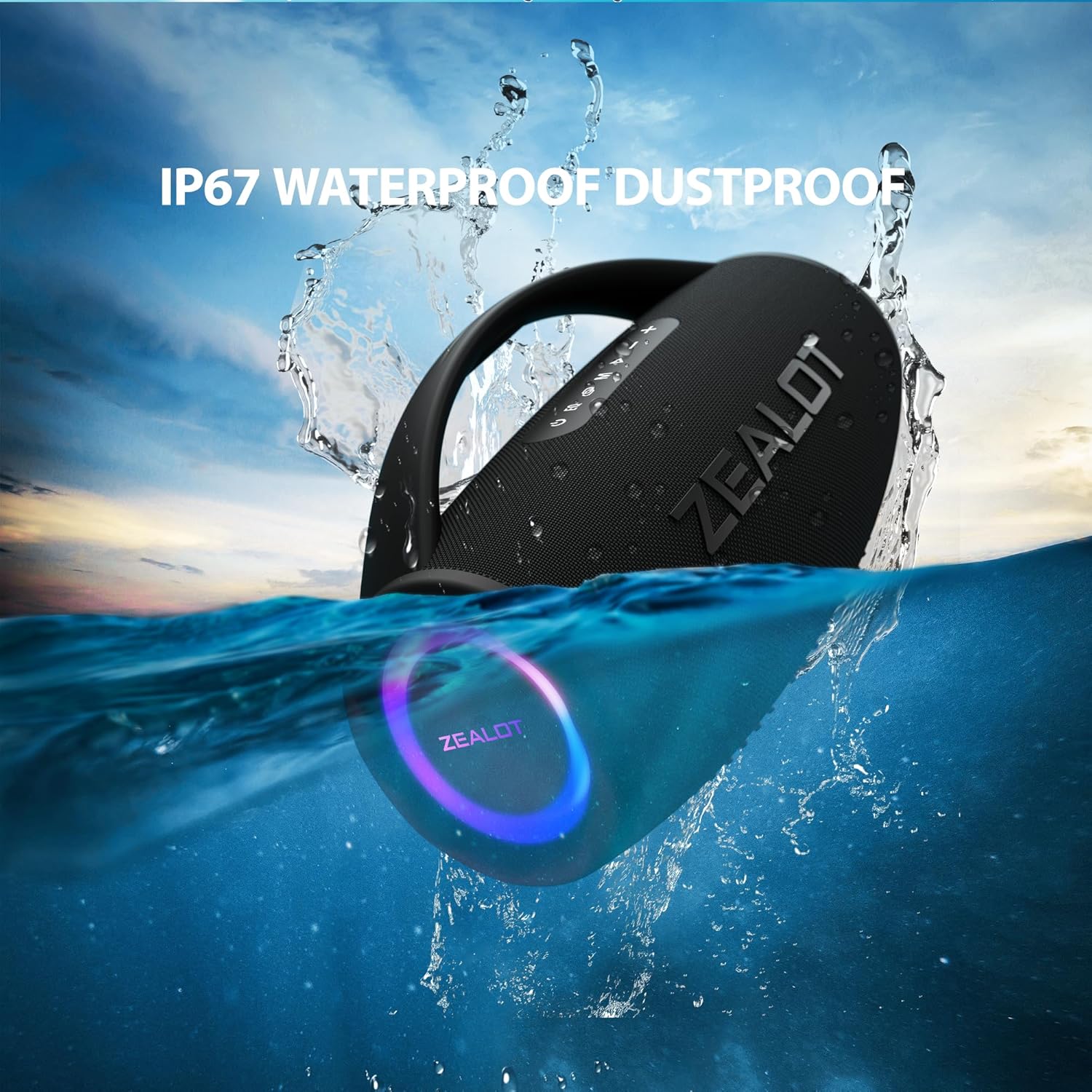
Image: The ZEALOT S97 speaker partially submerged in water, illustrating its IP67 waterproof and dustproof rating.
- Massive Studio Stereo Sound: Delivers 90W of powerful, clear audio.

Image: An X-ray style view of the ZEALOT S97 speaker, showing its internal components and emphasizing its 90W massive studio stereo sound capabilities.
Maintenance
Cleaning
Wipe the speaker with a soft, damp cloth. Do not use harsh chemicals or abrasive cleaners. Ensure all ports are dry before charging or connecting cables.
Storage
Store the speaker in a cool, dry place away from direct sunlight and extreme temperatures. If storing for an extended period, charge the battery to about 50% every few months to maintain battery health.
Battery Care
- Avoid fully discharging the battery frequently.
- Do not expose the speaker to temperatures above 60°C (140°F).
- Use only the provided charging cable or a certified equivalent.
Troubleshooting
| Problem | Possible Cause | Solution |
|---|---|---|
| Speaker does not turn on. | Low battery. | Charge the speaker fully. |
| No sound. | Volume too low; Device not connected; Incorrect mode. | Increase volume on speaker and device; Re-pair Bluetooth; Press 'M' button to select correct mode. |
| Bluetooth connection unstable or fails. | Device too far; Interference; Speaker not in pairing mode. | Move device closer to speaker; Avoid obstacles; Ensure speaker is in pairing mode (flashing LED). |
| TWS pairing fails. | Speakers already connected to other devices; Not in TWS pairing mode. | Disconnect both speakers from any Bluetooth devices; Ensure both are in TWS pairing mode. |
Specifications
| Feature | Detail |
|---|---|
| Brand | ZEALOT |
| Model Name | S97 |
| Connectivity Technology | Bluetooth |
| Speaker Type | Outdoor |
| Special Feature | Bass Boost, IP67 Waterproof/Dustproof |
| Recommended Uses | For music players |
| Compatible Devices | Bluetooth-enabled devices |
| Controller Type | App Control |
| Product Dimensions | 36.4D x 22W x 36.4H cm |
| Speaker Amplification Type | Active |
| Wattage | 90 watts (RMS), 180 watts (Max Output) |
| Power Source | Battery |
| Battery Cell Composition | Lithium Ion |
| Material | Weather-resistant plastic or durable metal |
| Frequency Response | 80 Hz |
| Audio Output Mode | Stereo |
Warranty and Support
ZEALOT products are manufactured to the highest quality standards. For warranty information, technical support, or customer service inquiries, please refer to the warranty card included with your product or visit the official ZEALOT website. Please retain your proof of purchase for warranty claims.
For further assistance, you may also contact the seller through the platform where you purchased the product.


