
1. Introduction
Thank you for choosing the VIANIS Motion Sensor Outdoor Wall Light Fixture. This manual provides essential information for the safe installation, operation, and maintenance of your new lighting fixture. Please read these instructions thoroughly before installation and retain them for future reference.
2. Safety Information
- Always turn off the power at the main circuit breaker before beginning installation or maintenance.
- Consult a qualified electrician if you are unsure about the installation process.
- Ensure all electrical connections comply with local codes and ordinances.
- This fixture is designed for outdoor use and is waterproof. However, avoid direct high-pressure water jets.
- Use only dimmable LED bulbs to prevent flickering issues when using dimming functions.
- Do not exceed the maximum wattage specified for the bulb (E26, MAX 100W).
3. What's in the Box
Verify that all components are present before installation:
- VIANIS Motion Sensor Outdoor Wall Light Fixture
- Mounting Hardware
- Shade
- Bulb (Not included)
4. Specifications
| Brand | VIANIS |
| Model Number | V8147 |
| Color | Black |
| Material | Aluminum, Tempered Seeded Glass |
| Dimensions (L x W x H) | 6.89"L x 5.5"W x 12.6"H |
| Weight | 3.37 Pounds |
| Power Source | Corded Electric |
| Bulb Base | E26 |
| Max Wattage | 100W |
| Special Features | Motion Sensor, Dusk to Dawn Sensor, Dimmable, Anti-Rust, Water Resistant |
| Sensing Angle | 220° |
| Max Detection Range | 40 FT |
Note: Bulb is not included. Dimmable LED bulbs are recommended for optimal performance with dimming features.
5. Setup and Installation
This outdoor wall light fixture is designed for easy installation. Follow these general steps:
- Prepare for Installation: Turn off power at the circuit breaker. Ensure the mounting surface is clean and secure.
- Mount the Fixture: Use the provided mounting hardware to securely attach the cross mounting plate to your wall. Connect the electrical wires (live, neutral, ground) according to standard electrical practices.
- Attach the Light Fixture: Secure the light fixture body to the cross mounting plate.
- Install the Bulb: The fixture features an open bottom design for easy bulb replacement. Insert an E26 base bulb (max 100W, dimmable LED recommended) into the socket.
- Restore Power: Turn the power back on at the circuit breaker.

Figure 5.1: VIANIS Motion Sensor Outdoor Wall Light Fixture installed on a brick wall.

Figure 5.2: Product dimensions and key components.
Video 5.1: Overview of the VIANIS Motion Sensor Outdoor Light Fixture and its features.
6. Operating Instructions
Your VIANIS outdoor light fixture features an upgraded motion sensor with multiple working modes and adjustable brightness.
6.1. One-Key Mode Switching
Switch between modes by pressing the sensor button located on top of the fixture. The indicator light will change color to confirm the selected mode:
- DIM Mode (Red Light): The light stays at a low brightness (adjustable 10%-50%) at night. When motion is detected, it brightens to 100% and returns to low brightness after motion ceases.
- ECO Mode (Green Light): The light remains off at night. When motion is detected, it turns on at 100% brightness and turns off after motion ceases.
- D2D Mode (Blue Light): The light turns on at 100% brightness at dusk and automatically turns off at dawn. Motion sensing is not active in this mode.

Figure 6.1: One-click mode switching on the motion sensor.
6.2. Override Mode
To activate Override Mode, quickly turn the light switch OFF and then ON within 2 seconds. The light will maintain 100% brightness for approximately 8 hours, then automatically turn off at dawn and revert to the previously selected operating mode.

Figure 6.2: Manual Override Mode operation.
6.3. Brightness Adjustment (DIM Mode)
In DIM Mode, you can adjust the standby brightness between 15% and 50%. To adjust, long-press the sensor button until the desired brightness is reached.

Figure 6.3: Integrated dimmer for brightness adjustment.
6.4. Adjustable Sensing Range
The motion sensor has an ultra-wide sensing coverage of 220 degrees and an adjustable detection range up to 40 feet. The sensitivity can be adjusted to Far, Medium, or Nearest settings to suit your needs.
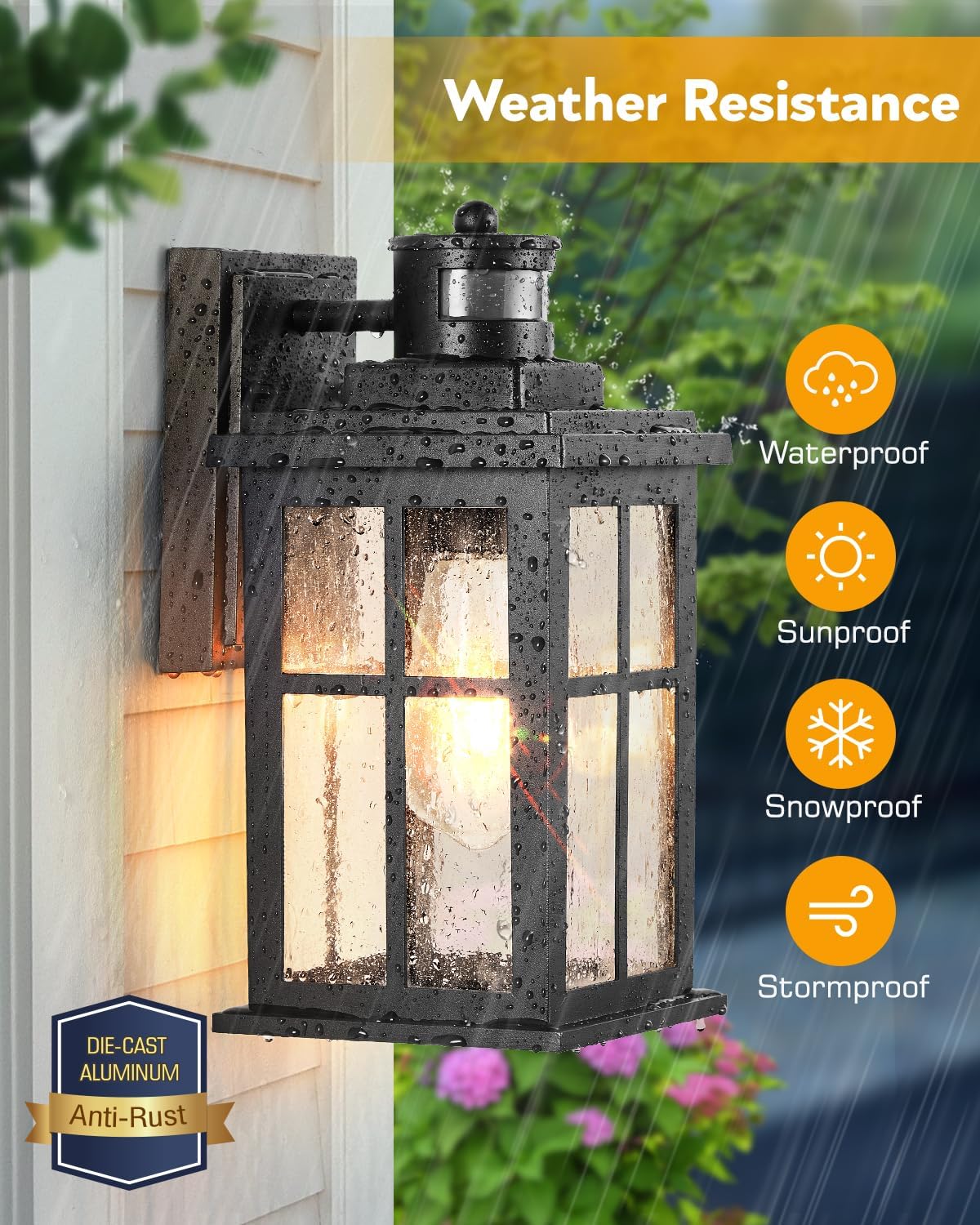
Figure 6.4: Ultra-wide sensing coverage and adjustable range.
7. Maintenance
To ensure the longevity and optimal performance of your VIANIS outdoor light fixture, follow these maintenance guidelines:
- Cleaning: Periodically clean the fixture with a soft, damp cloth. Avoid abrasive cleaners or solvents that could damage the finish or glass.
- Bulb Replacement: The fixture features an open bottom design, allowing for easy bulb replacement without tools. Simply unscrew the old bulb and screw in a new E26 base bulb (max 100W).
- Weather Resistance: The fixture is constructed from 100% aluminum for superior corrosion and weather resistance, making it rainproof, sunproof, windproof, and snowproof. Regular inspection for any damage from extreme weather is recommended.

Figure 7.1: Weather resistance features of the fixture.


Figure 7.2: Waterproof and Anti-rust properties.
8. Troubleshooting
| Problem | Possible Cause | Solution |
|---|---|---|
| Light flickers | Non-dimmable bulb used with dimming function. | Replace with a dimmable LED bulb. |
| Motion sensor not detecting or over-detecting | Sensing range needs adjustment. | Adjust the sensor's detection range (Far, Medium, Nearest) as described in Section 6.4. |
| Light does not turn on at dusk (D2D mode) | Insufficient darkness detected by sensor. | Ensure the sensor is not obstructed and is in an area that receives natural light. |
| Light stays on 100% brightness constantly | Override Mode is active. | The light will automatically revert to the previous mode after approximately 8 hours or at dawn. |
9. Warranty and Support
This VIANIS product comes with a one-year limited warranty from the date of purchase. This warranty covers manufacturing defects and material flaws under normal use. It does not cover damage caused by improper installation, misuse, accidents, or unauthorized modifications.
For warranty claims or technical support, please contact VIANIS customer service through the retailer where the product was purchased or visit the official VIANIS website for contact information.