
1. Introduction and Overview
The SANOTO B101 is a versatile 2-in-1 Bluetooth adapter designed to seamlessly integrate non-Bluetooth audio devices into your wireless ecosystem. It functions as both a Bluetooth transmitter (TX) and a Bluetooth receiver (RX), offering a wide range of applications from in-flight entertainment to home audio systems and car stereos. Equipped with Bluetooth 5.3 technology and Qualcomm aptX Low Latency, the B101 ensures stable, fast, and synchronized audio transmission, providing an enhanced listening experience.
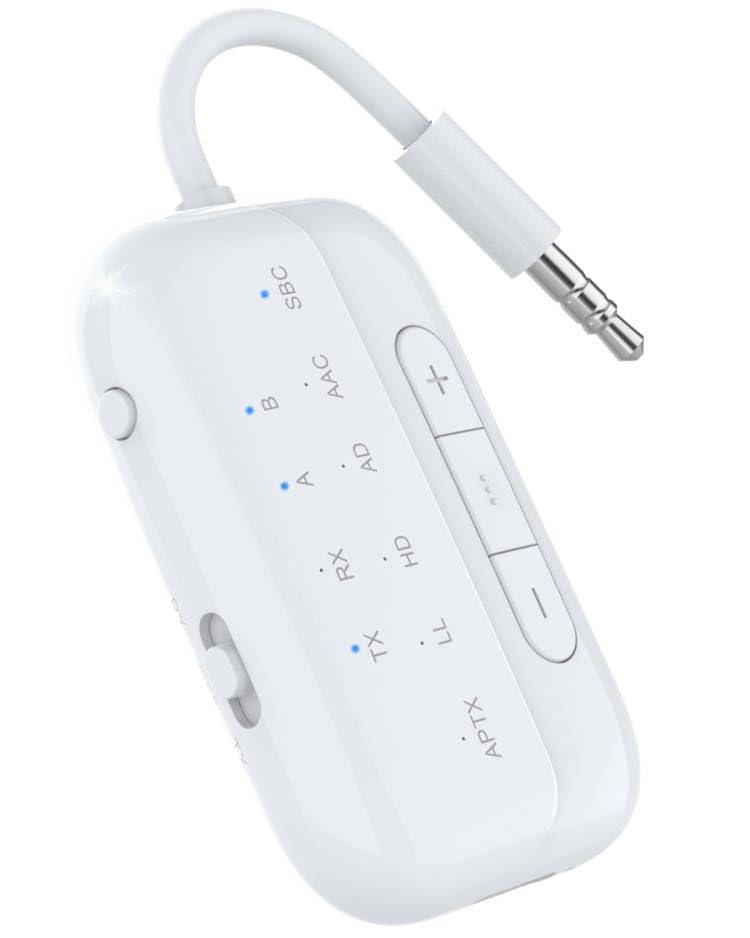
Image: The SANOTO B101 Bluetooth Adapter, a compact white device with a 3.5mm audio jack, control buttons, and indicator lights.
2. Key Features
- 2-in-1 Functionality: Operates as both a Bluetooth transmitter (TX) to send audio from non-Bluetooth devices to Bluetooth headphones/speakers, and a Bluetooth receiver (RX) to stream audio from Bluetooth devices to wired speakers/car audio.
- Advanced Bluetooth 5.3: Ensures faster data transfer rates, more stable connections, and a wireless range of up to 10 meters (33 feet).
- Qualcomm aptX Low Latency: Minimizes audio delay to less than 40ms in TX mode, providing perfect synchronization between audio and video, ideal for gaming and movies.
- Dual-Link Support: Connects to two Bluetooth headphones or speakers simultaneously in TX mode, allowing two people to enjoy audio from the same source.
- Universal Compatibility: Includes a dual 3.5mm AUX adapter for compatibility with various audio interfaces, including in-flight entertainment systems.
- Long Battery Life: Provides up to 24 hours of playback in RX mode and 20 hours in TX mode on a single charge, suitable for long journeys.

Image: Diagram illustrating Bluetooth 5.3 technology and Qualcomm aptX chip for stable and fast transmission, highlighting 2X faster speed, 10m range, and low latency.

Image: A visual representation of the 2-in-1 adapter, showing its use in Transmitter (TX) mode for TV, airplane, computer to Bluetooth headphones/speakers, and Receiver (RX) mode for smartphone/tablet to car, wired earphones/speakers.

Image: An illustration emphasizing the long battery life of the adapter, indicating up to 24 hours of playback and a charging time of less than 2 hours.

Image: Four panels showing various applications of the adapter: TX mode in an airplane, TX mode on a treadmill, RX mode with a home speaker system, and RX mode in a car.
3. Setup
- Charging the Device: Before first use, fully charge the SANOTO B101 using the provided USB-C cable. Connect the USB-C end to the adapter's charging port and the other end to a standard USB power adapter (not included). The indicator light will show charging status and turn off when fully charged.
- Powering On/Off: Press and hold the multi-function button (usually the largest button) for approximately 3 seconds to power the device on or off. An audible prompt or indicator light will confirm the status.
- Selecting Mode (TX/RX): Locate the TX/RX switch on the side of the adapter. Slide it to the desired mode:
- TX (Transmitter) Mode: For sending audio from non-Bluetooth devices (e.g., TV, airplane entertainment) to Bluetooth headphones/speakers.
- RX (Receiver) Mode: For receiving audio from Bluetooth devices (e.g., smartphone, tablet) and playing it through wired speakers or car audio systems.
4. Operating Instructions
4.1. Transmitter (TX) Mode
In TX mode, the SANOTO B101 transmits audio from a non-Bluetooth source to your Bluetooth-enabled headphones or speakers.
- Set the mode switch to "TX".
- Connect the B101 to your audio source (e.g., TV, MP3 player, airplane audio jack) using the 3.5mm audio cable. For airplane entertainment systems with dual 3.5mm jacks, use the included dual 3.5mm AUX adapter.
- Power on the B101. It will automatically enter pairing mode (indicator light will flash).
- Put your Bluetooth headphones or speakers into pairing mode.
- The B101 will automatically search for and connect to nearby Bluetooth devices. Once connected, the indicator light will become solid.
- Dual-Link Connection: To connect a second pair of Bluetooth headphones/speakers, put the second device into pairing mode. Then, briefly press the multi-function button on the B101. The B101 will search and connect to the second device.

Image: The SANOTO B101 adapter connected to an airplane's entertainment system via the dual 3.5mm adapter, allowing wireless audio to Bluetooth headphones.

Image: Two individuals watching TV with the SANOTO B101 adapter connected to the TV, transmitting audio to two separate Bluetooth headphones simultaneously, demonstrating dual-link and low latency.
4.2. Receiver (RX) Mode
In RX mode, the SANOTO B101 receives audio from your Bluetooth-enabled device (e.g., smartphone, tablet) and plays it through wired speakers, car audio, or wired headphones.
- Set the mode switch to "RX".
- Connect the B101 to your wired audio device (e.g., home stereo, car AUX input, wired headphones) using the 3.5mm audio cable.
- Power on the B101. It will automatically enter pairing mode (indicator light will flash).
- On your smartphone, tablet, or other Bluetooth device, enable Bluetooth and search for "C49" (the device name for SANOTO B101).
- Select "C49" to pair. Once connected, the indicator light will become solid.
- You can now stream audio wirelessly from your Bluetooth device to your connected wired audio system.
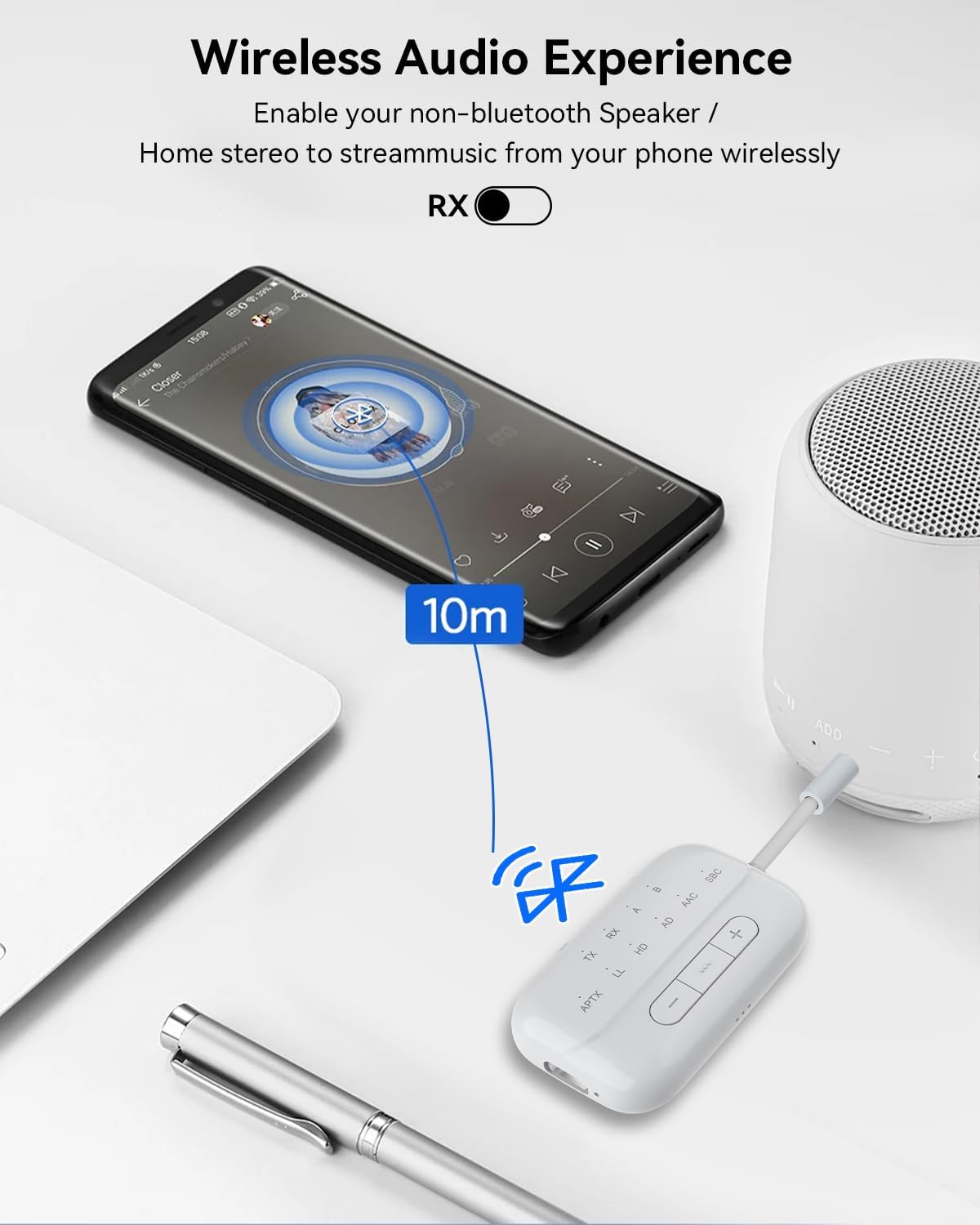
Image: A smartphone streaming music wirelessly to a non-Bluetooth speaker via the SANOTO B101 adapter in RX mode, demonstrating a 10-meter connection range.
4.3. Controls
- Multi-function Button (Large Button):
- Press and hold for 3 seconds: Power On/Off.
- Short press (in TX mode): Initiate pairing for a second device (dual-link).
- Short press (in RX mode): Play/Pause audio.
- Volume Up (+) Button:
- Short press: Increase volume.
- Long press: Next track (in RX mode).
- Volume Down (-) Button:
- Short press: Decrease volume.
- Long press: Previous track (in RX mode).
- TX/RX Switch: Slides to select Transmitter or Receiver mode.
5. Maintenance
- Cleaning: Use a soft, dry cloth to clean the device. Do not use liquid cleaners or aerosols.
- Storage: Store the device in a cool, dry place away from direct sunlight and extreme temperatures.
- Battery Care: To prolong battery life, avoid fully discharging the device frequently. Charge it regularly, even if not in use for extended periods.
- Handling: Avoid dropping the device or exposing it to excessive force, as this may damage internal components.
6. Troubleshooting
| Problem | Possible Cause | Solution |
|---|---|---|
| Device does not power on. | Low battery. | Charge the device fully. |
| Cannot pair with a Bluetooth device. | Device not in pairing mode; Bluetooth device too far; Interference; Already connected to another device. | Ensure B101 is in pairing mode (flashing light). Move devices closer. Turn off other Bluetooth devices. Disconnect from previous connections. |
| No sound or poor sound quality. | Incorrect mode (TX/RX); Cables not fully inserted; Volume too low; Source device issue. | Verify TX/RX mode is correct. Ensure 3.5mm cables are securely connected. Adjust volume on both B101 and connected devices. Test with another audio source. |
| Audio delay (latency) in TX mode. | Connected headphones/speakers do not support aptX Low Latency. | For optimal low latency, ensure both the B101 and your receiving Bluetooth device (headphones/speakers) support aptX Low Latency or aptX Adaptive. Note: This adapter is not recommended for use with musical instruments or live music due to potential noticeable delays. |
| Dual-link connection fails. | Second device not in pairing mode; Compatibility issues. | Ensure the second Bluetooth device is in pairing mode before attempting to connect. Some devices may have limited dual-link compatibility. |
7. Specifications
| Feature | Detail |
|---|---|
| Model | B101 |
| Bluetooth Version | 5.3 |
| Bluetooth Chip | Qualcomm |
| Supported Codecs | aptX Low Latency, aptX Adaptive (implied by aptX LL), SBC, AAC |
| Operating Modes | Transmitter (TX), Receiver (RX) |
| Wireless Range | Up to 10 meters (33 feet) |
| Battery Life (RX Mode) | Up to 24 hours |
| Battery Life (TX Mode) | Up to 20 hours |
| Charging Time | Less than 2 hours |
| Charging Port | USB-C |
| Dimensions (L x W x H) | 5.6 x 3.3 x 1.27 cm (2.2 x 1.3 x 0.5 inches) |
| Weight | Approx. 21 grams (0.74 oz) |
| Material | Acrylnitril-Butadien-Styrol (ABS) |
| Connectivity | Bluetooth, 3.5mm AUX |
8. Warranty and Support
For warranty information and customer support, please refer to the official SANOTO website or contact your retailer. Keep your purchase receipt as proof of purchase for any warranty claims.
Important Safety Information: This device emits radio waves. Observe applicable regulations for the use of radio equipment. Do not use the device near flying aircraft or other sensitive electronic equipment. Follow instructions for safe handling and disposal of batteries.
Visit the official SANOTO store for more products and support: SANOTO Store


