
1. Introduction
Thank you for purchasing the BTMWAY 24V JCB Ride on Excavator. This manual provides essential information for the safe assembly, operation, and maintenance of your new ride-on toy. Please read it thoroughly before use and retain it for future reference.
This 3-in-1 construction vehicle is designed to function as a digger, bulldozer, and ride-on tractor, offering a realistic and engaging play experience for children aged 3 to 8 years, with a maximum weight capacity of 66 lbs.
2. Safety Information
WARNING: Adult supervision is required at all times when the vehicle is in use.
- Ensure all assembly steps are completed correctly and all fasteners are securely tightened before first use.
- The remote control should only be operated by adults.
- Always use the 3-point safety belt provided.
- Do not operate the vehicle near roads, motor vehicles, steep inclines or steps, swimming pools, or other bodies of water.
- Wear appropriate safety gear, such as a helmet, when operating the vehicle.
- Only one rider at a time.
- Keep hands, hair, and clothing away from moving parts.
- Do not modify the electrical system. Any repairs should be performed by qualified personnel.
- The vehicle is designed for children aged 36 months to 8 years and a maximum weight of 66 lbs.
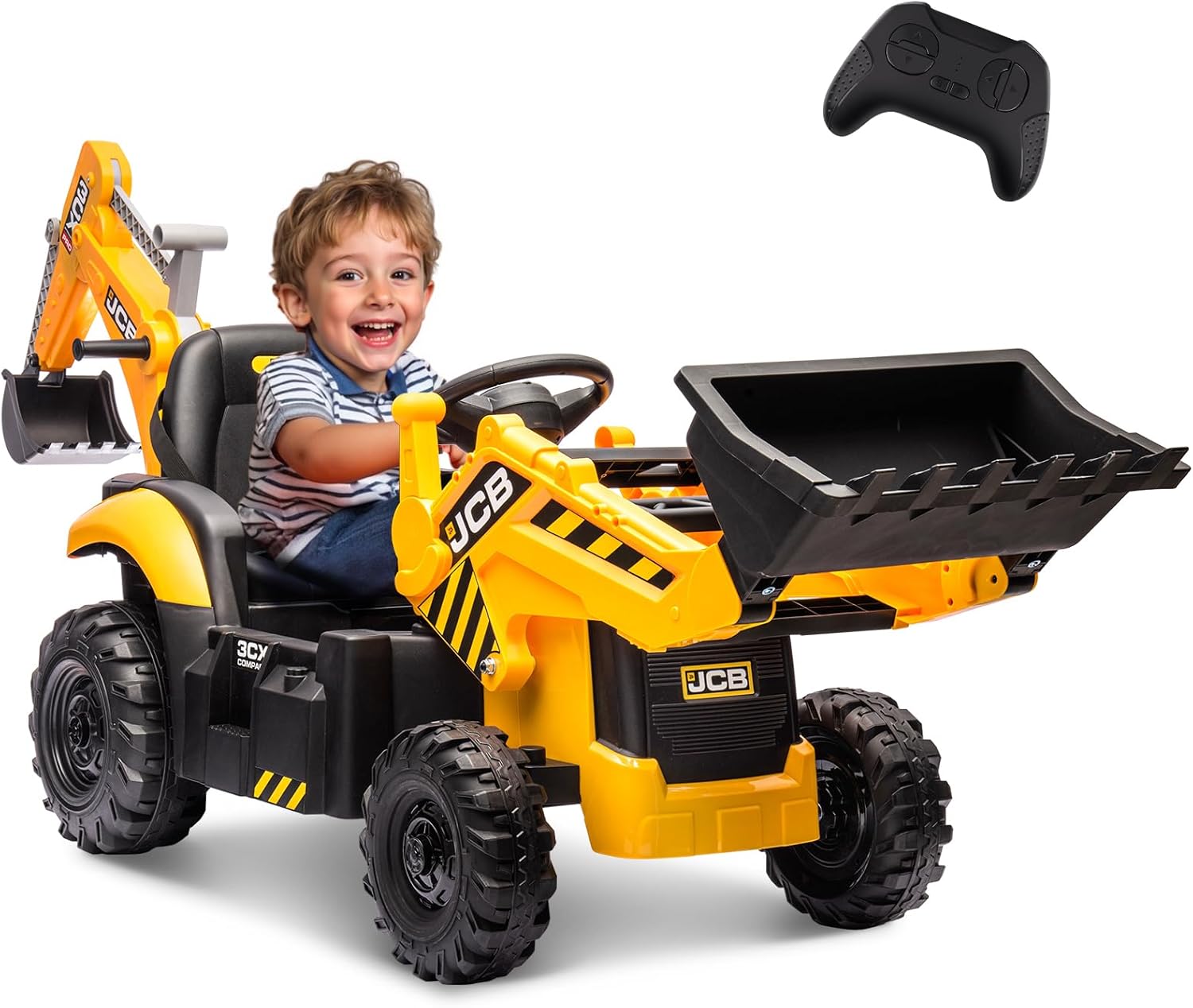
Image: A child operating the ride-on excavator, demonstrating its primary use. A remote control is shown in the top right corner.
3. What's in the Box
Please check the contents of the package to ensure all parts are present:
- 24V Ride on Excavator (Main Unit) x 1
- Charger x 1
- User Manual x 1
4. Setup and Assembly
Assembly of the BTMWAY 24V JCB Ride on Excavator is required before first use. Follow the instructions provided in the separate assembly guide (if included) or the detailed diagrams. Ensure all components are correctly aligned and securely fastened.
4.1. Initial Battery Charging
Before the first use, fully charge the 12V 7Ah rechargeable battery for 8-12 hours. Do not overcharge for more than 18 hours. Refer to the charging port location, typically found under the seat or on the dashboard.

Image: Detail of the JCB branding on the side of the excavator, indicating authenticity.
5. Operating Instructions
5.1. Powering On/Off
Locate the power button, usually on the dashboard. Press to turn the vehicle on or off.
5.2. Driving Modes
The excavator features dual driving modes:
- Manual Mode: The child can operate the vehicle independently using the steering wheel and foot pedal.
- Parent Remote Control Mode: An adult can override manual control using the provided remote. The remote allows for forward/backward movement, left/right steering, speed adjustment (3 speeds), and an emergency stop function.
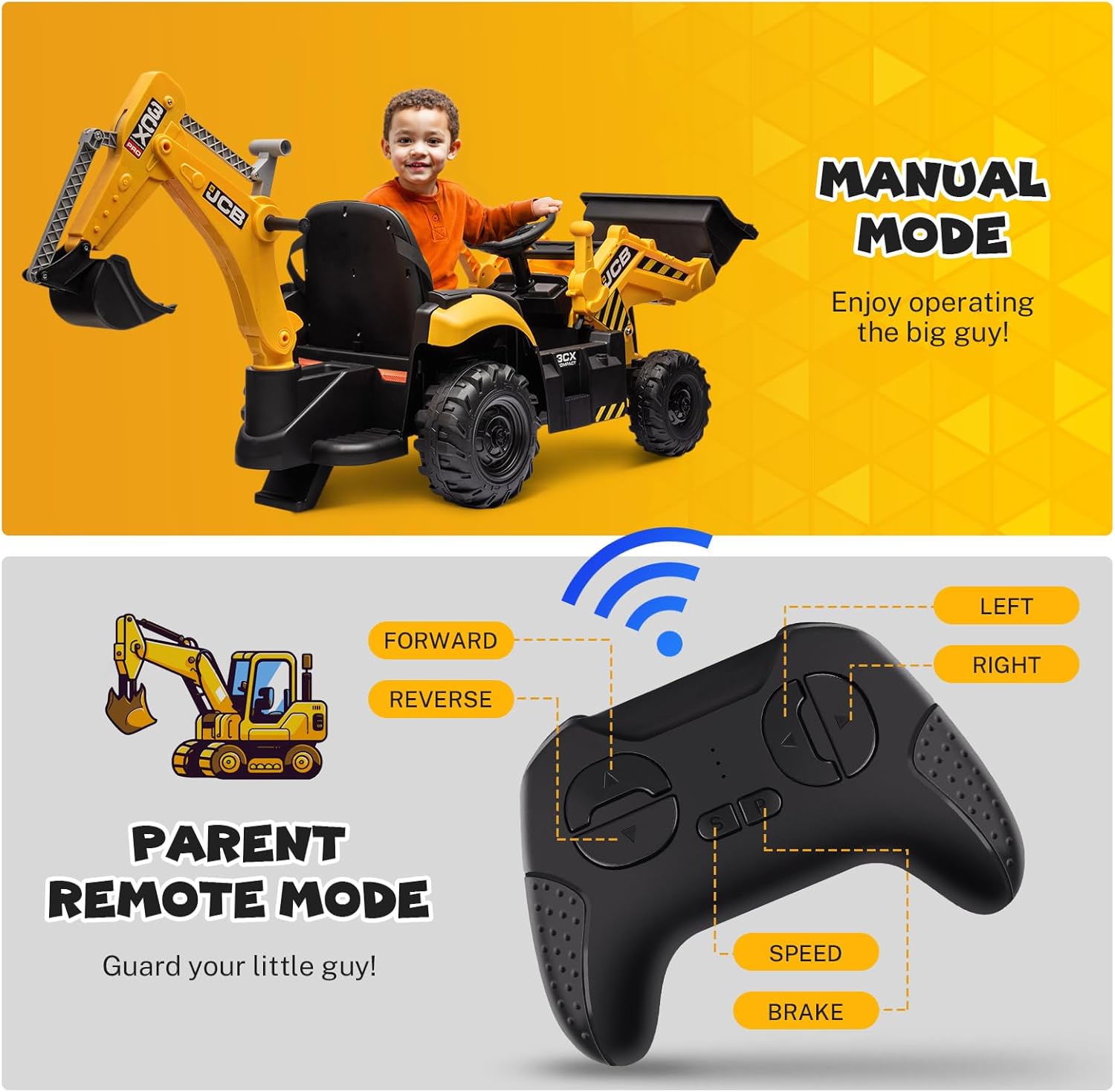
Image: Visual guide detailing the functions of the remote control and the concept of manual versus parent-controlled driving.
5.3. Excavator Arm and Shovel Operation
Use the user-friendly levers to control the excavator arm and shovel bucket. These controls allow for realistic digging and scooping actions, enhancing coordination and imaginative play.

Image: Detailed view of the digging arm in action, demonstrating its functionality with sand.

Image: Close-up of the front shovel bucket, illustrating its capacity and use for carrying items.
5.4. Adjustable Seat and Safety Belt
The seat can be adjusted with a one-click mechanism to accommodate different child sizes and allow easy switching between digging and driving positions. Always ensure the 3-point safety belt is securely fastened before operation.

Image: Detail of the seat and safety belt, highlighting the safety feature.
5.5. Special Features
- Slow Start System: Ensures a gradual acceleration for a smooth and safe ride, preventing sudden jolts.
- Shock Absorbers: Provide a comfortable ride on various terrains.
- Built-in Sounds: Enhances the realistic play experience.
- Detachable Canopy: Offers adaptability for different weather conditions or play scenarios.

Image: Illustration of the excavator's suitability for diverse road surfaces and the benefits of its slow start and shock-absorbing features.
6. Maintenance
6.1. Battery Care
- Recharge the battery after each use.
- If storing the vehicle for an extended period, charge the battery fully every 30 days to prolong its lifespan.
- Do not store the battery in extreme temperatures.
6.2. Cleaning and Storage
- Clean the vehicle with a soft, damp cloth. Do not use abrasive cleaners or solvents.
- Store the vehicle in a dry, covered area away from direct sunlight and moisture.
- Regularly check for loose screws or damaged parts and tighten or replace as necessary.
7. Troubleshooting
If you encounter issues with your BTMWAY 24V JCB Ride on Excavator, please refer to the following common problems and solutions:
| Problem | Possible Cause | Solution |
|---|---|---|
| Vehicle does not move | Battery is low or not connected; Power switch is off; Loose wire connection; Motor malfunction. | Charge the battery; Turn on the power switch; Check all wire connections; Contact customer support if motor is suspected. |
| Remote control not working | Remote batteries are dead; Remote not paired; Interference. | Replace remote batteries; Re-pair the remote control (refer to specific pairing instructions if available); Move to an area with less interference. |
| Vehicle runs slowly | Low battery; Overload (too much weight); Operating on rough terrain. | Charge the battery; Ensure rider weight is within limits; Operate on smoother surfaces. |
| Digging arm or shovel not functioning | Loose connection; Mechanical obstruction. | Check connections to the arm/shovel; Clear any obstructions. |
If the problem persists after attempting these solutions, please contact BTMWAY customer support for further assistance.
8. Specifications
| Feature | Detail |
|---|---|
| Model | B0CW94H4KH |
| Brand | BTMWAY |
| Product Dimensions | 76 x 24 x 23 inches |
| Item Weight | 53 pounds |
| Recommended Age | 36 months - 8 years |
| Maximum Weight Capacity | 66 lbs |
| Motors | Dual 24V/45W |
| Battery | 12V 7Ah Rechargeable |
| Speed Range | 1.8 - 3.4 mph (3 adjustable speeds) |
| Playtime | 1 - 2 hours (per full charge) |
9. Warranty and Support
For warranty information or technical support, please refer to the documentation included with your purchase or contact the manufacturer, BTMWAY, directly. Contact details can typically be found on the product packaging or the official BTMWAY website.