
Introduction
The Frigga U2 is a single-use USB temperature data logger designed for monitoring and recording temperatures in various applications. It is ideal for cold chain logistics, pharmaceutical storage, food processing, and environmental testing where precise temperature control is critical. This device automatically generates PDF and CSV reports upon connection to a computer, requiring no special software for data retrieval.

Image: The Frigga U2 data logger is suitable for diverse applications such as cold-chain transportation, medicine storage, food refrigeration, greenhouse and planting, environmental testing, and commercial and industrial uses.
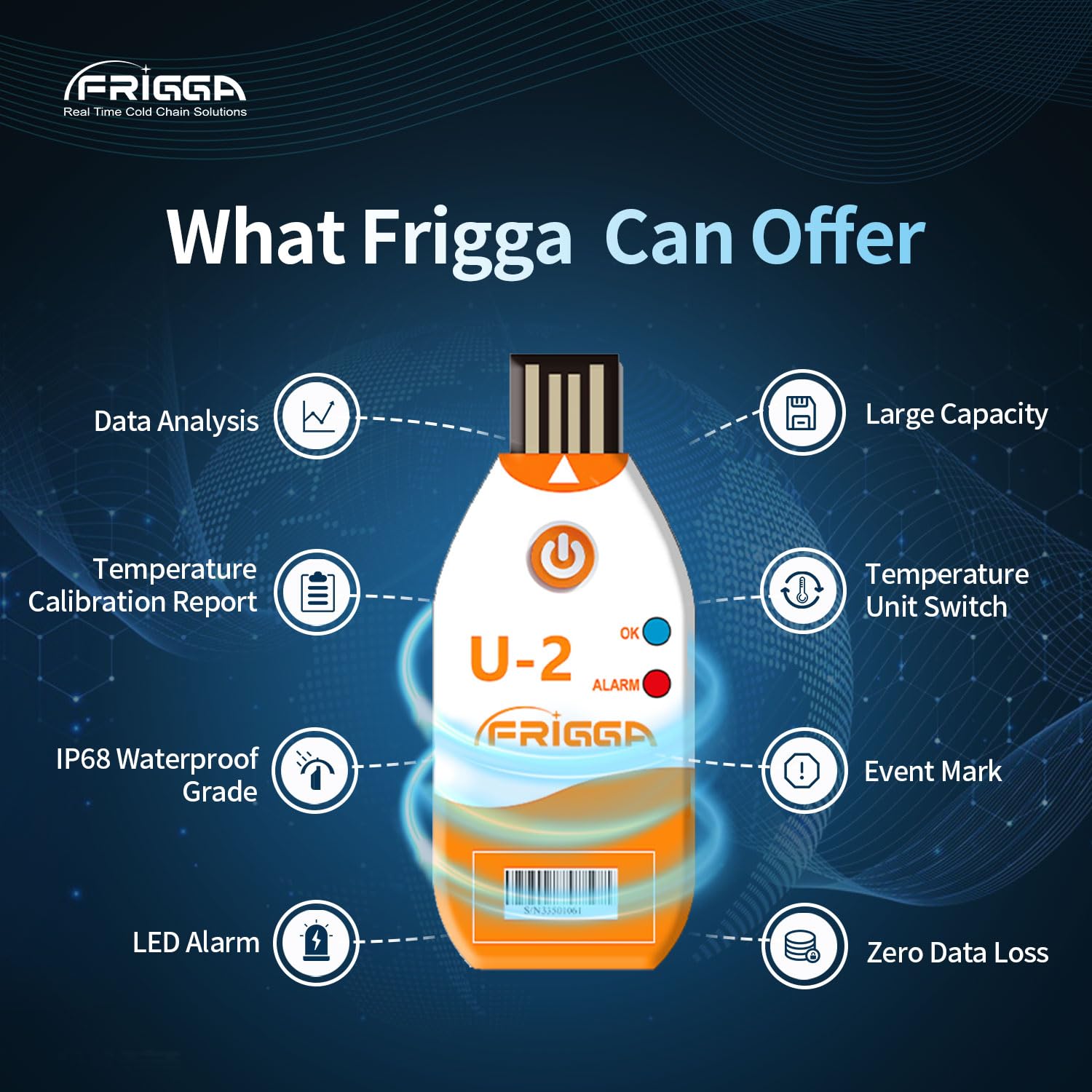
Image: Overview of Frigga U2 features, including data analysis, large capacity, temperature calibration report, temperature unit switch, IP68 waterproof grade, event marking, LED alarm, and zero data loss.
1. Setup
1.1 Device Overview

Image: The Frigga U2 data logger features a USB 2.0 connector, a single press button for operation, an 'OK' LED indicator, and an 'ALARM' LED indicator.
1.2 Starting the Logger
To initiate temperature recording, press and hold the button on the device for approximately 5 seconds. The 'OK' LED will blink to confirm activation. The logger incorporates a 30-minute delayed start design, meaning it will not alert for temperature deviations within the alarm zone until this delay period has elapsed.
1.3 Waterproof Protection
The Frigga U2 data logger is designed with an IP68 waterproof rating. It comes enclosed in a protective plastic pouch to keep it dry, which is essential when shipping materials with cold packs, ice, or in damp environments. To maintain the IP68 waterproof rating, do not tear open the pouch before data download.

Image: The Frigga U2 data logger is shown in its protective pouch, submerged in water, illustrating its IP68 waterproof capability.
2. Operation
2.1 Monitoring Temperature
Once activated, the logger continuously monitors and records temperature data. The LED alarm indicator will alert the user if the temperature goes beyond the pre-set thresholds, which is crucial for applications requiring stable temperature conditions.
2.2 Data Retrieval and Report Generation
After the monitoring period is complete, plug the Frigga U2 data logger into a standard USB port on any computer. The device will automatically generate a PDF and CSV report. No special software or driver installation is required. It is important to wait until the end of the use period before exporting the report, as plugging the logger into a USB port will stop the recording process, and it cannot be restarted.

Image: The Frigga U2 data logger connected to a laptop, demonstrating its ability to auto-generate PDF and CSV reports without additional software, compatible with both Windows and Apple systems.
3. Maintenance
The Frigga U2 is a single-use device. Therefore, extensive maintenance is not required. However, to ensure proper function during its operational life:
- Keep the protective pouch intact: Do not remove or damage the plastic pouch until data download is complete to maintain its IP68 waterproof rating.
- Storage: Store the logger in a cool, dry place away from direct sunlight before activation.
- Cleaning: If necessary, gently wipe the exterior of the protective pouch with a soft, dry cloth. Do not use abrasive cleaners or immerse the device directly in water without its protective pouch.
4. Troubleshooting
4.1 Logger Does Not Start
Ensure you press and hold the button for a full 5 seconds until the 'OK' LED blinks. A shorter press may not activate the device.
4.2 Logger Does Not Stop Recording When Button is Pressed Again
The Frigga U2 is designed to stop recording only when it is plugged into a computer's USB port for data retrieval. Pressing the button again after activation will not stop the recording process. Once plugged into a USB port, the recording stops permanently, and the device cannot be reactivated for further recording.
4.3 No Report Generated After Plugging into USB
Ensure the logger is fully inserted into the USB port. Verify that the recording period has concluded. If the device was prematurely unplugged or the recording was not initiated correctly, a report may not be available. The logger is a single-use device; once data is downloaded, it cannot be used for new recordings.
4.4 Inaccurate Temperature Readings
Ensure the logger is placed in an environment representative of the temperature being monitored. Avoid placing it directly next to heat sources or in direct sunlight unless that is the intended measurement point. Refer to the specifications section for the device's accuracy range.
5. Specifications
| Parameter | Value |
|---|---|
| Model | U2 |
| Measurement Range | -30°C ~ 70°C (-22°F ~ 158°F) |
| Accuracy Range | ±0.5℃ (-20℃~ +40℃); ±1℃ for other range |
| Memory Capacity | Max 14400 readings |
| Waterproof Grade | IP68 |
| Report Format | PDF & CSV (auto-generated) |
| Start Delay | 30 minutes |
| Dimensions | 11.51 x 7.11 x 1.9 cm (Package) |
| Weight | 41 g (Package) |
| Manufacturer | Frigga |

Image: Detailed product parameters for the Frigga U2, including measurement range, accuracy range, memory capacity, and physical dimensions.
6. Warranty and Support
Specific warranty information for the Frigga U2 USB Temperature Data Logger is not provided within this manual. For warranty details, technical support, or further assistance, please contact Frigga customer service directly or refer to the official Frigga website.


