
1. Introduction
The OBABO E99 Drone is a foldable RC quadcopter designed for both beginners and experienced users. It features a high-quality camera for capturing aerial footage, a remote control for precise maneuverability, and various intelligent flight modes. This manual provides essential information for safe operation, setup, and maintenance of your E99 drone.
Helpful Tip: Calibrate the gyroscope every time you turn on the drone (and after any crash) for improved control and stability. Ensure you stay within the remote control range of approximately 150 meters (492 feet) for optimal performance.
2. Safety Information
Always prioritize safety when operating the drone. Failure to follow these guidelines may result in injury or damage.
- Operate the drone in open areas, away from people, animals, and obstacles.
- Do not fly near airports, restricted airspace, or sensitive areas.
- Avoid flying in strong winds or adverse weather conditions.
- Ensure the battery is fully charged before each flight.
- Do not touch the propellers when they are spinning.
- Keep the drone and its components away from water and moisture.
- Adult supervision is recommended for younger users.
3. Package Contents
Verify that all items are present in your package:
- OBABO E99 Drone (Orange, Dual Camera variant)
- Remote Control
- 3.7V 1800mAh Modular Battery
- USB Charging Cable
- Spare Propellers
- Screwdriver
- Storage Case

Image 3.1: Contents of the OBABO E99 Drone package, showing the drone, remote control, battery, charging cable, spare propellers, screwdriver, and storage case.
4. Product Overview
The OBABO E99 drone features a foldable design for easy portability and storage. It is equipped with a high-quality camera system, offering 4K video capture resolution, and comes in a vibrant orange color with dual cameras for enhanced aerial photography.

Image 4.1: The OBABO E99 Drone showcasing its three-sided obstacle avoidance system and 4K dual camera capabilities.
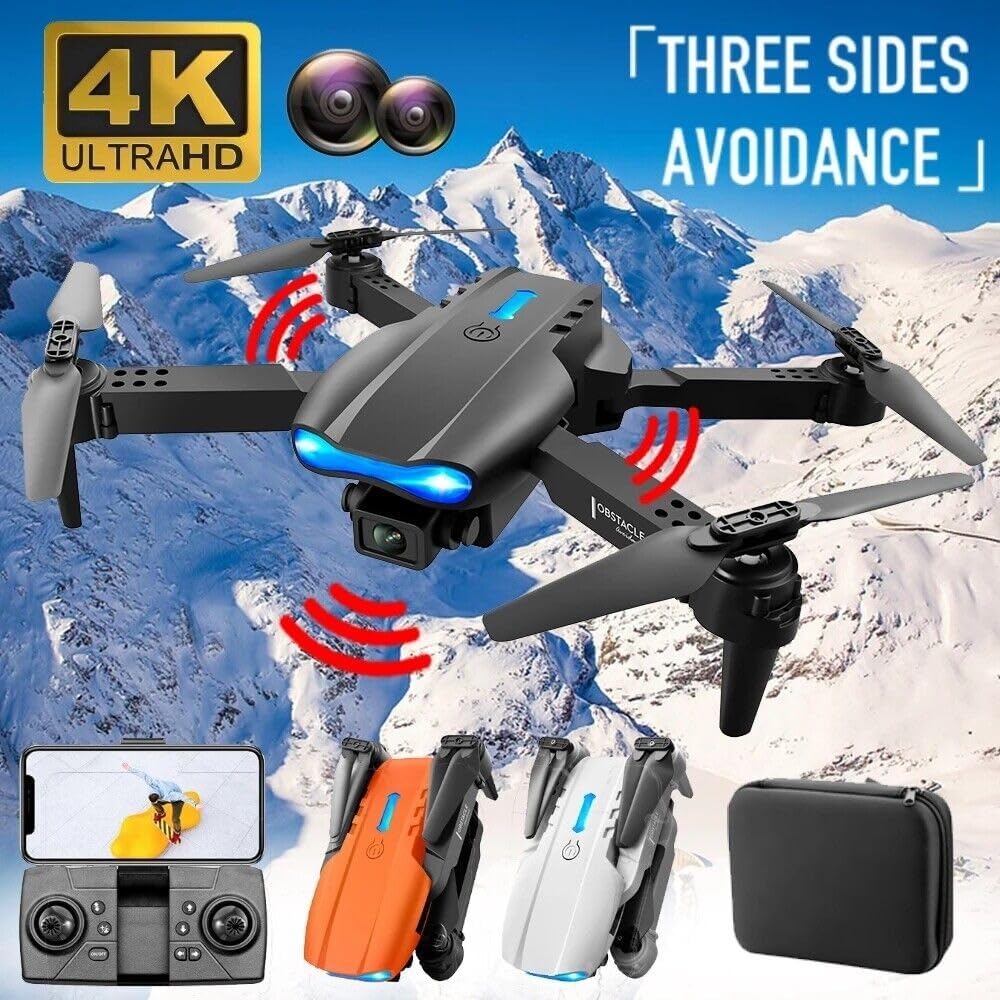
Image 4.2: The OBABO E99 Drone demonstrating its obstacle avoidance feature, indicated by red sensor beams, in an outdoor setting.
5. Setup
5.1 Charging the Battery
Connect the provided USB charging cable to the drone's modular battery and a compatible USB power source. The charging time is approximately 60 minutes for a full charge.
5.2 Installing the Battery
Carefully insert the charged modular battery into the designated battery compartment on the drone until it clicks into place.
5.3 Controller Setup
Install the required batteries (not included) into the remote control. Power on the remote control.
5.4 App Installation and Connection
For FPV (First Person View) and advanced features, download the dedicated drone control app to your smartphone. Connect your smartphone to the drone's Wi-Fi network (usually named after the drone model or a generic drone Wi-Fi name) as instructed in the app.
5.5 Gyroscope Calibration
After powering on the drone and remote, place the drone on a flat, level surface. Perform the gyroscope calibration procedure as outlined in the app or by specific remote control stick movements (refer to the quick start guide for exact steps). This ensures stable flight.
6. Operating the Drone
6.1 Basic Flight Controls
- One-Key Take-off/Landing: Press the designated button on the remote control for automatic take-off or landing.
- Ascent/Descent: Use the left joystick (throttle) to control altitude.
- Forward/Backward: Use the right joystick to move the drone forward or backward.
- Turn Left/Turn Right: Use the left joystick to rotate the drone left or right.
- Left/Right Flight (Strafe): Use the right joystick to move the drone sideways.

Image 6.1: The OBABO E99 Drone illustrating its simple control system with one-key takeoff, landing, and return capabilities.
6.2 Advanced Features
- 360° Roll: Execute impressive aerial flips with a dedicated button.
- Headless Mode: Simplifies flight by orienting controls relative to the pilot, regardless of the drone's front direction.
- Fast/Slow Gear: Adjust flight speed for different environments and skill levels.
- Three-sided Obstacle Avoidance: The drone is equipped with sensors to detect and avoid obstacles from three directions, enhancing flight safety.
- Height-Fixing Function: Maintains a stable altitude automatically.
- Gesture Photo/Video: Perform specific hand gestures to trigger photo or video recording (requires camera).
- Face Recognition Automatic Photo: The drone can automatically take photos when it recognizes a face (requires camera).
- Gravity Sensor Control: Control the drone's direction by tilting your smartphone (requires app).
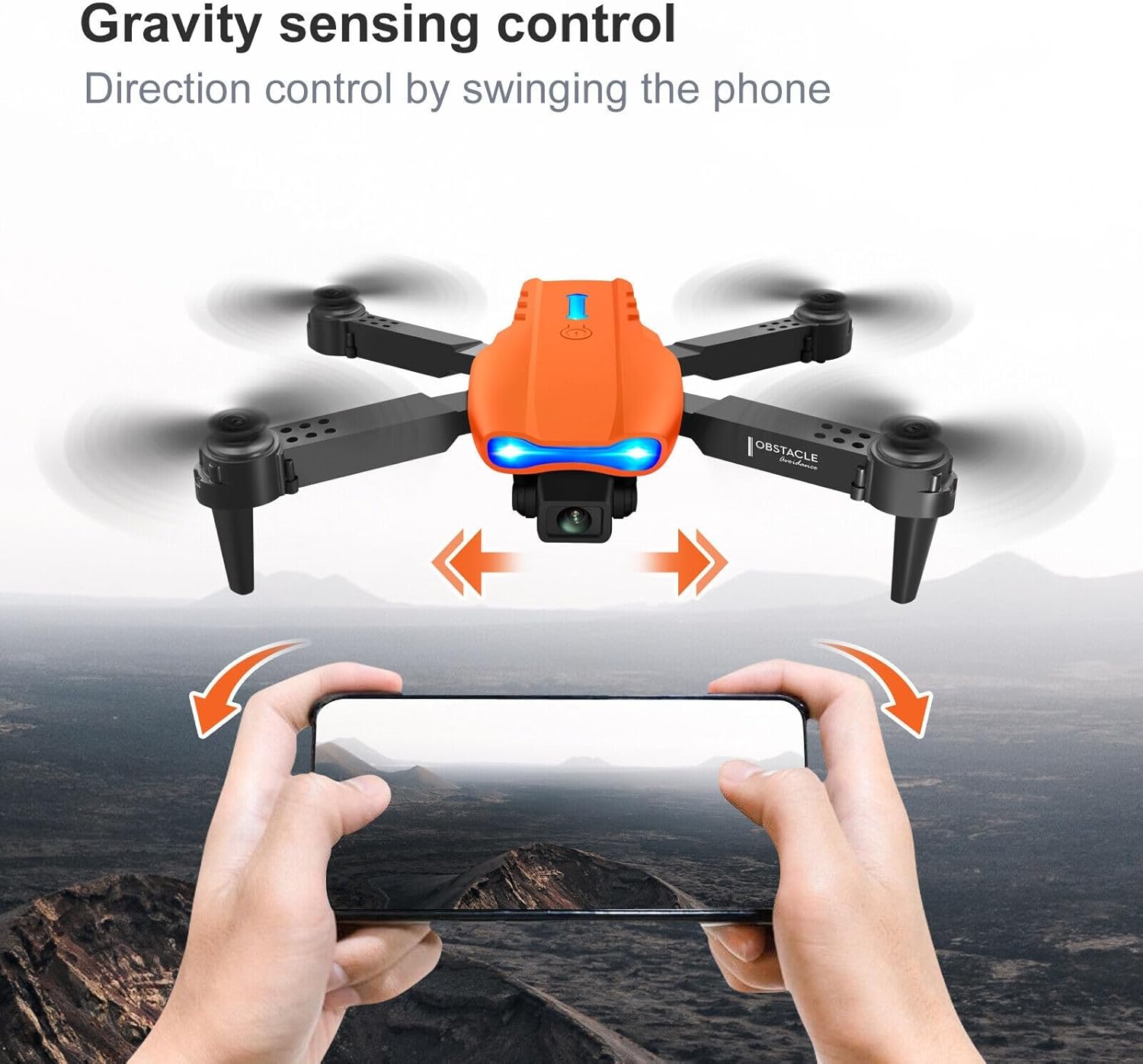
Image 6.2: The OBABO E99 Drone illustrating gravity sensing control, where the drone's movement is controlled by swinging or tilting a smartphone.
- Trajectory Flight: Draw a path on your smartphone screen, and the drone will follow it automatically.
- Emergency Stop: Immediately stop the drone's motors in an emergency.
6.3 Camera Operation
The E99 drone supports 4K video resolution and FPV photo mode. Use the dedicated buttons on the remote control or the drone app to capture photos and videos. The dual camera variant allows for switching between cameras.
7. Maintenance
- Regularly inspect propellers for damage. Replace bent or chipped propellers immediately using the provided spare parts.
- Clean the drone body and camera lens with a soft, dry cloth. Avoid using liquid cleaners.
- Store the drone and battery in a cool, dry place, away from direct sunlight and extreme temperatures.
- Do not overcharge or over-discharge the battery.
8. Troubleshooting
- Drone not responding: Ensure both drone and remote control are powered on and properly paired. Recharge batteries if low.
- Unstable flight: Perform gyroscope calibration on a flat surface. Check for damaged propellers.
- No FPV feed: Ensure your smartphone is connected to the drone's Wi-Fi network and the app is open.
- Short flight time: Ensure the battery is fully charged. Flight time can be affected by aggressive flying or strong winds.
- Drone drifts: Adjust the trim settings on the remote control to correct any drifting.
9. Specifications

Image 9.1: Detailed dimensions of the OBABO E99 Drone in both folded and unfolded states, along with the carrying case dimensions.
| Feature | Detail |
|---|---|
| Brand | OBABO |
| Model Name | E99 |
| Color | Orange, Dual Camera |
| Video Capture Resolution | 4K |
| Connectivity Technology | Wi-Fi |
| Control Type | Remote Control |
| Gyroscope | 6-Axis |
| Channel | 4CH |
| Battery Capacity | 3.7V 1800mAh Modular Battery |
| Flight Time | About 13-15 minutes |
| Charging Time | 60 Minutes |
| Remote Control Distance | About 150 meters (492 feet) |
| Item Weight | 14.4 ounces |
| Product Dimensions (Unfolded) | 11.4"L x 8.85"W x 1.96"H (29cm L x 22.5cm W x 5cm H) |
| Indoor/Outdoor Use | Outdoor (with indoor capability) |
| UPC | 889883740421 |
10. Warranty and Support
For product support, technical assistance, or warranty inquiries, please contact the seller directly through the platform where the purchase was made. Information regarding optional protection plans, such as 2-Year or 3-Year Protection Plans, may be available at the point of purchase to extend coverage beyond the standard return policy.
The standard return policy for this product is 30 days from the date of purchase for refund or replacement.