
1. Introduction
Thank you for choosing the CSODINCE DVCH-25 40W 4-Port Flat USB-C Wall Charger. This device is designed to provide efficient and versatile charging for multiple electronic devices simultaneously. Its flat, foldable design enhances portability and allows for use in tight spaces.

Image 1.1: Front view of the CSODINCE DVCH-25 charger, highlighting its four charging ports.
2. Product Features
- Flat Foldable Design: The ultra-thin profile and foldable plug allow for convenient placement behind furniture and easy portability.
- 40W High-Speed Charging: Delivers a total power output of up to 40W. A single USB-C port supports PD20W for rapid charging, capable of charging compatible iPhone devices from 0% to 58% in approximately 30 minutes.
- 4-Port Quick Charge: Equipped with two USB-A ports and two USB-C ports, enabling simultaneous charging of up to four devices.
- Universal Compatibility: Designed to be compatible with a wide range of electronic devices, including smartphones, tablets, and other USB-powered gadgets.
- Integrated Safety System: Features a built-in smart chip that provides protection against overcharging, overcurrent, overheating, and over-voltage, ensuring safe and efficient charging.
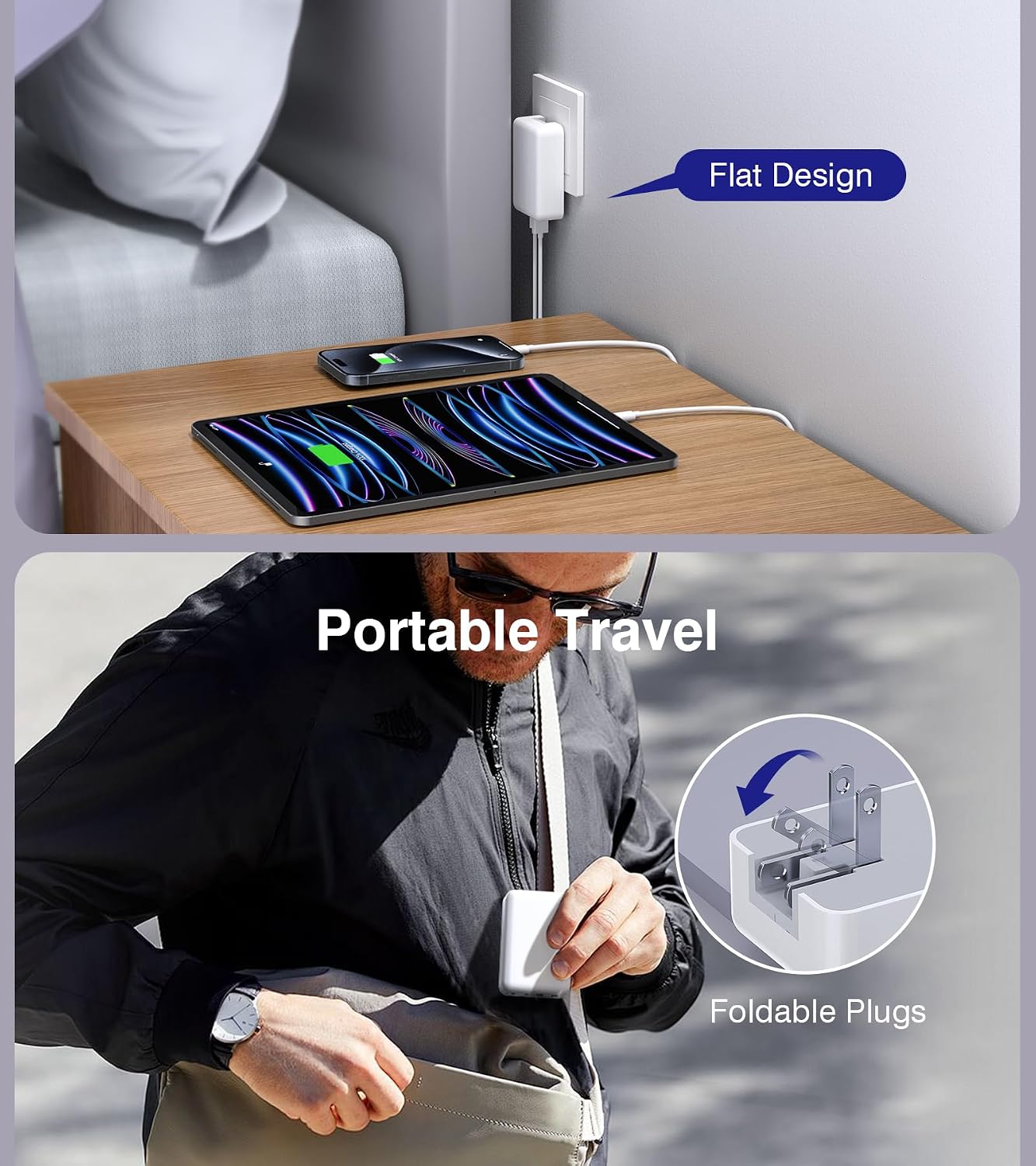
Image 2.1: The charger's flat design allows it to fit in narrow spaces, and its foldable prongs enhance portability.
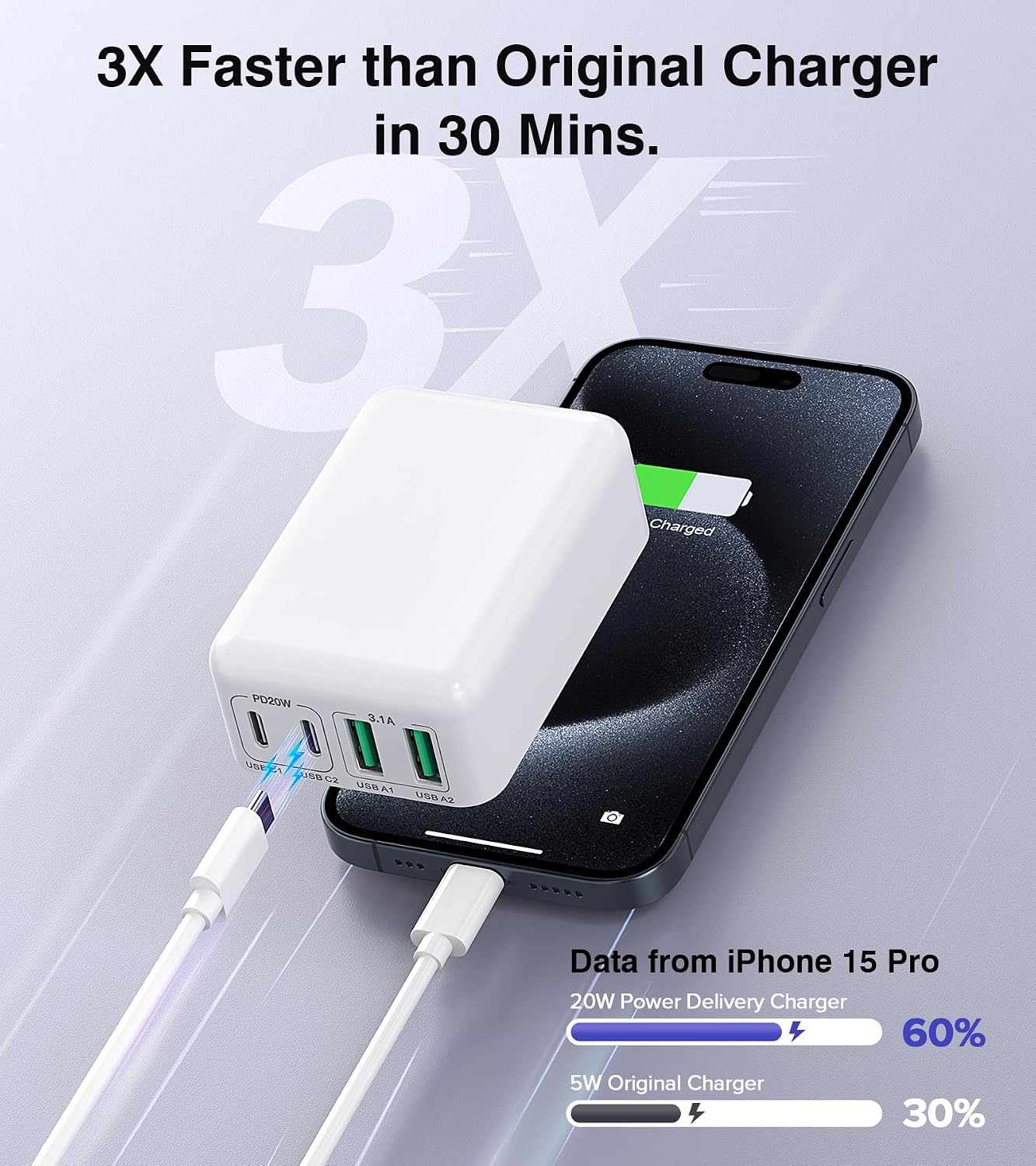
Image 2.2: Illustration of the fast charging capability compared to a standard charger.
3. Package Contents
The package includes the following items:
- 2 x CSODINCE DVCH-25 40W 4-Port Flat USB-C Wall Charger
- 2 x USB Cable (Note: Specific type of USB cable may vary)
4. Setup Instructions
- Unfold the Prongs: Gently unfold the AC power prongs from the charger body until they lock into place.
- Connect to Power Outlet: Insert the charger into a standard wall outlet (120 Volts). Ensure the charger is securely plugged in. For optimal space-saving, orient the charger so cables exit downwards or sideways, especially when placed behind furniture.
- Connect Devices: Use appropriate USB-A or USB-C cables (not included unless specified in package contents) to connect your electronic devices to the available ports on the charger.
- Verify Charging: Confirm that your devices indicate they are charging.

Image 4.1: Guidance on proper charger orientation for stability and space efficiency.
5. Operating Instructions
The CSODINCE DVCH-25 charger operates automatically once connected to a power source and a device. It intelligently detects the connected device to deliver the optimal charging current.
- Single Device Charging: For fastest charging, connect a single compatible device to one of the USB-C ports.
- Multiple Device Charging: You can charge up to four devices simultaneously using a combination of USB-A and USB-C ports. The total power output is shared among the connected devices.
- Automatic Shut-off: The charger features an intelligent chip that stops charging once a device is fully charged to prevent overcharging.
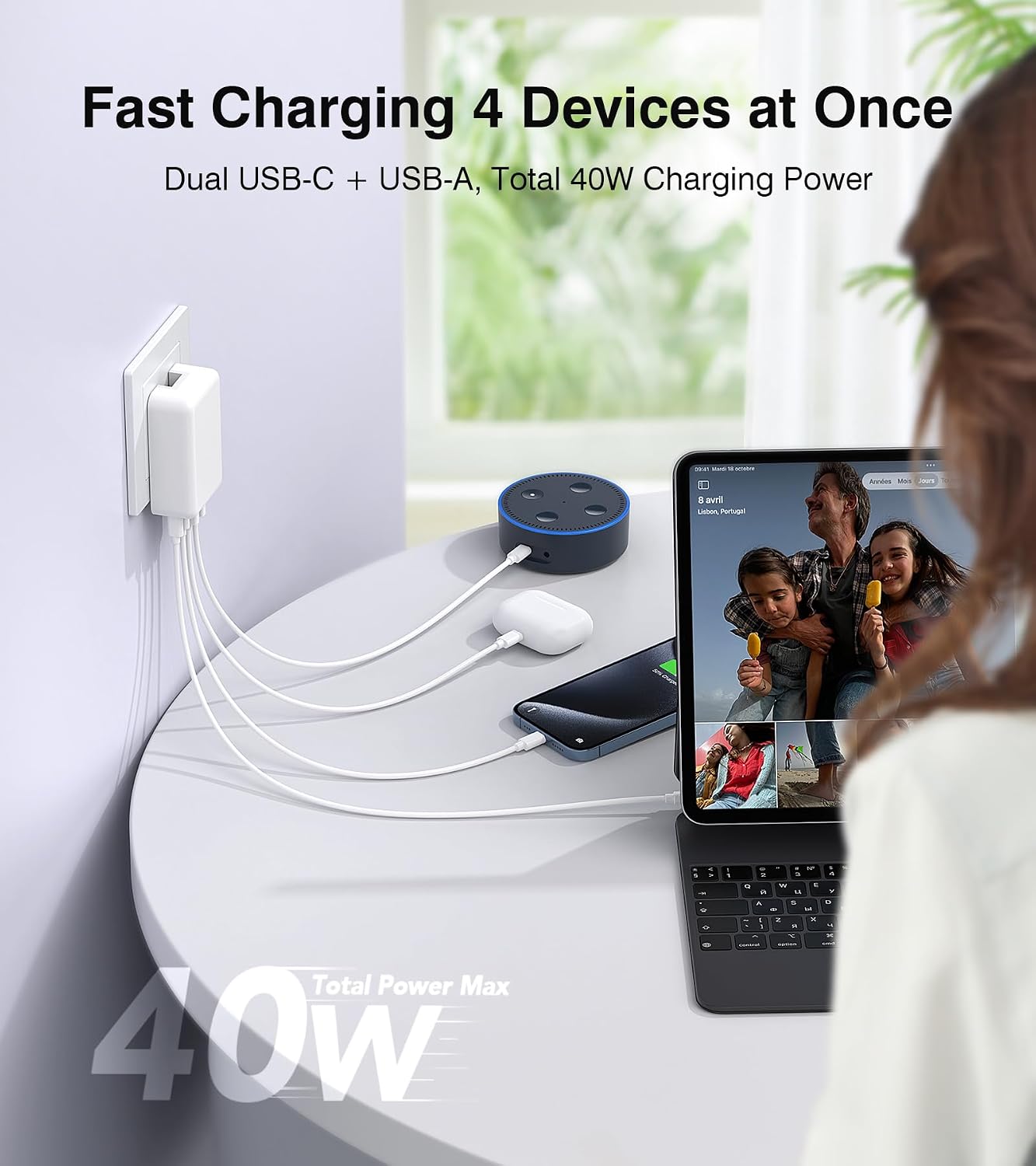
Image 5.1: The charger can power multiple devices concurrently.
6. Compatibility
This charger is broadly compatible with a variety of electronic devices. Refer to the list below for examples:
- Smartphones: iPhone 16/16 Pro/16 Plus/16 Pro Max, iPhone 15 Pro Max/15 Pro/15 Plus/15, iPhone 14/14 Pro/14 Pro Max/14 Plus, iPhone 13/13 Pro Max/13 Mini, iPhone 12/12 Pro/12 Pro Max/12 Mini, iPhone 11/11 Pro/11 Pro Max, iPhone XS/XS Max/XR/X/10/8/8 Plus/7/7 Plus/6/6S/SE 2020, Samsung Galaxy S24/S23/S22/S21/S20/S10/S9/S8/S7/S6/A12/A13/A22/A32/A52/A53/A71/Note 20/10, LG, Motorola, Google Pixel series.
- Tablets: Kindle, various Android tablets.
- Other Devices: AirPods, Smartwatches, and other USB-powered accessories.
Note: Not applicable for charging laptops or MacBooks.

Image 6.1: Visual representation of the charger's broad device compatibility.
7. Safety Information
To ensure safe operation and prolong the life of your charger, please observe the following safety guidelines:
- Do not expose the charger to liquids, moisture, or extreme temperatures.
- Avoid dropping or subjecting the charger to severe impacts.
- Do not disassemble, modify, or attempt to repair the charger. This will void the warranty and may pose safety risks.
- Use only certified and compatible charging cables.
- Unplug the charger from the wall outlet when not in use or during electrical storms.
- Keep out of reach of children.
- The charger is equipped with a 6-point safety system including over-voltage, over-temp, over-current, over-charge protection, smart IC chip protection, and fireproof material construction.

Image 7.1: Overview of the charger's integrated safety features.
8. Troubleshooting
| Problem | Possible Cause | Solution |
|---|---|---|
| Device not charging. | Charger not plugged in, faulty cable, device issue, or incompatible device. | Ensure charger is securely plugged into a live outlet. Try a different cable. Test with another device. Confirm device compatibility. |
| Slow charging speed. | Using a non-fast charging port, multiple devices connected, or cable limitation. | For fastest charging, use a USB-C port with a compatible PD cable. Disconnect other devices if maximum speed is required for one device. Ensure your cable supports fast charging. |
| Charger feels warm. | Normal operation during high power output. | A slight warmth is normal. If it becomes excessively hot, disconnect immediately and contact support. Ensure adequate ventilation around the charger. |
9. Specifications
| Feature | Detail |
|---|---|
| Model Number | DVCH-25 |
| Total Power Output | 40W Max |
| USB-C Ports | 2 (PD20W Max per port when used individually) |
| USB-A Ports | 2 (3.1A Max per port) |
| Input Voltage | 120 Volts |
| Amperage | 3 Amps |
| Dimensions (LxWxH) | 3.94 x 3.15 x 1.57 inches |
| Item Weight | 4.2 ounces |
| Color | White |
| Special Feature | Fast Charging, Foldable Plug |
10. Maintenance
- Clean the charger with a soft, dry cloth. Do not use liquid cleaners or aerosols.
- Ensure the ports are free of dust and debris to maintain optimal connection.
- Store the charger in a cool, dry place when not in use.
11. Warranty and Support
The CSODINCE DVCH-25 40W 4-Port Flat USB-C Wall Charger comes with a 24-Month Warranty from the date of purchase. This warranty covers manufacturing defects and ensures reliable performance under normal use.
For technical support, warranty claims, or any inquiries, please contact CSODINCE customer service through the retailer where the product was purchased or visit the official CSODINCE brand store online.
We are committed to providing friendly and responsive customer service.