
Introduction
Thank you for choosing the VoltSurge 5000A 12V Jump Starter with Air Compressor, Model D03. This versatile device is designed to provide reliable emergency vehicle starting, tire inflation, and portable power for various electronic devices. Please read this manual thoroughly before use to ensure safe and optimal performance.
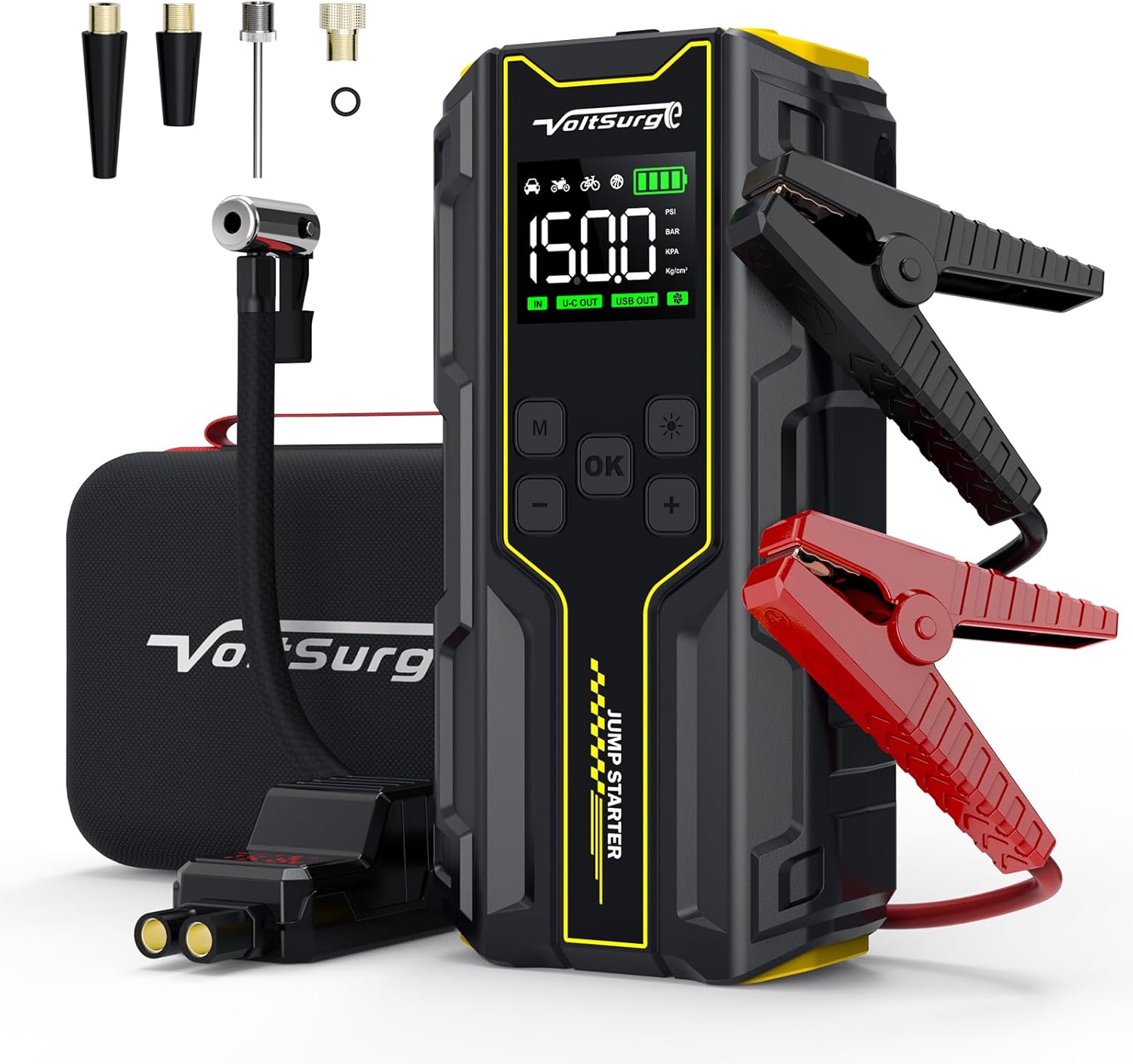
Image: The VoltSurge 5000A 12V Jump Starter with Air Compressor, showcasing its compact design and included accessories like jumper cables and various air nozzles.
Setup
1. What's in the Box
Before using your VoltSurge D03, ensure all components are present:
- VoltSurge 5000A Jump Starter with Air Compressor
- Smart Jumper Cables
- Air Hose with various Nozzles (for tires, balls, inflatables)
- USB-C Charging Cable
- Storage Case
- User Manual

Image: All components included in the VoltSurge D03 package, neatly arranged in its storage case. This includes the main unit, smart jumper cables, air hose with adapters, and charging cable.
2. Initial Charging
For optimal performance, fully charge the device before first use. Connect the provided USB-C charging cable to the device's input port and a suitable USB power adapter (not included). The display will indicate charging status. A full charge typically takes several hours.
Operating Instructions
1. Vehicle Jump Starting
The VoltSurge D03 can jump start 12V vehicles with up to 10L gas or 8L diesel engines.
- Ensure the jump starter is sufficiently charged.
- Insert the smart jumper cable plug firmly into the jump starter's EC5 port.
- Connect the red (+) clamp to the positive terminal of the vehicle's battery.
- Connect the black (-) clamp to the negative terminal of the vehicle's battery.
- Once connected, the smart cable indicator lights will confirm a safe connection.
- Start the vehicle's engine.
- Once the engine starts, immediately remove the jumper cables from the vehicle battery, then disconnect from the jump starter.
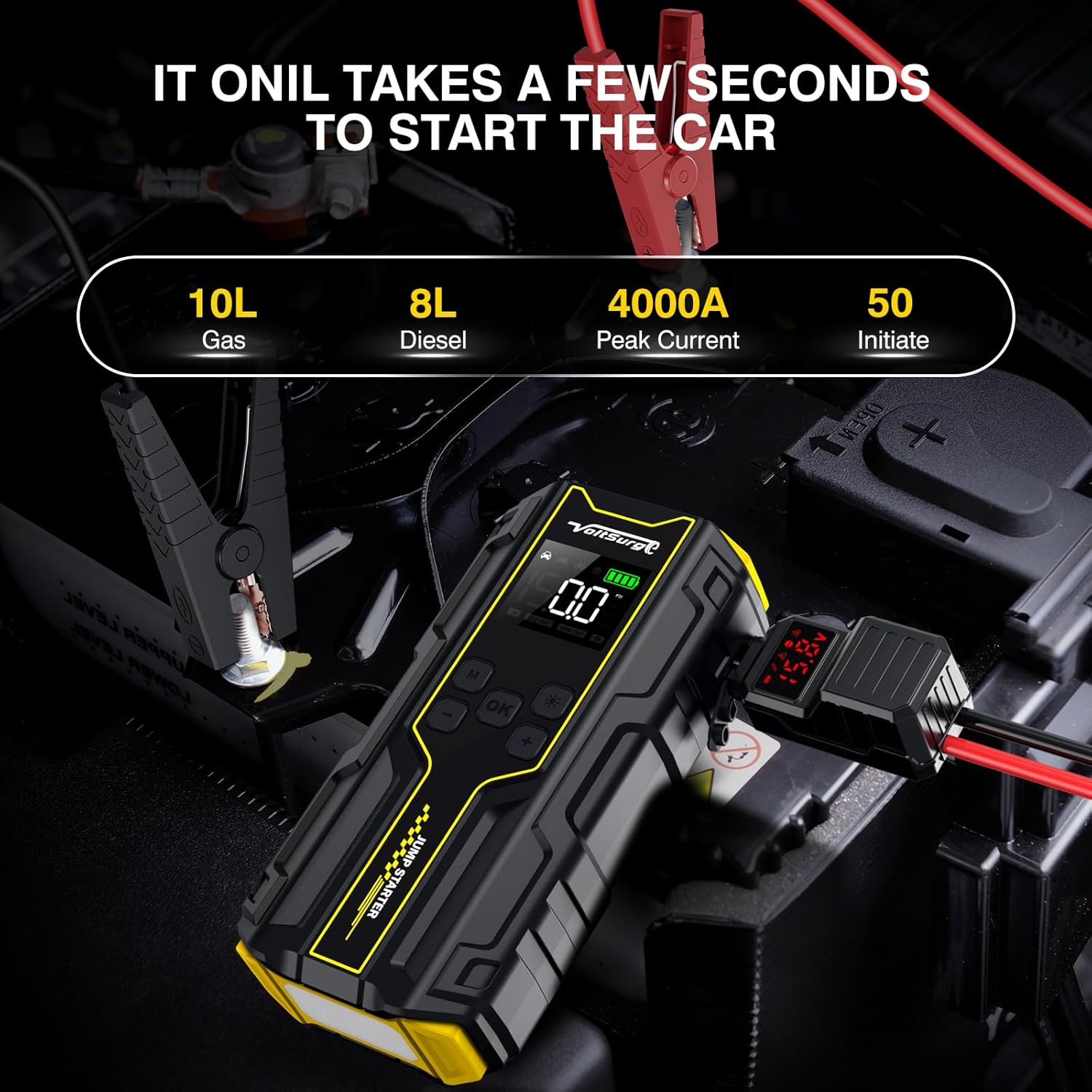
Image: The VoltSurge D03 connected to a car battery with smart jumper cables, ready to initiate a jump start.

Image: A visual representation of the four steps to jump start a car: insert jumper cable, connect clamps, start engine, and remove clamps.
2. Tire Inflation (Air Compressor)
The integrated 150PSI air compressor can inflate tires for cars, motorcycles, bicycles, and various inflatables.
- Screw the air hose firmly into the device's air outlet port.
- Attach the appropriate nozzle to the air hose and connect it to the item to be inflated (e.g., tire valve).
- Power on the device. Use the 'M' button to select the desired inflation mode (Car, Motorcycle, Bicycle, Ball).
- Use the '+' and '-' buttons to set the target pressure (PSI, BAR, KPA, kg/cm²).
- Press the 'OK' button to start inflation. The device will automatically stop when the target pressure is reached.
- Disconnect the air hose and store all components.
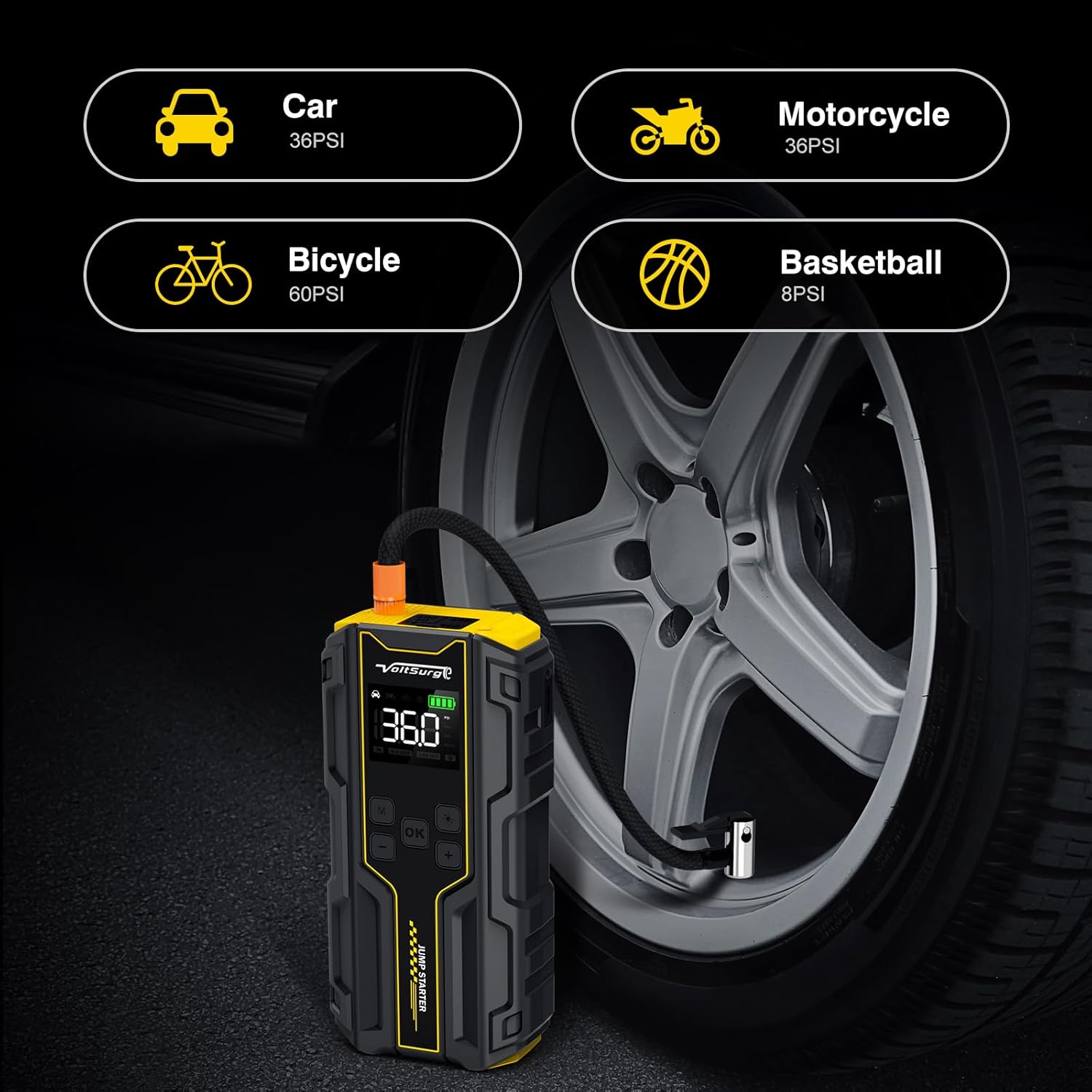
Image: The VoltSurge D03 actively inflating a car tire, with the digital display showing the current pressure.

Image: Illustrates the vehicle compatibility of the 5000A Peak Jump Starter, showing it can start various vehicles from motorcycles to large vans.

Image: A three-step visual guide demonstrating how to connect the air hose to the jump starter, then to a car tire, and finally start the inflation process.

Image: Displays the digital air pump interface with preset pressure settings for car, motorcycle, bike, and ball inflation.
3. Power Bank Functionality
The VoltSurge D03 features USB output ports to charge your electronic devices.
- Connect your device's charging cable to the USB output port on the jump starter.
- The jump starter will automatically begin charging your device.
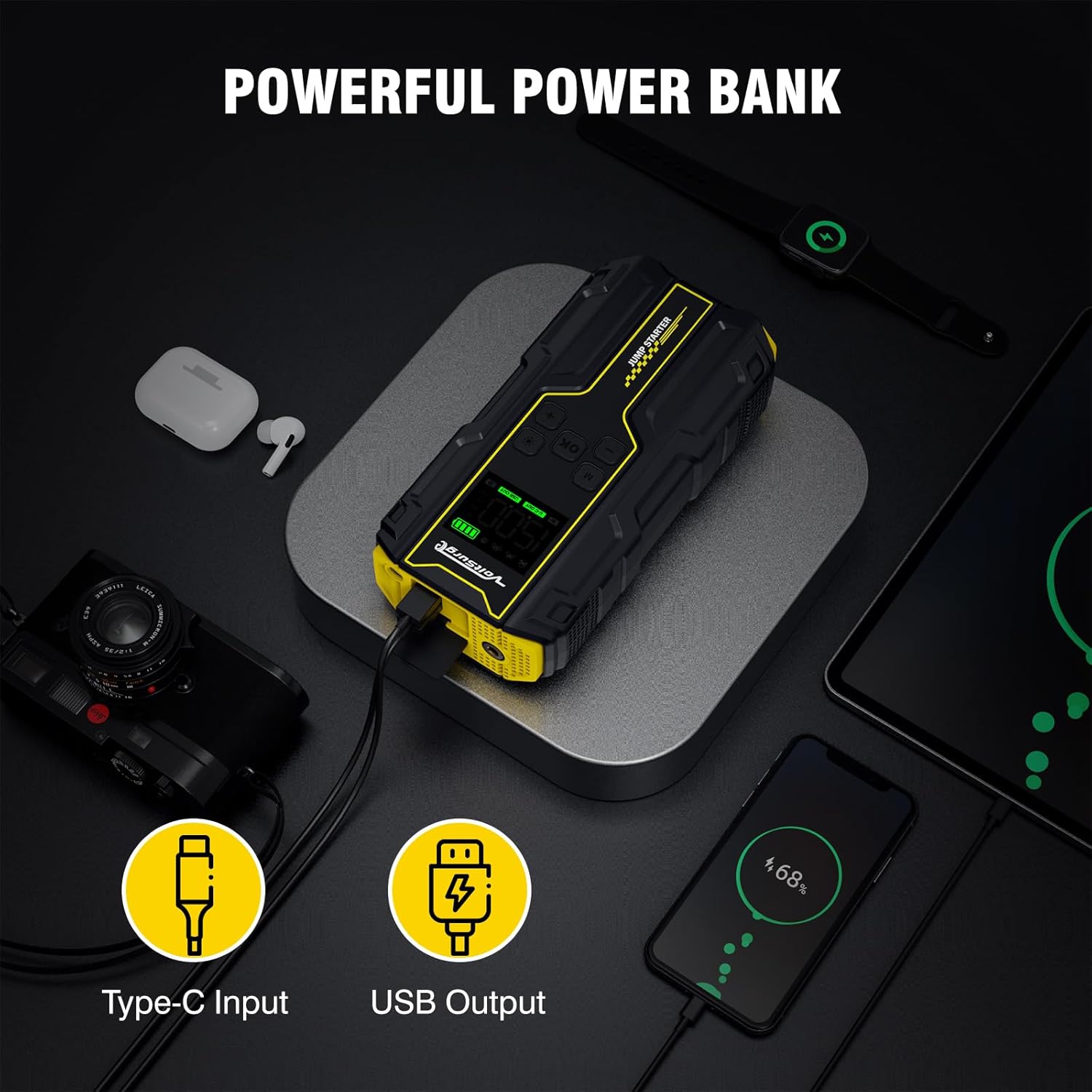
Image: The VoltSurge D03 unit connected via USB to charge a smartphone, demonstrating its power bank capability.
4. Emergency Lighting
The device includes a powerful LED flashlight with multiple modes for emergency situations.
- Press and hold the flashlight button to turn on the steady flashlight mode.
- Press the button again to cycle through SOS signal, strobe light, and off modes.

Image: The VoltSurge D03 showcasing its multifunctional emergency lights, including flashlight, SOS, and strobe modes.

Image: Illustrates the two LED lights and four light modes (flashlight, SOS, strobe) of the VoltSurge D03, highlighting their utility for emergencies, camping, and road trips.
5. Official Product Video Guide
For a visual demonstration of the VoltSurge D03's features and operation, please watch the official product video:
Video: Official VoltSurge D03 "How to Use" guide, demonstrating key functionalities and setup.
Maintenance
- Recharge Regularly: To prolong battery life, recharge the device every 3-6 months, even if not used.
- Storage: Store the device in its case in a cool, dry place away from direct sunlight and extreme temperatures.
- Cleaning: Use a soft, dry cloth to clean the device. Do not use harsh chemicals or abrasive materials.
- Battery Care: Avoid fully discharging the battery frequently. Charge it when the battery indicator is low.
Troubleshooting
- Device Not Turning On: Ensure the device is charged. If fully charged and still not turning on, contact support.
- Vehicle Not Starting:
- Check that jumper cables are securely connected to both the jump starter and vehicle battery terminals.
- Ensure correct polarity (+ to +, - to -).
- The vehicle battery might be severely discharged; allow a few minutes for the jump starter to provide some charge before attempting to start.
- Air Compressor Not Working:
- Check that the air hose is securely screwed into the device.
- Ensure the correct nozzle is attached and properly connected to the item being inflated.
- Verify the device is powered on and the correct mode/pressure is set.
- Device Overheating: If the device feels excessively hot, discontinue use immediately and allow it to cool down before attempting to use it again.
Specifications
| Feature | Detail |
|---|---|
| Brand | VoltSurge |
| Model | D03 |
| Peak Amperage | 5000A (Note: Product title states 5000A, specifications list 6000A. Using 5000A for consistency with product title.) |
| Vehicle Compatibility | 12V, up to 10L Gas / 8L Diesel Engines |
| Air Compressor Pressure | 150PSI |
| Battery Type | Lithium Ion (1 included) |
| Product Dimensions | 9.96 x 5.59 x 3.94 inches |
| Item Weight | 2.34 pounds |
| Date First Available | March 2, 2024 |
Warranty and Support
For warranty information, technical support, or any inquiries regarding your VoltSurge D03, please visit the official VoltSurge store or contact customer service through your purchase platform.
Official VoltSurge Store: Visit Store


