
1. Introduction
Thank you for choosing the XUNTOP 4x90° Digital Angle Finder. This precision tool is designed for accurate angle measurement in various applications, including woodworking, construction, and DIY projects. Its robust aluminum housing, magnetic surfaces, and clear VA display ensure reliable performance and ease of use. Please read this manual thoroughly before operating the device to ensure proper usage and longevity.
2. Package Contents
Upon unpacking, please verify that all items listed below are included and in good condition:
- 1 x XUNTOP Digital Angle Finder (Model XOP010)
- 1 x Carrying Bag
- 1 x Type-C Charging Cable
- 1 x User Manual

Image: The XUNTOP Digital Angle Finder, its carrying bag, Type-C charging cable, and user manual.
3. Key Features
- 4x90° Measuring Range: Allows for multi-angle measurement and zeroing at any angle for comparison.
- High Accuracy: ±0.1° at 0° and 90°, ±0.2° for other angles, with 0.05° resolution.
- 4-Side Powerful Magnetic Surfaces: Strong magnets on all four sides ensure secure attachment to metal surfaces, enabling hands-free operation.
- Large VA Display: Black and green display provides clear readability even in low light or bright sunlight.
- Automatic Display Inversion: Values automatically invert for easy reading when the device is flipped upside down.
- Durable Construction: Housing made from aluminum material for reduced wear and extended service life.
- IP54 Dust and Water Resistance: Protects internal components from environmental elements, maintaining accuracy.
- Type-C Rechargeable: Convenient charging via Type-C port.

Image: The XUNTOP Digital Angle Finder highlighting its large VA display and various measurement capabilities.
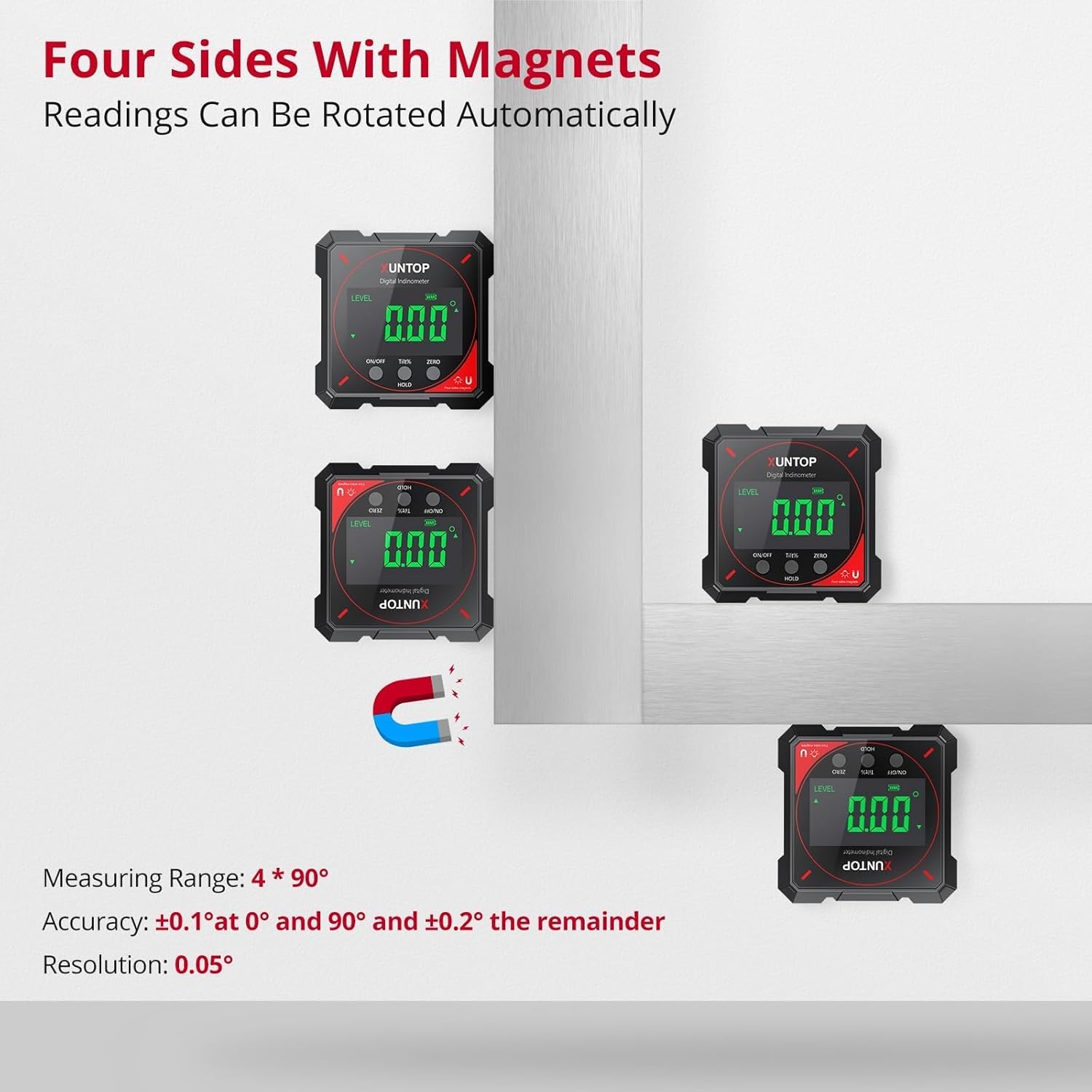
Image: Multiple views of the XUNTOP Digital Angle Finder demonstrating its four magnetic sides and automatic display rotation.
4. Specifications
| Attribute | Value |
|---|---|
| Brand | XUNTOP |
| Model Number | XOP010 |
| Measuring Range | 4x90° (0-360°) |
| Accuracy | ±0.1° at 0° and 90°, ±0.2° remainder |
| Resolution | 0.05° |
| Material | Aluminum |
| Color | Black |
| Power Source | Battery Powered (1 Lithium Polymer battery included) |
| Charging Type | Type-C |
| Charging Time | Approx. 2.5 hours |
| Battery Life | Approx. 7 hours |
| Auto Power Off | After 3 minutes of no operation |
| Water/Dust Resistance | IP54 |
| Item Weight | 160 g |
| Parcel Dimensions | 12.2 x 10.3 x 3.9 cm |
5. Setup
5.1 Initial Charging
Before first use, fully charge the device using the provided Type-C charging cable. Connect the cable to the Type-C port on the device (located on the side, protected by a rubber cover) and to a standard USB power source (e.g., computer, wall adapter). The battery indicator on the display will show charging status.
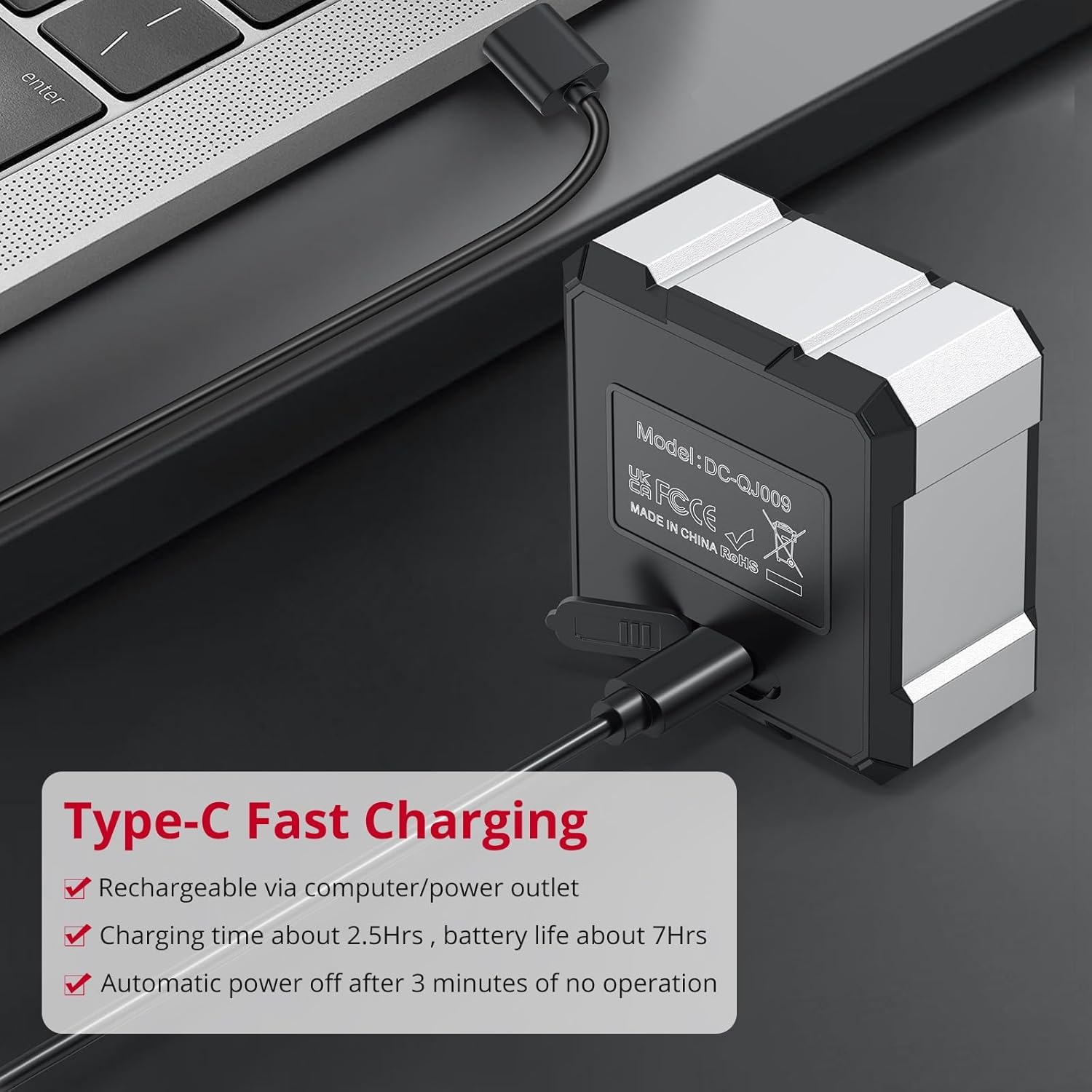
Image: The XUNTOP Digital Angle Finder being charged via its Type-C port connected to a laptop.
5.2 Power On/Off
- To Power On: Press the ON/OFF button. The display will light up.
- To Power Off: Press and hold the ON/OFF button for a few seconds. The device will also automatically power off after 3 minutes of inactivity to conserve battery.
6. Operating Instructions
6.1 Absolute Measurement Mode
By default, the device powers on in absolute measurement mode. In this mode, it measures the angle relative to a true horizontal surface (0°). Place the device on the surface you wish to measure, and the angle will be displayed.
6.2 Relative Measurement Mode (ZERO Function)
To measure the angle relative to a specific surface (e.g., setting a saw blade angle relative to the saw table):
- Place the angle finder on your reference surface (e.g., saw table).
- Press the ZERO button. The display will show 0.00°, indicating this is now your reference point.
- Move the angle finder to the object you want to measure (e.g., saw blade). The display will show the angle relative to your set zero point.
6.3 Data Hold Function
To freeze the current measurement on the display:
- Press the HOLD button once. The displayed value will be locked, and a "HOLD" icon may appear.
- Press the HOLD button again to release the measurement and return to live readings.
6.4 Unit Conversion
The device supports two units of measurement: degrees (°) and percentage (%). To switch between these units, press the U button (Unit button, typically located near the ZERO button).
6.5 Automatic Display Inversion
The display automatically rotates 180° when the device is inverted, ensuring that the readings are always upright and easy to read, regardless of the device's orientation.

Image: Examples of the XUNTOP Digital Angle Finder being used for different measurement needs, such as on a saw blade and a tilted surface.
Video: A demonstration of the XUNTOP Digital Angle Finder's features, including its magnetic base and measurement capabilities.
7. Maintenance
- Cleaning: Wipe the device with a soft, dry cloth. Do not use abrasive cleaners or solvents.
- Storage: Store the angle finder in its carrying bag in a dry, cool place when not in use.
- Battery Care: Recharge the battery regularly, even if the device is not used frequently, to maintain battery health.
- Protection: Ensure the Type-C charging port is covered by its rubber seal to maintain IP54 rating.
8. Troubleshooting
8.1 "Err" Displayed
If the display shows "Err", it indicates that the tilt angle exceeds 30° (either forward or backward). The device is designed to provide accurate readings within a certain range. For angles beyond this, the "Err" message is displayed to prevent inaccurate measurements.
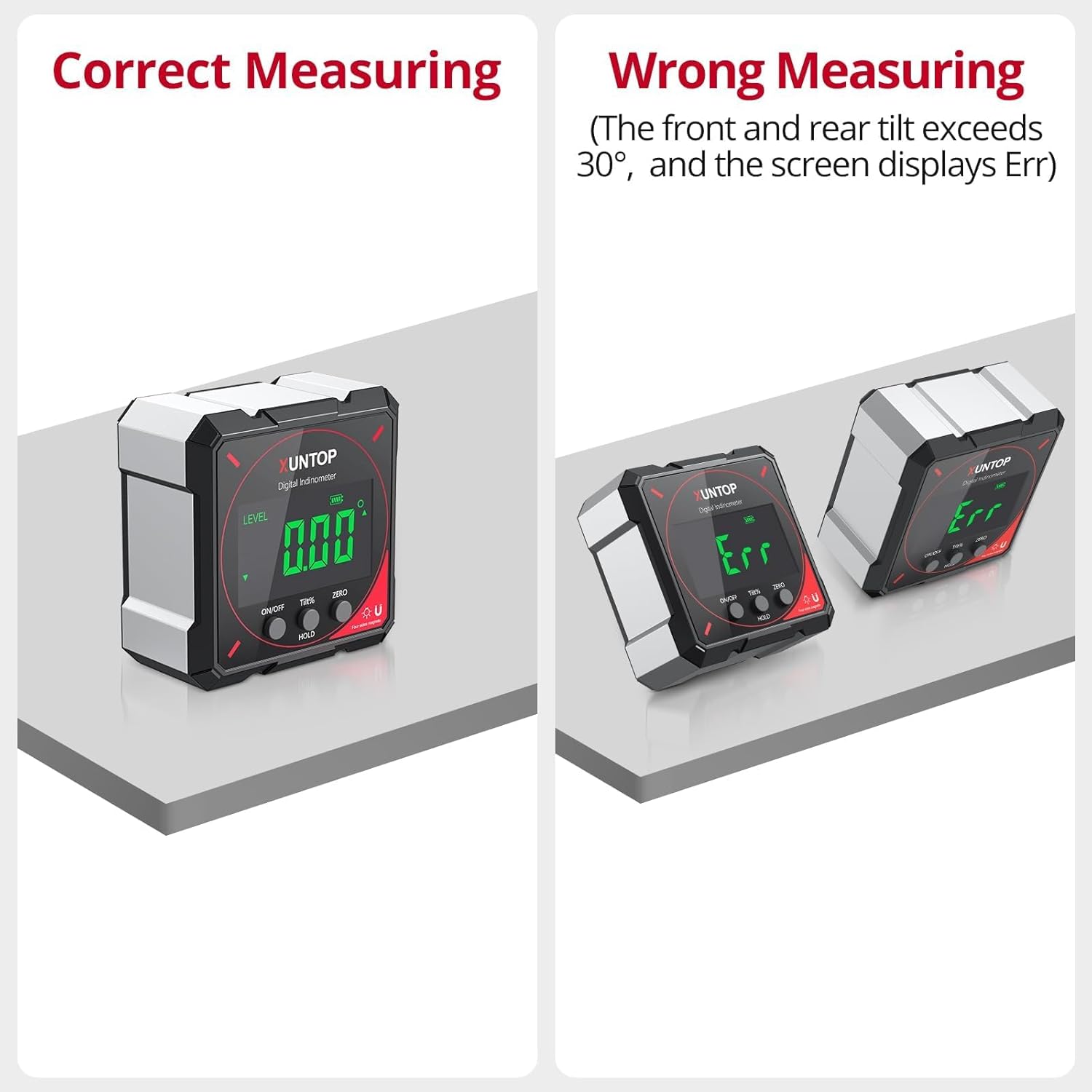
Image: The XUNTOP Digital Angle Finder displaying a correct measurement versus an "Err" message when tilted beyond its operational range.
9. Warranty and Support
XUNTOP products are manufactured to high-quality standards. For warranty information, technical support, or service inquiries, please refer to the contact information provided on the product packaging or visit the official XUNTOP website. Keep your purchase receipt as proof of purchase for warranty claims.