
Introduction
This manual provides essential information for the safe assembly, operation, and maintenance of your HOMAVO Electric Sit/Stand Desk, Model K2302. Please read these instructions carefully before use and retain them for future reference. This desk is designed to provide a versatile workspace, allowing you to easily switch between sitting and standing positions for improved comfort and productivity.
Safety Instructions
- Do not exceed the maximum weight capacity of 75 kg (165 lbs) on the desk surface. Distribute weight evenly.
- Ensure all cables are properly managed to prevent tripping hazards and damage to the electrical components.
- Keep children and pets away from the desk during height adjustment to prevent injury.
- Avoid placing liquids directly on the control panel or near any electrical components.
- The desk features rounded corners for enhanced safety, particularly in environments with children.
- Only use the power adapter supplied with the desk.

The desk is designed with rounded corners to enhance safety, particularly for environments with children.
Assembly Instructions
The HOMAVO Electric Sit/Stand Desk requires assembly. Please follow the detailed instructions provided in the separate assembly guide included with your package. Ensure all components are present and undamaged before beginning assembly.
- Unpack Components: Carefully remove all parts from the packaging. Verify against the parts list in your assembly guide.
- Assemble the Frame: Attach the lifting columns to the desk feet. Secure with the provided screws.
- Install the Crossbar and Control Box: Connect the crossbar between the lifting columns. Mount the control box to the designated area on the frame.
- Attach the Tabletop: Place the tabletop onto the assembled frame. Align pre-drilled holes and secure with screws. Note that the tabletop may consist of two sections, designed for a seamless fit.
- Connect Cables: Plug the motor cables and control panel cable into the control box. Connect the power cable.
- Initial Setup: Perform the initial calibration as described in the assembly guide to synchronize the motors.
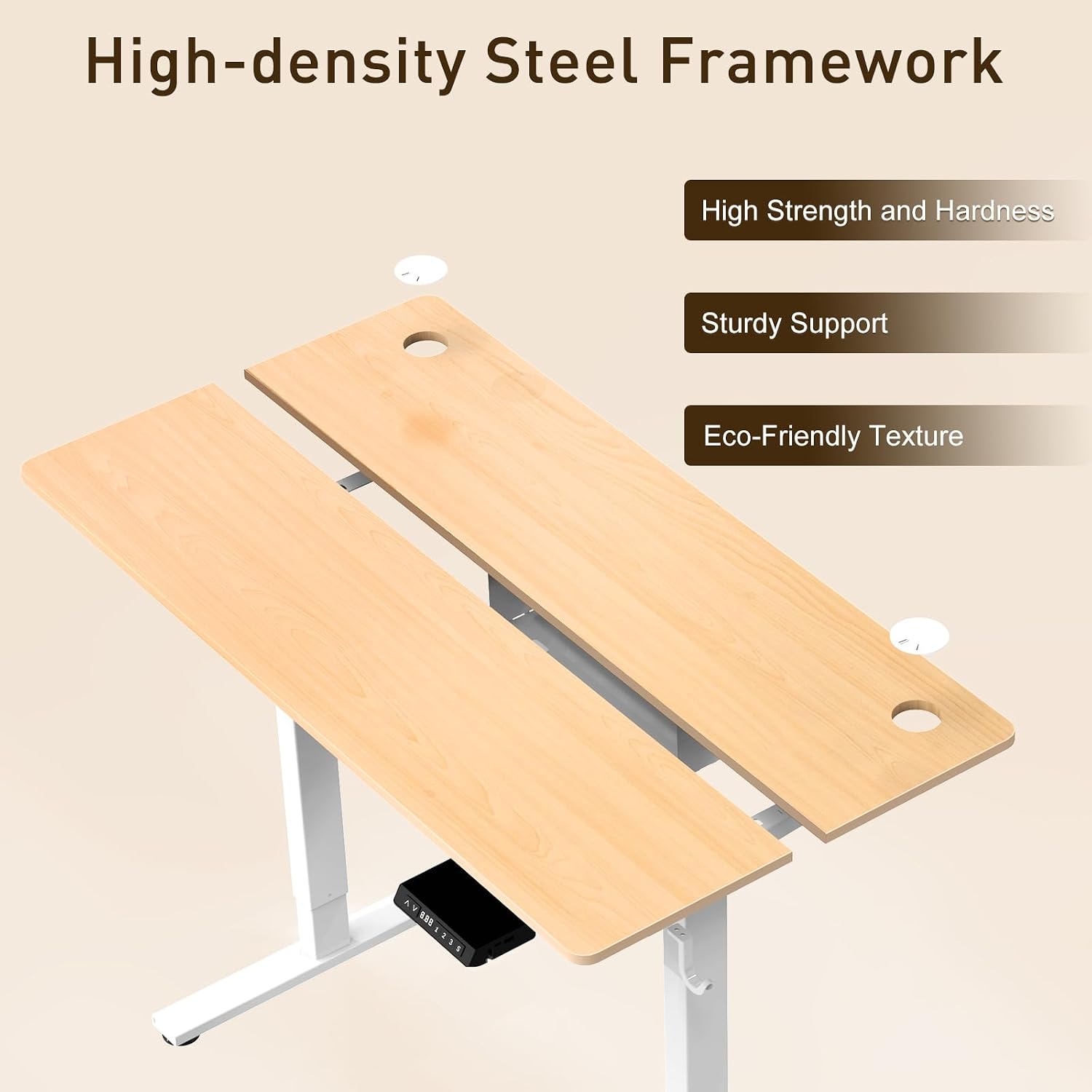
The desk features a robust high-density steel framework providing strong and sturdy support, combined with an eco-friendly textured tabletop for durability.
Operating Instructions
Control Panel Overview

The control panel features buttons for adjusting height, setting three memory presets, an LED display, integrated USB-A and Type-C charging ports, an anti-collision system, and a sit-stand reminder function. The lifting speed is 25 mm/s, and operation noise is below 48 dB.
The control panel is located on the front edge of the desk. It features an LED display, Up/Down arrows, memory preset buttons (1, 2, 3), and an 'S' (Save) button.
Height Adjustment
- Press and hold the Up arrow to raise the desk. Release to stop at the desired height.
- Press and hold the Down arrow to lower the desk. Release to stop at the desired height.
- The desk can be adjusted smoothly between 70 cm and 119 cm.

This image displays the minimum and maximum adjustable heights of the desk, ranging from 70 cm (sitting position) to 119 cm (standing position).
Memory Presets
- To save a height: Adjust the desk to your desired height. Press the 'S' button, then press one of the memory buttons (1, 2, or 3) within 3 seconds. The LED display will confirm the save.
- To recall a saved height: Press the corresponding memory button (1, 2, or 3). The desk will automatically move to the saved position.
Anti-Collision System
The desk is equipped with an anti-collision system. If the desk encounters an obstruction during adjustment, it will automatically stop and reverse slightly to prevent damage to the desk or objects. To reset the anti-collision sensitivity or if it triggers unexpectedly, refer to the troubleshooting section or the full assembly guide.
USB Charging Ports
The control panel includes one USB-A and one Type-C port for convenient device charging. These ports support 18W fast charging. Simply connect your compatible device to the appropriate port.

The desk includes convenient 18W fast charging ports, featuring both USB-A and Type-C connections, allowing you to charge your devices directly from the desk.
Sit-Stand Reminder
The smart control system may include a programmable sit-stand reminder. Consult your full assembly guide for instructions on activating and customizing this feature to promote healthier work habits.

The desk is equipped with a third-generation motor designed for quiet, smooth, and powerful height adjustments, operating at less than 48 dB.

The desk's intelligent control chip ensures precise height adjustments and includes built-in safety features such as overload and overheat protection for reliable operation.
Maintenance
- Cleaning: Wipe the desk surface and frame with a soft, damp cloth. Avoid abrasive cleaners or harsh chemicals that could damage the finish.
- Weight Capacity: Regularly ensure that the total weight on the desk does not exceed the maximum load of 75 kg (165 lbs).
- Cable Management: Periodically check and secure all cables to prevent entanglement or damage, ensuring smooth operation.
Troubleshooting
- Desk Not Moving:
- Check all cable connections, including the power cord, motor cables, and control panel cable. Ensure they are securely plugged in.
- Ensure the power outlet is functional by testing it with another device.
- Perform a reset: Press and hold the 'Down' button until the desk reaches its lowest point and slightly rebounds, then release. If this doesn't work, consult the full assembly guide for specific reset procedures.
- Uneven Height Adjustment:
- This may indicate a synchronization issue between the lifting columns. Perform a reset as described above.
- Anti-Collision System Triggers Frequently:
- Ensure there are no obstructions in the desk's path during adjustment.
- The sensitivity might be too high. Refer to the assembly guide for instructions on adjusting anti-collision sensitivity.
- Error Codes on LED Display:
- If an error code appears, refer to the specific error code table in your detailed assembly manual for solutions.
Specifications
| Feature | Specification |
|---|---|
| Brand | HOMAVO |
| Model Number | K2302 |
| Product Dimensions (L x W x H) | 140 x 70 x (70-119) cm |
| Product Weight | 26 kg |
| Height Adjustment Range | 70 cm - 119 cm |
| Maximum Load Capacity | 75 kg |
| Lifting Speed | 25 mm/s |
| Noise Level | <48 dB |
| Special Features | Electric, Adjustable, Memory Function, Anti-Collision, USB-A & Type-C Fast Charging |
| Top Material | Engineered Wood |
| Base Material | Alloy Steel |
| Finish Type | Laminated |
Warranty and Support
For warranty information, technical support, or replacement parts, please contact HOMAVO customer service through your retailer or the official HOMAVO website. Keep your purchase receipt and model number (K2302) handy for efficient service.