
Introduction
Welcome to the user manual for your G-Shock Casio GD-100-1BCR watch. This rugged timepiece is engineered for extreme conditions, offering unparalleled durability with its shock-resistant construction and 20-bar water resistance. It features both analog and digital time displays, a high-brightness LED backlight, a timer, stopwatch, and multi-city time capabilities. This manual provides essential information for setting up, operating, maintaining, and troubleshooting your watch to ensure optimal performance and longevity.

Figure 1: Front view of the G-Shock Casio GD-100-1BCR watch, showcasing its robust design and digital display.
Setup
Initial Time Setting
Upon first use or after a battery replacement, you may need to set the current time and date.
- Press and hold the ADJUST button (top left) until the city code starts to flash. This indicates the setting mode.
- Use the FORWARD (top right) and REVERSE (bottom right) buttons to select your home city code.
- Press the MODE button (bottom left) to cycle through the settings: DST (Daylight Saving Time), 12/24-hour format, Seconds, Hour, Minute, Year, Month, Day.
- For each setting, use the FORWARD and REVERSE buttons to change the value.
- Once all settings are configured, press the ADJUST button to exit the setting mode.
Analog Hand Alignment
The analog hands may need to be aligned with the digital time for accuracy.
- In the Timekeeping Mode, press and hold the FORWARD button for approximately five seconds until the hands start to move.
- If the hands are not aligned to 12 o'clock, use the FORWARD and REVERSE buttons to adjust them.
- Press the ADJUST button to confirm the alignment and return to Timekeeping Mode.
Operating Modes
Your G-Shock watch features multiple modes accessible via the MODE button.
- Timekeeping Mode: Displays current time, date, and day of the week. This is the default mode.
- World Time Mode: Allows you to view the current time in 29 time zones (48 cities + Coordinated Universal Time).

Figure 2: The watch's ability to display dual time zones, useful for travelers.
- Stopwatch Mode: Measures elapsed time, split times, and two finishes.
- Press START/STOP (bottom right) to start/stop.
- Press SPLIT/RESET (top left) for split time or to reset.
- Countdown Timer Mode: Functions as a countdown timer.
- To set the timer, hold ADJUST while in Timer Mode.
- Use FORWARD and REVERSE to set the time.
- Press ADJUST to confirm.
- Press START/STOP to start/stop the countdown.
- Alarm Mode: Set up to 5 daily alarms and an hourly time signal.
- Use FORWARD and REVERSE to select an alarm.
- Hold ADJUST to enter alarm setting mode.
- Use FORWARD and REVERSE to set alarm time.
- Press ADJUST to confirm.
LED Backlight
The watch is equipped with a high-brightness LED backlight for visibility in low-light conditions.
- Press the LIGHT button (top right) to illuminate the display.
- The illumination duration can be configured in the Timekeeping Mode settings.
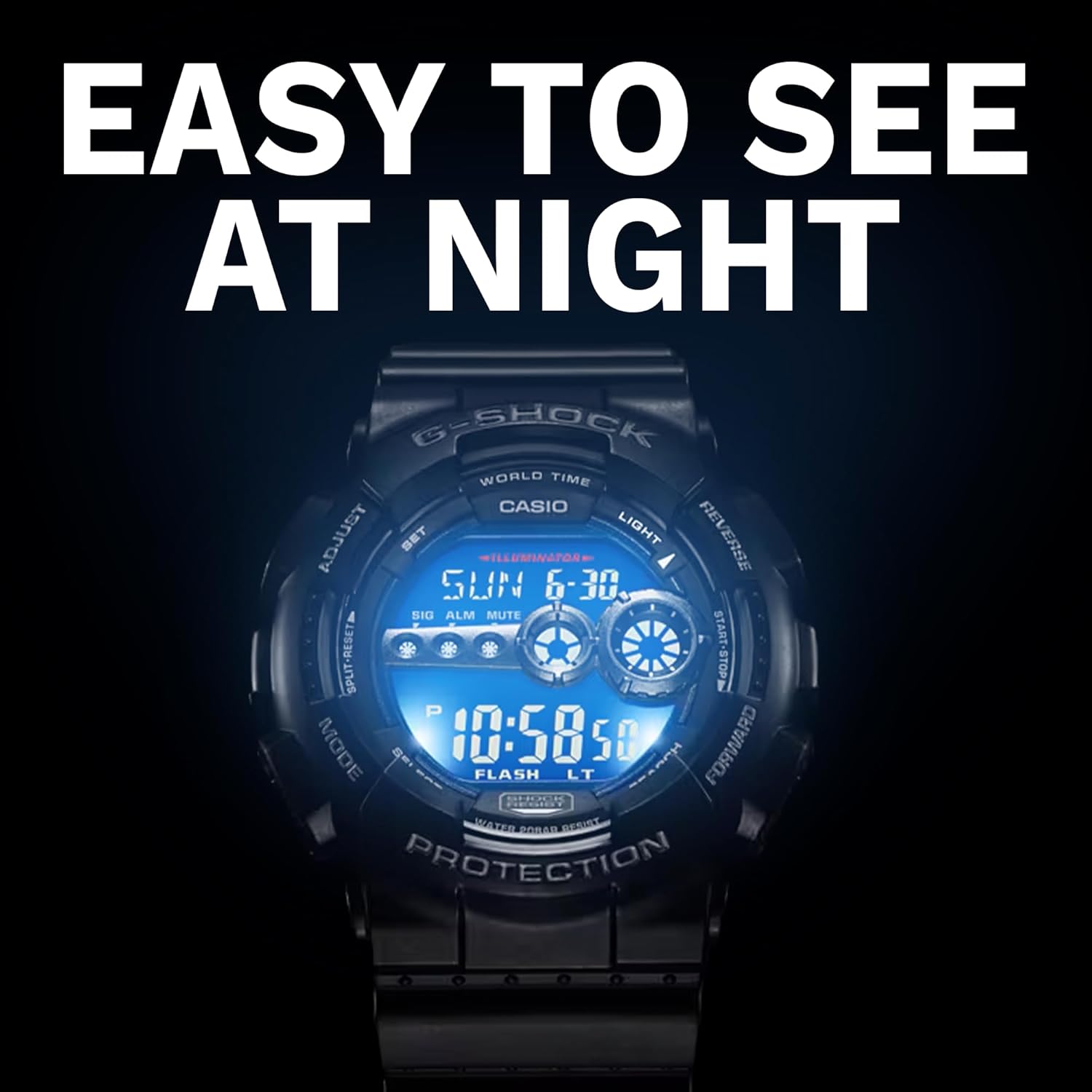
Figure 3: The watch display with its high-brightness LED backlight activated, ensuring readability in darkness.
Maintenance
Cleaning
To maintain the appearance and functionality of your watch:
- Wipe the watch with a soft, dry cloth to remove dirt and moisture.
- For stubborn dirt, use a soft cloth dampened with water and a mild neutral detergent. Avoid harsh chemicals.
- After exposure to saltwater, rinse the watch thoroughly with fresh water and dry it completely.
Water Resistance
Your G-Shock GD-100-1BCR is water resistant up to 20 bar (200 meters). This means it is suitable for everyday use, swimming, and diving.
- Do not operate buttons while the watch is submerged in water or wet.
- Avoid exposing the watch to hot water or steam, as this can compromise the water resistance.
- Have the gaskets checked periodically (e.g., every 2-3 years) by an authorized service center to ensure water resistance integrity.

Figure 4: Visual representation of the watch's 20 bar water resistance, suitable for various water activities.
Battery Replacement
The watch is designed for a 7-year battery life. When the display becomes dim or functions become erratic, it may be time for a battery replacement. It is recommended to have the battery replaced by an authorized Casio service center to ensure proper sealing and water resistance.
Troubleshooting
| Problem | Possible Cause | Solution |
|---|---|---|
| Display is blank or dim. | Low battery. | Replace the battery. |
| Analog hands do not match digital time. | Hands are misaligned. | Perform analog hand alignment (refer to Setup section). |
| Watch not keeping accurate time. | Incorrect time zone or time setting. | Re-set the home city and time (refer to Setup section). |
| Buttons are unresponsive. | Watch may be wet or internal issue. | Ensure watch is dry. If problem persists, contact service center. |
If the issue persists after attempting these solutions, please contact an authorized Casio service center for assistance.
Specifications
- Model Number: GD-100-1BCR
- Brand: G-Shock (Casio)
- Display Type: Analog and Digital
- Water Resistance: 20 Bar (200 Meters)
- Shock Resistance: Yes
- Battery Life: Approximately 7 years
- Backlight: High-Brightness LED Backlight (Super Illuminator)
- Time Zones: 29 time zones (48 cities + UTC)
- Functions: Stopwatch, Countdown Timer, 5 Daily Alarms, Hourly Time Signal, Full Auto-calendar (to year 2099)
- Clasp Type: Buckle
- Dimensions: 6.06 x 5.71 x 3.98 inches (Package)
- Weight: 8.47 ounces (Package)

Figure 5: Key features of the G-Shock GD-100-1BCR, including shock resistance and water resistance.
Warranty and Support
Warranty Information
Your G-Shock Casio GD-100-1BCR watch comes with a manufacturer's warranty covering defects in materials and workmanship. Please refer to the warranty card included with your purchase for specific terms, conditions, and duration. Keep your proof of purchase for warranty claims.
Customer Support
For technical assistance, service, or parts, please contact Casio customer support. You can find contact information on the official Casio website or through the documentation provided with your watch.
Online Resources: For additional support and FAQs, visit the official G-Shock website.