
Senmeo UML-018
Senmeo Bladeless Tower Fan User Manual
Model: UML-018
Introduction
This user manual provides detailed instructions for the safe and efficient operation, maintenance, and troubleshooting of your Senmeo Bladeless Tower Fan. Please read this manual thoroughly before using the product and retain it for future reference.
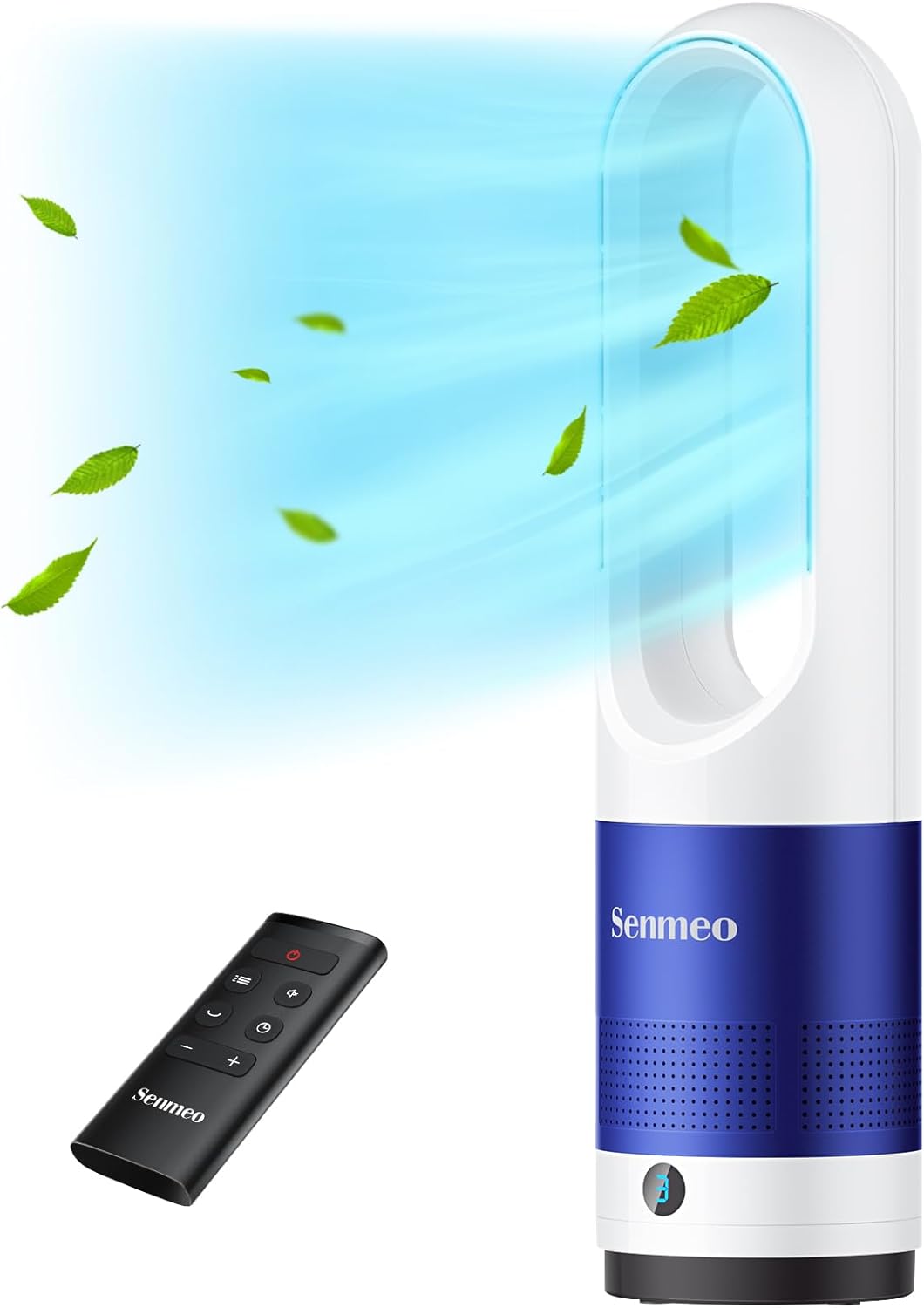
Figure 1: Senmeo Bladeless Tower Fan and Remote Control
Important Safety Instructions
To reduce the risk of fire, electric shock, or injury, always observe basic safety precautions when using this appliance.
- Do not operate any fan with a damaged cord or plug.
- Do not run cord under carpeting. Do not cover cord with throw rugs, runners, or similar coverings. Arrange cord away from traffic area and where it will not be tripped over.
- Always unplug the fan before moving, cleaning, or servicing.
- Do not immerse the fan in water or other liquids.
- This appliance is not intended for use by persons (including children) with reduced physical, sensory or mental capabilities, or lack of experience and knowledge, unless they have been given supervision or instruction concerning use of the appliance by a person responsible for their safety.
- Children should be supervised to ensure that they do not play with the appliance.
- The bladeless design minimizes risk, but keep hands and objects away from the air outlet.

Figure 2: The bladeless design ensures safety, especially around children and pets.
Product Components
Your Senmeo Bladeless Tower Fan package includes the following items:
- 1 x Senmeo Tower Fan
- 1 x Remote Control
- 1 x CR2025 Lithium Battery (pre-installed in remote)
- 1 x User Manual (this document)
Setup
The Senmeo Bladeless Tower Fan features a one-piece design and requires no assembly. Simply place it on a stable, flat surface.
Remote Control Battery Installation
Before first use, activate the remote control by removing the insulating sheet.
- Open the battery cover on the back of the remote control.
- Remove the plastic insulating sheet.
- Ensure the CR2025 lithium battery is correctly positioned between the positive and negative terminals.
- Close the battery cover securely.

Figure 3: Remote Control Battery Installation Steps
Operating Instructions
The fan can be operated using the touch controls on the unit or the included remote control.
Power On/Off
- Press the Power button (
 ) on the fan or remote to turn the unit on or off.
Adjusting Fan Speed
The fan offers 8 adjustable wind speeds.
- Press the Speed button (
 ) on the fan or remote to cycle through the 8 speed settings.
 - The LED display will indicate the current speed.

Figure 4: 8-Speed Customizable Airflow
Oscillation Function
Activate the 90° wide-angle oscillation for broader air distribution.
- Press the Oscillation button (
 ) on the fan or remote to start or stop the oscillation.

Figure 5: Wide-angle oscillation for extensive cooling.
Timer Setting
Set the fan to automatically turn off after a specified period (up to 9 hours).
- Press the Timer button (
 ) on the remote control to set the desired operating time. Each press increases the timer by 1 hour.
 - The LED display will show the remaining time.
LED Display Auto-off
The LED display automatically turns off after 30 seconds of inactivity to minimize light disturbance, especially during sleep.
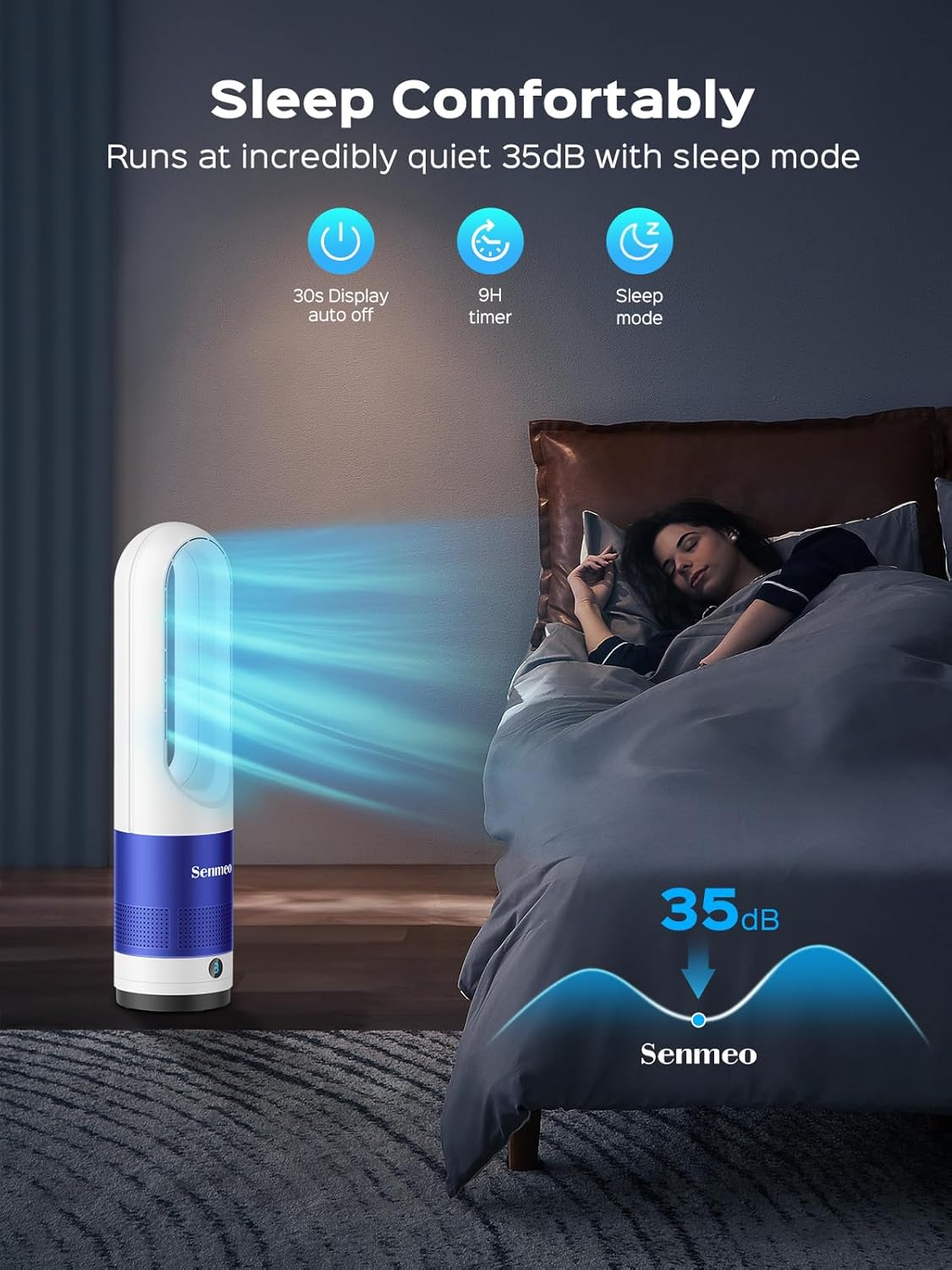
Figure 6: Quiet operation and LED auto-off for comfortable sleep.
Maintenance
Regular cleaning ensures optimal performance and longevity of your fan.
Cleaning the Fan
- Always unplug the fan before cleaning.
- Use a soft, damp cloth to wipe the exterior surfaces of the fan.
- For dust accumulation within the air inlet or outlet, use a soft brush or a vacuum cleaner with a brush attachment to gently remove dust.
- Do not use abrasive cleaners or solvents, as these may damage the fan's surface.
- Ensure the fan is completely dry before plugging it back in.
Troubleshooting
If you experience issues with your Senmeo Bladeless Tower Fan, please refer to the following common problems and solutions:
| Problem | Possible Cause | Solution |
|---|---|---|
| Fan does not turn on. | Not plugged in; power outlet malfunction; power button not pressed. | Ensure the power cord is securely plugged into a working electrical outlet. Press the power button on the fan or remote. |
| Remote control not working. | Battery insulating sheet not removed; dead battery; incorrect battery installation. | Remove the insulating sheet from the battery compartment. Replace the CR2025 battery if dead. Ensure the battery is installed with correct polarity. |
| Weak airflow. | Low speed setting; air inlet/outlet blocked by dust. | Increase the fan speed. Clean any dust or obstructions from the air inlet and outlet. |
| Unusual noise. | Fan not on a stable surface; internal obstruction. | Place the fan on a flat, stable surface. If noise persists, unplug the fan and check for any foreign objects. |
Specifications
| Feature | Detail |
|---|---|
| Brand | Senmeo |
| Model Name | UML-018 |
| Color | White + Blue |
| Product Dimensions | 5.9"D x 5.9"W x 21.6"H |
| Item Weight | 4.4 Pounds |
| Power Source | Corded Electric |
| Wattage | 40 watts |
| Voltage | 120 Volts |
| Noise Level | 35 dB (in sleep mode) |
| Number of Power Levels | 8 |
| Special Features | Bladeless, 90° Oscillation, 9H Timer, LED Light Auto-off, Remote Control |
| Indoor/Outdoor Usage | Indoor |

Figure 7: Product Dimensions
Warranty and Support
Senmeo offers a standard warranty for this product. For specific warranty details and to register your product for an extended two-year warranty, please refer to the information provided with your purchase or contact Senmeo customer support directly. Retain your Amazon invoice as proof of purchase for warranty claims.
For further assistance or to download the official user manual in PDF format, please visit: Senmeo User Manual (PDF)
Ask a question about this manual
Ask about setup, troubleshooting, compatibility, parts, safety, or missing instructions. Manuals+ will review the question and use this page’s manual context to help answer it.