
1. Introduction
Thank you for choosing the Cloudpoem Smartwatch H1. This manual provides essential information for the proper setup, operation, and maintenance of your device. Please read it thoroughly before use to ensure optimal performance and longevity.
The Cloudpoem Smartwatch H1 features a 1.85-inch HD display, Bluetooth 5.4 connectivity for calls, comprehensive health monitoring, and a wide range of sports modes, compatible with both iPhone and Android devices.
2. What's Included
- Cloudpoem Smartwatch H1 (with watch band)
- Charging Cable
- User Manual (this document)

Image: The Cloudpoem Smartwatch H1, charging cable, and user manual are included in the package.
3. Product Overview
The Cloudpoem Smartwatch H1 features a sleek design with a 1.85-inch HD display and a durable polycarbonate case. It is equipped with a side button for navigation and control.
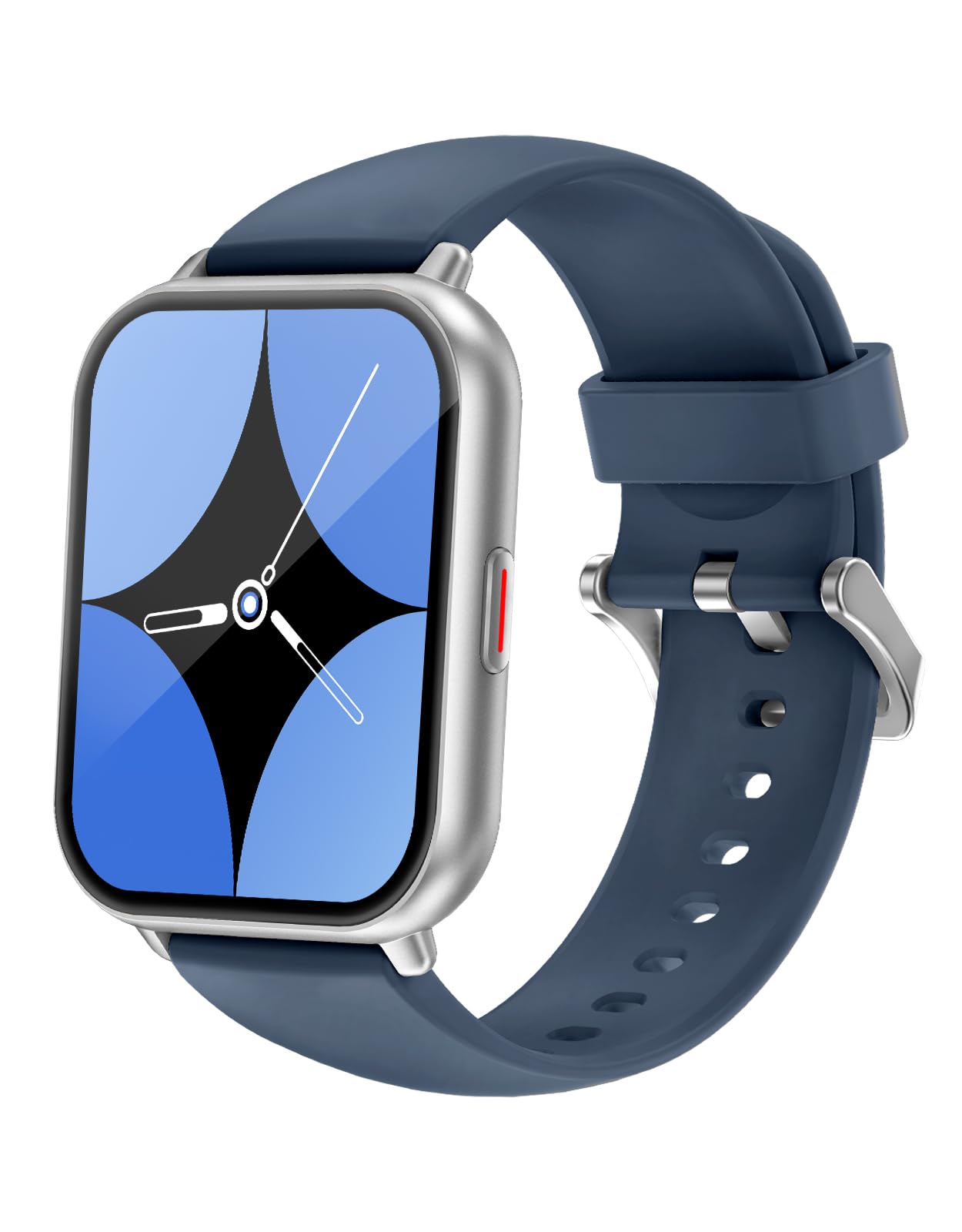
Image: Front view of the Cloudpoem Smartwatch H1, showcasing its 1.85-inch display.
Display and Interface
The 1.85-inch HD display offers a resolution of 320x386 pixels, providing clear and vibrant visuals for notifications and data. The 2.5D curved glass ensures smooth touch operation.

Image: The smartwatch display showing activity data including steps, calories burned, and heart rate.
4. Setup
4.1 Charging the Device
Before initial use, fully charge your smartwatch. Connect the provided charging cable to the magnetic charging points on the back of the watch and to a USB power source. A full charge typically takes approximately 2.5 hours.

Image: The smartwatch being charged via its magnetic charging cable.
4.2 App Installation and Pairing
To utilize all features, download and install the dedicated app on your smartphone. Search for "GloryFit" or "iGloryFit" in your smartphone's app store. Follow the in-app instructions to pair your smartwatch via Bluetooth.
- Download the "GloryFit" or "iGloryFit" app from your app store.
- Ensure Bluetooth is enabled on your smartphone.
- Open the app and follow the prompts to search for and connect to your Cloudpoem Smartwatch H1.
- Confirm the pairing request on both your smartphone and smartwatch.
Note: You can only connect to one app ("GloryFit" or "iGloryFit") at a time. Do not attempt to connect to both simultaneously.

Image: Illustration of the smartphone app interface for connecting the smartwatch.
5. Operating Instructions
5.1 Basic Navigation
The smartwatch features a full-touch screen and a side button for navigation. Swipe across the screen to access different functions and menus. Press the side button to return to the home screen or wake the device.
5.2 Call Function
With Bluetooth 5.4, you can make and receive calls directly from your smartwatch. Ensure your watch is paired with your smartphone.
- Answering Calls: When a call comes in, the watch will vibrate and display the caller ID. Tap the green icon to answer.
- Making Calls: Access the dial pad or contact list on your watch to initiate a call.

Image: A user demonstrating the call function of the smartwatch while in a car.
5.3 Notifications
Receive notifications for calls, messages, and various apps directly on your wrist. The watch will vibrate to alert you.
- Enable app notifications in the companion app settings on your smartphone.
- Supported apps include LINE, Instagram, Gmail, Messenger, Facebook, and Twitter(X).
- To temporarily stop notifications, activate 'Do Not Disturb' mode on your watch.

Image: The smartwatch screen showing incoming notifications from LINE and Instagram.
5.4 Customization (Watch Faces)
Personalize your smartwatch with over 380 available watch face designs. You can also upload your own photos to create custom watch faces.
- Browse and select watch faces through the companion app.
- Use the app to upload a photo from your gallery and set it as your watch face background.

Image: A selection of diverse watch face designs, including business, sports, and simple styles.
5.5 Sports Modes
The smartwatch supports over 100 sports modes, accurately tracking your exercise data. This includes activities like running, cycling, yoga, swimming, and more.
- Select your desired sport mode from the watch's menu before starting your activity.
- The watch will record data such as duration, heart rate, and calories burned.
- Review your activity history in the companion app.

Image: The smartwatch showing real-time running metrics, with illustrations of various sports activities.
5.6 Health Monitoring
The Cloudpoem Smartwatch H1 provides 24-hour health monitoring, including heart rate, sleep quality, and menstrual cycle tracking.
- Heart Rate: Continuous heart rate monitoring helps you understand your cardiovascular health.
- Sleep Tracking: Automatically analyzes your sleep patterns, distinguishing between deep, light, and REM sleep.
- Menstrual Cycle: Record and manage your menstrual cycle within the app.
Important Note: This product is designed for general wellness and fitness purposes only. It is not a medical device and should not be used for the diagnosis, treatment, or prevention of any disease.

Image: The smartwatch interface showing detailed sleep duration and heart rate graphs.
5.7 Other Features
The smartwatch includes several convenient daily functions:
- Weather Forecast: View the 7-day weather forecast (requires continuous smartphone connection).
- Music Control: Play, pause, skip tracks on your smartphone directly from the watch.
- Alarm Clock: Set alarms to wake you up or remind you of important events.
- Timer & Stopwatch: Useful for cooking, exercise, or other timed activities.
- Flashlight: A convenient light source on your wrist.
- Find Phone: Locate your misplaced smartphone by making it ring.
- Sedentary Reminder: Get alerts to move if you've been inactive for too long.
- Brightness Adjustment: Adjust screen brightness for optimal visibility.
- SOS Emergency Contact: Set up emergency contacts for quick dialing in critical situations.

Image: A visual representation of the smartwatch's utility functions, including weather, music control, and alarm.
5.8 Voice Assistant
The smartwatch supports AI voice assistants like Siri (for iOS) and Google Assistant (for Android), allowing hands-free control of various functions.
- Activate the voice assistant feature on your watch.
- Speak commands to check weather, play music, set alarms, and more.
6. Maintenance
6.1 Water Resistance (IP68)
The Cloudpoem Smartwatch H1 is IP68 waterproof, meaning it is resistant to dust and can withstand immersion in water up to 1 meter for 30 minutes. It is suitable for daily use, such as washing hands or light rain.
Caution: Do not use the watch for diving, hot showers, saunas, or in environments with hot water or steam, as this may compromise its water resistance.

Image: The smartwatch is shown being exposed to water, highlighting its IP68 waterproof rating.
6.2 Cleaning
Wipe the watch and band regularly with a soft, dry cloth to remove sweat, dirt, and oils. Avoid using harsh chemicals or abrasive materials.
6.3 Battery Care
To prolong battery life, avoid extreme temperatures and fully discharging the battery frequently. Charge the device when the battery level is low.
7. Troubleshooting
If you encounter issues with your smartwatch, refer to the following common solutions:
| Problem | Solution |
|---|---|
| Watch not turning on | Ensure the watch is fully charged. Press and hold the side button for several seconds. |
| Cannot pair with smartphone | Ensure Bluetooth is enabled on your phone. Restart both the watch and phone. Check if the app is installed and permissions are granted. |
| Notifications not received | Check app notification settings on your smartphone and in the companion app. Ensure the watch is connected via Bluetooth and not in 'Do Not Disturb' mode. |
| Inaccurate health data | Ensure the watch is worn snugly on your wrist, about one finger's width above the wrist bone. Clean the sensor on the back of the watch. |
| Short battery life | Reduce screen brightness, disable continuous heart rate monitoring, or turn off 'raise-to-wake' feature. Ensure no background apps are excessively draining power. |
If the problem persists, please contact customer support.
8. Specifications
| Feature | Detail |
|---|---|
| Model | H1 |
| Display | 1.85-inch HD AMOLED, 320x386 resolution, 1500 nits max brightness |
| Connectivity | Bluetooth 5.4 |
| Battery Capacity | 300 mAh Lithium Polymer |
| Battery Life | 3-7 days (normal use), up to 30 days (standby) |
| Charging Time | Approx. 2.5 hours |
| Water Resistance | IP68 (up to 1 meter for 30 minutes) |
| Sensors | Heart rate, steps, calories, sleep time, distance |
| Memory | 128 MB |
| Case Material | Polycarbonate (PC) |
| Band Width | 22 mm |
| Product Weight | 60 grams |
| Product Dimensions | 26 x 3.6 x 1 cm |
| Compatible OS | iOS 9.0 and above, Android (specific models listed in product details) |
| Included Items | Smartwatch, charging cable, user manual |

Image: Detailed dimensions of the Cloudpoem Smartwatch H1.
9. Warranty and Support
9.1 Manufacturer's Warranty
The Cloudpoem Smartwatch H1 comes with a 1-year manufacturer's warranty from the date of purchase. This warranty covers defects in materials and workmanship under normal use.
The warranty does not cover damage caused by misuse, accidents, unauthorized modifications, or failure to follow the instructions in this manual.
9.2 Customer Support
For any questions, technical assistance, or warranty claims, please contact Cloudpoem customer support through the retailer where you purchased the product or visit the official Cloudpoem website for contact information.

