1. Introduction
Thank you for choosing the ANWBROAD Makeup Vanity Desk UBDT54W. This manual provides essential information for the safe assembly, operation, and maintenance of your new vanity desk. Please read these instructions thoroughly before beginning assembly or use to ensure proper function and longevity of the product.
2. Safety Information
For your safety and to prevent damage to the product, please adhere to the following guidelines:
- Follow all assembly instructions carefully and in the correct sequence.
- Avoid overloading the vanity table with excessive weight.
- Do not touch the LED lights or electrical components with wet hands.
- Ensure all electrical connections are secure and properly grounded.
- Keep small parts and packaging materials away from children to prevent choking hazards.
- Place the vanity on a stable, level surface.
3. Product Features
The ANWBROAD Makeup Vanity Desk UBDT54W is designed with several functional features to enhance your daily routine:
- Sliding Lighted Mirror: A large LED-illuminated mirror that slides left or right to reveal hidden storage.
- Adjustable LED Lighting: 10 LED bulbs with 3 lighting modes (Warm, Natural, Cool) and adjustable brightness.
- Ample Storage: Features 3 hidden shelves behind the mirror, 3 large drawers, 3 open storage shelves, and 1 adjustable storage cabinet.
- Built-in Charging Station: Includes 2 power outlets and 2 USB ports for convenient charging of electronic devices.
- Comfortable Stool: An upholstered stool is included for comfortable use.
Feature Overview
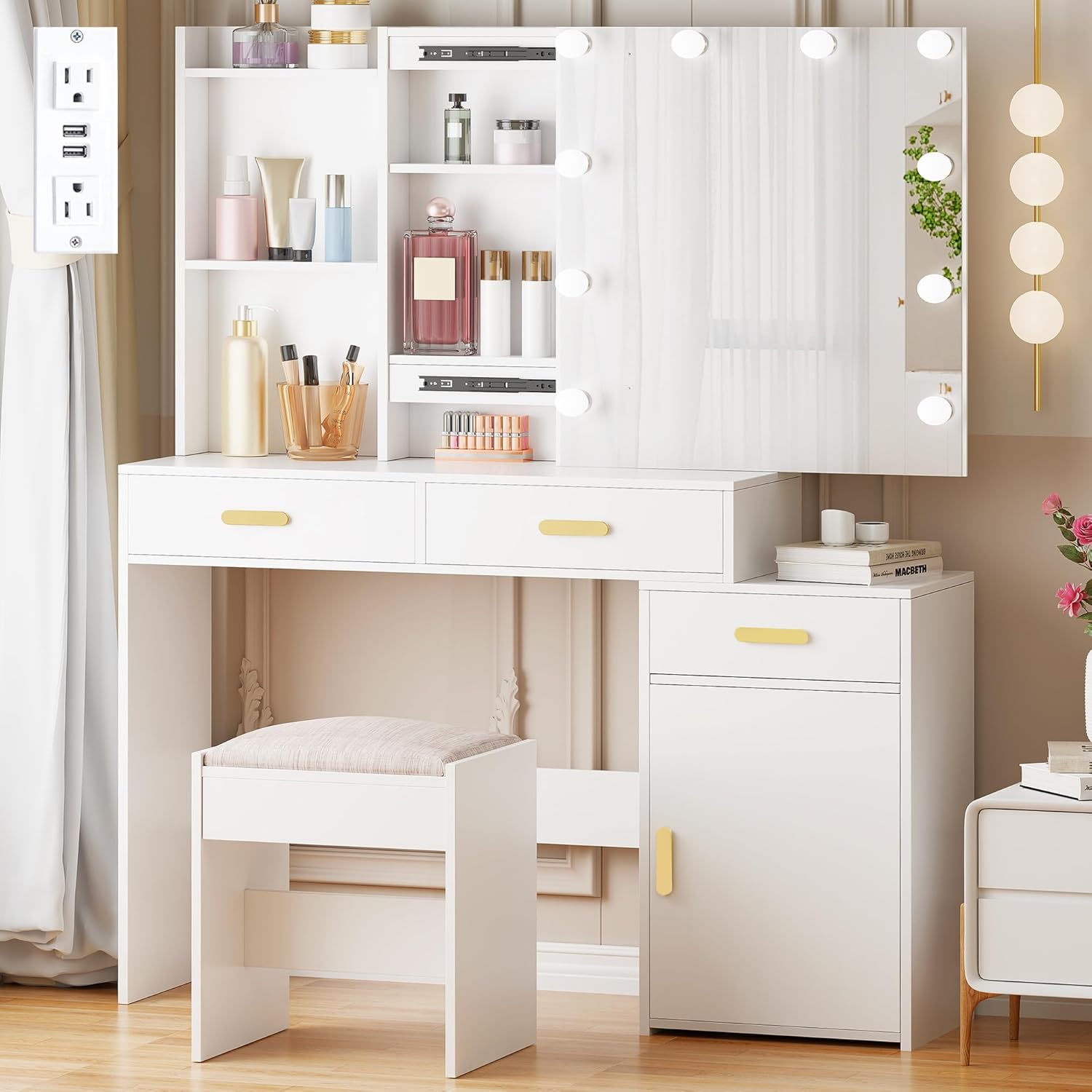
Image: The ANWBROAD Makeup Vanity Desk UBDT54W, showcasing its overall design with the sliding mirror, LED lights, multiple drawers, and the included upholstered stool.
Sliding Mirror and LED Lights

Image: A close-up view demonstrating the sliding mirror feature, revealing additional storage compartments located behind the mirror panel.

Image: Illustration of the three LED lighting modes (Cool White, Natural White, Warm Yellow) and the touch control panel for adjusting color and brightness.
Storage Solutions

Image: The vanity desk with its drawers pulled open, showing organized storage for makeup, jewelry, and other personal items.

Image: A diagram highlighting the various storage components of the vanity desk, including open shelves, drawers, and a large storage cabinet.
Built-in Charging Station
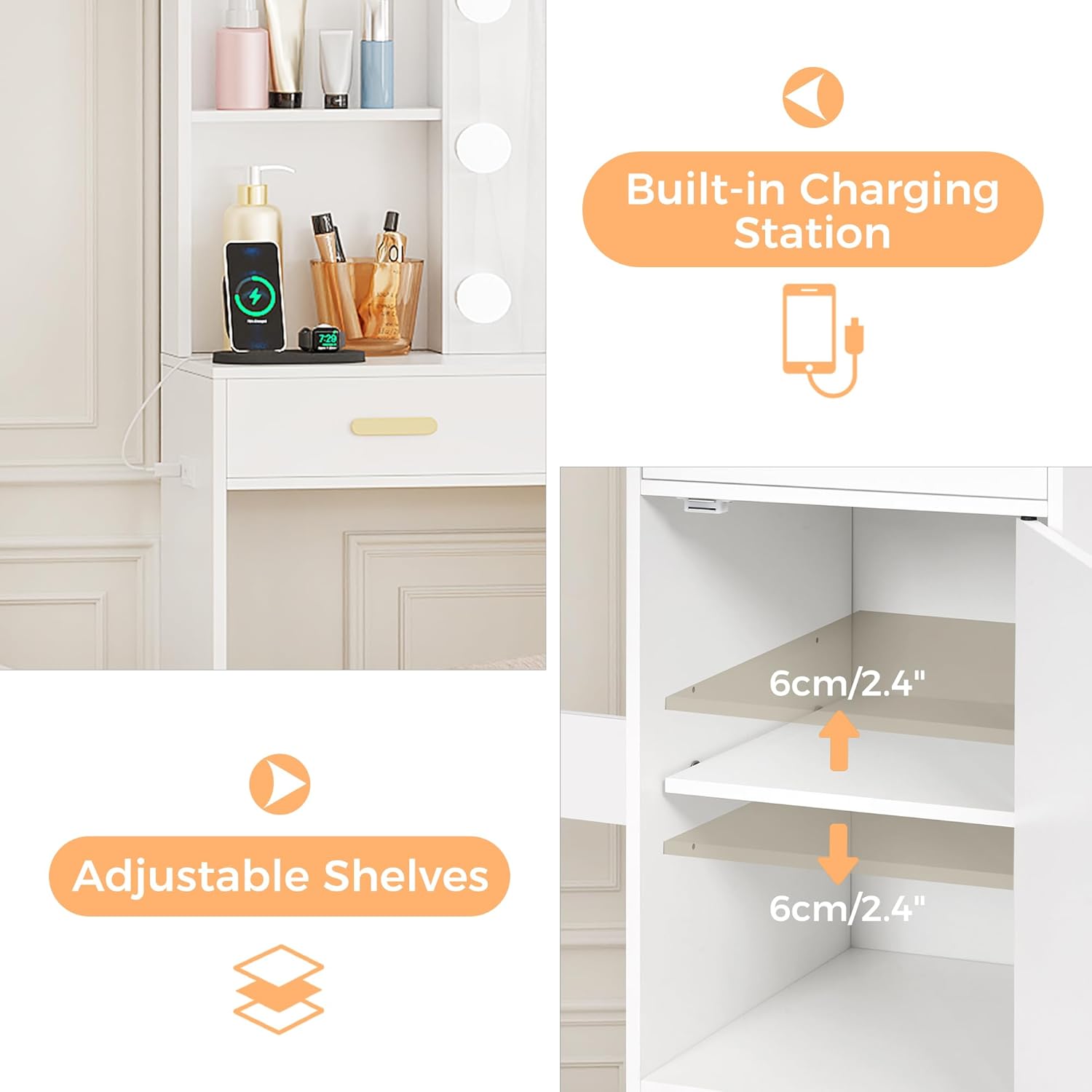
Image: A detailed view of the integrated charging station, featuring two power outlets and two USB ports for electronic devices.
Product Videos
Video: An overview of the ANWBROAD Vanity Desk, highlighting its mirror and 10 LED lights.
Video: A demonstration of the ANWBROAD Vanity Desk, focusing on its sliding mirror and LED lighting features.
4. Setup and Assembly
The ANWBROAD Makeup Vanity Desk UBDT54W is designed for straightforward assembly. Detailed instructions, along with all necessary parts and accessories, are included in the product packaging. Please follow these instructions carefully:
- Unpack all components and verify against the parts list provided in the assembly manual.
- Lay out all hardware and panels on a clean, soft surface to prevent scratches.
- Follow the step-by-step diagrams and instructions provided in the separate assembly guide.
- Ensure all screws and fasteners are tightened securely, but do not overtighten.
- Connect the LED light power cable and charging station power cable to appropriate power sources after assembly is complete.
If you encounter any difficulties during assembly, refer to the included assembly manual or contact customer support.
5. Operating Instructions
LED Lights Operation
The LED lights feature a touch control panel for easy adjustment:
- Power On/Off: Press the power button on the control panel to turn the lights on or off.
- Change Lighting Mode: Press the 'M' (Mode) button to cycle through the three lighting modes: Warm, Natural, and Cool.
- Adjust Brightness: Use the '+' and '-' buttons to increase or decrease the brightness level of the LED lights.
Charging Station Usage
The built-in charging station provides convenient power access:
- Plug the charging station's power cord into a standard wall outlet.
- Use the 2 standard power outlets for devices such as hair dryers or curling irons.
- Use the 2 USB ports to charge smartphones, tablets, or other USB-powered devices.
6. Maintenance
To maintain the appearance and functionality of your vanity desk:
- Cleaning Surfaces: Wipe the desk surfaces with a dry cloth for general dusting. For more thorough cleaning, use a damp cloth and mild detergent, then dry immediately.
- Mirror Care: Clean the mirror with a glass cleaner and a soft, lint-free cloth. Avoid spraying cleaner directly onto the LED bulbs or electrical components.
- Avoid Harsh Chemicals: Do not use abrasive cleaners, solvents, or harsh chemicals, as these can damage the finish.
- Electrical Components: Ensure all electrical connections remain dry and free from dust.
7. Troubleshooting
If you encounter any issues with your ANWBROAD Makeup Vanity Desk, consider the following common troubleshooting steps:
- LED Lights Not Working:
- Check if the power cable for the LED lights is securely plugged into a working power outlet.
- Ensure the power button on the control panel has been pressed.
- Charging Station Not Providing Power:
- Verify that the charging station's power cord is firmly plugged into a functional wall outlet.
- Test the outlet with another device to confirm it is receiving power.
- Drawers or Sliding Mirror Sticking:
- Check for any obstructions in the drawer slides or mirror tracks.
- Ensure all assembly screws are properly tightened and not causing misalignment.
If these steps do not resolve the issue, please contact ANWBROAD customer support for further assistance.
8. Specifications
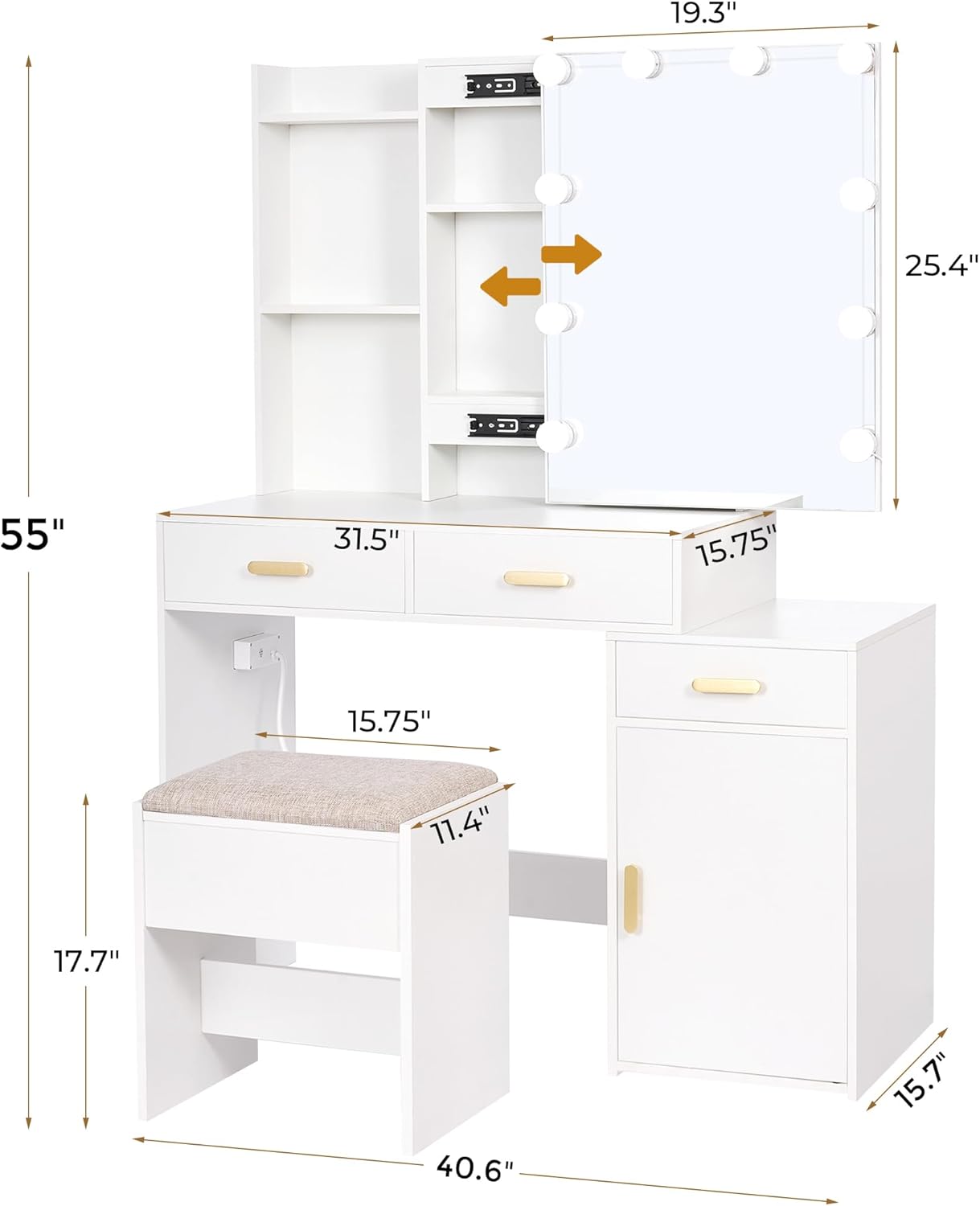
Image: A detailed diagram illustrating the overall dimensions of the vanity desk and its components.
| Specification | Detail |
|---|---|
| Model Number | UBDT54W |
| Overall Dimensions (L x W x H) | 40.6" x 15.7" x 55" |
| Item Weight | 92.5 pounds |
| Frame Material | MDF + Metal + Glass |
| Seat Material Type | Foam and Polyester |
| Assembly Required | Yes |
| Product Care Instructions | Wipe With Dry, Wipe with Damp Cloth |
| Charging Station | 2 Power Outlets, 2 USB Ports |
| LED Lighting Modes | Warm, Natural, Cool (Adjustable Brightness) |
9. Warranty and Support
For warranty information, please refer to the documentation included with your purchase or contact the retailer. If you require technical support, have questions about assembly, or need replacement parts, please contact ANWBROAD customer service through the retailer's platform or the official ANWBROAD website. Please have your model number (UBDT54W) and purchase date available when contacting support.