
Product Overview
The YUYIU Wireless Controller is designed for an enhanced gaming experience across multiple platforms. It features a comfortable design, customizable LED lighting, programmable buttons, and precise controls.
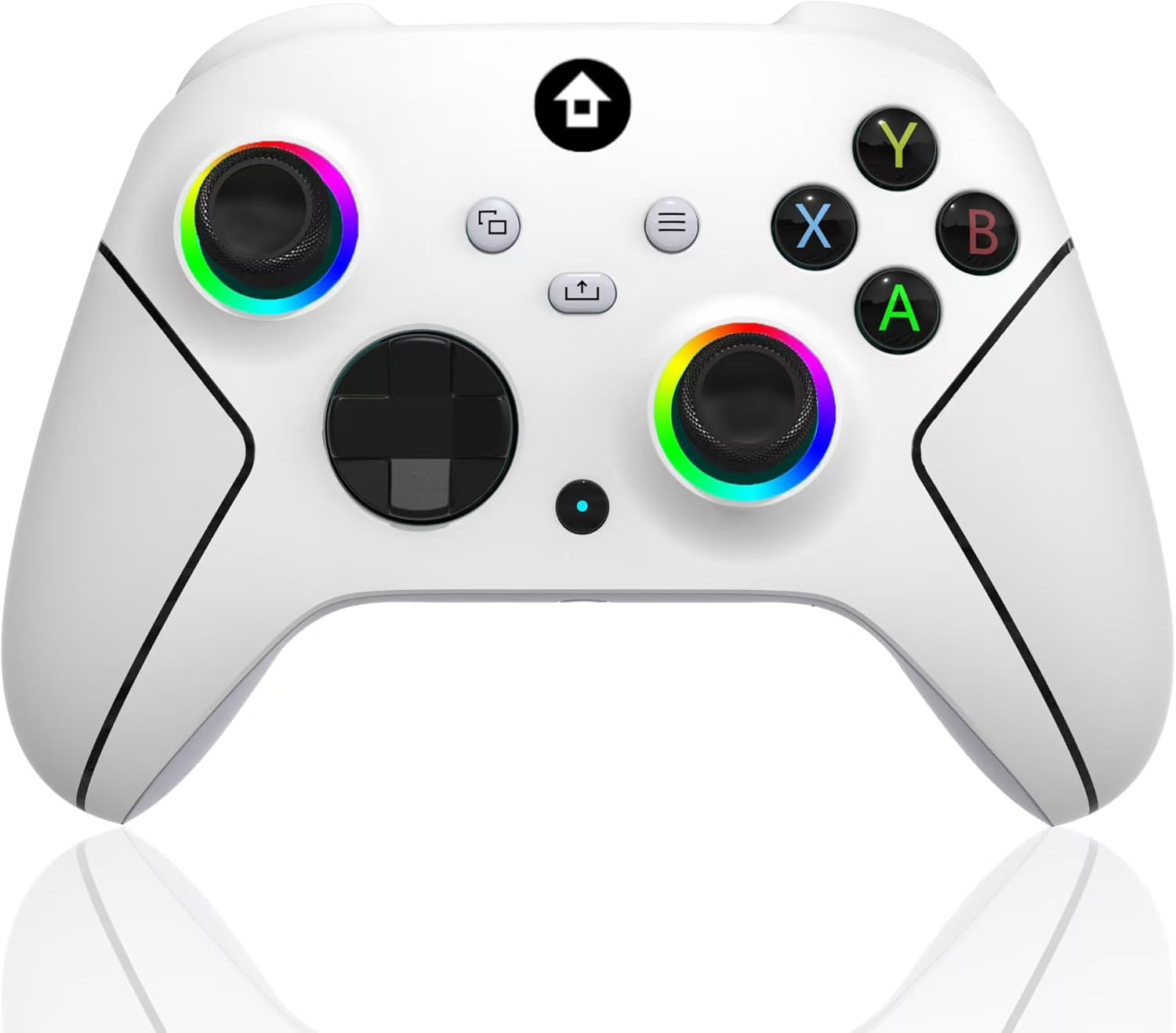
Front view of the YUYIU Wireless Controller, showcasing its ergonomic design and button layout.
Key Features:
- Ergonomic design with rubberized grip for comfort.
- Customizable RGB LED lighting around joysticks.
- Dual vibration motors for immersive feedback.
- Two programmable back buttons (paddles).
- Adjustable trigger stops for faster response.
- Turbo function for rapid button presses.
- 3.5mm audio jack for headset connectivity.
- Wireless connectivity via 2.4GHz adapter or wired via USB-C.
- Compatible with PC, Android, Xbox One, Xbox Series X, and Xbox One S.
Setup
Package Contents:
- YUYIU Wireless Controller
- 2.4GHz Wireless Adapter
- USB-C to USB-A Charging Cable
Wireless Connection:
- Ensure the controller is charged.
- Plug the 2.4GHz wireless adapter into an available USB port on your PC or Xbox console. The indicator light on the receiver will flash slowly.
- Press and hold the Xbox button (home button) on the controller to power it on. The connection indicator light on the controller will also flash quickly.
- After a few seconds, both the controller and receiver indicator lights will become solid, indicating a successful connection. The controller is now ready for use.
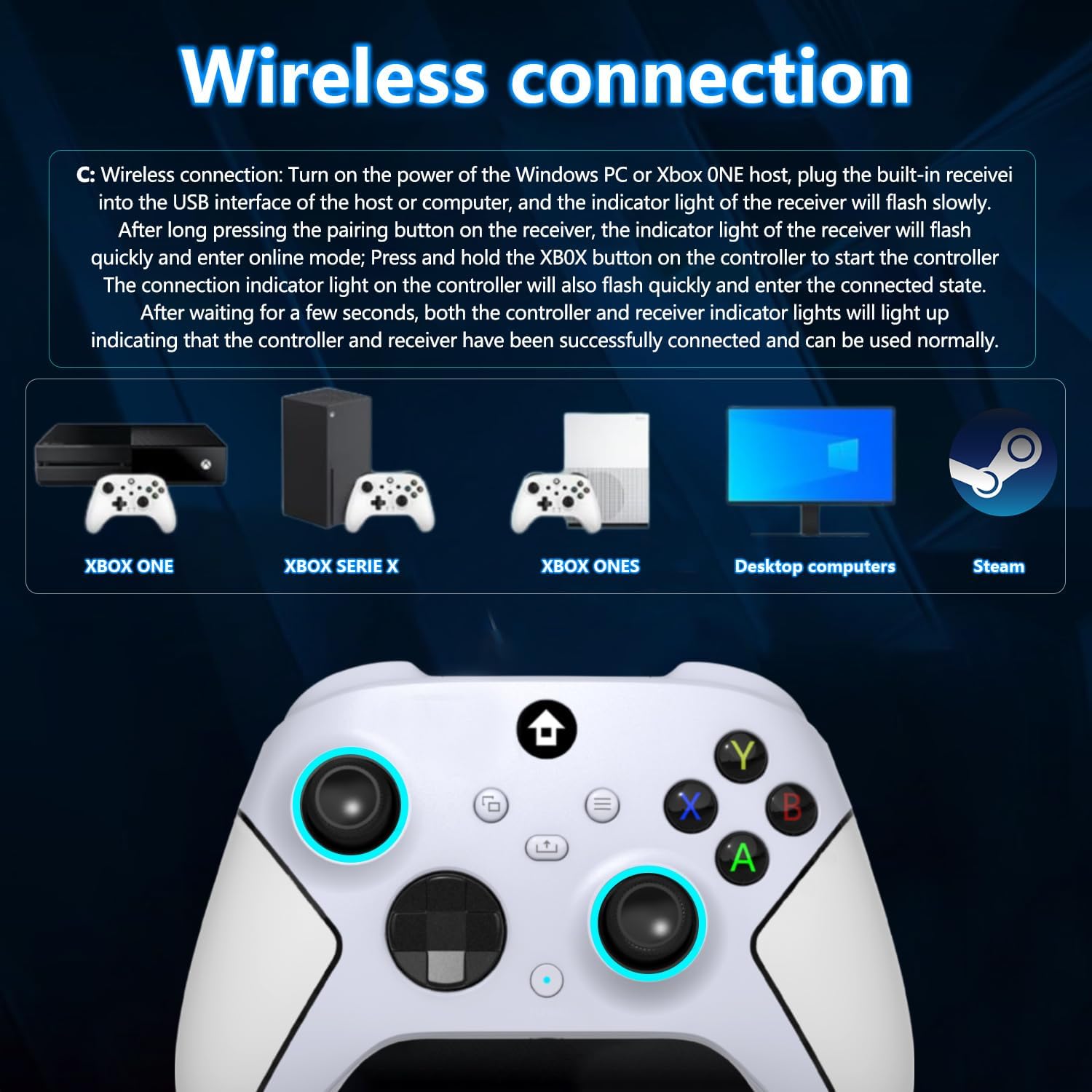
Visual guide for connecting the YUYIU Wireless Controller to different platforms via the 2.4GHz adapter.
Wired Connection:
Connect the USB-C end of the charging cable to the controller and the USB-A end to your PC or Xbox console. The controller will automatically connect and function in wired mode.
Platform Compatibility:
The YUYIU Wireless Controller is compatible with:
- PC (Windows)
- Xbox One
- Xbox Series X
- Xbox One S
- Android devices
- Steam (via PC connection)

The controller supports various gaming platforms for versatile use.
Operating Instructions
Controller Layout:
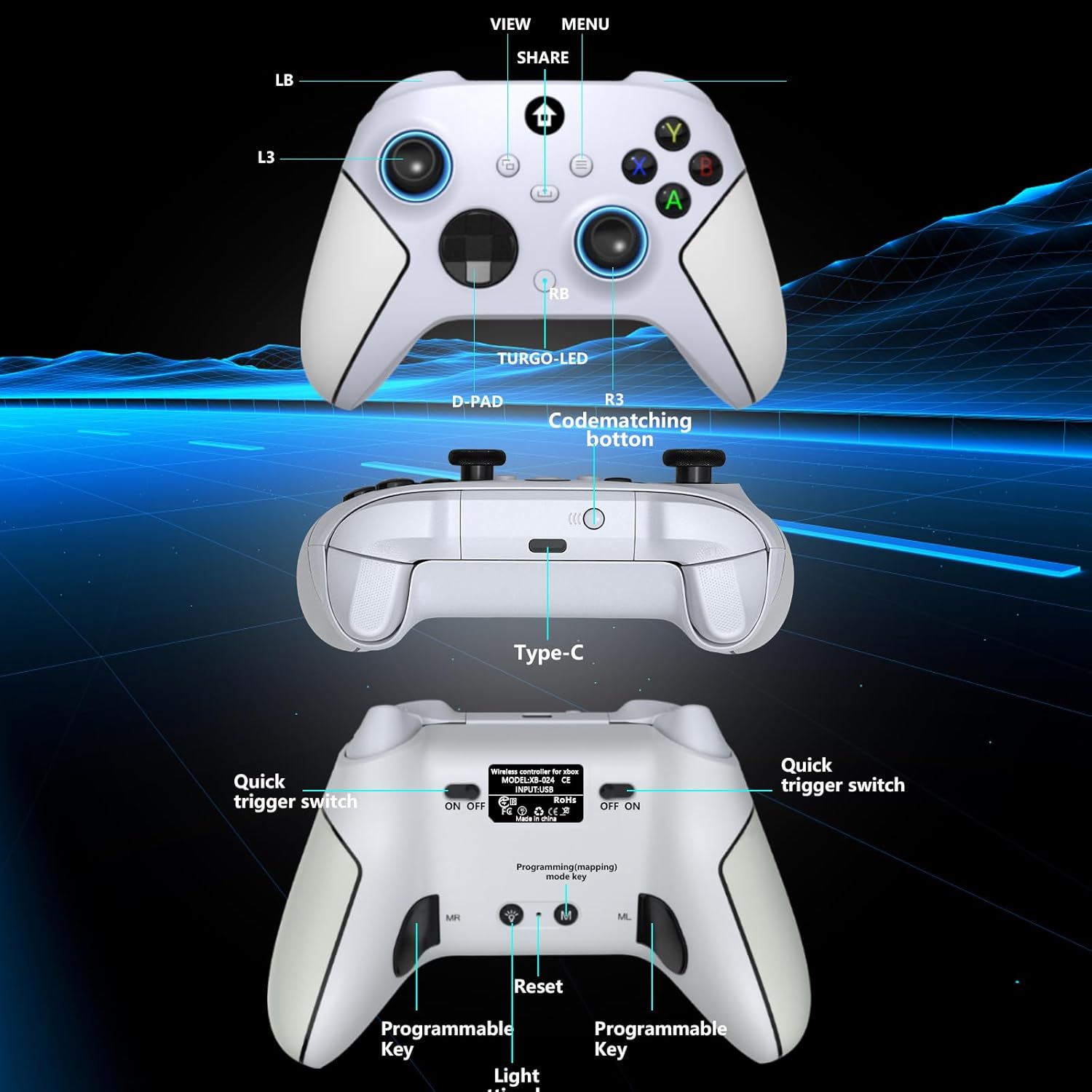
Detailed view of the controller's buttons, triggers, and ports, including programmable keys and trigger switches.
- Analog Joysticks: Left and Right joysticks for precise 360-degree movement.
- D-Pad: Directional pad for menu navigation and specific game inputs.
- Action Buttons (A, B, X, Y): Standard action buttons.
- Shoulder Buttons (LB, RB): Top-mounted buttons.
- Triggers (LT, RT): Analog triggers for variable input.
- View Button: Accesses in-game maps or menus.
- Menu Button: Accesses game menus or system settings.
- Share Button: Captures screenshots or video clips.
- Xbox Button (Home): Powers on/off the controller and accesses the console dashboard.
- Turbo Button: Activates turbo function for selected buttons.
- 3.5mm Audio Jack: For connecting a wired headset.
- USB-C Port: For charging and wired connection.
LED Lighting Modes:
The controller features customizable RGB LED lighting around the joysticks. Use the Light Setting Key (located on the back of the controller, labeled 'Light Mode Key' or similar) to cycle through different lighting modes:
- RGB LED off mode
- Flashing Light
- Breath LED light
- Solid LED lights (various colors)

Illustration of the four distinct LED lighting modes available on the controller, alongside dual vibration and audio jack features.
Programmable Back Buttons (Paddles):
The controller includes two programmable back buttons (MR and ML) for custom key assignments. Use the Programming/Mapping Mode Key (located on the back, labeled 'M') to program these buttons. Refer to the detailed diagram for exact location.
Quick Trigger Switches:
Utilize the quick trigger switches on the back of the controller to reduce the travel distance of the LT and RT triggers, allowing for faster input in games.
Turbo Function:
To activate the Turbo function for a specific button, press and hold the Turbo button, then press the desired action button (e.g., A, B, X, Y, LB, RB, LT, RT). The button will now rapidly repeat its input when held down. To deactivate, repeat the process.

Icons representing key features such as Turbo Speed, Linear Trigger, Quadruple Vibration, 2.4GHz Wireless, Wireless Controller, 2 Programmable buttons, Quick trigger, and Light setting key.
Maintenance
Charging the Controller:
The YUYIU Wireless Controller features a built-in rechargeable battery. To charge, connect the supplied USB-C cable to the controller's USB-C port and the other end to a USB power source (e.g., console, PC, USB wall adapter). The indicator light will show charging status and turn off or change color when fully charged.
To conserve battery life, consider turning off the LED lighting when not needed.
Cleaning:
Wipe the controller with a soft, dry cloth. Avoid using harsh chemicals or abrasive materials that could damage the surface.
Troubleshooting
Controller Not Connecting:
- Ensure the wireless adapter is securely plugged into a USB port.
- Verify the controller is powered on by pressing the Xbox button.
- Try re-pairing the controller by unplugging and re-inserting the wireless adapter, then pressing the Xbox button on the controller.
- Ensure the controller is charged. Connect it via USB-C cable to check if it functions in wired mode.
- If using with PC, ensure necessary drivers are installed (usually automatic).
Unresponsive Buttons or Stick Drift:
- Ensure the controller's firmware is up to date (check the manufacturer's website for updates).
- Clean around the buttons and joysticks to remove any debris.
- Test the controller on a different device or game to isolate the issue.
- If the issue persists, contact customer support.
Short Battery Life:
- Ensure the controller is fully charged before use.
- Turn off the LED lighting around the joysticks to extend battery life.
- Reduce vibration intensity if possible (check game settings).
- Avoid leaving the controller connected to a power source unnecessarily after it's fully charged.
Specifications
| Feature | Detail |
|---|---|
| Product Dimensions | 3.94 x 3.15 x 1.97 inches |
| Item Weight | 11.7 ounces |
| Brand | YUYIU |
| Model Name | B0CVX83WRS |
| Compatible Devices | PC, Android, Xbox One, Xbox Series X, Xbox One S |
| Controller Type | Joystick |
| Connectivity Technology | 2.4GHz Wireless, USB-C Wired |
| First Available Date | June 1, 2024 |
Warranty & Support
Customer Support:
For any questions, technical assistance, or issues not covered in this manual, please contact YUYIU customer support. Refer to your purchase documentation or the official YUYIU website for contact information.
Warranty Information:
Specific warranty details may vary by region and retailer. Please retain your proof of purchase for warranty claims. For detailed warranty terms and conditions, consult the official YUYIU website or the documentation included with your product.