
Introduction
This manual provides detailed instructions for the setup, operation, and maintenance of your T-FAMY Digital Alarm Clock, Model T236. Please read this manual thoroughly before using the product to ensure proper function and longevity.
Package Contents

Image: Contents of the T-FAMY T236 Digital Alarm Clock package, including the clock unit, USB adapter power cable, and instruction manual.
- 1 x T-FAMY Digital Alarm Clock (Model T236)
- 1 x USB Adapter Power Cable (Length 100cm)
- 1 x Instruction Manual
Note: A power adapter and batteries are not included and must be purchased separately. This clock is designed for plug-in and battery use; it does not support charging.
Product Features
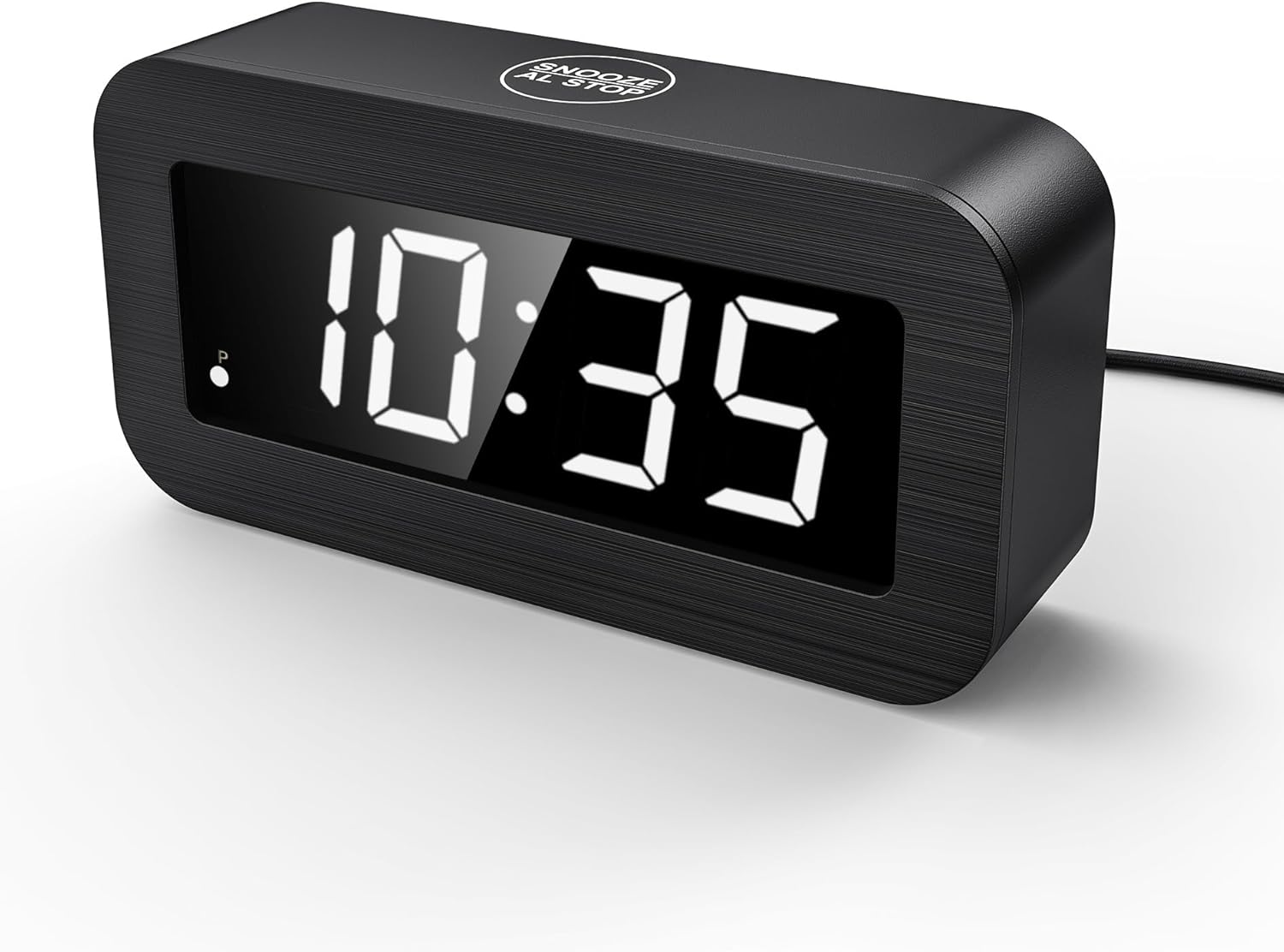
Image: Front view of the T-FAMY Digital Alarm Clock, displaying the time in white digits.
- Hybrid LED/LCD Display: Offers clear visibility in various lighting conditions, including direct sunlight and low light.
- Dual Power Options: Operates on 2 or 4 AA alkaline batteries (not included) or via plug-in USB power.
- Battery Backup: When powered by both outlet and batteries, batteries provide backup during power outages.
- Multiple Mounting Types: Can be placed on a tabletop or mounted on a wall.
- Multi-functionality: Includes 7-minute snooze, 12/24-hour time format, 2 levels of brightness adjustment, and an auto-dim Night Mode.
Setup

Image: The T-FAMY Digital Alarm Clock showing the open battery compartment and the USB power cable connected to a wall adapter.
Powering the Clock
- Battery Installation: Open the battery compartment cover on the back of the clock. Insert 2 or 4 new AA alkaline batteries (not included), ensuring correct polarity (+/-).
- Plug-in Power: Connect the provided USB power cable to the clock's power input port and then to a USB power adapter (not included) or a compatible USB port (e.g., on a TV, PC, power bank).
- For optimal performance and battery backup, it is recommended to use both plug-in power and batteries.
Operating Instructions

Image: Detailed rear view of the T-FAMY Digital Alarm Clock, highlighting control buttons for time setting, alarm setting, and brightness, along with the battery compartment.
Button Functions:
- H / L / LCD: LED Brightness Switching (High, Low, LCD mode).
- AL ON/OFF: Alarm Clock On/Off.
- 12/24 HOUR: 12/24 Hour Mode Setting.
- AL SET: Alarm Clock Setting.
- TIME SET: Time Setting.
Setting the Time
- Press and hold the "TIME SET" button until the hour digits begin to flash.
- Use the "H / L / LCD" button to adjust the hour.
- Press "TIME SET" again to move to the minute digits.
- Use the "H / L / LCD" button to adjust the minutes.
- Press "TIME SET" to confirm and exit time setting mode.
- To switch between 12-hour and 24-hour format, press the "12/24 HOUR" button. In 12-hour mode, a "P" indicator will appear for PM.

Image: The T-FAMY Digital Alarm Clock showing examples of time display in both 12-hour (10:28 AM) and 24-hour (22:28) formats.
Setting the Alarm
- Press and hold the "AL SET" button until the alarm hour digits begin to flash.
- Use the "H / L / LCD" button to adjust the alarm hour.
- Press "AL SET" again to move to the alarm minute digits.
- Use the "H / L / LCD" button to adjust the alarm minutes.
- Press "AL SET" to confirm and exit alarm setting mode.
- To activate or deactivate the alarm, press the "AL ON/OFF" button. An alarm icon will appear on the display when the alarm is active.
Snooze Function

Image: A person's hand reaching to touch the top "SNOOZE AL STOP" button on the T-FAMY Digital Alarm Clock, demonstrating the snooze function.
When the alarm sounds, touch the "SNOOZE AL STOP" area on the top of the clock to activate the snooze function. The alarm will pause for 7 minutes and then sound again. To stop the alarm completely, press any other button on the back of the clock.
Note: In LCD mode, touching the snooze area will illuminate the LED time display for 10 seconds.
Brightness Adjustment and Display Modes

Image: Two T-FAMY Digital Alarm Clocks side-by-side, illustrating the difference between low and high brightness settings for the display.
Press the "H / L / LCD" button to cycle through brightness levels: High, Low, and LCD mode.

Image: A split image showing the T-FAMY Digital Alarm Clock in LCD mode (left, with a subtle display) and LED mode (right, with a bright, illuminated display).
The clock also features an auto-dim Night Mode for reduced brightness during nighttime hours.
Mounting Options

Image: The T-FAMY Digital Alarm Clock displayed in two configurations: resting on a table and mounted on a wall, demonstrating its versatile placement options.
The T-FAMY Digital Alarm Clock can be used in two ways:
- Tabletop Placement: Place the clock on any flat surface.
- Wall Mounting: Utilize the integrated wall mounting hole on the back of the clock to hang it on a screw or hook.
Note: When wall-mounted, the clock is not suitable for continuous plug-in power due to cable routing. It is recommended to use battery power for wall-mounted installations.
Maintenance
To ensure the longevity and proper functioning of your T-FAMY Digital Alarm Clock, please follow these maintenance guidelines:
- Cleaning: Wipe the clock's surface with a soft, dry cloth. Avoid using abrasive cleaners or solvents, as these can damage the finish and display.
- Battery Replacement: Replace batteries promptly when the display dims or functions become erratic. Always use new AA alkaline batteries.
- Storage: If storing the clock for an extended period, remove all batteries to prevent leakage and damage.
- Environment: Keep the clock away from extreme temperatures, direct sunlight, and high humidity.
Troubleshooting
| Problem | Possible Cause | Solution |
|---|---|---|
| Display is blank or dim. | No power, low batteries, or incorrect brightness setting. | Ensure USB power cable is securely connected or replace batteries. Adjust brightness using the "H / L / LCD" button. |
| Alarm does not sound. | Alarm is not activated or set incorrectly. | Press "AL ON/OFF" to activate the alarm (check for alarm icon). Verify alarm time is set correctly. |
| Time is incorrect. | Time was not set or reset after power interruption. | Follow "Setting the Time" instructions to reset the current time. |
| Snooze function not working. | Incorrect activation method. | Ensure you are touching the "SNOOZE AL STOP" area on the top of the clock when the alarm sounds. |
Specifications
| Feature | Detail |
|---|---|
| Brand | T-FAMY |
| Model Number | T236 |
| Display Type | Digital (Hybrid LED/LCD) |
| Color | White Display |
| Product Dimensions | 5.1"W x 2.5"H |
| Item Weight | 6.4 ounces (0.18 Kilograms) |
| Power Source | Battery Powered (2 or 4 AA alkaline, not included), Corded Electric (USB) |
| Special Features | Corded, Cordless, Alarm, Snooze, 12/24-hour format, 2 brightness levels, Auto-dim Night Mode |
| Mounting Type | Tabletop, Wall Mount |
| Material | Plastic (Acrylonitrile Butadiene Styrene) |
| Indoor/Outdoor Usage | Indoor |
Warranty and Support
For product support, troubleshooting assistance, or warranty inquiries, please contact T-FAMY customer service through the retailer's platform or the contact information provided with your purchase.