1. Introduction
The YTKIH Rechargeable Motion Sensor LED Flood Light is designed to provide bright, motion-activated illumination for various indoor and outdoor environments. Featuring a long-lasting rechargeable battery and dual brightness modes, this light offers convenience and enhanced visibility wherever it is installed. Its adjustable heads and intelligent motion sensor ensure efficient and targeted lighting.
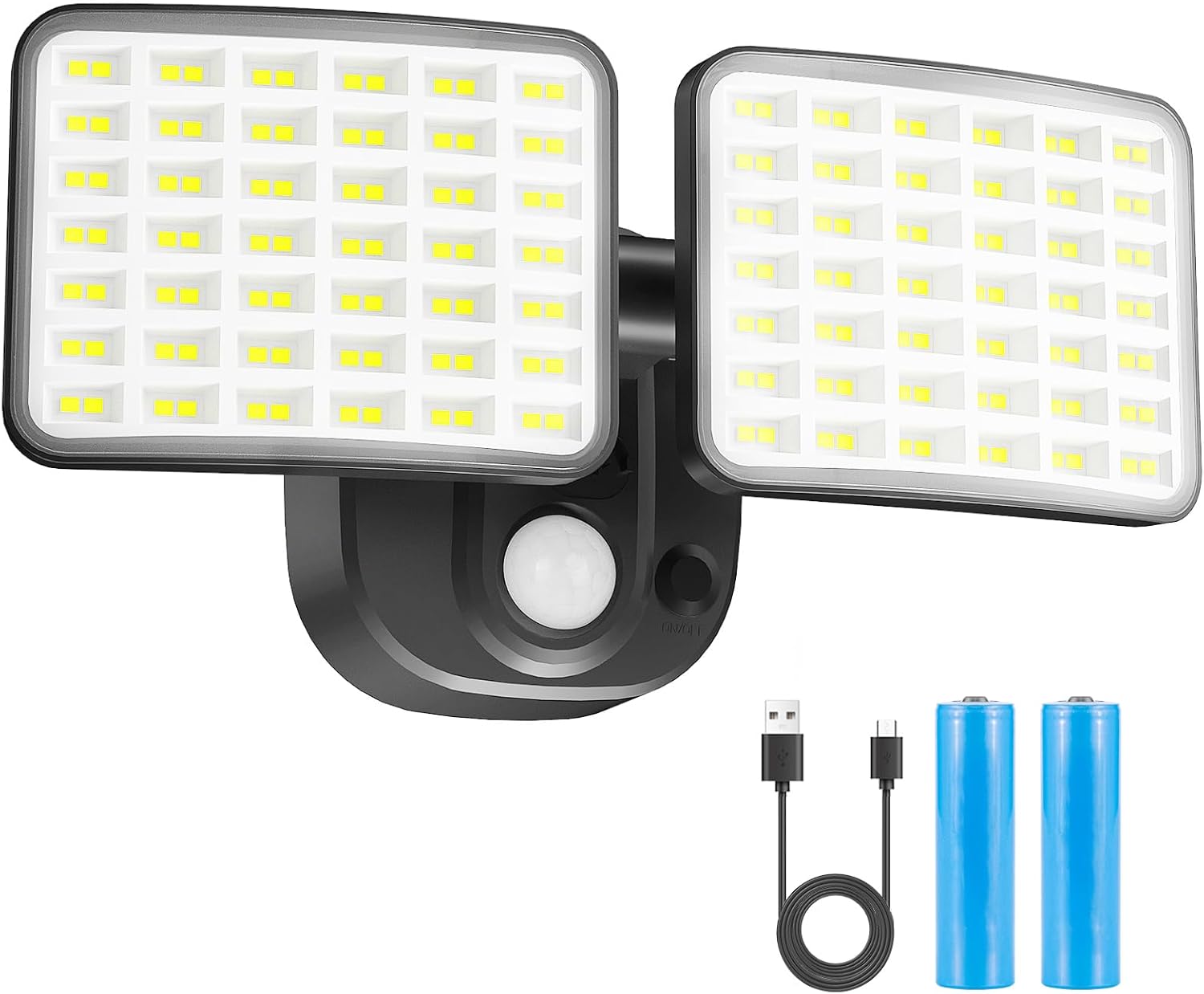
Image 1: YTKIH Rechargeable Motion Sensor LED Flood Light with accessories.
2. Product Features
- Extended Battery Life: Equipped with a large-capacity rechargeable battery, providing 1-3 months of continuous use (based on 10 activations per day, 30 seconds each).
- Dual Brightness Modes: Offers a standard mode at 2500 lumens and a high-brightness mode at 4000 lumens for varied lighting needs.
- Convenient USB Charging: Easily detachable for USB-C charging, eliminating the need for frequent battery replacement or complex wiring.
- Motion Sensor: Detects motion up to 32.8 feet (10 meters) and activates the light for 30 seconds.
- Light-Sensing Mode: Operates only in dark environments, conserving battery life during daylight hours.
- Adjustable Light Heads: Both light heads can rotate freely, providing up to 180° wide-angle illumination.
- Versatile Use: Suitable for both indoor and outdoor applications, including garages, yards, entryways, patios, and gardens.
- Durable Construction: Made from Acrylonitrile Butadiene Styrene (ABS) material, designed for outdoor use with waterproof features.
3. What's in the Box
- 1 x YTKIH Motion Sensor LED Flood Light
- 1 x Mounting Base Plate
- 1 x USB-C Charging Cable
- Mounting Screws and Anchors
- User Manual

Image 2: Included components of the YTKIH Motion Sensor LED Flood Light.
4. Setup & Installation
The YTKIH Motion Sensor LED Flood Light is designed for easy installation. The mounting base plate allows for quick attachment and detachment of the light unit for charging.
Installation Steps:
- Select Location: Choose a suitable location for installation, ensuring it is a flat surface. Consider areas like entryways, garages, patios, or dark indoor spaces.
- Detach Mounting Plate: Gently slide the light unit upwards from the mounting base plate to separate them.
- Mount Base Plate: Using the provided screws and anchors, securely attach the mounting base plate to your chosen surface. Ensure the plate is oriented correctly (usually with an arrow pointing upwards).
- Attach Light Unit: Once the base plate is secure, slide the light unit back onto the mounted plate until it clicks into place.
- Adjust Light Heads: Position the two light heads to cover the desired area. They can be rotated independently to achieve optimal illumination.

Image 3: The adjustable light heads allow for flexible illumination angles.
Video 1: A demonstration of the product's features, including unboxing, installation, and motion detection in a basement setting.
5. Operation
The flood light operates with a motion sensor and light-sensing capabilities.
Power On/Off and Mode Selection:
- Locate the power button on the main unit.
- Press once: The light will flash once. If motion is detected in a dark environment, the sensor automatically activates Mode 1 (standard brightness, 2500 lumens).
- Press twice: The light will flash twice, switching to Mode 2 (high brightness, 4000 lumens).
Motion Sensor Functionality:
- The motion sensor has a detection range of up to 32.8 feet (10 meters).
- The light will only activate in dark environments. If ambient light is detected, the light will not turn on.
- Upon detecting motion, the flood light will turn on for approximately 30 seconds. If motion continues, the light will remain on. After 30 seconds of no detected motion, the light will turn off.

Image 4: The motion sensor detects movement within a 32.8-foot range.
6. Charging
For optimal performance, fully charge the light before its first use.
Charging Instructions:
- Remove Light Unit: Gently slide the light unit upwards from its mounting base plate to detach it.
- Connect USB-C Cable: Open the protective cover over the USB-C charging port on the light unit. Insert the provided USB-C charging cable into the port.
- Connect to Power: Plug the other end of the USB-C cable into a compatible USB power source (e.g., wall adapter, power bank, computer USB port).
- Monitor Charging: A charging indicator light will typically illuminate during charging and change color or turn off when fully charged.
- Reattach Light Unit: Once fully charged, disconnect the cable, close the protective cover, and slide the light unit back onto its mounting base plate.
A single full charge can provide power for up to 1-3 months, depending on usage frequency.

Image 5: The USB-C charging port for convenient recharging.

Image 6: The light unit can be easily detached for USB charging.
7. Maintenance
- Cleaning: Wipe the light's surface with a soft, damp cloth. Avoid using abrasive cleaners or solvents.
- Battery Care: To prolong battery life, avoid fully discharging the battery frequently. Recharge the unit when the brightness noticeably diminishes.
- Storage: If storing the light for an extended period, ensure it is fully charged and store it in a cool, dry place. Recharge every few months to maintain battery health.
8. Troubleshooting
| Problem | Possible Cause | Solution |
|---|---|---|
| Light does not turn on. | Battery is low or depleted. | Recharge the light unit using the provided USB-C cable. |
| Ambient light is too bright. | The light only activates in dark environments. Test in a darker area. | |
| Motion sensor is obstructed. | Ensure the motion sensor is clear of obstructions. | |
| Motion sensor is not detecting movement. | Object is outside the detection range. | Ensure movement occurs within 32.8 feet of the sensor. |
| Sensor sensitivity issue. | Check for any settings or environmental factors affecting sensitivity (e.g., extreme temperatures). | |
| Light turns off too quickly. | No continuous motion detected. | The light is designed to turn off after 30 seconds of no motion. |
9. Specifications
| Feature | Detail |
|---|---|
| Brand | YTKIH |
| Model Name | Rechargeable Battery Powered Motion Light (SLF08168) |
| Brightness | 2500-4000 Lumens |
| Power Source | Battery Powered - USB Charging Cable |
| Motion Sensing Distance | 32.8 ft (10 meters) |
| Light Duration (per activation) | 30 seconds |
| Adjustable Light Heads | Yes, 180° wide-angle lighting |
| Indoor/Outdoor Usage | Outdoor |
| Water Resistance Level | Waterproof |
| Material | Acrylonitrile Butadiene Styrene |
| Light Source Type | LED |
| Control Method | Touch / Push Button |
| Mounting Type | Wall Mount (Surface Mount) |
| Product Dimensions | 18.6"L x 15"W x 10.5"H |
| Item Weight | 12 ounces (0.75 Pounds) |
10. Safety Information
- Do not attempt to disassemble or modify the light unit. This may void the warranty and pose a safety risk.
- Keep the light away from extreme heat sources or open flames.
- Ensure the charging port cover is securely closed when not charging to maintain its waterproof rating.
- Do not stare directly into the LED lights when they are on, as this may cause eye strain.
- Dispose of batteries according to local regulations.
11. Warranty & Support
For warranty information or technical support, please refer to the contact details provided with your purchase or visit the official YTKIH website. Keep your purchase receipt as proof of purchase.