
1. Introduction and Overview
The Itel O11 Smartwatch (also known as Icon 2) combines innovative technology with elegant design. It features a 1.83-inch HD display with 2.5D curved glass and a peak brightness of 550 nits, ensuring clear visuals even in bright sunlight. The watch offers over 150 customizable watch faces to match your personal style. With more than 100 sports modes, it serves as a comprehensive fitness companion. Navigation is made effortless with a functional rotatable crown. The device boasts an IP68 rating, providing resistance to water and dust up to 1.5 meters. It offers up to 30 days of standby time and continuous 24-hour health monitoring, including a female cycle tracker. An additional strap is included for further customization.
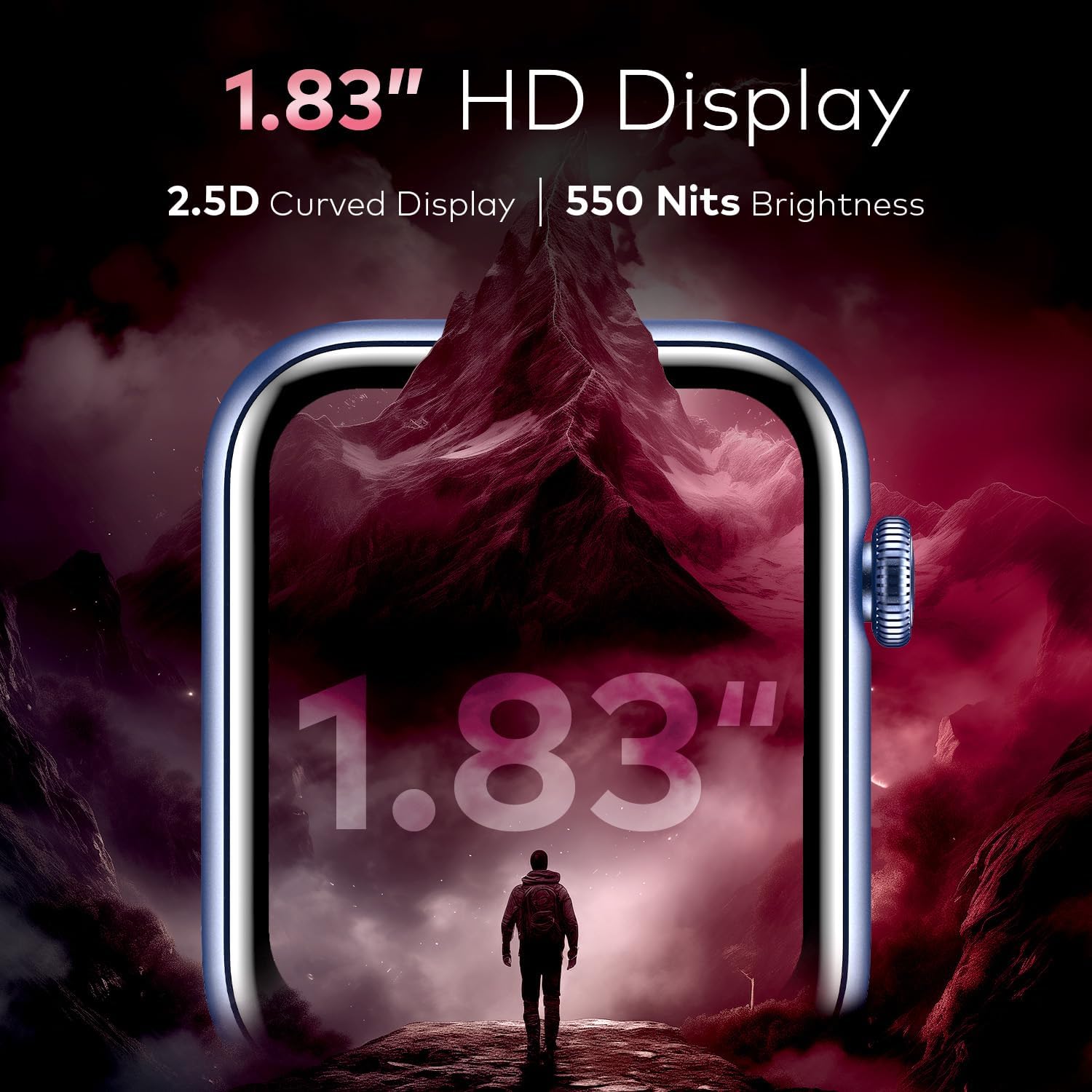
Image 1.1: Front view of the Itel O11 Smartwatch, showcasing its rectangular display and sleek design.
2. Setup
2.1 Unboxing and Initial Inspection
Carefully remove all components from the packaging. Ensure the following items are present:
- Itel O11 Smartwatch unit
- Charging cable
- Extra strap
- User Manual (this document)
Inspect the smartwatch for any visible damage. If any components are missing or damaged, contact customer support.
2.2 Charging the Smartwatch
Before first use, fully charge the smartwatch. Connect the charging cable to the charging port on the back of the watch and plug the USB end into a standard USB power adapter (not included) or a computer's USB port.
- The watch display will show a charging indicator.
- A full charge typically takes approximately 2 hours.
- The battery capacity is 220 mAh.
2.3 Powering On/Off
- To Power On: Press and hold the side button (rotatable crown) for a few seconds until the Itel logo appears on the screen.
- To Power Off: From the watch face, swipe down or access the settings menu, then locate the 'Power Off' option. Alternatively, press and hold the side button, then select 'Power Off' from the options.
2.4 App Installation and Pairing
To unlock the full functionality of your Itel O11 Smartwatch, you need to install the companion application on your smartphone.
- Scan the QR code provided in the quick start guide (if available) or search for the official Itel smartwatch app in your smartphone's app store (Google Play Store for Android).
- Download and install the application.
- Open the app and follow the on-screen instructions to create an account or log in.
- Enable Bluetooth on your smartphone.
- In the app, select 'Add Device' or 'Pair New Device'. The app will search for your smartwatch.
- Select 'Itel O11' or 'Icon 2' from the list of available devices.
- Confirm the pairing request on both your smartphone and the smartwatch.
Ensure your smartphone is running a compatible Android operating system.
3. Operating Instructions
3.1 Display Navigation
The Itel O11 Smartwatch features a touch-sensitive HD display and a rotatable functional crown for navigation.
- Touch Screen: Swipe left, right, up, or down to navigate through menus, notifications, and widgets. Tap to select an item.
- Rotatable Crown: Rotate the crown to scroll through lists, adjust volume, or zoom in/out (depending on the context). Press the crown to return to the watch face or confirm a selection.

Image 3.1: Close-up of the Itel O11 Smartwatch highlighting the rotatable functional crown for navigation.
3.2 Bluetooth Calling
Once paired with your smartphone, the smartwatch supports Bluetooth calling.
- Making Calls: Access the 'Phone' or 'Dial Pad' app on your smartwatch. You can dial numbers directly, access frequent contacts, or view call history.
- Receiving Calls: When a call comes in, the watch will display the caller ID. You can answer or reject the call directly from your wrist.

Image 3.2: The Bluetooth calling interface on the Itel O11 Smartwatch, showing dial pad and call options.
3.3 Sports Modes
The smartwatch offers over 100 sports modes to track various physical activities.
- Access the 'Workout' or 'Sports' app on your watch.
- Select your desired activity (e.g., running, cycling, swimming).
- The watch will begin tracking metrics such as duration, calories burned, and heart rate.
- End the workout by following the on-screen prompts. Data will sync to the companion app.
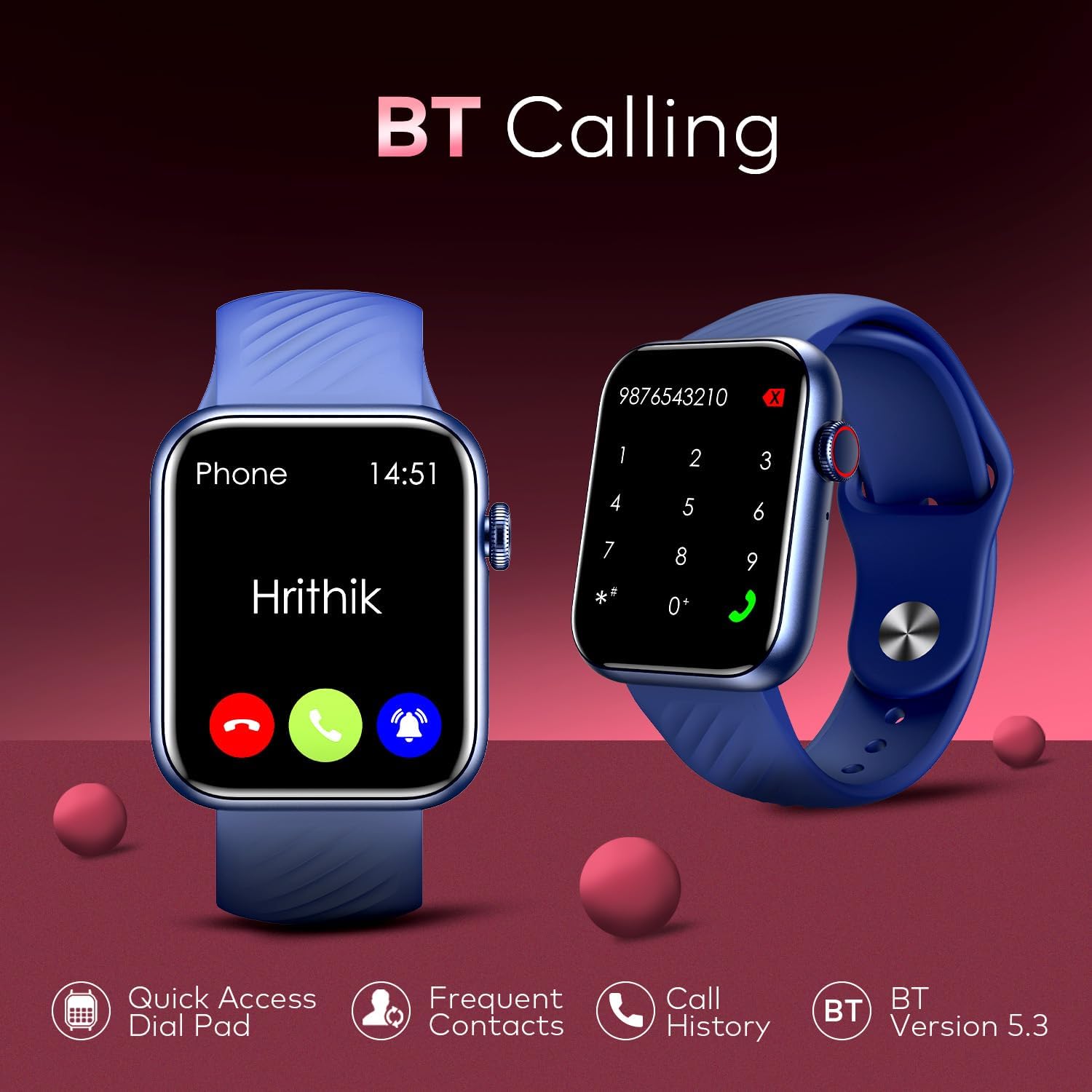
Image 3.3: The Itel O11 Smartwatch displaying a sports tracking interface with various activity icons.
3.4 Watch Faces
Personalize your smartwatch with over 150 available watch faces.
- On the Watch: Press and hold the watch face, then swipe left or right to browse pre-installed watch faces. Tap to select.
- Via App: Open the companion app on your smartphone. Navigate to the 'Watch Faces' section to explore and download additional designs.
3.5 Health Monitoring
The Itel O11 Smartwatch provides 24-hour health monitoring features.
- Heart Rate: Access the heart rate monitor app on the watch to view your current heart rate. Continuous monitoring can be enabled via the companion app.
- Sleep Tracking: Wear the watch to bed for automatic sleep tracking. View sleep patterns and quality in the companion app.
- Female Cycle Tracker: Utilize the dedicated feature in the companion app to track menstrual cycles and receive predictions.
3.6 Notifications and Voice Assistant
- Notifications: Once paired, the watch will display notifications from your smartphone (calls, messages, app alerts). Manage which apps send notifications via the companion app.
- Voice Assistant: Access your preferred voice assistant (e.g., Google Assistant) directly from the smartwatch by activating the voice assistant feature.
4. Maintenance
4.1 Cleaning Your Smartwatch
- Wipe the watch screen and body with a soft, lint-free cloth.
- For stubborn smudges, slightly dampen the cloth with water. Avoid using harsh chemicals or abrasive materials.
- Clean the strap regularly, especially if it's silicone, to prevent skin irritation. Use mild soap and water, then rinse thoroughly and dry completely before wearing.
4.2 Water Resistance (IP68)
The Itel O11 Smartwatch has an IP68 rating, meaning it is resistant to dust and can withstand immersion in water up to 1.5 meters for up to 30 minutes.
- It is suitable for daily use, such as hand washing, rain, and shallow swimming.
- Avoid using the watch in hot water, saunas, or steam rooms, as steam can penetrate seals.
- Do not press buttons underwater.
- After exposure to water, especially saltwater, rinse the watch with fresh water and dry it thoroughly.
4.3 Battery Care
- Avoid extreme temperatures, which can degrade battery life.
- Do not leave the watch fully discharged for extended periods.
- For optimal battery longevity, try to keep the charge level between 20% and 80%.
5. Troubleshooting
5.1 Common Issues and Solutions
| Issue | Possible Solution |
|---|---|
| Watch does not power on. | Ensure the watch is fully charged. Connect it to the charger for at least 30 minutes. |
| Cannot pair with smartphone. | Ensure Bluetooth is enabled on both devices. Restart both the watch and phone. Make sure the watch is not already paired with another device. Check app permissions. |
| Inaccurate health readings. | Ensure the watch is worn snugly on your wrist, not too tight or too loose. Clean the sensors on the back of the watch. |
| Short battery life. | Reduce screen brightness, disable continuous heart rate monitoring, limit notifications, and close unused apps. Ensure the watch is fully charged. |
| Notifications not appearing. | Check notification settings in the companion app and on your smartphone. Ensure the watch is connected via Bluetooth. |
5.2 Factory Reset
If you encounter persistent issues, a factory reset may resolve them. Note that this will erase all data on your smartwatch and restore it to its original settings.
- Navigate to the 'Settings' menu on your smartwatch.
- Look for 'System', 'Reset', or 'Factory Reset' option.
- Confirm the reset when prompted.
- After the reset, you will need to pair the watch with your smartphone again.
6. Specifications
| Feature | Detail |
|---|---|
| Model Name | Icon-2 |
| Model Number | ISW-O11 |
| Brand | Itel |
| Display Size | 1.83 inches |
| Display Type | LCD Screen |
| Resolution | 454 x 454 |
| Max Screen Brightness | 550 nits |
| Battery Capacity | 220 mAh |
| Battery Life (Active Use) | Up to 24 hours |
| Standby Time | Up to 30 days |
| Connectivity Technology | Bluetooth, Wi-Fi |
| Wireless Communication Standard | Bluetooth |
| Operating System | Android (Compatible with Android devices) |
| Memory Storage Capacity | 32 GB (Internal) |
| Special Features | Multi-Sport Tracker, Phone Calls, Voice Assistant, Health Monitor, GPS |
| Water Resistance Rating | IP68 (Water Resistant up to 1.5 meters) |
| Band Material Type | Silicone |
| Case Material Type | Plastic |
| Item Weight | 23 grams |
| Item Dimensions (L x W x H) | 239 x 72 x 27 mm |
| Target Audience | Women, Youth |
7. Warranty and Support
Your Itel O11 Smartwatch comes with a standard manufacturer's warranty. Please refer to the warranty card included in your product packaging for specific terms and conditions, including the warranty period and coverage details.
For technical support, troubleshooting assistance, or warranty claims, please contact Itel customer service through their official website or the contact information provided in your product documentation. Keep your purchase receipt as proof of purchase for warranty services.