1. Introduction
The VEEKTOMX 100W 20000mAh Portable Laptop Power Bank (Model VT202) is designed to provide high-speed, universal charging for a wide range of electronic devices, including laptops, smartphones, and gaming consoles. Featuring advanced PD3.0 fast charging protocol and multiple output ports, this power bank ensures your devices remain powered throughout your travels and daily activities. This manual provides essential information for safe and efficient use of your new power bank.
2. Safety Information
Your safety is our top priority. Please read and adhere to the following safety guidelines:
- Do not disassemble, open, crush, bend, deform, puncture, or shred the device.
- Do not modify or remanufacture the device, attempt to insert foreign objects into it, or immerse or expose it to water or other liquids.
- Do not expose the device to fire, explosion, or other hazards.
- Avoid dropping the device or subjecting it to severe impacts.
- Keep the device away from extreme temperatures (above 65°C / 149°F).
- This power bank is certified by UL 2056, CE, RoHS, and FCC, and is equipped with intelligent protection measures against overcurrent, overvoltage, overheating, and overcharging.
3. Package Contents
- VEEKTOMX 100W Power Bank x 1
- 100W USB-C to USB-C Cable (1.5m/5ft) x 1
- User Manual x 1
4. Product Overview
The VEEKTOMX Power Bank features a compact design with multiple ports and an intuitive display for monitoring battery status.
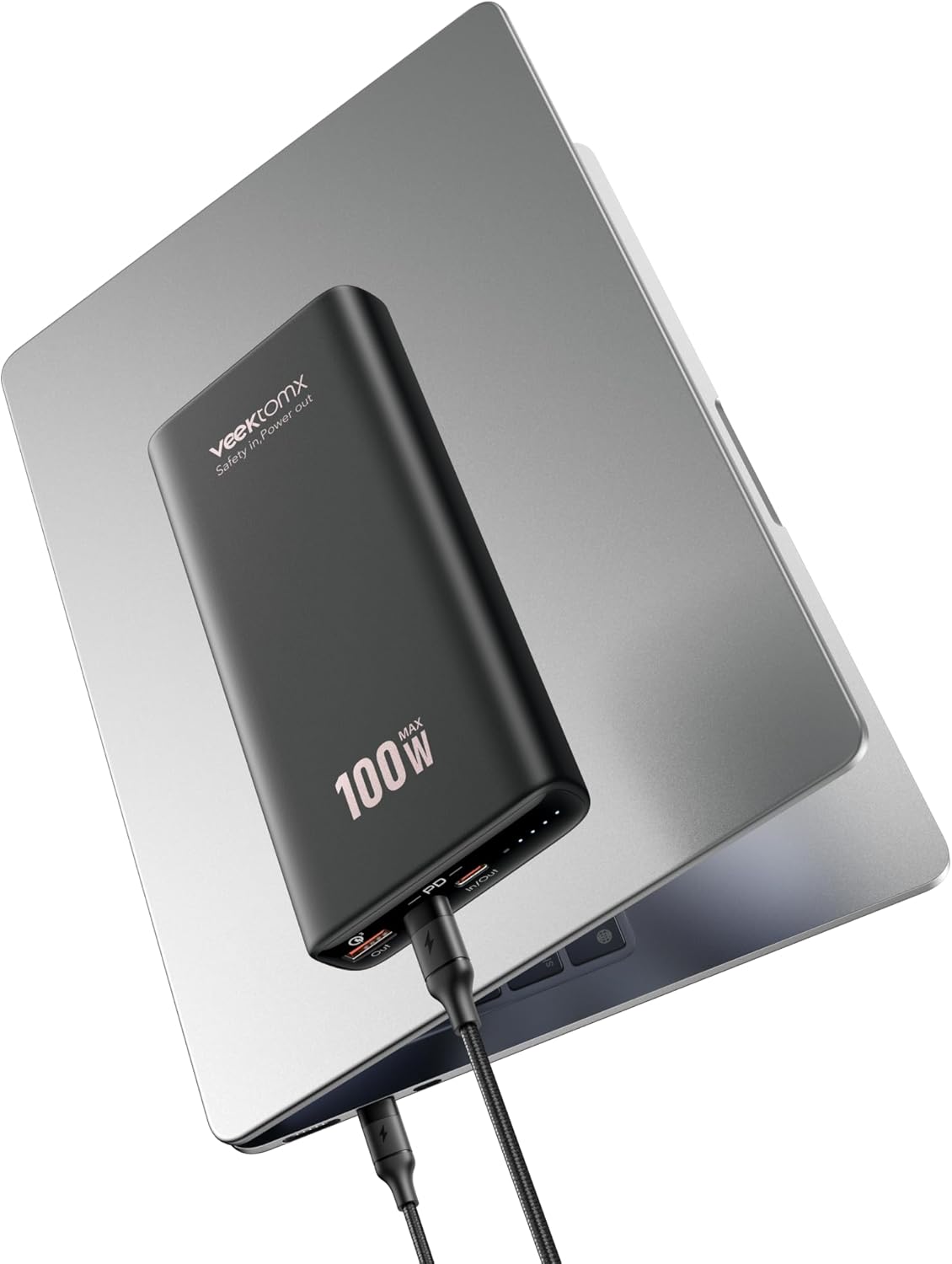
Image: The VEEKTOMX 100W Power Bank connected to a laptop, showcasing its sleek design and portability.
Ports and Indicators:
- USB-C Ports (2): Two USB-C ports, one supporting up to 100W (input/output) and another up to 20W (output).
- USB-A Port (1): One USB-A port supporting up to 18W (output).
- Digital Display: An integrated display shows the remaining battery percentage and charging status.
- Power Button: Activates the display and initiates charging.

Image: The power bank simultaneously charging a laptop, a smartphone, and another device, highlighting its multi-device charging capability.
5. Setup
Charging the Power Bank:
- Connect the provided 100W USB-C to USB-C cable to the 100W USB-C port (marked 'IN/OUT') on the power bank.
- Plug the other end of the USB-C cable into a compatible wall charger (not included) with a power output of up to 65W for optimal charging speed.
- The digital display will show the charging progress.
A full charge for the power bank typically takes approximately 30-40 minutes when using a 65W input.
6. Operating Instructions
Charging Your Devices:
The VEEKTOMX Power Bank supports fast charging for various devices. It is equipped with two USB-C ports and one USB-A port for versatile charging.
- Single Device Charging: Connect your device to any available output port (USB-C 100W, USB-C 20W, or USB-A 18W) using an appropriate cable. The power bank will automatically detect and deliver the optimal charging speed.
- Multiple Device Charging: You can charge up to three devices simultaneously. Connect each device to an available port. The power bank intelligently distributes power across the connected devices.
- Using the Built-in USB-C Cable: The power bank features a convenient built-in USB-C cable. Simply pull it out and connect it to your compatible device for charging.

Image: The VEEKTOMX 100W Power Bank actively charging a laptop, with the display indicating a 100W output for rapid power delivery.
Understanding the Digital Display:
Press the power button once to activate the digital display. It will show the remaining battery percentage of the power bank. During charging or discharging, the display may also show real-time wattage output/input.
Compatibility:
This power bank supports various charging protocols including PD3.0, QC3.0, AFC, and SCP, ensuring wide compatibility with devices such as:
- Laptops: MacBook Pro/Air, Chromebook, Steam Deck, Dell XPS, Surface Pro.
- Smartphones: iPhone 16/15/14/13/12/11/X/8 series, Samsung Galaxy S22/S21 Ultra, S10/S9+/S8+, LG G8/G7.
- Tablets: iPad Pro/Air/Mini.
- Other Devices: AirPods, cameras, and other USB-powered gadgets.

Image: A visual representation of the VEEKTOMX 100W Power Bank's broad compatibility with various laptops, tablets, smartphones, and other electronic devices.
Official Product Video:
Video: A seller-provided video demonstrating the VEEKTOMX 100W Power Bank's utility for travel and van life, showcasing its portability and charging capabilities in various scenarios.
7. Maintenance
- Store the power bank in a cool, dry place away from direct sunlight and extreme temperatures.
- Clean the device with a soft, dry cloth. Do not use harsh chemicals or abrasive materials.
- If the power bank will not be used for an extended period, charge it to approximately 50-75% every three months to maintain battery health.
8. Troubleshooting
- Device not charging: Ensure the power bank is charged. Check that the charging cable is securely connected to both the power bank and the device. Try a different cable or port.
- Slow charging: Verify that your device and cable support fast charging protocols (PD3.0, QC3.0). Ensure the power bank has sufficient charge.
- Power bank not charging: Ensure the input cable is properly connected to a functional power source. Try a different wall adapter or cable.
- USB-A port shuts off after 2-3 hours: Some devices may trigger a power-saving shutdown on the USB-A port. If continuous charging is needed, consider using a USB-C port with an appropriate adapter.
9. Specifications
| Feature | Specification |
|---|---|
| Model Number | VT202 |
| Battery Capacity | 20000 Milliamp Hours |
| Max Output Power | 100W |
| Max Input Power | 65W (via USB-C) |
| Output Ports | 2 x USB-C (100W, 20W), 1 x USB-A (18W) |
| Charging Protocols | PD3.0, QC3.0, AFC, SCP |
| Product Dimensions | 6.16 x 0.98 x 2.91 inches |
| Item Weight | 14 ounces |
| Color | Black |
| Certifications | UL 2056, CE, RoHS, FCC |
10. Warranty and Support
VEEKTOMX offers comprehensive support for your product:
- Money-Back Guarantee: 30-day money-back guarantee.
- Warranty: 12-month warranty.
- Customer Support: 24/7 friendly customer support.
- Technical Support: Lifelong technical support.


