1. Introduction and Overview
This manual provides essential information for setting up, operating, maintaining, and troubleshooting your LG 86-Inch Class QNED85T Series LED Smart TV. Please read this manual thoroughly before using your TV to ensure proper and safe operation.
The LG QNED85T Series TV combines Quantum Dot and NanoCell technologies to deliver vivid and immersive picture quality. It features an AI-powered processor and a native 120Hz refresh rate for smooth action.
Key Features:
- QNED Contrast: Enhanced contrast ratio and brightness through powerful deep-learning algorithms.
- Quantum Dot NanoCell Color: Richer, more accurate colors for superior picture quality.
- 120 Hz Refresh Rate: Smooth, crisp motion for fast-paced content like games and sports.
- a8 AI Processor 4K: AI-powered picture and sound refinement, automatically optimizing settings for the best viewing experience. Includes Multi View for two simultaneous screens.
- HDR10 Pro: Delivers a dramatic visual experience with elevated picture quality by enhancing each color.
- webOS Re:New Program: Enjoy new software updates and feature refreshes for 5 years.

Figure 1.1: Front view of the LG 86-Inch QNED85T Series Smart TV, showcasing its vibrant display capabilities.
2. Setup Guide
2.1 What's in the Box
Before you begin, ensure all components are present:
- LG 86-Inch QNED85T Series TV
- Magic Remote MR24
- Remote Control Batteries (AA x 2EA)
- Power Cable (attached)
- Quick Start Guide
- E-Manual (digital)
- Stand components
2.2 Physical Dimensions and Stand Assembly
Refer to the diagram below for TV dimensions and stand positions. The TV offers two stand positions for flexibility in placement.

Figure 2.1: Dimensions (Inches W x H x D) and 'What's in the box' for the LG 86QNED85TUA TV. The diagram illustrates the TV's width, height, depth, screen diagonal, and two possible stand footprint positions (20.6 inches and 62.2 inches).
2.3 Connecting External Devices
Your LG QNED85T TV is equipped with various ports for connecting external devices. Ensure the TV is powered off before making connections.

Figure 2.2: Rear view of the LG QNED TV, displaying the location of various input and output ports.

Figure 2.3: Detailed view of the rear connectivity panel, showing Optical Digital Audio Out, LAN, and RS-232C ports.

Figure 2.4: Detailed view of the side connectivity panel, highlighting HDMI and USB ports for easy access.
Common Connections:
- HDMI: Connect Blu-ray players, game consoles, cable/satellite boxes.
- USB: Connect USB storage devices for media playback.
- LAN (Ethernet): For wired internet connection.
- Optical Digital Audio Out: For connecting to soundbars or audio receivers.
3. Operating Your TV
3.1 Magic Remote Control
The LG Magic Remote provides intuitive control over your TV with point, click, scroll, and voice commands. Insert the two AA batteries as indicated in the battery compartment.

Figure 3.1: The LG Magic Remote, featuring a scroll wheel, directional pad, and dedicated buttons for streaming services and voice control.
3.2 webOS Smart TV Platform
Your LG QNED TV runs on the webOS platform, offering access to a wide range of streaming apps and LG Channels.
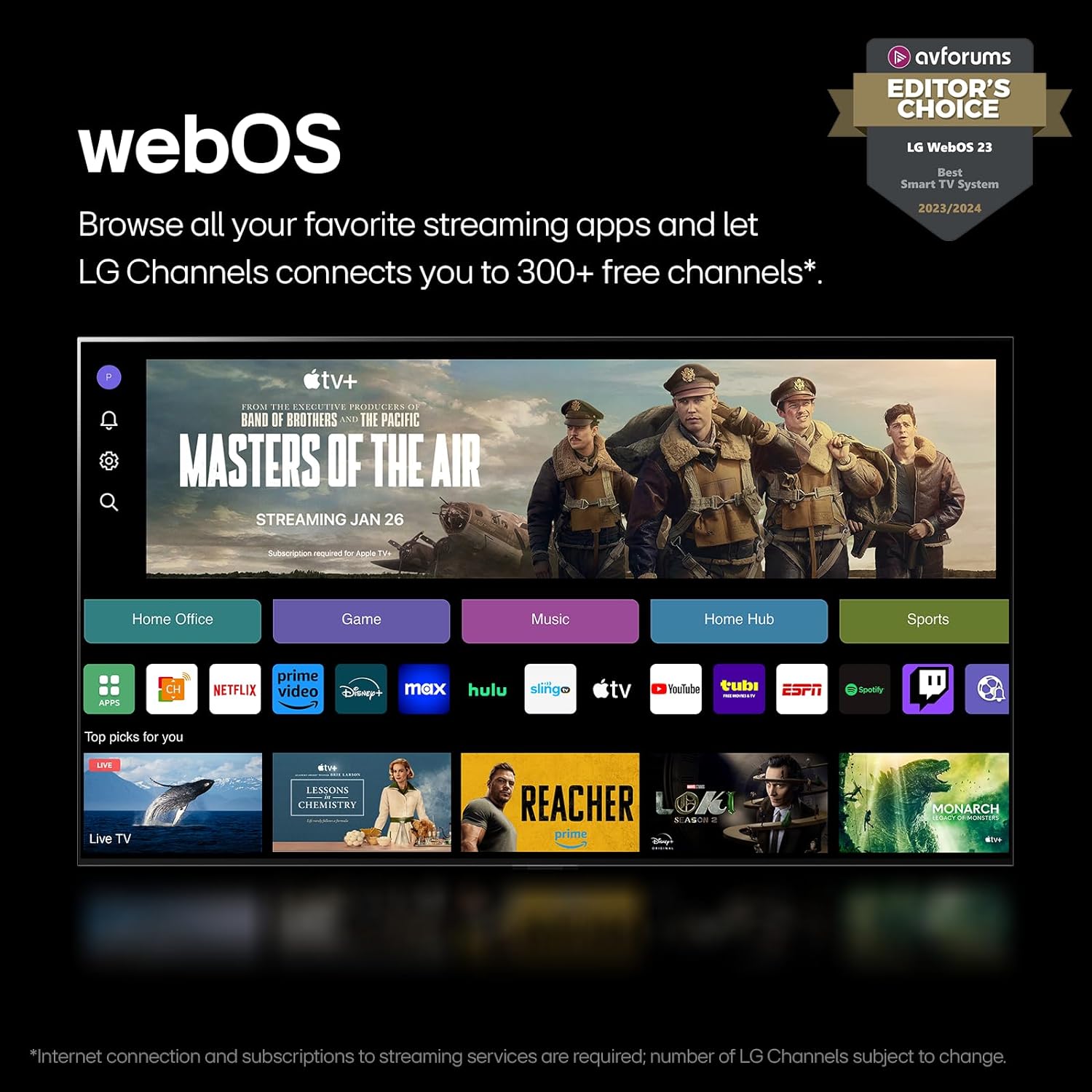
Figure 3.2: The webOS interface, displaying a selection of popular streaming applications and content categories.
3.3 webOS Re:New Program
The webOS Re:New Program ensures your TV stays updated with the latest software and features for up to 5 years. Software updates will download automatically; you will receive a pop-up notification to accept or deny the update.

Figure 3.3: Visual representation of the webOS Re:New Program, highlighting its commitment to long-term software support.
3.4 a8 AI Processor 4K
The a8 AI Processor 4K intelligently optimizes picture and sound quality by identifying content type and fine-tuning settings automatically. This results in improved graphics, processing speeds, and overall AI performance.

Figure 3.4: An illustration of the a8 AI Processor 4K, detailing its improvements in graphics, processing speeds, and AI performance compared to previous generations.
3.5 Gaming Features
Experience real-time action with minimal tearing thanks to FreeSync™, VRR (Variable Refresh Rate), and GeForce NOW support for cloud gaming.

Figure 3.5: A dynamic image showcasing the TV's gaming capabilities, highlighting support for AMD FreeSync Premium and NVIDIA G-SYNC technologies.
3.6 Audio Features: WOW Orchestra
LG's WOW Orchestra feature integrates the TV's speakers with a compatible LG Soundbar to create an expanded and immersive soundstage.

Figure 3.6: A visual explanation of LG's WOW Orchestra, demonstrating how the TV and a compatible soundbar work together for enhanced audio.
4. Maintenance and Care
Proper care ensures the longevity and performance of your LG TV.
4.1 Cleaning the Screen
- Always unplug the TV before cleaning.
- Use a soft, dry microfiber cloth to gently wipe the screen.
- For stubborn marks, lightly dampen the cloth with distilled water or a specialized screen cleaner (ensure it's safe for LED/LCD screens). Do not spray liquid directly onto the screen.
- Avoid using abrasive cleaners, alcohol, benzene, or thinners, as these can damage the screen surface.
4.2 Cleaning the TV Body
- Wipe the TV frame and stand with a soft, dry cloth.
- Do not allow water or cleaning solutions to drip into the TV's vents or ports.
4.3 General Care
- Avoid placing the TV in direct sunlight or near heat sources.
- Ensure adequate ventilation around the TV.
- Protect the TV from dust by regularly cleaning the vents.
- When moving the TV, always lift it from the bottom and top, not by the screen.
5. Troubleshooting
This section addresses common issues you might encounter with your LG QNED TV.
5.1 No Power / TV Does Not Turn On
- Check if the power cord is securely plugged into both the TV and the wall outlet.
- Verify that the wall outlet is functioning by plugging in another device.
- Press the power button on the TV itself (usually located on the bottom or side) to rule out a remote issue.
- Try unplugging the TV for 60 seconds, then plugging it back in (power cycle).
5.2 No Picture / Black Screen
- Ensure the correct input source is selected (e.g., HDMI 1, TV, etc.). Press the 'Input' or 'Source' button on your remote.
- Check all cable connections between the TV and external devices (e.g., HDMI, antenna).
- If using a cable/satellite box or game console, ensure it is powered on and functioning correctly.
- Try restarting the external device.
5.3 No Sound
- Check the volume level on both the TV and any connected audio devices (soundbar, receiver).
- Ensure the TV is not muted. Press the 'Mute' button on the remote.
- Verify audio cable connections if using external speakers.
- Check the TV's sound output settings (Settings > Sound > Sound Out) to ensure it's set to the desired output (e.g., TV Speaker, Optical, HDMI ARC).
5.4 Remote Control Not Working
- Replace the batteries in the Magic Remote.
- Ensure there are no obstructions between the remote and the TV's sensor.
- If the pointer is not appearing, try shaking the remote or pressing the 'Wheel (OK)' button to activate it.
- If the remote is unresponsive, try re-registering it. Point the remote at the TV and press the 'Wheel (OK)' button. If it fails, remove the batteries, press the 'Power' button on the remote for 5 seconds, then reinsert batteries and try again.
For more detailed troubleshooting or persistent issues, please refer to the E-Manual accessible via your TV's webOS interface or contact LG customer support.
6. Technical Specifications
| Feature | Specification |
|---|---|
| Brand Name | LG |
| Model Number | FBALG86QNED85TUA |
| Screen Size | 86 Inches |
| Display Technology | LED (QNED) |
| Resolution | 4K (3840 x 2160) |
| Refresh Rate | 120 Hz (Native) |
| Aspect Ratio | 16:9 |
| Product Dimensions (D x W x H) | 14.1" x 75.9" x 46.3" |
| Item Weight | 112.4 Pounds |
| Color Name | Black |
| Special Features | AMD FreeSync, Built-In Speaker, Flat Screen, Game Mode, Multiple Voice Assistance |
| Speaker Type | Built-In |
| Connectivity Technology | Bluetooth, Ethernet, HDMI, USB, Wi-Fi |
| Batteries Required | 2 AA batteries (included for remote) |
| On-mode Power Consumption | 201 watts |
| Energy Consumption (Annual) | 370 Kilowatt Hours Per Year (based on 4 hours/day) |
| First Available Date | April 8, 2024 |
7. Warranty and Support
7.1 Product Warranty
Your LG TV comes with a full manufacturer's warranty. For specific details regarding the warranty period and coverage, please refer to the warranty card included with your product or the E-Manual.
7.2 Protection Plans
Extended protection plans may be available for purchase to cover your TV beyond the standard manufacturer's warranty. Options may include:
- 4-Year Protection Plan
- Complete Protect (monthly plan covering eligible purchases)
Please check with your retailer or LG's official website for current offerings and terms.
7.3 Return Policy
This product typically includes a 30-day return policy for refund or replacement, subject to the retailer's terms and conditions.
7.4 Customer Support
For further assistance, technical support, or service inquiries, please visit the official LG website or contact their customer service department. You can also visit the LG Store on Amazon for product information and support resources.