
Warrior Winches 12RTS12
Gladiator 12500lbs Electric Winch User Manual
Model: 12RTS12 | Brand: Warrior Winches
Introduction
This manual provides essential information for the safe operation, installation, and maintenance of your Warrior Winches Gladiator 12500lbs Electric Winch. Please read this manual thoroughly before using the winch to ensure proper function and to prevent injury or damage.
Safety Information
Always prioritize safety when operating the winch. Failure to follow these instructions can result in serious injury or property damage.
- Read the Manual: Understand all operating procedures and safety warnings before use.
- Wear Protective Gear: Always wear heavy-duty gloves and eye protection.
- Inspect Before Use: Check the winch, rope, hook, and all connections for damage before each operation.
- Maintain Safe Distance: Keep hands, hair, clothing, and jewelry clear of the rope, fairlead, and drum.
- Never Overload: Do not exceed the rated line pull capacity of 12,500 lbs.
- Secure Vehicle: Always set the parking brake and block the wheels of the vehicle being winched.
- Use a Tree Saver Strap: When anchoring to a tree, use a tree saver strap to protect the tree and the rope.
- Avoid Shock Loads: Do not use the winch to lift or move people. Avoid sudden jerking motions.
- Thermal Overload Protection: The winch is equipped with a Thermal Overload Protection System. If the winch stops, allow it to cool down before resuming operation.
- Waterproof Sealing: While IP68 rated, avoid submerging the winch unnecessarily.
Package Contents
Verify that all items are present in your package:
- Gladiator 12500lbs Electric Winch with Steel Rope
- 2-in-1 Wired/Wireless Rechargeable Remote
- USB Charging Cable for Remote
- Control Box Relocation Plate
- Heavy Duty Battery Leads
- Stainless Steel Mounting Hardware (nuts/bolts)
- Isolation Switch
- User Manual

Setup and Installation
Proper installation is crucial for the safe and effective operation of your winch. If you are unsure about any step, consult a qualified professional.
Mounting the Winch
- Ensure your vehicle's bumper or mounting plate is rated for the winch's capacity and weight.
- Position the winch on the mounting surface, aligning the mounting holes.
- Secure the winch using the provided stainless steel mounting hardware. Tighten all bolts securely.
Electrical Connections
- Disconnect Battery: Always disconnect the vehicle's battery before making any electrical connections.
- Connect Leads: Connect the heavy-duty battery leads to the winch motor and control box according to the wiring diagram (refer to the diagram usually found on the control box or in a separate wiring guide).
- Connect to Battery: Connect the main power leads to the vehicle's battery. Ensure correct polarity (positive to positive, negative to negative).
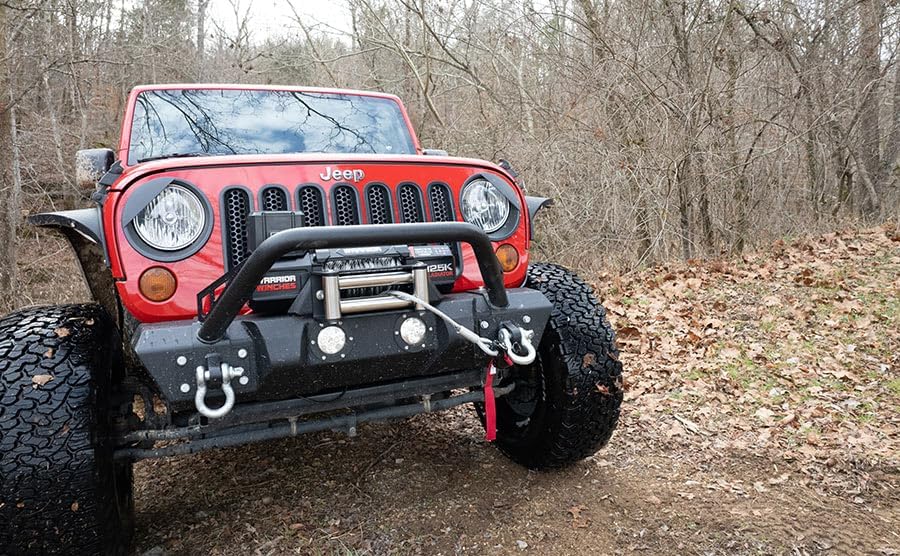
- Install Isolation Switch: Integrate the isolation switch into the positive power line to allow for complete power cut-off when the winch is not in use.
- Reconnect Battery: Once all connections are secure, reconnect the vehicle's battery.
Operating Instructions
Familiarize yourself with the winch controls and proper winching techniques.
Remote Control Operation
The 2-in-1 remote can be used wired or wirelessly. To charge the remote, use the provided USB cable.
- Wired Mode: Plug the remote cable into the winch's control box port.
- Wireless Mode: Ensure the remote is charged. Activate the wireless function (refer to remote specific instructions if a pairing process is required).
- IN Button: Activates the winch to pull the rope in.
- OUT Button: Activates the winch to pay out the rope.

Basic Winching Procedure
- Assess the Situation: Determine the safest anchor point and path for the recovery.
- Prepare the Vehicle: Engage the parking brake and place the transmission in neutral (or park for automatic).
- Prepare the Winch: Disengage the clutch to free spool the rope.
- Run the Rope: Pull out enough rope to reach the anchor point. Ensure at least 5 wraps of rope remain on the drum.
- Secure Anchor: Attach the hook to a secure anchor point using a tree saver strap or shackle.
- Engage Clutch: Re-engage the clutch.
- Begin Winching: Slowly and steadily operate the winch using the remote control. Keep an eye on the rope spooling evenly.
- Monitor: Watch for any signs of strain on the winch, rope, or anchor point.
- Stop and Re-adjust: If necessary, stop winching, re-adjust the setup, and continue.
- After Recovery: Once the recovery is complete, disengage the clutch, remove the rope from the anchor, and carefully respool the rope onto the drum under light tension.

Maintenance
Regular maintenance will extend the life and ensure the reliability of your winch.
- Rope Inspection: Regularly inspect the steel rope for frays, kinks, or damage. Replace if necessary.
- Cleanliness: Keep the winch clean and free of dirt, mud, and debris. Use a damp cloth to wipe down the exterior.
- Electrical Connections: Periodically check all electrical connections for corrosion or looseness. Clean and tighten as needed.
- Lubrication: Consult a professional for internal lubrication if required.
- Storage: Store the winch in a dry environment when not in use.
Troubleshooting
Here are some common issues and their potential solutions:
| Problem | Possible Cause | Solution |
|---|---|---|
| Winch does not operate. | No power, loose connections, isolation switch off, remote battery low. | Check battery connections, ensure isolation switch is ON, charge remote, check vehicle battery. |
| Winch operates slowly or with reduced power. | Low vehicle battery, overloaded, motor overheating. | Charge vehicle battery, reduce load, allow winch to cool down (Thermal Overload Protection). |
| Rope spools unevenly. | Insufficient tension during respooling. | Respool the rope under light tension, guiding it evenly across the drum. |
| Remote control not responding. | Remote battery dead, out of range, interference. | Charge remote, move closer to winch, try wired mode. |
Specifications
Detailed technical specifications for the Gladiator 12500lbs Electric Winch:
| Feature | Detail |
|---|---|
| Rated Line Pull | 12,500 lbs (5669 KG) |
| Motor Input/Output | 6.7HP/5.0KW (Input), 3.2HP/2.4KW (Output) |
| Voltage | 12 Volts |
| Rope Type | Steel Rope |
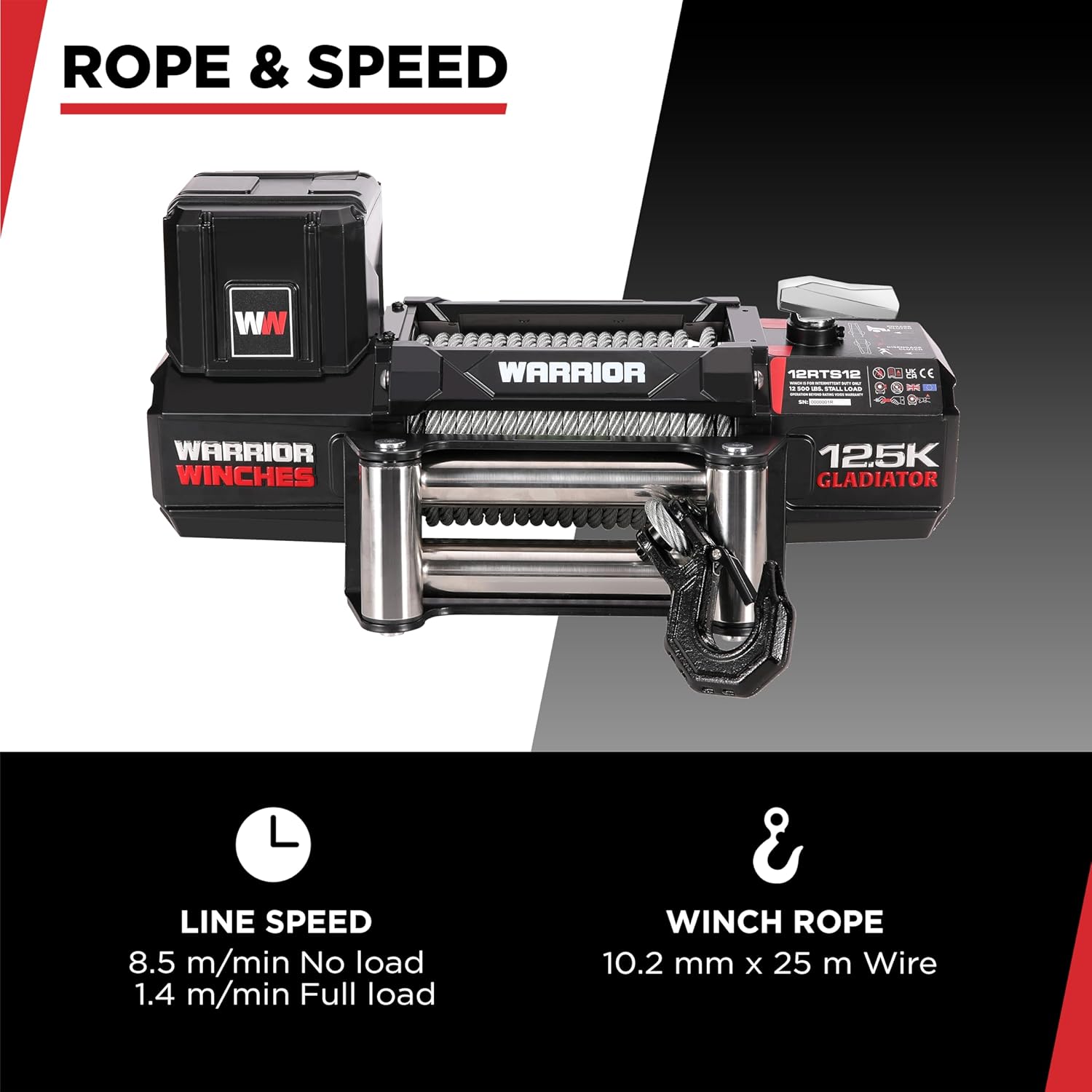
| Rope Dimensions | 10.2 mm x 25 m Wire |
| Line Speed (No Load) | 8.5 m/min |
| Line Speed (Full Load) | 1.4 m/min |
| Waterproof Rating | IP68 Standard |
| Contactor | 600 amp Silver Tip |
| Gears | HRC50 Full Steel Gears |
| Item Weight | 74.8 pounds |
| Product Dimensions | 21.97 x 6.54 x 10.39 inches (558mm x 166mm x 264mm) |
| Model Number | 12RTS12 |


Warranty and Support
For warranty information or technical support, please contact Warrior Winches customer service. Refer to the product packaging or the official Warrior Winches website for the most current contact details.
You can also visit the Warrior Winches Store on Amazon for additional product information and support resources.