
Nemesis Audio FIERCE-5KD
Nemesis Audio FIERCE-5KD Monoblock Amplifier User Manual
Model: FIERCE-5KD
Brand: Nemesis Audio
Introduction
Thank you for choosing the Nemesis Audio FIERCE-5KD 1-Channel Monoblock Class-D Car Amplifier. This manual provides essential information for the proper installation, operation, and maintenance of your amplifier. Please read this manual thoroughly before attempting installation or operation to ensure optimal performance and safety.
Safety Information
Always observe the following safety precautions:
- Disconnect the vehicle's negative battery terminal before any installation.
- Ensure proper grounding to the vehicle chassis.
- Use appropriate gauge wiring for power, ground, and speaker connections.
- Avoid installing the amplifier in areas exposed to direct sunlight, excessive heat, moisture, or dust.
- Securely mount the amplifier to prevent movement during vehicle operation.
- Consult a professional car audio installer if you are unsure about any part of the installation process.
Product Overview
The Nemesis Audio FIERCE-5KD is a high-performance 1-channel (monoblock) Class-D amplifier designed to deliver powerful and clear audio to your subwoofer system. Its compact design and efficient Class-D technology ensure maximum power output with minimal heat generation.
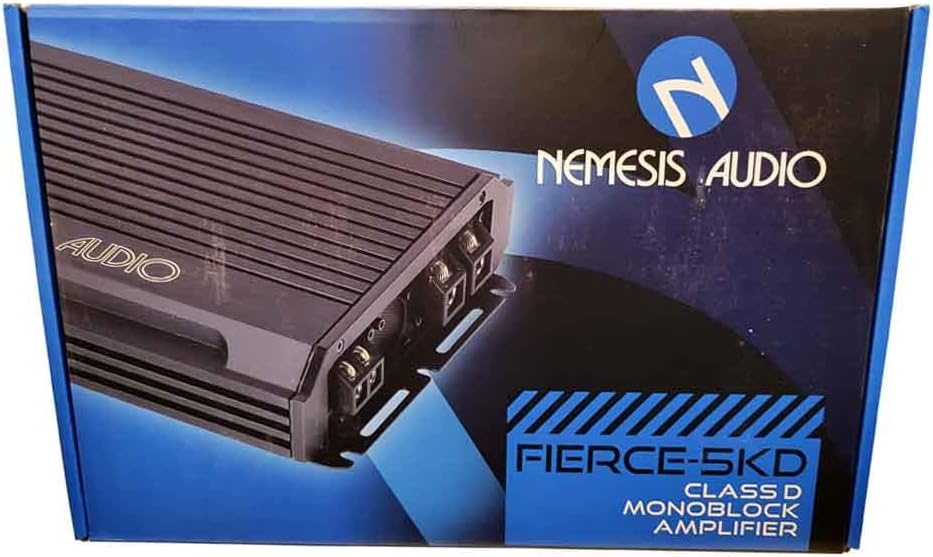
Figure 1: Front view of the Nemesis Audio FIERCE-5KD Monoblock Amplifier, showcasing its compact design and heat sink fins.
Key features include:
- 1-Channel / Monoblock Car Amplifier
- 5000 Watts Max Power Handling
- Class-D Technology for high efficiency
Setup and Installation
Proper installation is crucial for the performance and longevity of your amplifier. Follow these steps carefully:
1. Mounting Location
Choose a dry, well-ventilated location away from direct heat sources and moisture. Ensure sufficient airflow around the amplifier for cooling. Securely mount the amplifier using screws to a solid surface in the vehicle.
2. Wiring Connections
Refer to the connection panel on the amplifier. A typical setup involves:
- Power (B+): Connect to the positive terminal of the vehicle's battery via an inline fuse (not included, recommended 80A-100A).
- Ground (GND): Connect to a clean, unpainted metal point on the vehicle chassis. Ensure a solid connection.
- Remote (REM): Connect to the remote turn-on output of your head unit.
- RCA Inputs: Connect to the RCA pre-outs of your head unit.
- Speaker Outputs: Connect to your subwoofer(s). Ensure correct polarity and impedance matching.

Figure 2: Packaging of the Nemesis Audio FIERCE-5KD amplifier, displaying key specifications and model information on the side.
Operating Instructions
Once installed, adjust the amplifier settings for optimal sound performance:
- Gain Control: Start with the gain control at minimum. Gradually increase it until the desired volume is achieved without distortion.
- LPF Crossover: Adjust the Low Pass Filter (LPF) to control the upper frequency limit of the subwoofer. A common range is 80Hz-120Hz.
- Bass Boost: Use the bass boost sparingly. Excessive bass boost can lead to distortion and potential damage to speakers.
Specifications
The Nemesis Audio FIERCE-5KD amplifier features the following technical specifications:
| Feature | Value |
|---|---|
| Max Power @14.4V | 5000W |
| RMS Power @ 1-Ohm | 2500W |
| RMS Power @ 2-Ohm | 1750W |
| RMS Power @ 4-Ohm | 1150W |
| Frequency Response | 20Hz - 500Hz |
| LPF Crossover Range | 50Hz - 250Hz |
| Input Sensitivity | 0.2V - 10.0V |
| Signal / Noise Ratio | 90dB |
| Total Harmonic Distortion (T.H.D.) | 0.3% |
| Product Dimensions (L x W x H) | 12.34" x 7.1" x 2.04" |
| Item Weight | 4 pounds |
Maintenance
To ensure the longevity and optimal performance of your amplifier:
- Keep the amplifier clean and free of dust. Use a soft, dry cloth for cleaning.
- Ensure proper ventilation around the unit. Do not block cooling fins.
- Periodically check all wiring connections for tightness and corrosion.
Troubleshooting
If you experience issues with your amplifier, refer to the following common problems and solutions:
| Problem | Possible Cause | Solution |
|---|---|---|
| No Power / No Sound | Blown fuse, loose power/ground/remote wire, amplifier in protection mode. | Check inline fuse, verify all connections are secure, check battery voltage, ensure proper impedance. |
| Distorted Sound | Gain set too high, improper LPF setting, poor ground connection, speaker impedance mismatch. | Reduce gain, adjust LPF, check ground, verify speaker impedance. |
| Amplifier Overheats | Insufficient ventilation, impedance too low, prolonged high volume. | Ensure proper airflow, check speaker impedance, reduce volume. |
Warranty and Support
Nemesis Audio products are designed for reliability and performance. For specific warranty information and technical support, please refer to the warranty card included with your product or visit the official Nemesis Audio website. Keep your proof of purchase for warranty claims.
For further assistance, you may contact Nemesis Audio customer support through their official channels.
Ask a question about this manual
Ask about setup, troubleshooting, compatibility, parts, safety, or missing instructions. Manuals+ will review the question and use this page’s manual context to help answer it.