
Introduction
The RIG 600 PRO HX is a versatile dual-mode wireless gaming headset designed for a wide range of platforms, including Xbox Series X|S, Xbox One, PlayStation PS4, PS5, Nintendo Switch, PC, and mobile devices. It combines low-latency 2.4GHz wireless connectivity with Bluetooth for maximum compatibility. This manual provides essential information for setting up, operating, maintaining, and troubleshooting your headset to ensure an optimal audio experience.
What's in the Box
- RIG 600 PRO HX Headset with Flip-to-Hide microphone
- USB-C lag-free wireless transmitter (2.4GHz)
- USB-C to USB-A adapter (for wireless transmitter)
- USB-C to USB-A charging cable
Setup
1. Initial Charging
Before first use, fully charge your headset. Connect the supplied USB-C to USB-A charging cable to the headset's USB-C port and a powered USB-A port (e.g., on your console, PC, or a wall adapter). A full charge typically takes approximately 2 hours.
2. Connecting via 2.4GHz Wireless (Low-Latency)
For optimal gaming performance, use the 2.4GHz wireless connection.
- Insert the USB-C wireless transmitter directly into a compatible USB-C port on your gaming device (e.g., PC, Nintendo Switch).
- If your device only has USB-A ports, attach the USB-C to USB-A adapter to the USB-C wireless transmitter, then plug it into a USB-A port.
- Power on your RIG 600 PRO HX headset. The headset should automatically connect to the transmitter.

The RIG 600 PRO HX headset supports both 2.4 GHz low-latency wireless and Bluetooth 5.1 connectivity for versatile use.
3. Connecting via Bluetooth
For mobile devices or other Bluetooth-enabled platforms, use the Bluetooth 5.1 connection.
- With the headset powered on, activate Bluetooth pairing mode (refer to the headset controls for specific button presses, usually holding the power button or a dedicated Bluetooth button).
- On your device, go to Bluetooth settings and select "RIG 600 PRO HX" from the list of available devices.
- Once paired, the headset will indicate a successful connection.
4. RIG 600 PRO Navigator App Setup
Download the RIG 600 PRO Navigator app from your mobile device's app store. This app allows for advanced customization of equalizer settings, microphone sensitivity, and wireless modes.

The RIG 600 PRO Navigator app allows for deep customization, including equalizer settings and microphone sensitivity.
Operating Instructions
1. Power On/Off
Press and hold the power button on the headset to turn it on or off.
2. Volume Control
Use the volume control dial or buttons located on the earcup to adjust the audio output level.
3. Game/Chat Balance (Xbox Specific)
For Xbox users, utilize the on-ear controls to adjust the balance between game audio and team chat, allowing you to prioritize what you hear.

The RIG 600 PRO HX headset is designed for universal compatibility with Xbox, PlayStation, PC, and Nintendo Switch.
4. Microphone Usage and Mute Function
The headset features a high-quality, flip-to-hide boom microphone. To use the microphone, flip it down. To mute your voice, simply flip the microphone up and stow it discreetly into the earcup. This action automatically mutes the microphone.

The integrated flip-to-hide boom microphone automatically mutes when stowed into the earcup.

The advanced microphone includes noise rejection technology for clear voice communication.
5. Audio Performance
Experience premium audio with bass-boosted, high-sensitivity 40mm drivers and tuned acoustic chambers, delivering balanced game audio across a frequency range of 20 Hz - 20,000 Hz.
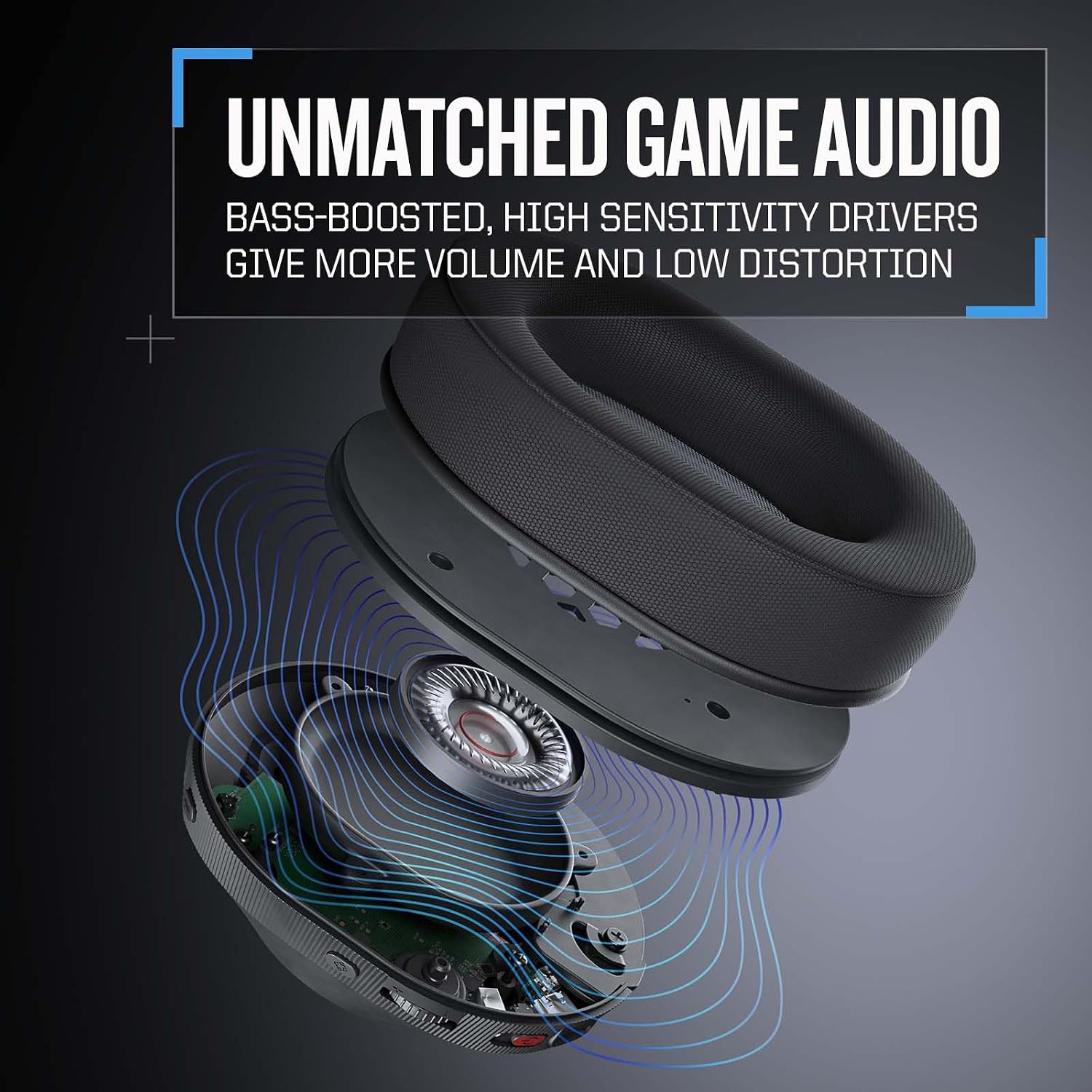
The headset features 40mm high-sensitivity drivers and tuned acoustic chambers for balanced game audio with enhanced bass.
6. Comfort and Fit
The RIG 600 PRO HX features ultralightweight design with RIG signature snap-to-fit earcups wrapped in breathable fabric, paired with a cushioned headband for all-day comfort. Adjust the earcups to small, medium, or large sizes for a personalized fit.

The signature snap-fit sizing allows for small, medium, and large adjustments to ensure a comfortable fit.
7. Battery Life
The headset provides up to 24 hours of battery life in Bluetooth mode and up to 18 hours when using the 2.4GHz wireless connection.

The headset offers up to 24 hours of battery life in Bluetooth mode and 18 hours with 2.4GHz wireless.
Maintenance
Cleaning
- Wipe the headset surfaces with a soft, dry cloth.
- For earcups, gently wipe with a slightly damp cloth and allow to air dry completely before use.
- Avoid using harsh chemicals, solvents, or abrasive cleaners.
Storage
- Store the headset in a cool, dry place away from direct sunlight and extreme temperatures.
- Avoid placing heavy objects on the headset.
Troubleshooting
No Audio / Pairing Issues
- Check Power: Ensure the headset is powered on and sufficiently charged.
- Verify Connection: For 2.4GHz, ensure the USB transmitter is securely plugged into your device and the headset is in 2.4GHz mode. For Bluetooth, ensure the headset is in pairing mode and selected on your device.
- Restart Devices: Try restarting both your headset and the connected device (console, PC, phone).
- Re-pair: If issues persist, unpair/forget the headset from your device's Bluetooth settings and attempt to pair again. For 2.4GHz, try unplugging and replugging the transmitter.
Static or Intermittent Audio
- Interference: Move away from other wireless devices (Wi-Fi routers, cordless phones) that might cause interference.
- Distance: Ensure you are within the effective range of the wireless transmitter or Bluetooth connection.
- Obstructions: Walls or other physical barriers can affect wireless signal quality.
Microphone Not Working
- Check Mute: Ensure the microphone is flipped down and not in the muted position.
- Device Settings: Verify that the RIG 600 PRO HX is selected as the input device in your operating system or game settings.
- App Settings: Use the RIG 600 PRO Navigator app to check microphone sensitivity and settings.
Short Battery Life
- Full Charge: Ensure the headset is fully charged before each use.
- Usage Mode: Battery life varies between Bluetooth (up to 24 hours) and 2.4GHz wireless (up to 18 hours).
- Volume Level: High volume levels can reduce battery life.
Specifications
- Model Name: RIG 600 PRO HX
- Brand: RIG
- Manufacturer: Nacon
- Connectivity: Dual Wireless (Bluetooth 5.1, Lag-free 2.4GHz RF digital wireless)
- Ear Placement: Over Ear
- Audio Driver Type: Dynamic Driver
- Frequency Range: 20 Hz - 20,000 Hz
- Microphone: Flip-to-Hide Boom Microphone
- Controls: Volume Control, Push Button, Game/Chat Balance (on-ear)
- Battery Charge Time: Approximately 2 Hours
- Battery Average Life: Up to 24 Hours (Bluetooth), Up to 18 Hours (2.4GHz)
- Item Weight: 240 Grams
- Material: Plastic
- Compatible Devices: Gaming Consoles (Xbox, PlayStation, Nintendo Switch), Desktops, Laptops, Tablets, Mobile Devices
Warranty Information
This product comes with a 90 days limited warranty. Please retain your proof of purchase for warranty claims. For specific terms and conditions, refer to the warranty documentation provided with your purchase or contact the manufacturer.
Support
For further assistance, technical support, or warranty inquiries, please contact the manufacturer, Nacon, or refer to their official support channels. Contact information can typically be found on the manufacturer's website or product packaging.


