
1. Product Overview
The 8TEN Deck Roller (Model 810-CDW2268R) is a replacement part designed for various Snapper and Simplicity lawn mower decks. This component helps prevent scalping of the lawn by allowing the mower deck to glide smoothly over uneven terrain. It is constructed from durable polypropylene material for longevity and reliable performance.

Image 1.1: The 8TEN Deck Roller, a replacement part for lawn mower decks.
2. Compatibility
This 8TEN Deck Roller is compatible with the following OEM numbers and Snapper/Simplicity models:
2.1. Compatible OEM Numbers
- Snapper, Simplicity: 7019190, 7019190SM, 7019190YP

Image 2.1: Reference image for compatible OEM part numbers.
2.2. Compatible Snapper Models
- 25069T, 25659BE, 26069T, 26659BE, HT18480, Y41120
- LT16001, LT12412, LT16002, LT16412, LT12482, LT12502, LT16482, LT11000, LT11001
3. Specifications
| Feature | Specification |
|---|---|
| Model Number | 810-CDW2268R |
| Inner Diameter | 11/16 inches (0.6875 inches) |
| Wheel Diameter | 2 15/16 inches (2.9375 inches) |
| Thickness (Width of Widest) | 2 7/8 inches (2.875 inches) |
| Material | Polypropylene K8003 and ESP30R |
| Product Dimensions | 10 x 6 x 1 inches |
| Item Weight | 9.6 ounces |
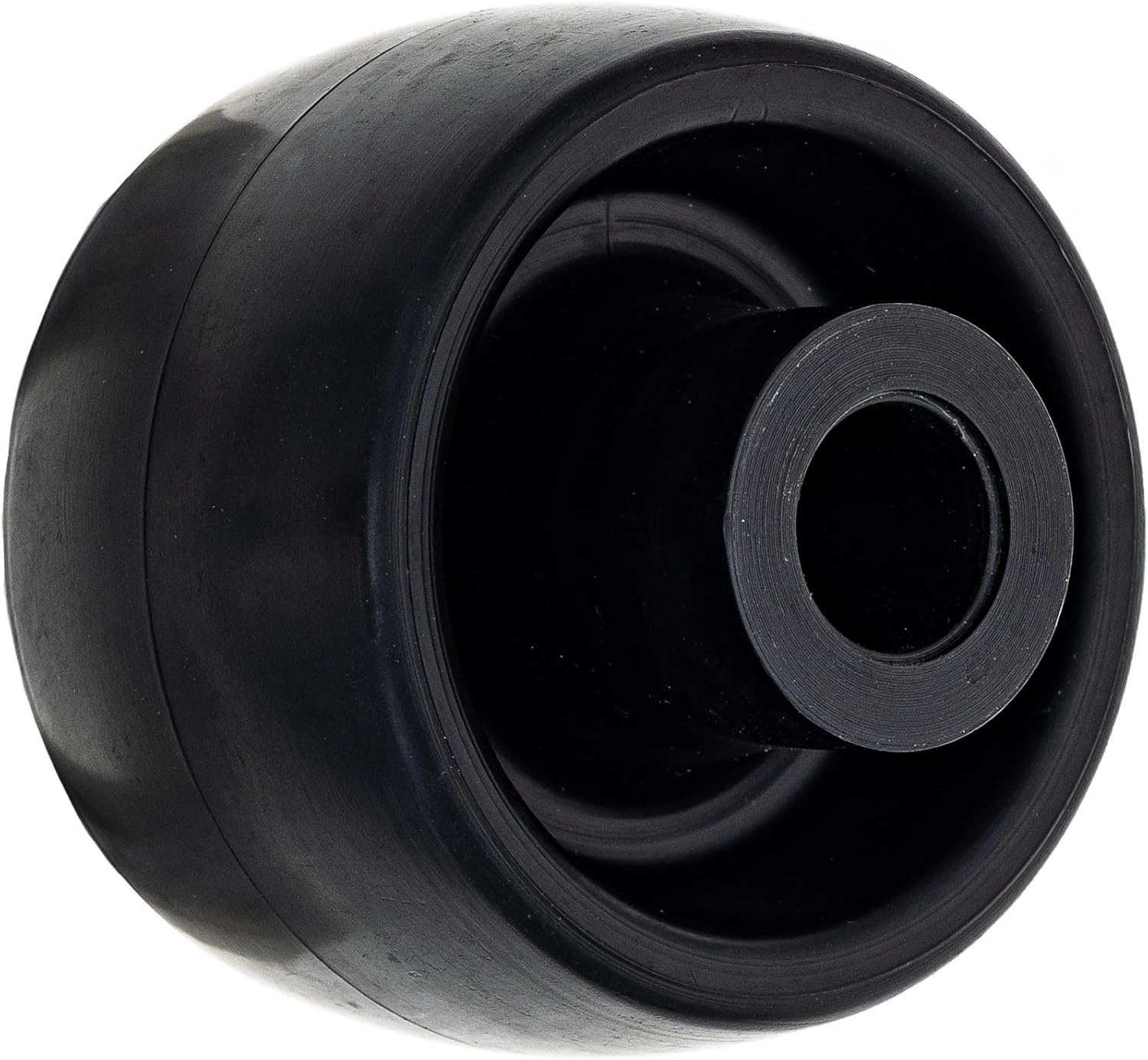
Image 3.1: Side view of the 8TEN Deck Roller, showing its dimensions.

Image 3.2: Top view of the 8TEN Deck Roller, highlighting the inner diameter.
4. Installation
Proper installation of the deck roller is crucial for safe and effective operation of your lawn mower. Always refer to your specific lawn mower's service manual for detailed instructions and safety precautions.
4.1. Safety Precautions
- Disconnect the spark plug wire: This prevents accidental engine starting.
- Wear protective gloves: To protect your hands from sharp edges or grease.
- Ensure the mower is stable: Use jack stands or blocks to secure the mower deck if lifting is required.
4.2. General Installation Steps
- Locate the existing deck roller: Identify the worn or damaged deck roller(s) on your mower deck.
- Remove retaining hardware: Depending on your mower model, this may involve removing a bolt, pin, or clip that secures the roller to the deck.
- Remove the old roller: Carefully slide the old roller off its mounting shaft.
- Clean the mounting area: Remove any dirt, grass clippings, or rust from the shaft and surrounding area.
- Install the new 8TEN Deck Roller: Slide the new roller onto the mounting shaft. Ensure it sits flush and moves freely.
- Secure with retaining hardware: Reinstall the bolt, pin, or clip, ensuring it is tightened securely according to your mower's specifications. Do not overtighten.
- Verify free movement: Check that the new roller spins freely and does not bind.
- Reconnect spark plug wire: Once installation is complete and all tools are clear, reconnect the spark plug wire.
5. Operating Considerations
Deck rollers are passive components that assist in the smooth operation of your mower deck. They are designed to contact the ground on uneven surfaces, preventing the mower blades from digging into the turf. No specific operational steps are required for the rollers themselves, but their presence ensures proper deck height and reduces scalping.
6. Maintenance
Regular inspection and maintenance of your deck rollers will extend their lifespan and ensure optimal lawn mower performance.
- Regular Cleaning: After each use, remove grass clippings, dirt, and debris that may accumulate around the rollers. This prevents buildup that can hinder free movement.
- Inspect for Wear: Periodically check the rollers for cracks, flat spots, or excessive wear. Worn rollers can lead to uneven cutting or scalping.
- Check for Free Movement: Ensure the rollers spin freely on their shafts. If they are stiff or seized, they may need cleaning, lubrication (if applicable to your mower's design), or replacement.
- Inspect Mounting Hardware: Verify that all bolts, pins, or clips securing the rollers are tight and not corroded. Replace any damaged hardware.
7. Troubleshooting
If you experience issues related to your mower deck's movement or cutting quality, the deck rollers might be a contributing factor.
7.1. Common Issues and Solutions
- Mower Deck Scalping Lawn:
Possible Cause: Worn, damaged, or seized deck rollers.
Solution: Inspect rollers for wear or damage. Clean any debris preventing free rotation. Replace if severely worn or broken. - Rollers Not Spinning Freely:
Possible Cause: Accumulation of grass, dirt, or rust; damaged bearings (if applicable); overtightened hardware.
Solution: Clean the rollers and shafts thoroughly. Loosen mounting hardware slightly if overtightened (ensure it remains secure). If bearings are present and damaged, the roller assembly may need replacement. - Excessive Noise from Rollers:
Possible Cause: Worn rollers, loose hardware, or lack of lubrication.
Solution: Check for wear and replace if necessary. Tighten all mounting hardware. If your mower's design allows for lubrication, apply appropriate grease.
8. Warranty Information
8TEN products are backed by an 810 Day Warranty. This warranty covers defects in material and workmanship under normal use and service. For specific terms and conditions, or to make a warranty claim, please contact 8TEN customer support.

Image 8.1: 8TEN products are designed for quality and durability.
9. Support and Contact
For further assistance, technical support, or inquiries regarding your 8TEN Deck Roller, please visit the official 8TEN website or contact their customer service department. Always provide your product model number (810-CDW2268R) when seeking support.
Video 9.1: An overview of 8TEN aftermarket lawn and garden replacement parts, showcasing the brand's commitment to quality.