
KSIX smart your tech Titanium
Ksix Titanium Smartwatch User Manual
Model: Titanium (8427542133256)
Brand: KSIX smart your tech
1. Introduction
Thank you for choosing the Ksix Titanium Smartwatch. This manual provides essential information for setting up, operating, and maintaining your device. Please read it carefully to ensure optimal performance and longevity of your smartwatch.
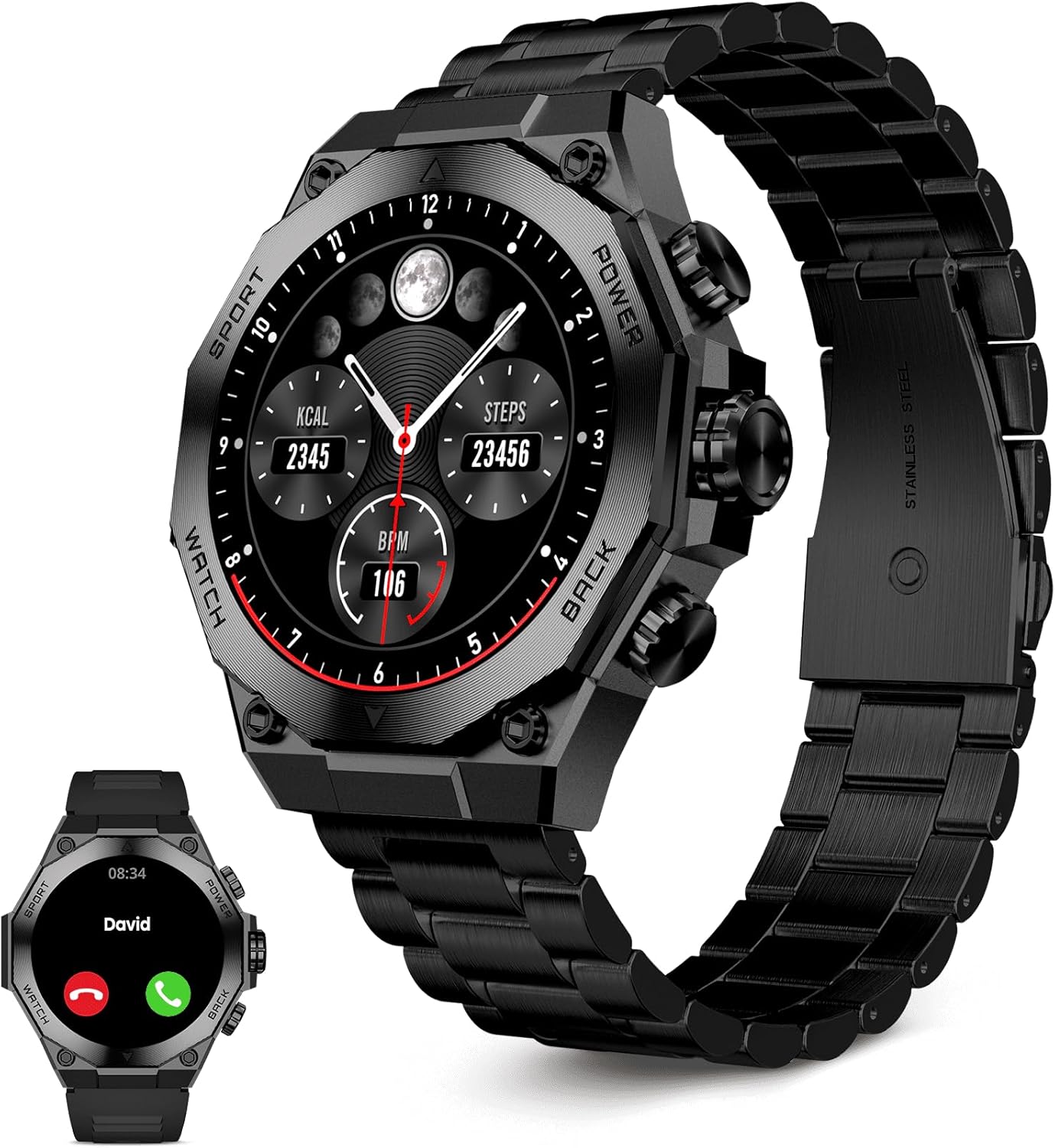
Image: The Ksix Titanium Smartwatch featuring its robust design with a metal band, alongside a smaller depiction of the watch equipped with a sporty silicone band.
2. What's in the Box
Upon unboxing your Ksix Titanium Smartwatch, please verify that all the following components are included:
- Ksix Titanium Smartwatch Unit
- Metal Band (pre-installed or separate)
- Sport Silicone Band
- Wireless Charger
- User Manual (this document)
3. Setup Guide
3.1 Initial Charging
Before first use, fully charge your Ksix Titanium Smartwatch. Place the watch on the provided wireless charger. The screen will indicate charging status. A full charge typically takes approximately 2 hours.

Image: An infographic illustrating various features of the smartwatch, including its wireless charging capability, AMOLED screen, call functions, and health monitoring.
3.2 App Installation and Pairing
- Download the Companion App: Search for the official Ksix smartwatch application on your smartphone's app store (iOS App Store or Google Play Store).
- Install and Open: Install the app and open it on your smartphone.
- Enable Bluetooth: Ensure Bluetooth is enabled on your smartphone.
- Pairing: Follow the on-screen instructions within the app to search for and connect to your Ksix Titanium Smartwatch. Confirm the pairing request on both your phone and the watch.
Once paired, the watch will synchronize time and data with your smartphone.
4. Operating Instructions
4.1 Basic Navigation
The Ksix Titanium Smartwatch features a 1.43-inch AMOLED touchscreen for intuitive interaction. Swipe left, right, up, or down to navigate through menus and access different functions. Use the physical buttons on the side for quick access to specific features or to return to the home screen.

Image: A detailed view of the Ksix Titanium Smartwatch's 1.43-inch AMOLED display, highlighting its vibrant color reproduction and sharp image quality.
4.2 Calls and Messages
Synchronize your mobile phone directly with your watch to leverage its call and alert functions. The smartwatch allows you to answer and make calls directly from your wrist, and receive notifications for messages and other alerts.
- Answering Calls: When a call comes in, the watch will display the caller ID. Tap the green icon to answer the call hands-free.
- Making Calls: Use the dialer or access your contacts directly from the watch to initiate calls.
- Notifications: Receive real-time notifications from various apps (e.g., social media, messaging) directly on your watch screen.

Image: The smartwatch display showing an incoming call notification and a separate screen displaying a list of contacts, demonstrating its communication features.
4.3 Health and Sports Monitoring
The Ksix Titanium Smartwatch is equipped with intelligent health and movement sensors to monitor your health and daily routine comfortably from your wrist. It offers over 100 sport modes to adapt to your athletic routines.
- Heart Rate Monitor: Continuously tracks your heart rate throughout the day.
- Blood Oxygen (SpO2): Measures your blood oxygen saturation levels.
- Activity Monitor: Tracks daily steps, distance covered, and calories burned.
- Sleep Tracking: Monitors your sleep patterns, including deep sleep, light sleep, and awake times.
- Sport Modes: Select from over 100 sport modes, including running, treadmill, walking, cycling, climbing, and basketball, to track specific workout data.

Image: An infographic detailing the health monitoring capabilities of the smartwatch, including activity rings, heart rate, blood oxygen levels, and sleep tracking, all managed by intelligent health and movement sensors.

Image: The smartwatch screen showcasing a selection of sport modes (Run, Treadmill, Walk, Cycling, Climbing, Basketball), set against a background of a person kayaking, emphasizing the device's IP67 water resistance.
4.4 Voice Assistants
Utilize integrated voice assistants to control your smartwatch, set reminders, check information, and perform other tasks using voice commands.
4.5 Music Playback
Control music playback on your connected smartphone directly from your smartwatch. Play, pause, skip tracks, and adjust volume without needing to take out your phone.
4.6 Weather Forecast
Check real-time weather conditions and forecasts directly on your watch. The watch can display current temperature, UV radiation, and future weather predictions.
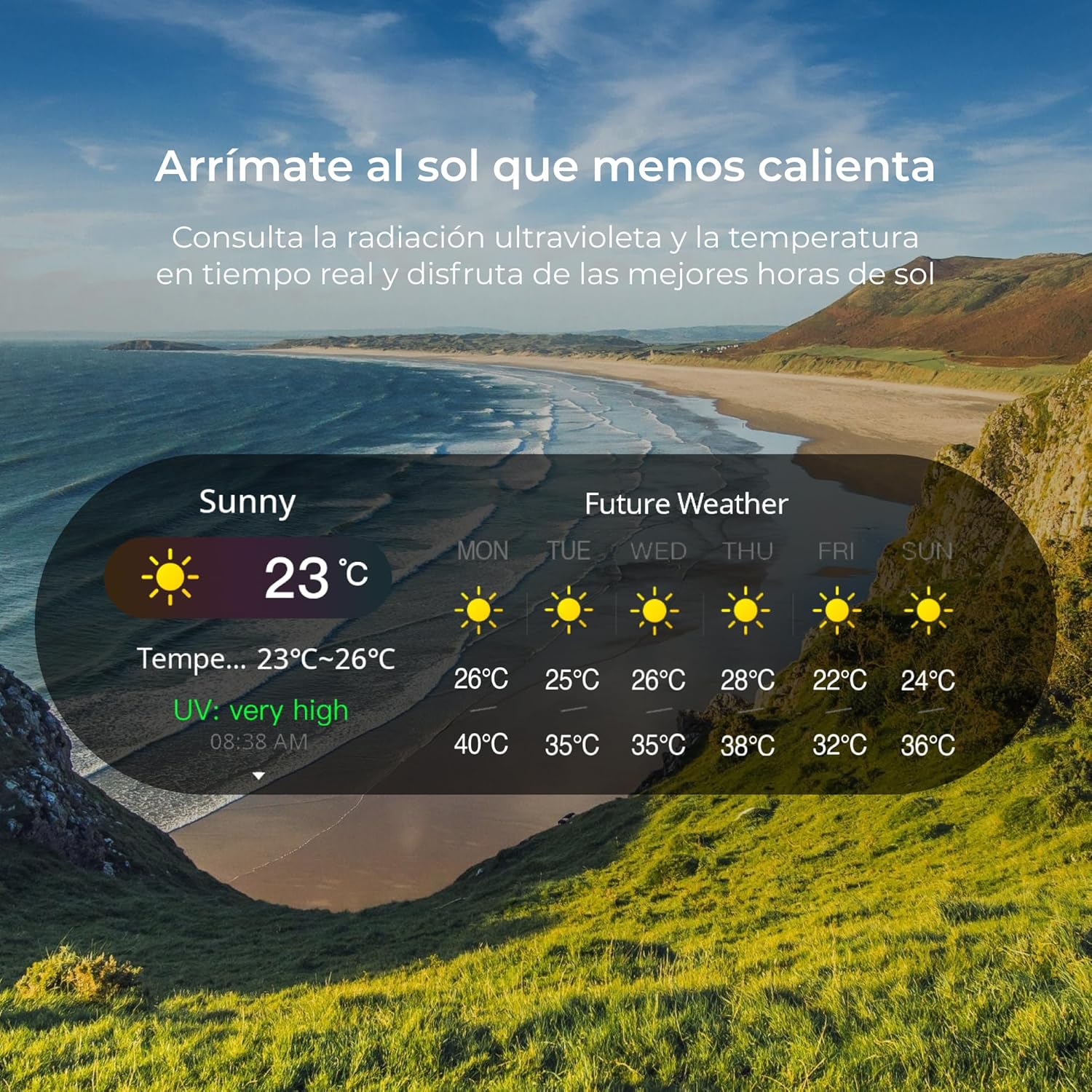
Image: The smartwatch screen showing the current weather conditions, including temperature and UV index, along with a multi-day future weather forecast.
4.7 Daily Organization Tools
The Titanium smartwatch provides all the necessary functions to manage your day effectively.
- Calendar: Organize your week from Monday to Sunday directly from your watch.
- Calculator: Manage your budgets, investments, and expenses with the help of its integrated calculator.
- Alarms/Reminders: Set wake-up times and other important reminders.

Image: Displays of the smartwatch interface showing features for daily organization, including setting wake-up times, viewing a weekly calendar, and using a calculator for financial management.
5. Maintenance
5.1 Cleaning
To keep your smartwatch in optimal condition, regularly clean the screen and body with a soft, dry, lint-free cloth. For stubborn smudges, slightly dampen the cloth with water. Avoid using harsh chemicals or abrasive materials.
5.2 Water Resistance
The Ksix Titanium Smartwatch has an IP67 rating, meaning it is protected from dust and can withstand immersion in water up to 1 meter for up to 30 minutes. While it is resistant to splashes and brief immersion, it is not recommended for swimming, showering, or prolonged water activities. Ensure the watch is dry before charging.
5.3 Battery Life
The smartwatch offers an average battery life of 5 days under typical usage conditions. Battery performance may vary based on usage patterns, enabled features (e.g., continuous heart rate monitoring, frequent calls), and environmental factors. Charge the device when the battery level is low to ensure continuous functionality.
6. Troubleshooting
If you encounter issues with your Ksix Titanium Smartwatch, refer to the following common solutions:
| Problem | Possible Solution |
|---|---|
| Watch not turning on | Ensure the watch is fully charged. Connect it to the charger for at least 30 minutes. |
| Unable to pair with smartphone | Check if Bluetooth is enabled on both devices. Restart both the watch and the smartphone. Ensure the companion app is updated to the latest version. Forget the device in your phone's Bluetooth settings and try pairing again. |
| Inaccurate health data | Ensure the watch is worn snugly on your wrist, not too tight or too loose. Clean the sensors on the back of the watch. |
| Short battery life | Reduce screen brightness. Disable unnecessary notifications. Limit continuous heart rate monitoring if not needed. Ensure background app usage is optimized. |
| No notifications received | Check notification settings in the companion app and on your smartphone. Ensure the watch is connected via Bluetooth. |
If the problem persists, please refer to the manufacturer's support website or contact customer service.
7. Specifications
| Feature | Detail |
|---|---|
| Brand | KSIX smart your tech |
| Model Name | Titanium |
| Model Number | 8427542133256 |
| Operating System | [Custom Operating System] |
| Screen Size | 1.43 inches |
| Screen Type | AMOLED |
| Screen Resolution | 320 x 320 |
| Connectivity Technology | Bluetooth |
| Wireless Communication Standard | Bluetooth |
| Human Interface Input | Touchscreen |
| Compatible Devices | Smartphone |
| Special Features | Voice Assistants, Health and Sport Monitoring, Notification Calls, 5-Day Battery Life |
| Average Battery Life | 5 Days |
| Battery Capacity | 300 Unknown Modifier |
| Battery Cell Composition | Lithium Polymer |
| GPS | Built-in GPS |
| Shape | Square |
| Water Resistance | IP67 |
| First Available Date | February 22, 2024 |
8. Warranty and Support
For information regarding warranty coverage, technical support, or service, please refer to the official KSIX smart your tech website or contact their customer service directly. Keep your purchase receipt as proof of purchase for warranty claims.
Related Documents - Titanium
 |
Titanium Series (I, II, III, IV) UPS User Guide User manual for Titanium Series UPS models ZTP1203B and ZTP1205B, including installation, wiring, technical specifications, and safety guidelines for battery backup systems. |
 |
TITANIUM TIG200™ Inverter Power Source Owner's Manual & Safety Instructions Comprehensive owner's manual and safety guide for the TITANIUM TIG200™ Inverter Power Source. Includes setup, operation, maintenance, and troubleshooting for aluminum and steel welding. |
 |
TITANIUM PLASMA65 Owner's Manual & Safety Instructions Comprehensive owner's manual and safety instructions for the TITANIUM PLASMA65 plasma cutter (Model 58895) by Harbor Freight Tools. Covers setup, operation, maintenance, troubleshooting, specifications, parts list, and warranty information. |
 |
Titanium 508.128 Electric Fryer User Manual User manual for the Titanium 508.128 Electric Fryer, detailing setup, operation, safety precautions, and maintenance for optimal performance and longevity. |
 |
Titanium Unlimited 200 Welder Quick Start Guide A quick start guide for the Titanium Unlimited 200 welder, covering basic setup and operation for flux wire welding, stick welding, MIG welding, and TIG welding. |
 |
TITANIUM TI-TCWH7 Auto-Darkening Welding Helmet Owner's Manual & Safety Instructions Comprehensive owner's manual and safety guide for the TITANIUM TI-TCWH7 Auto-Darkening Welding Helmet. Includes setup, operation, maintenance, specifications, shade guide, troubleshooting, and warranty information. |
Ask a question about this manual
Ask about setup, troubleshooting, compatibility, parts, safety, or missing instructions. Manuals+ will review the question and use this page’s manual context to help answer it.