Introduction
Thank you for choosing the QZT Q61 Wired In-Ear Earphones. These earphones are specifically designed to provide clear audio playback when used with voice recorders. This manual will guide you through the proper setup, operation, maintenance, and troubleshooting to ensure optimal performance and longevity of your earphones.
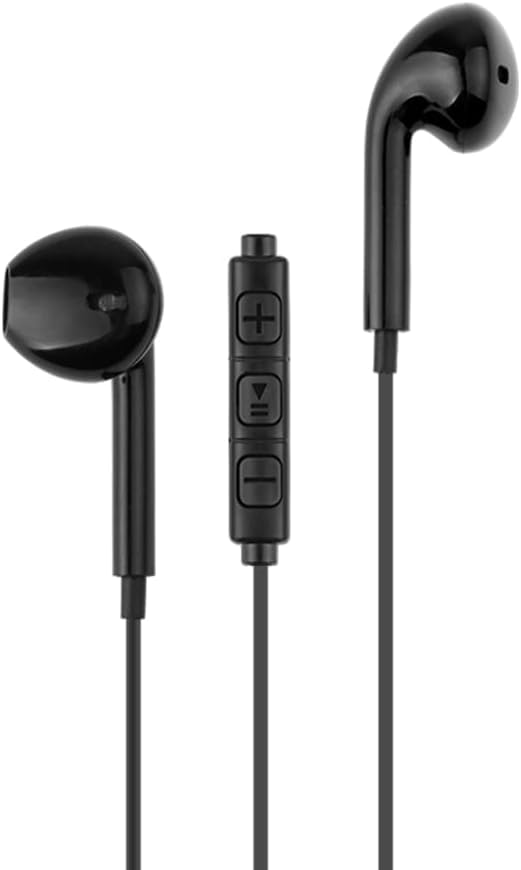
Image showing the QZT Q61 wired in-ear earphones, typically used with voice recorders.
Setup
-
Unpack the Earphones: Carefully remove the QZT Q61 earphones from their packaging. Inspect for any visible damage.
-
Identify the Audio Jack: Locate the standard 3.5mm audio jack on the end of the earphone cable.
-
Connect to Voice Recorder: Insert the 3.5mm audio jack firmly into the earphone output port of your voice recorder. Ensure a secure connection.
-
Wear the Earphones: Gently place the in-ear earpieces into your ears. Adjust for a comfortable and secure fit to ensure optimal sound quality.
Operating Instructions
The QZT Q61 earphones are designed for simple plug-and-play operation with compatible voice recorders.
-
Power On Voice Recorder: Ensure your voice recorder is powered on and functioning correctly.
-
Initiate Playback: Start playing an audio recording on your voice recorder. Sound should now be audible through the connected QZT Q61 earphones.
-
Adjust Volume: Use the volume controls on your voice recorder to adjust the audio level to a comfortable listening volume. The earphones themselves do not have independent volume controls.
-
Disconnecting: When finished, gently pull the 3.5mm audio jack straight out from the voice recorder's port. Avoid pulling on the cable itself to prevent damage.
Maintenance
-
Cleaning: Use a soft, dry cloth to wipe the exterior of the earphones. For the earpieces, a slightly damp cloth can be used, but ensure no moisture enters the speaker grille. Do not use harsh chemicals or abrasive cleaners.
-
Storage: When not in use, store the earphones in a clean, dry place, away from direct sunlight and extreme temperatures. Avoid tangling the cable by coiling it loosely.
-
Handling: Always handle the earphones by the plug when connecting or disconnecting. Avoid bending or pulling the cable excessively.
Troubleshooting
| Problem | Possible Cause | Solution |
|---|---|---|
| No sound from earphones | Earphones not properly connected; Voice recorder volume too low; Voice recorder not playing audio. | Ensure the 3.5mm jack is fully inserted. Increase the volume on your voice recorder. Verify that the voice recorder is playing audio. |
| Sound is distorted or unclear | Poor connection; Damaged cable; Low quality audio source. | Check the connection to the voice recorder. Try with a different audio source or voice recorder to isolate the issue. Inspect the cable for visible damage. |
| Earphones are uncomfortable | Improper fit. | Adjust the earpieces for a better fit. Ensure they are inserted correctly into the ear canal. |
Specifications
- Brand: QZT
- Model Number: Q61
- Headphone Type: In-ear
- Connectivity Technology: Wired
- Included Components: None
- Target Age: Adult
- Number of Items: 1
Warranty and Support
For warranty information or technical support regarding your QZT Q61 earphones, please refer to the documentation provided with your purchase or contact your retailer. You may also visit the official QZT website for further assistance.
Please retain your proof of purchase for any warranty claims.