
1. Introduction
This manual provides comprehensive instructions for the setup, operation, and maintenance of your ALCATEL E260 DECT Cordless Phone. Please read this guide thoroughly to ensure proper use and to maximize the features of your device.
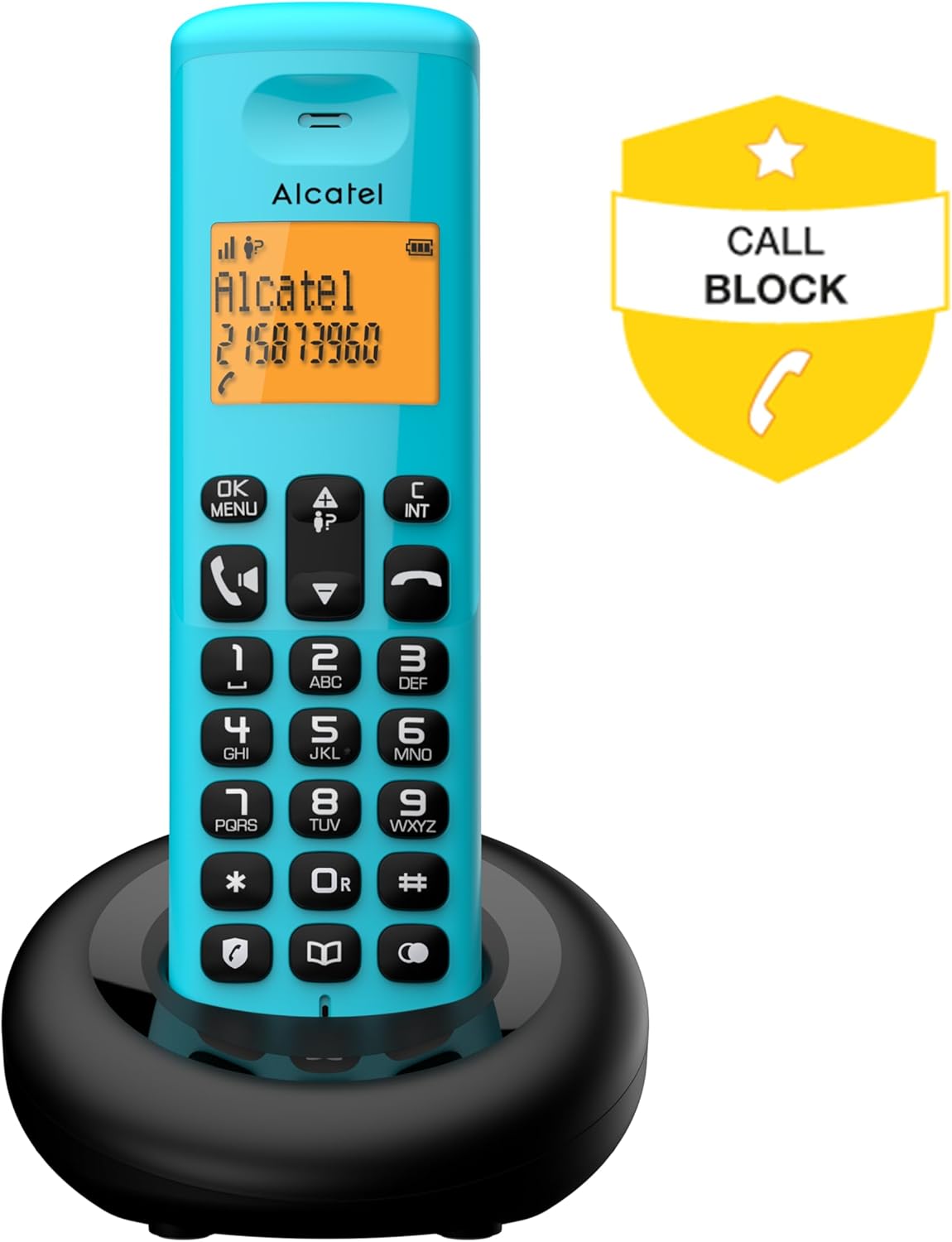
Image 1.1: The ALCATEL E260 DECT Cordless Phone, highlighting its call blocking feature.
2. Safety Information
Observe the following safety precautions to prevent damage to the phone and ensure user safety:
- Use only the provided power adapter and batteries.
- Do not expose the phone to water or moisture.
- Avoid placing the phone near heat sources or direct sunlight.
- Do not attempt to open or repair the phone yourself. Refer to qualified service personnel.
- Keep the phone out of reach of children.
3. Package Contents
Verify that all items are present in the package:
- 1x ALCATEL E260 Handset
- 1x Base Station
- 1x Power Adapter
- 1x Telephone Line Cord
- 2x AAA Rechargeable Batteries
- 1x User Manual (this document)

Image 3.1: Overview of the ALCATEL E260 DECT Cordless Phone package contents, including handset, base, power adapter, line cord, and batteries.
4. Setup
4.1. Battery Installation
- Locate the battery compartment cover on the back of the handset.
- Slide the cover downwards to open.
- Insert the two AAA rechargeable batteries, observing the correct polarity (+/-).
- Replace the battery compartment cover.

Image 4.1: The rear of the ALCATEL E260 handset, indicating the location for battery installation.
4.2. Base Station Connection
- Connect the telephone line cord to the LINE port on the base station and to your telephone wall socket.
- Connect the power adapter to the DC IN port on the base station and then plug it into a power outlet.
- Place the handset on the base station to charge the batteries. Allow at least 15 hours for the initial charge.

Image 4.2: Side view of the ALCATEL E260 base station, showing connection points for the power adapter and telephone line.
4.3. Handset Registration
Your handset is pre-registered to the base station. If registration is lost or you are adding an additional handset, follow these steps:
- On the base station, press and hold the registration button (usually marked with a signal icon) for approximately 5 seconds until the indicator light flashes.
- On the handset, press the MENU/OK button, navigate to 'Registration' (or similar), and press OK.
- Enter the system PIN (default is 0000) and press OK.
- A confirmation message will appear on the handset screen upon successful registration.
5. Operating Instructions

Image 5.1: The front of the ALCATEL E260 handset, displaying its backlit screen and keypad for operation.
5.1. Making Calls
- Direct Dialing: Enter the phone number using the keypad and press the Call button (green handset icon).
- Pre-dialing: Enter the phone number first, then press the Call button.
- From Phonebook: Press the Phonebook button (book icon), navigate to the desired contact, and press the Call button.
- Speed Dial: Press and hold keys 1, 2, or 3 for quick access to pre-stored numbers.
5.2. Receiving Calls
When the phone rings, press the Call button (green handset icon) to answer. To end a call, press the End Call button (red handset icon) or place the handset back on the base station.
5.3. Hands-Free Function
During a call, press the Hands-Free button (speaker icon) to activate the speakerphone. Press it again to return to normal handset mode.
5.4. Phonebook Management
The phonebook can store up to 50 contacts.
- Add Contact: Press MENU/OK, navigate to 'Phonebook', then 'Add New'. Enter the name and number, then save.
- Edit Contact: Access the phonebook, select the contact, press MENU/OK, and choose 'Edit'.
- Delete Contact: Access the phonebook, select the contact, press MENU/OK, and choose 'Delete'.
5.5. Call Blocking
The ALCATEL E260 allows you to block up to 50 unwanted numbers.
- During an incoming call from an unwanted number, press the dedicated Call Block button (shield icon).
- Alternatively, access the 'Call Block' menu via MENU/OK to manually add numbers to the block list or review blocked numbers.

Image 5.2: The ALCATEL E260 handset, illustrating the call block function for managing unwanted calls.
5.6. Last Call List
The phone stores a list of the last 20 incoming and outgoing calls. Press the Call Log button (up/down arrow icon) to access this list. You can redial numbers directly from this list.
6. Maintenance
- Clean the phone's surface with a soft, damp cloth. Do not use abrasive cleaners or solvents.
- Ensure the charging contacts on the handset and base station are clean to maintain proper charging.
- If the phone will not be used for an extended period, remove the batteries from the handset.
7. Troubleshooting
| Problem | Solution |
|---|---|
| No dial tone | Check if the telephone line cord is securely connected to the base station and wall socket. Ensure the power adapter is plugged in. |
| Handset not charging | Ensure the handset is correctly placed on the base station. Clean the charging contacts. Verify the power adapter is connected. |
| Poor call quality/static | Move the handset closer to the base station. Ensure no other electronic devices are causing interference. |
| Cannot make/receive calls | Check if the handset is registered to the base station. Restart the base station by unplugging and replugging the power adapter. |
8. Specifications
- Brand: Alcatel
- Model: E260
- Phone Type: DECT Cordless Phone
- Color: Blue
- Display: 2-line Backlit Screen (Orange)
- Phonebook Capacity: 50 Contacts
- Call Log: Last 20 calls
- Call Blocking: Up to 50 numbers
- Hands-Free Function: Yes
- Batteries: 2x AAA Rechargeable (included)
- Material: Acrylonitrile Butadiene Styrene (ABS) Plastic
- Power Source: Electric Cable
- Dimensions (L x W x H): 10 x 10 x 17 cm (approximate)
- Compatible Devices: DECT
9. Warranty and Support
For warranty information and technical support, please refer to the documentation provided with your purchase or visit the official Alcatel website. Keep your proof of purchase for warranty claims.