
1. Introduction to Your Bodyclock Luxe 700FM
The Lumie Bodyclock Luxe 700FM is an advanced wake-up light designed to enhance your sleep and waking experience. It simulates natural light changes, helping to regulate your body's circadian rhythm. This device combines a gradual sunrise and sunset, FM radio, high-quality Bluetooth speakers, and a low-blue light feature for optimal sleep preparation.
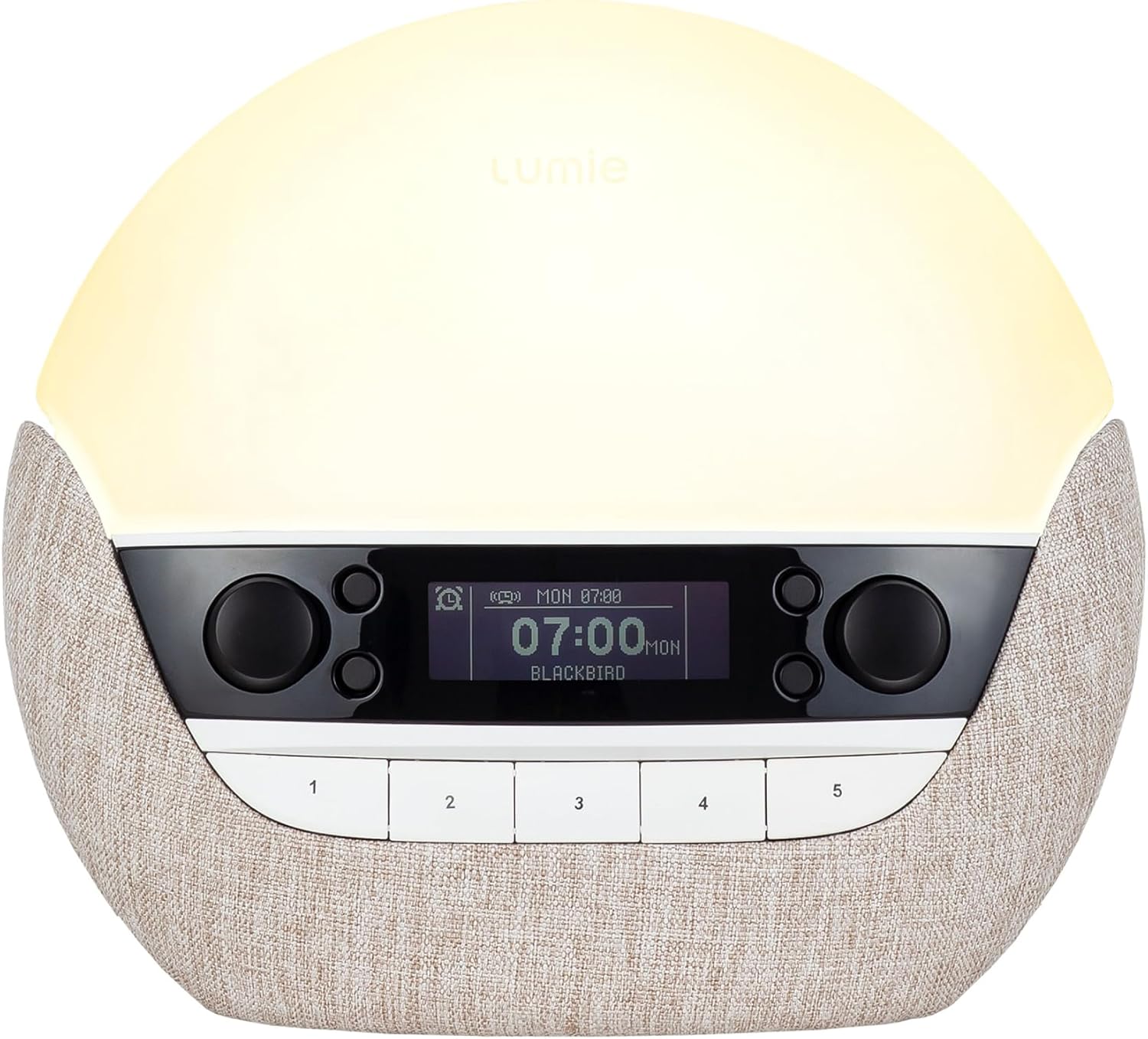
Figure 1: Front view of the Lumie Bodyclock Luxe 700FM, displaying the time and current sound setting.
2. Key Features
- Gradual Sunrise Simulation: Customizable duration (15-90 minutes) and final light intensity to gently wake you.
- Gradual Sunset Simulation: Customizable duration (15-90 minutes) with low-blue light to prepare your body for sleep.
- FM Radio: Integrated FM radio for wake-up sounds or listening.
- Bluetooth Speakers: High-quality speakers for streaming audio from your devices.
- 20+ Sleep and Wake Sounds: A variety of natural sounds to aid in waking and relaxation.
- Tap-Control Snooze: Easy snooze function by tapping the device.
- Light-Sensitive Display: Automatic dimming of the display in dark environments.
- Dimmable Bedroom Lighting: Full range dimming using mixed LEDs to mimic natural light.
- 7-Day Alarm Setting: Configure alarms for specific days of the week.
3. Setup Guide
3.1 Unpacking and Placement
Carefully remove the Bodyclock Luxe 700FM from its packaging. Place the device on a stable, flat surface, such as a bedside table, ensuring it is within reach of a power outlet. For optimal effect, position the light so it can illuminate your sleeping area.

Figure 2: Rear view of the device, highlighting the extendable FM antenna and power input.
3.2 Power Connection
Connect the provided power adapter to the DC input port on the back of the Bodyclock Luxe 700FM, then plug the adapter into a wall socket. The device display will illuminate, indicating it is powered on.
3.3 Initial Time Setting
Upon first use or after a power outage, you may need to set the current time. Refer to the on-screen prompts and use the control knobs/buttons to adjust the hour and minute. The light-sensitive display will automatically adjust its brightness based on ambient light conditions.
4. Operating Instructions
4.1 Setting a Sunrise Alarm
The sunrise feature gradually brightens your room, mimicking a natural dawn to gently wake you. This process can last between 15 and 90 minutes, reaching your chosen final light intensity.
- Press the 'Alarm' button to enter alarm setup.
- Select your desired wake-up time.
- Choose the sunrise duration (15-90 min) and final light intensity.
- Select a wake sound (e.g., bird song, FM radio) or choose to wake with light only.
- Confirm your settings. The light will begin to brighten at the set duration before your alarm time.

Figure 3: The Bodyclock Luxe 700FM simulating a bright sunrise.
4.2 Setting a Sunset Program
The sunset feature gradually dims the light and can play relaxing sounds, helping you unwind and prepare for sleep. The low-blue light option minimizes alerting light before bedtime.
- Press the 'Sunset' button to enter sunset setup.
- Choose the sunset duration (15-90 min).
- Select a relaxing sleep sound or FM radio, or choose light only.
- Activate the low-blue light feature for enhanced relaxation.
- Confirm your settings. The light will gradually dim over the set duration.
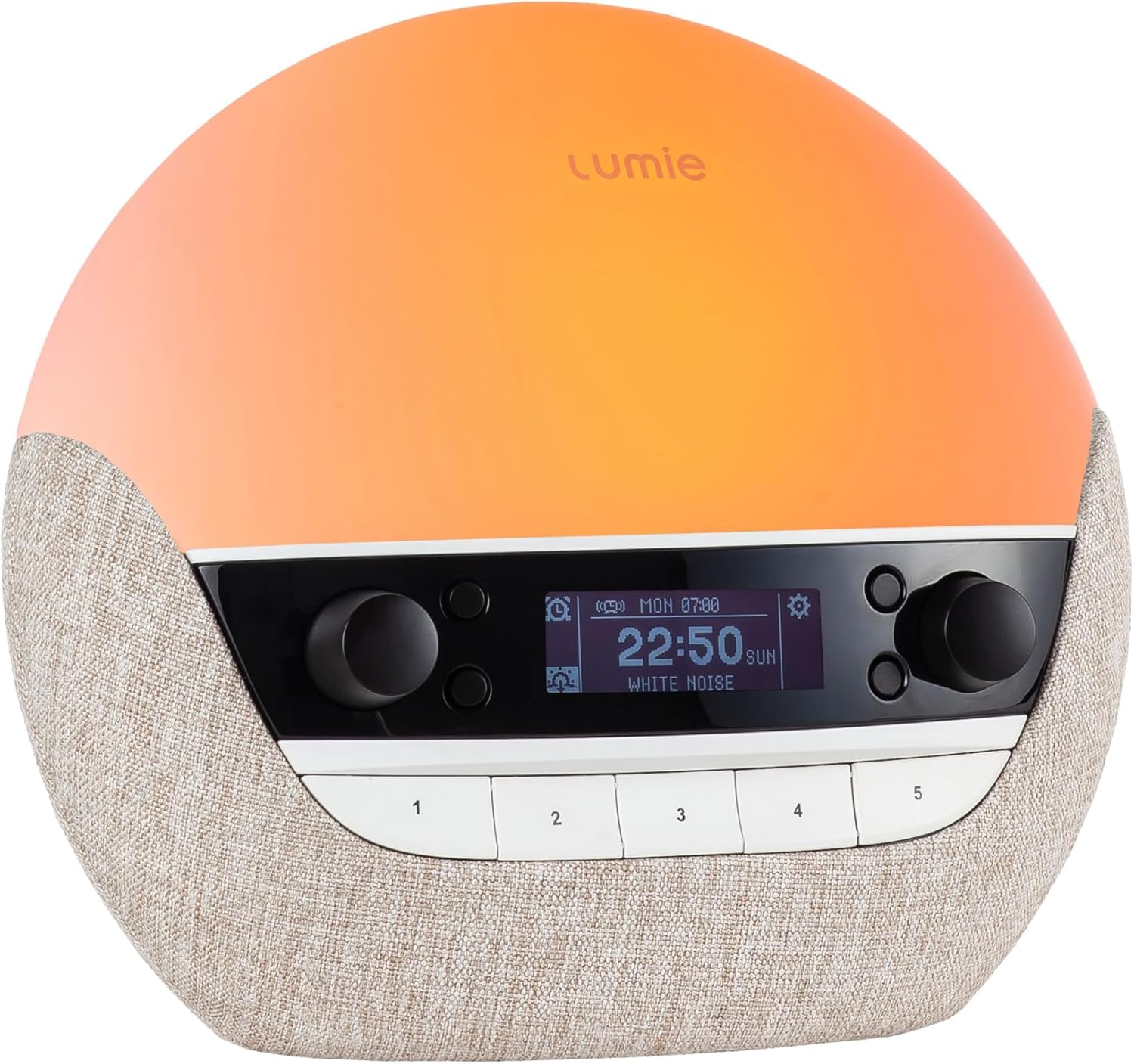
Figure 4: The Bodyclock Luxe 700FM simulating a warm sunset.
4.3 FM Radio Operation
To use the FM radio:
- Extend the antenna on the back of the device for better reception.
- Press the 'Radio' button to turn on the FM radio.
- Use the tuning controls to find your desired station.
- Save favorite stations to preset buttons (1-5) for quick access.
4.4 Bluetooth Speaker Functionality
To connect your device via Bluetooth:
- Ensure Bluetooth is enabled on your smartphone or other audio device.
- Press the 'Bluetooth' button on the Bodyclock Luxe 700FM to enter pairing mode.
- On your audio device, search for 'Lumie Bodyclock Luxe' and select to pair.
- Once paired, you can stream audio directly to the Bodyclock speakers.
4.5 Nightlight and Snooze
- Nightlight: Tap the top of the device to turn on a soft nightlight. Tap again to adjust brightness or turn off.
- Snooze: When an alarm sounds, tap the top of the device to activate the snooze function. The alarm will pause and resume after a set interval (default usually 5-9 minutes, check device settings for customization).
5. Maintenance
To ensure the longevity and optimal performance of your Bodyclock Luxe 700FM, follow these maintenance guidelines:
- Cleaning: Wipe the device with a soft, dry cloth. Do not use abrasive cleaners or solvents.
- Storage: Store the device in a cool, dry place when not in use for extended periods.
- Handling: Handle with care to avoid dropping or physical damage.
6. Troubleshooting
| Problem | Possible Cause | Solution |
|---|---|---|
| Device not powering on | Power adapter not connected or faulty outlet. | Check power connections; try a different outlet. |
| Sunrise/Sunset not activating | Feature not enabled or incorrect time set. | Ensure the alarm/sunset program is active and the time is correctly set. |
| No sound from FM radio | Antenna not extended, poor reception, or volume too low. | Extend antenna, try repositioning, increase volume. |
| Bluetooth pairing issues | Device not in pairing mode, or too far from audio source. | Ensure Bodyclock is in pairing mode, move devices closer, try re-pairing. |
| Display too bright/dim | Ambient light sensor interference or manual adjustment needed. | Ensure sensor is not blocked. Adjust display brightness manually if auto-dimming is not sufficient. |
7. Specifications
| Feature | Detail |
|---|---|
| Product Dimensions | 5.1 x 9.1 x 7.9 inches |
| Item Weight | 4.67 pounds |
| Model Number | a8ce76c7-4281-40b0-8fa5-2cc2153e3aca |
| Brand | Lumie |
| Color | Pebble |
| Special Feature | Dimmable |
| Connectivity Technology | Bluetooth |
| Tuner Technology | FM |
| Radio Bands Supported | FM |
| Frequency | 108 MHz |
| Speaker Maximum Output Power | 6E+1 Watts |
8. Product Overview Video
Watch this video for a user's perspective on the Lumie Bodyclock Luxe 700FM, demonstrating its features and benefits.
Video Description: A user review of the Lumie Bodyclock Luxe 700FM, showcasing its light and sound features for waking and sleeping.
9. Warranty and Support
For warranty information, product registration, or technical support, please visit the official Lumie website or contact their customer service. Keep your proof of purchase for any warranty claims.
Online Support: Visit the Lumie Store on Amazon


