
Jocca Jocca Standventilator
Jocca Foldable Pedestal Fan User Manual
Model: Jocca Standventilator
1. Product Overview
The Jocca Foldable Pedestal Fan is a versatile and portable cooling solution designed for convenience and efficiency. It can be used as both a table fan and a pedestal fan, with an adjustable height ranging from 36 cm to 97.5 cm. Equipped with a 7200mAh rechargeable battery, it offers extended operation up to 24 hours. The fan features 3 speed settings and 4 wind modes, all controllable via an included remote control, ensuring a personalized cooling experience. Its compact, foldable design makes it easy to transport and store.

Image: The Jocca Foldable Pedestal Fan in its extended pedestal configuration, shown with its remote control. The fan is white with a circular head and a sturdy base.
2. Safety Instructions
Please read all safety instructions carefully before using the fan. Failure to follow these instructions may result in electric shock, fire, or serious injury.
- General Safety:
- Do not insert fingers or any objects into the fan grille when it is operating.
- Keep the fan away from water and other liquids. Do not use it in wet or damp environments.
- Ensure the power adapter and cable are not damaged. If damaged, contact customer support.
- Do not block the air inlets or outlets.
- This appliance is not intended for use by persons (including children) with reduced physical, sensory or mental capabilities, or lack of experience and knowledge, unless they have been given supervision or instruction concerning use of the appliance by a person responsible for their safety.
- Children should be supervised to ensure that they do not play with the appliance.
- Battery Safety:
- Use only the charging cable provided or a compatible 5V/2A adapter.
- Do not expose the battery to extreme temperatures (above 60°C or below 0°C).
- Do not disassemble, puncture, or short-circuit the battery.
- If the battery leaks, avoid contact with skin and eyes. Rinse thoroughly with water and seek medical attention.
- Dispose of the battery according to local regulations.
3. Package Contents
Please check the package contents upon unboxing:
- 1 x Jocca Foldable Pedestal Fan (Main Unit)
- 1 x Remote Control
- 1 x USB Charging Cable (Type-C)
- 1 x User Manual (this document)

Image: The white remote control for the Jocca fan, showing power, fan speed, and timer buttons.
4. Setup
- Unfolding the Fan:
Gently pull the fan head upwards from the base. The telescopic rod will extend. Adjust the height to your desired level, from a compact 36 cm for table use to a maximum of 97.5 cm for pedestal use. Ensure the fan head is securely locked in place at the desired angle.

Image: A sequence showing the Jocca fan extending its telescopic rod to adjust height, illustrating its versatility from a compact unit to a full-size pedestal fan.
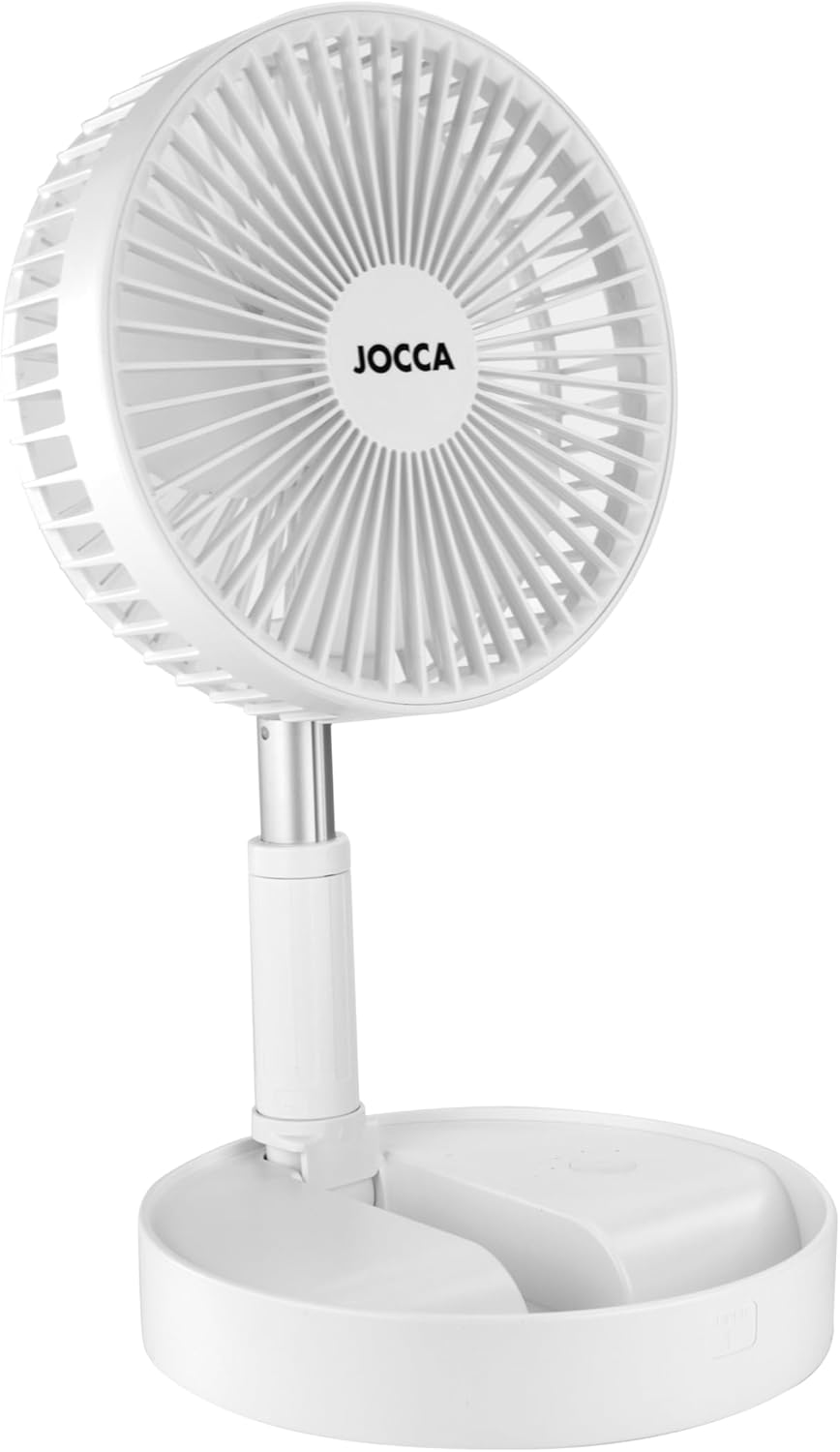
Image: The Jocca fan in its fully folded, compact state, ready for easy storage or transport.
- Initial Charging:
Before first use, fully charge the fan. Connect the USB charging cable to the charging port on the fan's base and plug the other end into a compatible USB power adapter (e.g., 5V/2A phone charger, not included). The charging indicator light will show the charging status. A full charge typically takes several hours.
5. Operating Instructions
5.1 Power On/Off
- On Fan Base: Press the power button located on the fan base to turn the fan on or off.
- Using Remote Control: Press the Power button on the remote control to turn the fan on or off.
5.2 Adjusting Fan Speed and Mode
- On Fan Base: Press the fan speed button on the base to cycle through the 3 speed settings and 4 wind modes.
- Using Remote Control: Press the Fan Speed button (icon with fan blades) on the remote control to cycle through the available speeds and modes.
5.3 Timer Function
- Using Remote Control: Press the Timer button (icon with clock) on the remote control to set a timer for automatic shutdown. Refer to the fan's display or indicator lights for timer settings.
5.4 Adjusting Fan Head Angle
The fan head can be manually tilted up or down to direct airflow as desired. Gently adjust the head to the preferred angle.

Image: A side view of the Jocca fan, demonstrating its ability to tilt the fan head for adjustable airflow direction.
6. Maintenance
6.1 Cleaning
- Always unplug the fan before cleaning.
- Use a soft, damp cloth to wipe the exterior surfaces of the fan.
- Do not use abrasive cleaners, solvents, or harsh chemicals.
- For the fan blades, carefully remove the front grille (if detachable) and wipe the blades with a dry or slightly damp cloth. Ensure all parts are completely dry before reassembling and using the fan.
6.2 Storage
When not in use for an extended period, fold the fan into its compact form and store it in a cool, dry place, away from direct sunlight and extreme temperatures. It is recommended to fully charge the battery before storing to maintain battery health.

Image: The Jocca fan fully collapsed and folded, demonstrating its compact size for easy storage or portability.
7. Troubleshooting
| Problem | Possible Cause | Solution |
|---|---|---|
| Fan does not turn on. | Battery is depleted. Power button not pressed correctly. | Charge the fan fully. Press the power button firmly. |
| Weak airflow. | Fan speed is too low. Air inlets/outlets are blocked. Fan blades are dirty. | Increase fan speed. Ensure nothing is obstructing airflow. Clean the fan blades and grilles. |
| Remote control not working. | Battery in remote is dead. Obstruction between remote and fan. | Replace remote control battery (if applicable, usually CR2025 or similar). Ensure clear line of sight to the fan's receiver. |
| Fan makes unusual noise. | Foreign object inside the fan. Fan not placed on a stable surface. | Turn off and unplug the fan. Carefully check for and remove any foreign objects. Place the fan on a flat, stable surface. |
If the problem persists after trying the above solutions, please contact Jocca customer support.
8. Specifications
| Feature | Detail |
|---|---|
| Model Number | Jocca Standventilator |
| Dimensions (Folded) | Approximately 19.7 cm (Diameter) x 9.3 cm (Height) |
| Dimensions (Extended) | 98P x 40l x 40H centimeters (Max Height: 97.5 cm) |
| Weight | 1 Kilogram |
| Battery Capacity | 7200mAh |
| Operating Time | Up to 24 hours (depending on speed/mode) |
| Power | 4.8 Watts |
| Control Method | Buttons on base, Remote Control |
| Speed Settings | 3 Speeds |
| Wind Modes | 4 Modes |
| Color | White |

Image: A diagram illustrating the dimensions of the Jocca fan, showing its adjustable height up to 97.5 cm and base diameter of 19.7 cm.
9. Warranty and Support
Jocca products are manufactured to high-quality standards. This product comes with a standard manufacturer's warranty, typically one year from the date of purchase, covering defects in materials and workmanship under normal use.
For warranty claims, technical support, or any questions regarding your Jocca Foldable Pedestal Fan, please contact Jocca customer service through the retailer where you purchased the product or visit the official Jocca website for contact information.
Please retain your proof of purchase for warranty purposes.
Related documentsJocca Standventilator

Ask a question about this manual
Ask about setup, troubleshooting, compatibility, parts, safety, or missing instructions. Manuals+ will review the question and use this page’s manual context to help answer it.