
Bulova Clocks B1882
Bulova Travel Hack Alarm Clock User Manual
Model: B1882
Introduction
Thank you for choosing the Bulova Travel Hack Alarm Clock, Model B1882. This vintage-inspired, compact alarm clock is designed for convenience and reliability, whether you're traveling or using it as a desk clock. Its unique flip cover protects the clock face and provides a stable base for display. This manual provides detailed instructions for setup, operation, maintenance, and troubleshooting to ensure optimal performance of your new clock.

Figure 1: The Bulova Travel Hack Alarm Clock (Model B1882) in its open, ready-to-use position, showcasing its blue dial and polished silver casing.
Product Features
- Flip Cover Design: The robust metal flip cover protects the clock face during travel and transforms into a stable stand when opened, allowing the clock to sit upright.

Figure 2: The clock in its closed, compact state, ideal for travel protection.
- Vintage-Inspired Blue Dial: Features clear white numerals on a distinctive blue background, drawing inspiration from the classic Bulova Hack watch.
- Accurate Quartz Movement: Equipped with a precise quartz movement, including a seconds hand that accurately steps off each passing second.
- Electronic Rapid Beep Alarm: Provides a clear and effective rapid beep alarm to ensure timely wake-ups.
- Mirror-Polished Finish: The cast metal case features a mirror-plated high-polish finish, offering an elegant and durable exterior.
- Protective Glass Lens: The dial is safeguarded by a clear glass lens, secured by a raised accent bezel.
- Personalization Options: Includes an additional engraving plate and a mirror-polished stainless steel cover plate suitable for custom engraving or printing.

Figure 3: Example of the clock's back cover, illustrating the potential for personalization.
- Travel Pouch Included: Comes with a black velveteen travel pouch for added protection during transit.
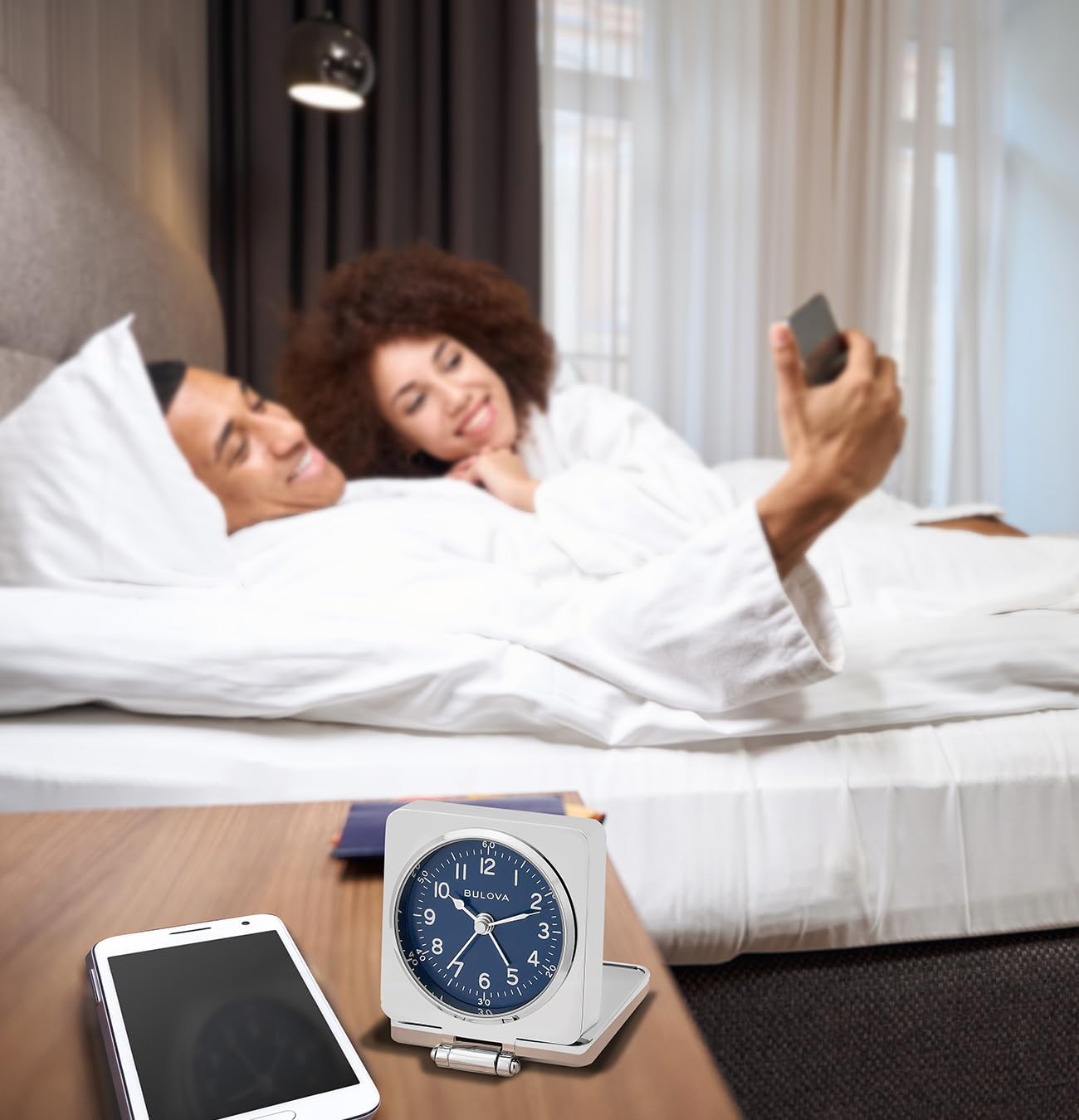
Figure 4: The included black velveteen travel pouch for protecting your clock.
- Compact Dimensions: Measures 3/4" H (closed), 2 5/8" H (open) x 2 3/8" W x 2 3/4" D.

Figure 5: Dimensional overview of the clock, highlighting its compact size.
Setup
Your Bulova Travel Hack Alarm Clock comes with one LR44 battery included. Follow these steps to prepare your clock for use:
- Battery Installation:
Open the clock's back cover. Locate the battery compartment. Insert one LR44 battery, ensuring the correct polarity (+/-) as indicated inside the compartment. Close the battery compartment securely.

Figure 6: Rear view of the clock, showing the battery compartment and control knobs.
- Setting the Time:
On the back of the clock, locate the time setting knob (often labeled "TIME SET" or with a clock icon). Rotate this knob clockwise or counter-clockwise until the hour and minute hands display the correct time. Ensure the time is set accurately for both AM and PM if applicable (though this is an analog clock, consider the 12-hour cycle for alarm setting).
- Setting the Alarm:
Locate the alarm setting knob (often labeled "ALARM SET" or with an alarm icon). Rotate this knob to set the desired alarm time. The alarm hand will move independently. Be mindful of the 12-hour cycle when setting the alarm (e.g., 7 AM vs. 7 PM).
Operating Instructions
- Activating/Deactivating the Alarm:
On the back of the clock, locate the alarm ON/OFF switch (often a small slider). Slide the switch to the "ON" position to activate the alarm. Slide it to the "OFF" position to deactivate the alarm.
- Using the Flip Cover:
To use the clock, gently open the flip cover until it forms a stable base. The clock face will be upright. To protect the clock for travel or storage, simply close the flip cover over the clock face.
- Snooze Function:
This model does not feature a snooze function. To stop the alarm, slide the alarm ON/OFF switch to the "OFF" position.
Maintenance
- Cleaning:
Wipe the clock's exterior with a soft, dry cloth. Do not use abrasive cleaners or solvents, as they may damage the finish or the glass lens. Avoid getting moisture inside the clock.
- Battery Replacement:
When the clock's movement becomes sluggish or the alarm weakens, it's time to replace the LR44 battery. Follow the battery installation steps outlined in the "Setup" section.
- Storage:
When not in use for extended periods, it is recommended to remove the battery to prevent leakage and potential damage to the clock's internal components. Store the clock in its protective velveteen pouch in a cool, dry place.
Troubleshooting
| Problem | Possible Cause | Solution |
|---|---|---|
| Clock not running or running slowly. | Low or dead battery. Incorrect battery installation. | Replace the LR44 battery, ensuring correct polarity. |
| Alarm not sounding. | Alarm switch is OFF. Alarm time not set correctly. Low battery. | Ensure alarm switch is ON. Re-set alarm time. Replace battery. |
| Clock hands are stuck or not moving smoothly. | Internal mechanism issue (rare). | If battery replacement does not resolve the issue, contact Bulova customer support for assistance. |
Specifications
| Feature | Detail |
|---|---|
| Brand | Bulova Clocks |
| Model Number | B1882 |
| Display Type | Analog |
| Movement | Quartz |
| Power Source | 1 x LR44 Battery (included) |
| Dimensions (Closed) | 0.75" H x 2.38" W x 2.75" D (1.905 cm H x 6.033 cm W x 6.985 cm D) |
| Dimensions (Open) | 2.63" H x 2.38" W x 2.75" D (6.668 cm H x 6.033 cm W x 6.985 cm D) |
| Weight | 9.3 ounces |
| Material | Cast Metal (Mirror-Polished Finish) |
| Dial Color | Blue |
| Special Features | Alarm, Foldable Flip Cover, Personalization Ready |
Official Product Video
Video: A 360-degree view of the Bulova Travel Hack Alarm Clock in its open position, showcasing its design and features from all angles.
Warranty and Support
For warranty information, please refer to the documentation included with your purchase or visit the official Bulova Clocks website. If you require technical support or have questions not covered in this manual, please contact Bulova customer service through their official channels.
You can often find contact information on the product packaging or on the manufacturer's website: www.bulova.com
Related documentsB1882

Ask a question about this manual
Ask about setup, troubleshooting, compatibility, parts, safety, or missing instructions. Manuals+ will review the question and use this page’s manual context to help answer it.