Introduction
The ThermaFlex Mini Massage Stick is a compact, intelligent low-frequency pulse therapy device designed for targeted muscle relief and relaxation. Utilizing TENS/EMS electronic pulse technology, it offers a versatile solution for various body parts. This manual provides essential information for safe and effective use of your device.
Important Safety Information
Please read all instructions carefully before using the ThermaFlex Mini Massage Stick. Retain this manual for future reference.
- Do not use if you have a pacemaker, implanted defibrillator, or other metallic or electronic implanted devices.
- Consult a physician before use if you are pregnant, have heart disease, epilepsy, cancer, or any acute disease.
- Do not apply to the head, face, throat, or over the heart.
- Keep out of reach of children.
- Do not use on broken or irritated skin.
- Discontinue use if you experience discomfort or adverse reactions.
Package Contents
- ThermaFlex Mini Massage Stick (Main Unit with attached pads)
- USB Charging Cable
- User Manual (this document)
Setup
1. Charging the Device
Before first use, fully charge the device. Connect the provided USB charging cable to the charging port on the massage stick and to a standard USB power source (e.g., computer, wall adapter). The indicator light will show charging status and turn off or change color when fully charged.

Image Description: A close-up view of the ThermaFlex Mini Massage Stick, showing its compact design and the included USB charging cable. One device is shown attached to a person's neck, while another is displayed separately with the charging cable, illustrating the charging process.
2. Preparing the Pads
The massage stick comes with integrated hydrogel pads. Ensure the protective film is removed from the pads before application. The pads are designed to be skin-friendly and adhere securely to the body.

Image Description: The ThermaFlex Mini Massage Stick shown with one of its hydrogel pads being peeled back, demonstrating the removal of the protective film before use. The device is compact and features a central control unit with a digital display.
Operating Instructions
1. Application
Clean and dry the skin area where you intend to apply the massage stick. Firmly press the adhesive pads onto the desired body part. The device is designed to only activate when properly attached to the skin.
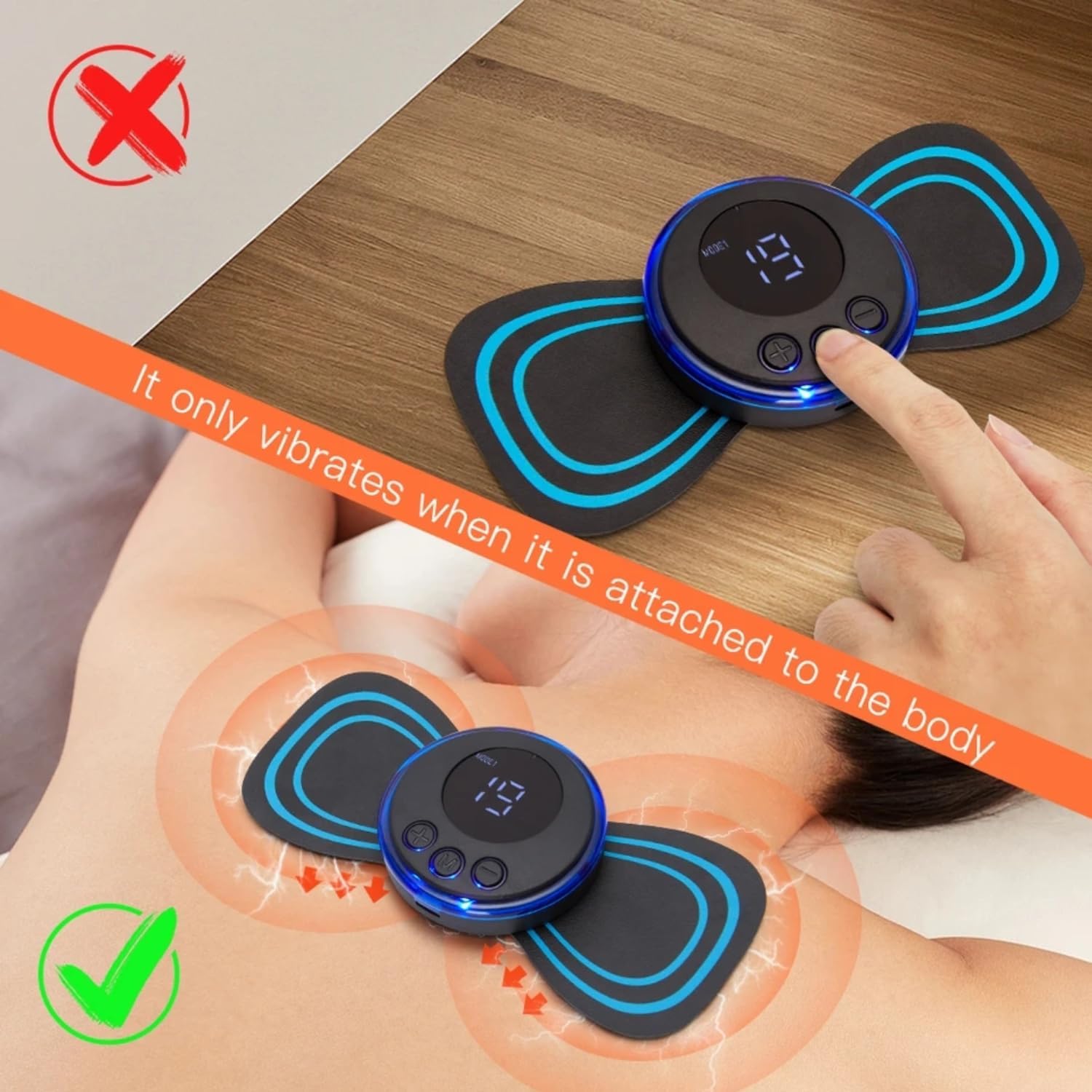
Image Description: An illustration showing the ThermaFlex Mini Massage Stick correctly applied to a person's back, with visual cues indicating the pulse therapy is active. An incorrect application (not attached to body) is also shown with a red 'X', emphasizing that the device only functions when in contact with skin.
2. Power On/Off
Press and hold the power button (usually marked with a power symbol or 'M' for Mode/Power) for a few seconds to turn the device on or off. The digital display will illuminate upon activation.
3. Mode Selection
Once powered on, press the 'M' button (Mode button) to cycle through the available massage modes. The device features five distinct massage modes (e.g., kneading, tapping, acupuncture, massage, combination). The current mode number will be displayed on the screen.
4. Intensity Adjustment
Use the '+' and '-' buttons to increase or decrease the intensity of the pulse therapy. The device offers 19 levels of intensity. Start with a low intensity and gradually increase to a comfortable level. The intensity level will be shown on the digital display.
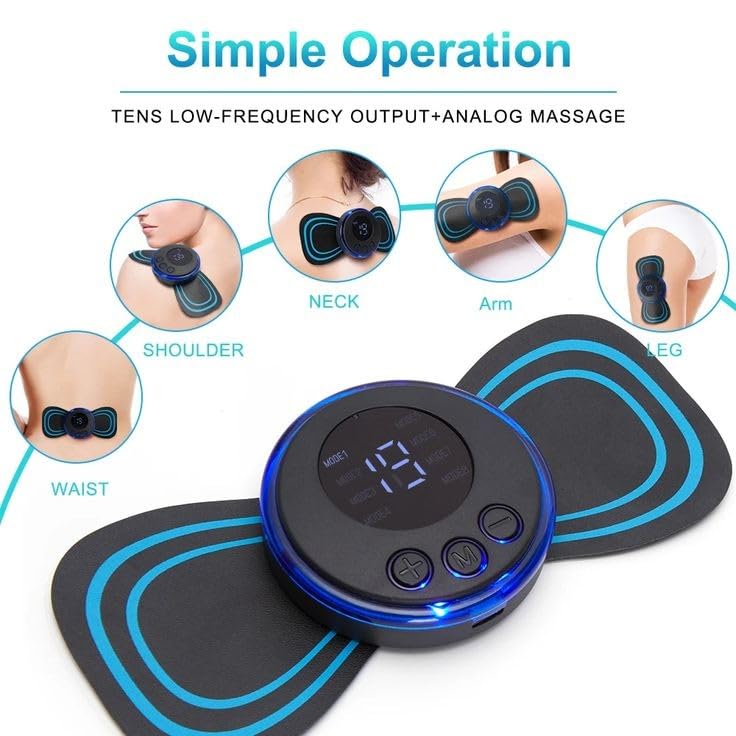
Image Description: A close-up of the ThermaFlex Mini Massage Stick's control panel, highlighting the digital display showing an intensity level (e.g., '19') and the '+' and '-' buttons for intensity adjustment, along with the 'M' button for mode selection. Surrounding images illustrate various application areas like neck, shoulder, arm, leg, and waist.
5. Recommended Usage Areas
The ThermaFlex Mini Massage Stick is suitable for various body parts, including:
- Neck
- Shoulders
- Back
- Arms
- Legs
- Waist
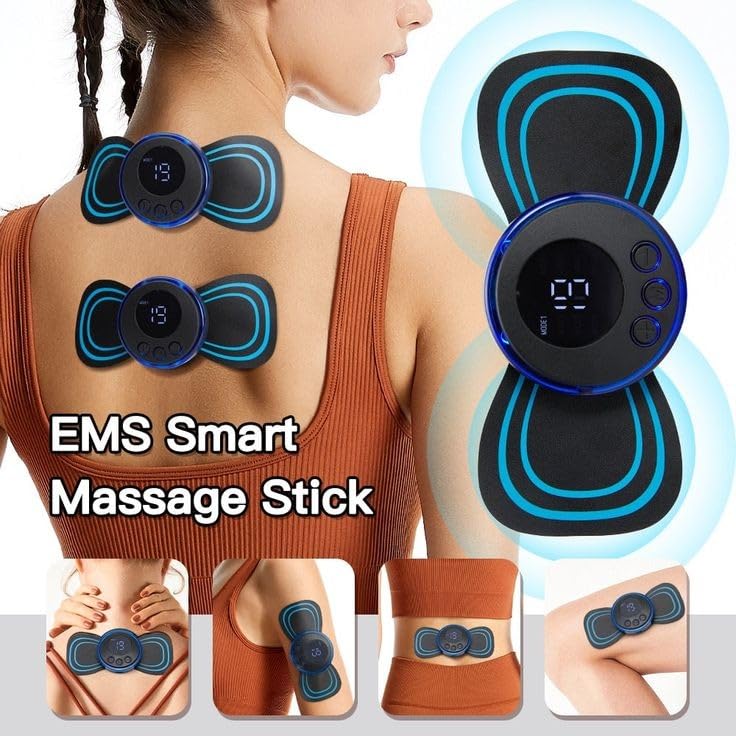
Image Description: A collage demonstrating the versatility of the ThermaFlex Mini Massage Stick, showing it applied to a person's back, waist, arm, and leg, illustrating its use for full-body muscle relief.
Maintenance
1. Cleaning
After each use, gently wipe the adhesive pads with a damp cloth. Do not use harsh chemicals or abrasive cleaners. Ensure the device is completely dry before storing.
2. Storage
Re-attach the protective film to the adhesive pads after cleaning to maintain their stickiness and prolong their lifespan. Store the device in a cool, dry place, away from direct sunlight and extreme temperatures.
3. Pad Replacement
The hydrogel pads are designed for multiple uses but will eventually lose their adhesiveness. Replacement pads can be purchased separately. To replace, carefully peel off the old pads and attach new ones, ensuring proper alignment.
Troubleshooting
| Problem | Possible Cause | Solution |
|---|---|---|
| Device does not turn on. | Battery is low or depleted. | Charge the device using the provided USB cable. |
| No pulse sensation. | Device not properly attached to skin; Intensity too low; Pads have lost adhesiveness. | Ensure pads are firmly pressed onto clean, dry skin. Increase intensity using the '+' button. Replace pads if they no longer adhere well. |
| Pads do not stick well. | Pads are dirty or worn out. | Clean pads with a damp cloth and re-attach protective film after use. Replace pads if cleaning does not restore adhesiveness. |
| Irritation on skin. | Sensitive skin; Prolonged use in one area; Allergic reaction to pad material. | Reduce intensity or duration of use. Ensure skin is clean before application. Discontinue use if irritation persists and consult a physician. |
Specifications
- Model: MA-863
- Power Source: Battery Powered (Rechargeable via USB)
- Massage Modes: 5
- Intensity Levels: 19
- Dimensions (LxWxH): 14.5 x 6.5 x 2 cm
- Item Weight: 100 g
- Material: Plastic, Hydrogel
- Included Components: Charging Cable
Warranty and Support
The ThermaFlex Mini Massage Stick comes with a 1-month warranty from the date of purchase. This warranty covers manufacturing defects. Please retain your proof of purchase for warranty claims.
For technical support, warranty claims, or inquiries, please contact your retailer or the manufacturer's customer service. Contact information may be available on the product packaging or retailer's website.