1. Introduction
Welcome to the user manual for your new Buxton BTW 3300BL Bluetooth In-Ear Earbuds. These earbuds are designed to provide a high-quality audio experience for various activities, from relaxing to active sports. They offer convenient features such as long battery life, quick setup, and intuitive touch controls, including voice assistant activation. Please read this manual carefully to ensure proper use and maintenance of your device.
2. Product Overview
The Buxton BTW 3300BL earbuds come with a compact charging case, ensuring your music is always ready when you are. The package includes the earbuds, the charging case, and a charging cable.

Figure 2.1: The Buxton BTW 3300BL earbuds and their charging case.

Figure 2.2: Close-up view of the Buxton BTW 3300BL earbuds, highlighting the speaker grilles and charging contacts.
3. Setup
3.1 Charging the Earbuds and Case
Before first use, fully charge the earbuds and the charging case. Connect the provided USB-C cable to the charging case and a power source. The earbuds will charge automatically when placed inside the case.
- Charging time for earbuds and case: Approximately 1.5 hours.
- Earbud battery life: Up to 7 hours of continuous playback.
- Total playback time with charging case: Up to 26 hours.

Figure 3.1: The Buxton BTW 3300BL charging case with earbuds, illustrating its compact design and splash resistance.
3.2 Pairing with a Device
- Ensure the earbuds are charged and placed in the charging case.
- Open the charging case. The earbuds will automatically enter pairing mode.
- On your device (smartphone, tablet, etc.), enable Bluetooth.
- Search for "Buxton BTW 3300BL" in the list of available Bluetooth devices.
- Select the earbuds to connect. A voice prompt will confirm successful pairing.
Once paired, the earbuds will automatically connect to the last paired device when removed from the case.
4. Operating Instructions
4.1 Touch Controls
The Buxton BTW 3300BL earbuds feature intuitive touch controls for easy management of your audio and calls. The touch sensitive area is located on the outer surface of each earbud.
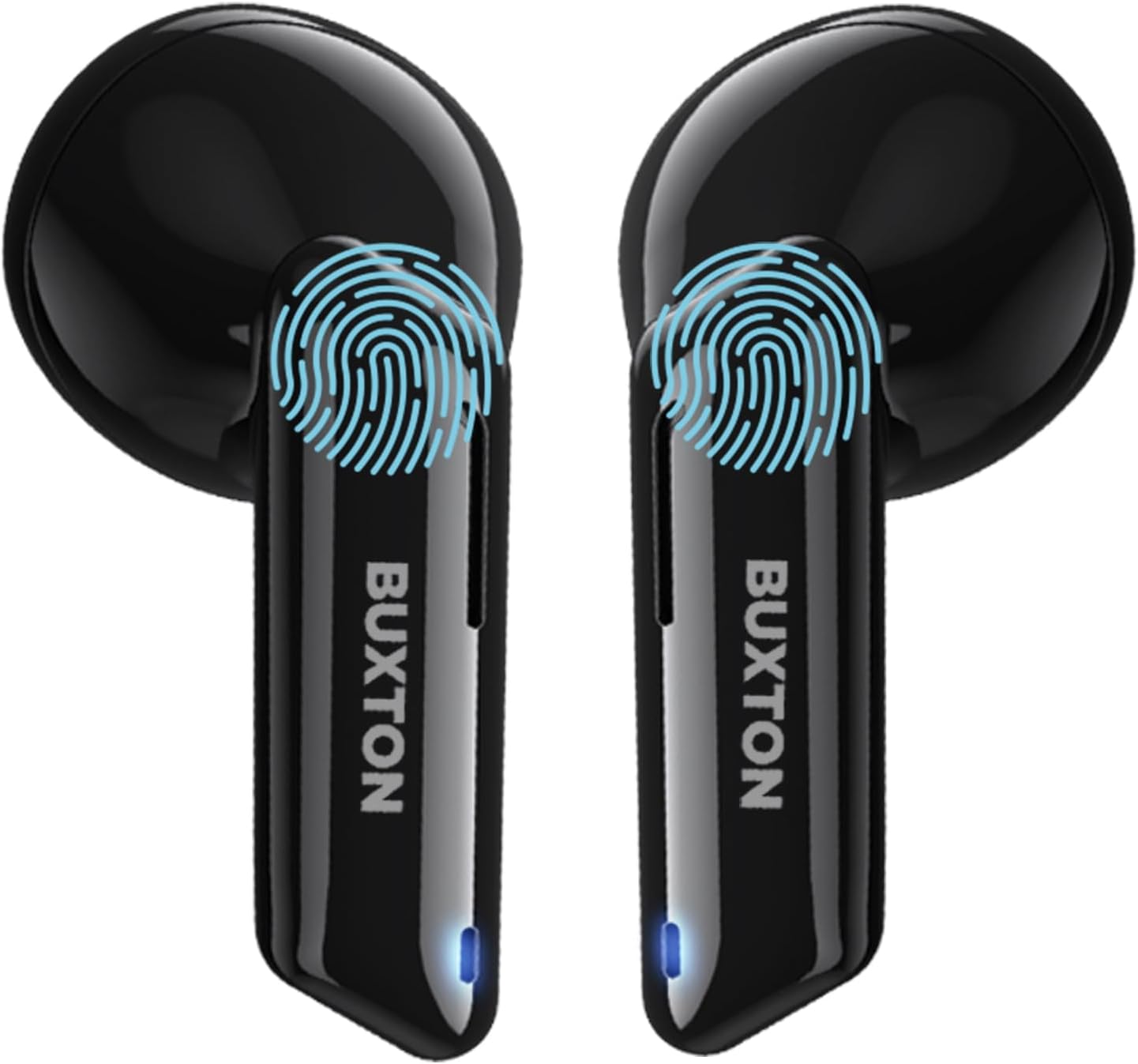
Figure 4.1: Illustration of the touch control areas on the Buxton BTW 3300BL earbuds.
| Action | Function |
|---|---|
| Single Tap (Left/Right) | Play/Pause music, Answer/End call |
| Double Tap (Right) | Next track |
| Double Tap (Left) | Previous track |
| Triple Tap (Left/Right) | Activate Voice Assistant (SIRI / Google Assistant) |
| Long Press (Right) | Volume Up |
| Long Press (Left) | Volume Down |
| Long Press (during call) | Reject call |
4.2 Hands-Free Function
The BTW 3300BL earbuds support hands-free calling, allowing you to take calls without needing to hold your phone. Use the touch controls as described above to answer, end, or reject calls.
5. Maintenance
To ensure the longevity and optimal performance of your Buxton BTW 3300BL earbuds, follow these maintenance guidelines:
- Cleaning: Regularly clean the earbuds and charging case with a soft, dry, lint-free cloth. Do not use abrasive cleaners or solvents.
- Water Resistance: The earbuds are IPX4 splash resistant, meaning they can withstand splashes of water from any direction. They are not designed for submersion in water or exposure to heavy rain. Dry them thoroughly if they get wet.
- Storage: When not in use, store the earbuds in their charging case to protect them from dust and damage.
- Temperature: Avoid exposing the earbuds to extreme temperatures (hot or cold) or high humidity.

Figure 5.1: Buxton BTW 3300BL earbuds and charging case.
6. Troubleshooting
If you encounter any issues with your Buxton BTW 3300BL earbuds, please refer to the following common solutions:
| Problem | Possible Cause / Solution |
|---|---|
| Earbuds not pairing |
|
| No sound from earbuds |
|
| Charging case not charging |
|
| Voice Assistant not responding |
|
7. Technical Specifications
| Feature | Detail |
|---|---|
| Model Number | BTW 3300BL |
| Connectivity Technology | Wireless, Bluetooth |
| Bluetooth Version | Standard Bluetooth (specific version not provided, but compatible with modern devices) |
| Charging Time | Approx. 1.5 hours |
| Earbud Playback Time | Up to 7 hours |
| Total Playback Time (with case) | Up to 26 hours |
| Weight | 30 Grams |
| Water Resistance | IPX4 (Splash Resistant) |
| Impedance | 16 ohms |
| Frequency Response | 45 MHz |
| Sensitivity | 92 dB |
| Material | Plastic |
| Control Type | Touch Control (Volume, Music, Calls, Voice Assistant) |
| Compatible Devices | Phones and other Bluetooth-enabled devices |
| Noise Isolation | Passive Noise Reduction |
8. Warranty and Support
Buxton products are built with quality and reliability in mind.
8.1 Spare Parts Availability
Spare parts for the Buxton BTW 3300BL are guaranteed to be available for 5 years from the date of purchase.
8.2 Customer Support
For any questions, technical assistance, or warranty claims, please contact Buxton customer support through their official website or the retailer where you purchased the product. Please have your model number (BTW 3300BL) and proof of purchase ready.
Website: www.buxton.cz (Please note: This is a general link to the brand's website, specific support contact details may vary by region.)