
Boult Z40 Ultra Black
Boult Z40 Ultra ANC Earbuds User Manual
Model: Z40 Ultra Black
Introduction
The Boult Z40 Ultra ANC in-ear earbuds are designed to provide a superior audio experience with advanced features such as Active Noise Cancellation, Dual Device Pairing, and extended playtime. This manual provides essential information for setting up, operating, maintaining, and troubleshooting your earbuds to ensure optimal performance and longevity.

Image: The Boult Z40 Ultra ANC earbuds resting in their open charging case, showcasing the sleek black design with bronze accents and the 'ANC' branding on the case.
What's in the Box
Upon unboxing your Boult Z40 Ultra ANC earbuds, please verify that all the following components are included:
- User Manual
- Wireless Charging Case
- Warranty Card
- Type-C Fast Charging Cable
- Extra Pair of Eartips
Setup Guide
Initial Charging
Before first use, fully charge the earbuds and the charging case. Connect the provided Type-C cable to the charging port on the case and a compatible power source. The LED indicators on the case will show the charging status.
Pairing with a Single Device (Blink & Pair)
- Open the charging case. The earbuds will automatically enter pairing mode.
- On your device (smartphone, tablet, etc.), enable Bluetooth.
- Search for "Boult Z40 Ultra" in the list of available Bluetooth devices.
- Select it to connect. A voice prompt will confirm successful pairing.

Image: A visual representation of the Boult Z40 Ultra earbuds highlighting the 'Blink & Pair' Bluetooth 5.3 fast pairing feature and the 3 EQ modes.
Dual Device Pairing
The Boult Z40 Ultra supports simultaneous connection to two devices, allowing seamless switching between them.
- Pair your Z40 Ultra with the first device as described above, then turn off the Bluetooth on this device.
- Activate Bluetooth on your second device and connect to "Boult Z40 Ultra".
- Re-enable Bluetooth on the first device.
- You will hear a voice confirmation: "Your earphones are now connected" for both devices.
- You can now enjoy music and calls from both connected devices, with automatic switching based on audio playback.

Image: An instructional diagram illustrating the steps for connecting the Boult Z40 Ultra earbuds to two devices simultaneously, showing a smartphone and a laptop.
Operating Instructions
Touch Controls
The Boult Z40 Ultra earbuds feature intuitive touch-sensitive pads for easy control of music, calls, and features.
| Action | Function (Left Earbud) | Function (Right Earbud) |
|---|---|---|
| Single Tap | Music Play/Pause | Call Receive/End |
| Double Tap | Music Next/Back | Music Next/Back |
| Three Tap | Music Vol-/Vol+ | Music Vol-/Vol+ |
| Long Press (L) | Google/Siri Assistant | N/A |
| Long Press (R) | N/A | Toggle Transparency Mode |
| Four Tap (L) | Game/Music Mode | N/A |
| Four Tap (R) | N/A | Toggle EQ Modes |

Image: A detailed diagram illustrating the tap-sensitive touch controls on the Boult Z40 Ultra earbuds for various functions like music playback, calls, voice assistant, and mode toggling.
Active Noise Cancellation (ANC) and Transparency Mode
The Z40 Ultra features 32dB Active Noise Cancellation to minimize ambient noise, allowing for an immersive listening experience. Transparency Mode allows you to hear your surroundings without removing the earbuds. Toggle between these modes using the touch controls (Long Press on Right Earbud).

Image: A graphic explaining the Active Noise Cancellation feature of the Boult Z40 Ultra, showing how it filters out traffic, office, and ambient noise, with a user demonstrating the earbud in use.
EQ Modes
Customize your audio experience with three distinct Equalizer (EQ) modes: Hi-Fi, Rock, and Bass Boosted. Switch between these modes using the touch controls (Four Tap on Right Earbud) to match your audio preference.
Gaming Mode (Ultra Low Latency)
Activate Combat Gaming Mode for an ultra-low latency of 45ms, ensuring synchronized audio and visuals during gameplay. This mode enhances responsiveness for a competitive edge. Toggle this mode using the touch controls (Four Tap on Left Earbud).

Image: A visual demonstrating the Combat Gaming Mode of the Boult Z40 Ultra, highlighting its 45ms ultra-low latency for enhanced responsiveness during gameplay, with a user playing a video game on a laptop.
Voice Assistant
Access your device's voice assistant (Google Assistant or Siri) by long-pressing the left earbud. This allows for hands-free control and commands.
Maintenance
Charging
To maintain optimal battery life, regularly charge your earbuds and case. The Z40 Ultra offers up to 100 hours of total playtime with the charging case (with ANC off). A full charge takes approximately 100 minutes for both the earbuds and the case.

Image: A visual emphasizing the 100 hours of playtime for the Boult Z40 Ultra earbuds, showing the earbuds and case in a relaxed setting, suggesting extended use without frequent charging.
Water Resistance
The Boult Z40 Ultra earbuds are IPX5 water-resistant, making them splashproof and resistant to light rain and drizzle. They are also sweatproof. However, they are not designed for submersion in water. Avoid exposing them to heavy rain or direct water jets.
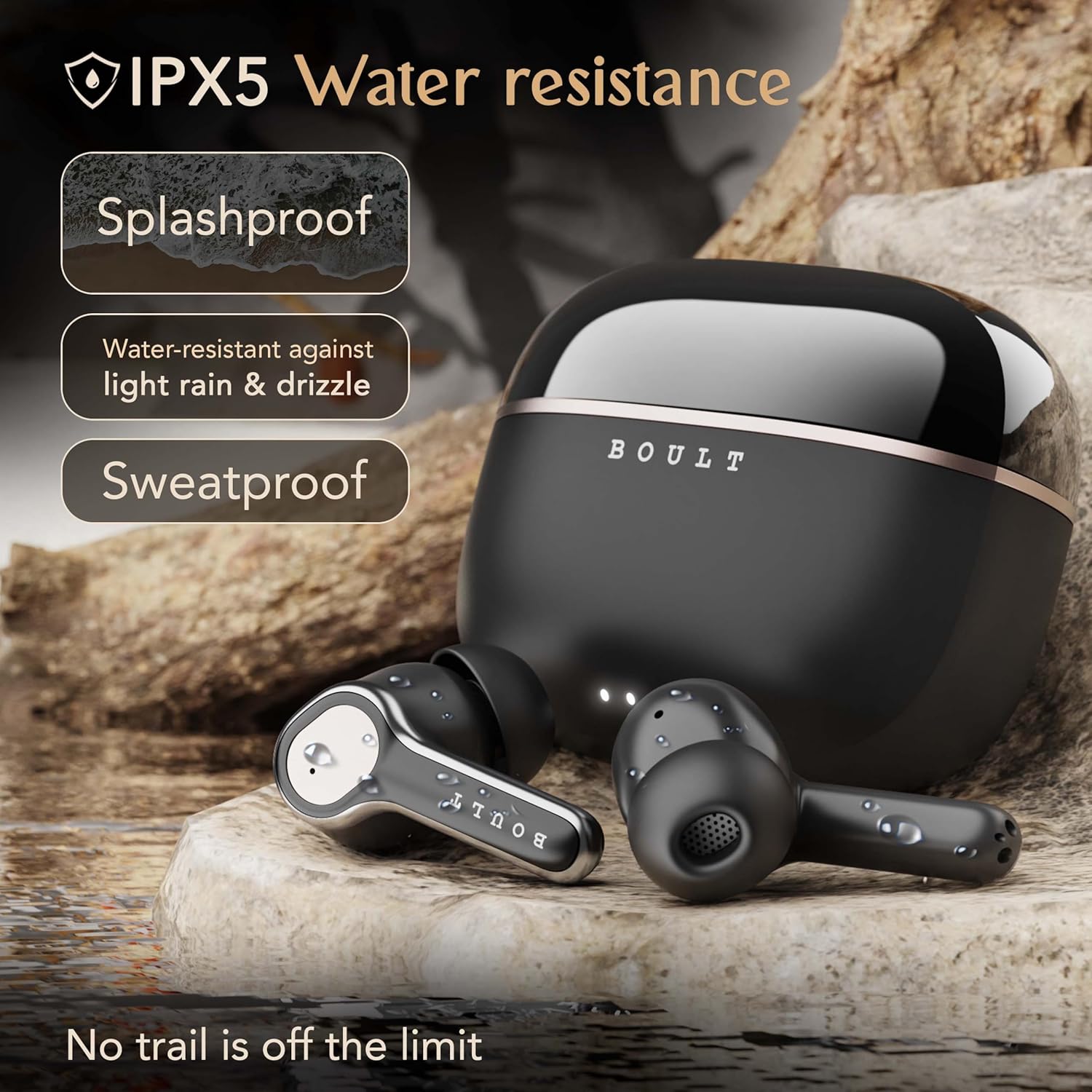
Image: A depiction of the Boult Z40 Ultra earbuds and charging case on a rocky, wet surface, illustrating their IPX5 water resistance, indicating they are splashproof and sweatproof.
Cleaning
Gently wipe the earbuds and charging case with a soft, dry, lint-free cloth. Do not use abrasive cleaners or solvents. For the eartips, remove them and clean with a damp cloth, ensuring they are completely dry before reattaching.
Troubleshooting
If you encounter issues with your Boult Z40 Ultra earbuds, refer to the following common problems and solutions:
- Earbuds not pairing: Ensure both earbuds are in the charging case, then open the lid to activate pairing mode. Check that Bluetooth is enabled on your device and that the earbuds are selected. Try forgetting the device on your phone and re-pairing.
- Only one earbud working: Place both earbuds back into the charging case, close the lid for a few seconds, then open it again. This often re-syncs them. Ensure both earbuds have sufficient charge.
- No sound: Check the volume level on both your device and the earbuds. Ensure the earbuds are properly connected to your device. Try playing audio from a different application or device.
- Poor sound quality: Ensure the earbuds are clean and free of debris. Try different sized eartips for a better seal in your ear canal. Move closer to your connected device to avoid interference.
- Charging issues: Ensure the charging cable is securely connected to both the case and the power source. Check if the charging port is clean. Try a different charging cable or power adapter.
- ANC not effective: Ensure the earbuds are properly seated in your ears to create a good seal. The effectiveness of ANC can vary based on the type of noise.
If the issue persists after trying these steps, please contact Boult customer support for further assistance.
Specifications
Detailed technical specifications for the Boult Z40 Ultra ANC Earbuds:
- Model Name: Airbass (Z40 Ultra)
- Noise Control: Active Noise Cancellation (32dB)
- Connectivity Technology: Wireless, Bluetooth 5.3
- Bluetooth Range: 10 Metres
- Audio Driver Size: 10 Millimetres (Dynamic Driver)
- Frequency Response: 20 Hz - 200 Hz
- Sensitivity: 103 dB
- Impedance: 32 Ohm
- Battery Life (Earbuds + Case): Up to 100 Hours (with ANC off)
- Charging Time: Approximately 100 Minutes
- Audio Latency: 45 Milliseconds (Gaming Mode)
- Microphones: 4 Mics ENC (Environmental Noise Cancellation)
- Water Resistance Level: IPX5 (Splashproof, Sweatproof)
- Control Type: Touch, Voice (Google Assistant, Siri)
- Included Components: Type-C Fast Charging Cable, User Manual, Warranty Card, Extra Pair of Eartips, Wireless Charging Case
- Material: Rubber
- Item Weight: 45 Grams
- Product Dimensions: 5.6 x 5 x 2.9 cm
- Country of Origin: India
Warranty and Support
The Boult Z40 Ultra ANC Earbuds come with a 1 Year Manufacturer's Warranty from the date of purchase. This warranty covers manufacturing defects and ensures product reliability.
For warranty claims, technical support, or any inquiries, please refer to the contact information provided on the Warranty Card included in your product packaging or visit the official Boult website for customer service details.
Related documentsZ40 Ultra Black

Ask a question about this manual
Ask about setup, troubleshooting, compatibility, parts, safety, or missing instructions. Manuals+ will review the question and use this page’s manual context to help answer it.