
1. Introduction
Thank you for choosing the SONGMICS Electric Sit-Stand Desk, model LSD131B01. This manual provides essential information for the safe assembly, operation, and maintenance of your new desk. Please read these instructions carefully before use and retain them for future reference.
2. Safety Instructions
- Ensure all components are present and undamaged before assembly. Do not use if any parts are missing or defective.
- Keep children and pets away from the desk during operation to prevent injury.
- Do not overload the desk. The maximum weight capacity is 70 kg (154 lbs).
- Ensure there are no obstacles in the desk's path during height adjustment. The desk features an obstacle detection system, but caution is advised.
- Only use the provided power adapter. Do not modify the power cord or plug.
- Disconnect power before cleaning or performing any maintenance.
- Avoid spilling liquids on the control panel or electrical components.
- This desk is designed for indoor use only.
3. Package Contents
Please verify that all parts are included in your package. Refer to the assembly diagram provided in your physical packaging for a complete list and identification of components.
- Desktop surface
- Desk frame (legs, crossbar)
- Motor and control box
- Control panel
- Power adapter and cable
- Hardware kit (screws, tools)
- Storage pouch
- Headphone hook
4. Assembly Instructions
Assembly of the SONGMICS Electric Sit-Stand Desk is designed to be straightforward. Follow the detailed, step-by-step instructions and diagrams provided in your physical assembly manual. Ensure all labeled parts are correctly identified and used.
- Unpack Components: Carefully remove all parts from the packaging and lay them out on a clean, soft surface to prevent scratches.
- Assemble the Frame: Attach the lifting columns to the foot supports and then connect the crossbar. Ensure all screws are tightened securely.
- Attach Desktop: Carefully place the desktop upside down on a soft surface. Position the assembled frame onto the desktop and secure it using the provided screws.
- Install Control Box and Motor: Mount the control box and motor according to the diagrams. Connect the motor cable to the control box.
- Connect Control Panel: Attach the control panel to the desired location on the desktop and connect its cable to the control box.
- Install Accessories: Attach the storage pouch and headphone hook as desired.
- Cable Management: Use the provided cable ties or clips to organize and secure all cables, ensuring they do not interfere with the desk's movement.
- Connect Power: Plug the power adapter into the control box and then into a wall outlet.

Image 1: The SONGMICS Electric Sit-Stand Desk integrated into a modern home office environment, showcasing its functional design.
5. Operating Instructions
Your SONGMICS Electric Sit-Stand Desk offers flexible height adjustment and memory presets for convenience.
5.1. Initial Setup and Calibration
After connecting power, the desk may need initial calibration. Press and hold the Down (▼) button until the desk reaches its lowest position, then release. The desk is now calibrated.
5.2. Adjusting Height
- Up/Down Buttons: Press and hold the Up (▲) or Down (▼) buttons on the control panel to manually adjust the desk height. Release the button to stop at the desired height. The current height will be displayed on the LED screen.
- The desk can be adjusted between 72 cm (28.3 inches) and 120 cm (47.2 inches).
5.3. Setting Memory Presets
The desk allows you to store up to four preferred heights for quick adjustment.
- Adjust the desk to your desired height using the Up (▲) or Down (▼) buttons.
- Press the "M" button (or "SET" button if available, depending on control panel version). The display may flash "S-" or similar.
- Immediately press one of the memory buttons (M1, M2, M3, or M4). The display will show "S-1", "S-2", etc., indicating the height is saved.
5.4. Using Memory Presets
To move the desk to a saved height, simply press the corresponding memory button (M1, M2, M3, or M4). The desk will automatically move to the programmed height.
5.5. Obstacle Detection System
The desk is equipped with an anti-collision feature. If the desk encounters an obstacle during height adjustment, it will automatically stop and reverse slightly to prevent damage or injury.

Image 2: Demonstrates the desk's height adjustability, allowing users to switch between sitting and standing positions. The control panel with memory functions is highlighted.

Image 3: Illustrates the desk's safety feature, where it detects an obstacle and reverses its movement to prevent collision.
6. Maintenance
- Cleaning: Wipe the desk surface and frame with a soft, damp cloth. Avoid abrasive cleaners or harsh chemicals.
- Cable Management: Periodically check all cables to ensure they are securely connected and not pinched or damaged.
- Fasteners: Occasionally check all screws and bolts to ensure they remain tight. Retighten if necessary.
- Motor Care: The motor is designed for maintenance-free operation. Do not attempt to open or lubricate the motor housing.

Image 4: Detail of the desk's organizational features, including a durable oxford cloth pouch for storage and a convenient hook.
7. Troubleshooting
If you encounter issues with your desk, please refer to the following common solutions:
| Problem | Possible Cause | Solution |
|---|---|---|
| Desk does not move. | Power cable disconnected, motor cable loose, overload. | Check power connection. Ensure all cables are securely plugged in. Reduce weight on the desk. |
| Desk moves unevenly or makes unusual noise. | Loose fasteners, uneven load, calibration issue. | Check and tighten all screws. Redistribute weight evenly. Perform calibration (see 5.1). |
| Display shows an error code (e.g., E01, E02). | Overload, motor fault, sensor issue. | Remove items from the desk. Unplug the desk for 10 minutes, then plug back in. If the error persists, contact customer support. |
| Obstacle detection triggers too easily or not at all. | Sensitivity setting (if adjustable, not specified), sensor obstruction. | Ensure no debris is near the sensor. If the issue persists, contact customer support. |
8. Specifications
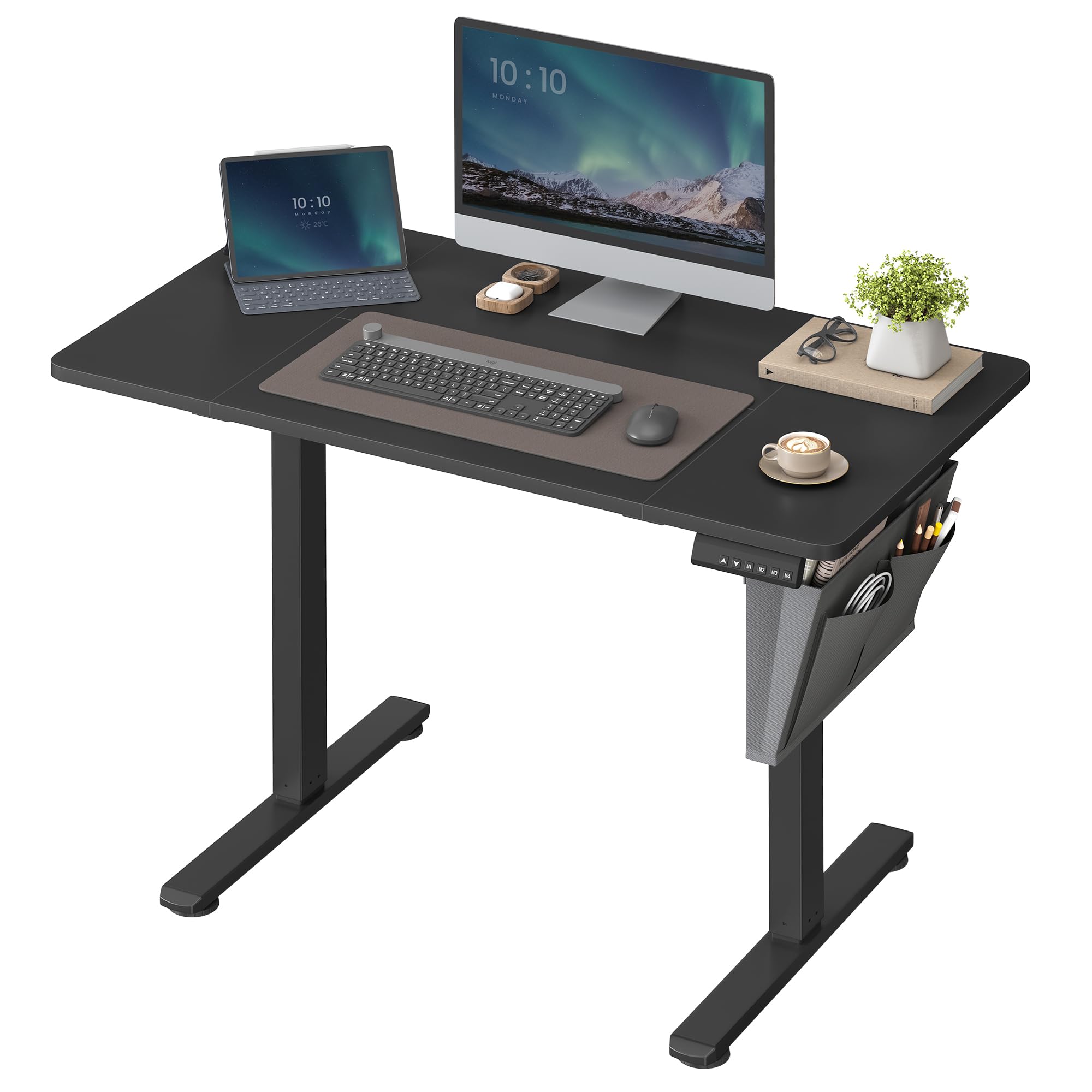
Image 5: Detailed dimensional drawing of the desk, including length, width, height range, and maximum weight capacity.
| Feature | Detail |
|---|---|
| Brand | SONGMICS |
| Model Number | LSD131B01 |
| Dimensions (L x W x H) | 110 x 60 x (72-120) cm (43.3 x 23.6 x (28.3-47.2) inches) |
| Height Adjustment Range | 72 cm - 120 cm (28.3 inches - 47.2 inches) |
| Maximum Weight Capacity | 70 kg (154 lbs) |
| Motor Noise Level | Below 50 dB |
| Item Weight | 20.7 kg (45.6 lbs) |
| Power Type | Electric |
| Assembly Required | Yes |
9. Warranty and Support
For warranty information, please refer to the documentation included with your purchase or contact SONGMICS customer support directly. Keep your proof of purchase for warranty claims.
If you require further assistance or have questions not covered in this manual, please visit the official SONGMICS website or contact their customer service department.