
1. Introduction
Thank you for choosing the BLUE STAR VC600CD 568 Liter Double Door Visi Cooler. This manual provides essential information for the safe and efficient installation, operation, and maintenance of your new appliance. Please read these instructions thoroughly before using the visi cooler and retain them for future reference.
The VC600CD model is designed to maintain a cooling temperature range of 1 to 10 degrees Celsius, ensuring optimal preservation of your products. It features an eco-friendly R290 refrigerant, double doors, five adjustable shelves, a locking mechanism, and self-closing doors for energy efficiency. The pre-coated metallic inner and outer cabinet ensures durability and enhanced cooling performance. A digital controller provides temperature display, and LED lighting illuminates the interior.
2. Safety Information
To ensure safe operation, always adhere to the following safety precautions:
- Electrical Safety: Ensure the visi cooler is connected to a grounded 220 Volts (AC) power outlet. Do not use extension cords or adapters.
- Ventilation: Maintain adequate clearance around the unit for proper air circulation to prevent overheating.
- Flammable Materials: Do not store explosive substances or flammable materials inside or near the appliance.
- Refrigerant: This unit uses R290 refrigerant. Servicing should only be performed by qualified personnel. Do not damage the refrigerant circuit.
- Cleaning: Disconnect the power supply before cleaning or performing any maintenance.
- Children: Keep children away from the appliance and do not allow them to play with it.
- Installation: The appliance must be installed on a stable, level surface.
3. Package Contents
Upon unpacking, verify that all components are present and undamaged:
- 1 x BLUE STAR VC600CD Visi Cooler Unit
- 5 x Shelves
- Instruction Manual (this document)
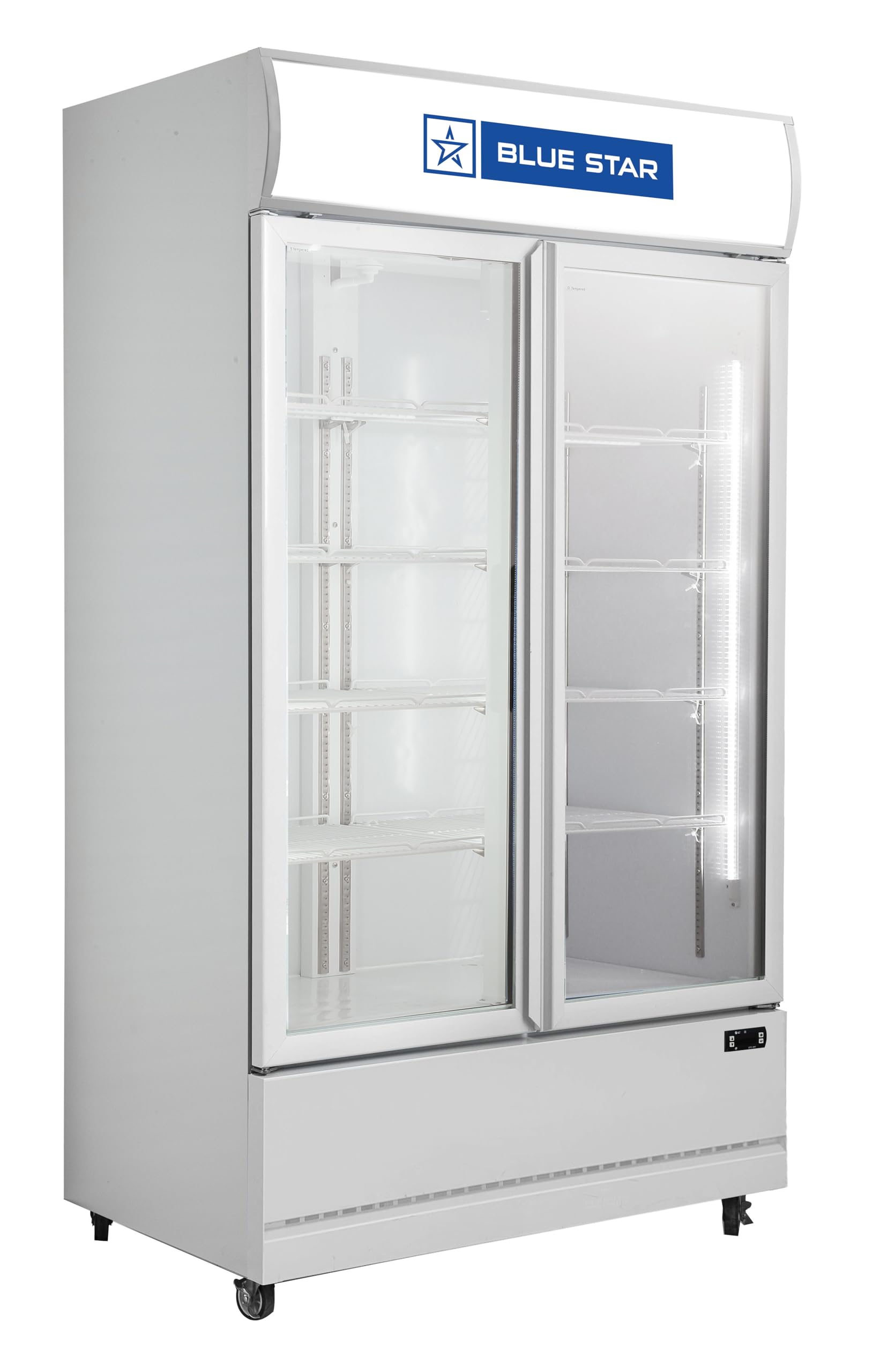
Figure 1: BLUE STAR VC600CD 568 Liter Double Door Visi Cooler. This image shows the complete visi cooler unit with its double glass doors and internal shelving visible.
4. Setup
4.1. Placement
- Place the visi cooler on a firm, level surface capable of supporting its weight when fully loaded.
- Ensure there is at least 10 cm (4 inches) of space at the back and sides for proper ventilation.
- Avoid direct sunlight or proximity to heat sources (e.g., ovens, radiators) to optimize cooling efficiency.
- The product dimensions are approximately 61D x 88W x 197H Centimeters. Plan your space accordingly.
4.2. Initial Cleaning
Before first use, clean the interior and exterior of the visi cooler with a soft cloth dampened with mild detergent and warm water. Rinse thoroughly and dry completely.
4.3. Power Connection
- Allow the unit to stand upright for at least 2-4 hours before plugging it in, especially if it was transported horizontally. This allows the refrigerant to settle.
- Connect the power cord to a dedicated, grounded 220 Volts (AC) electrical outlet.
- Do not overload the circuit.
4.4. Shelf Installation
Insert the five shelves into the desired positions using the adjustable shelf holders. Ensure shelves are securely seated before placing items on them.
5. Operating Instructions
5.1. Initial Cooling
After connecting power, allow the visi cooler to operate empty for approximately 2-3 hours to reach its set temperature before loading products.
5.2. Temperature Control
- The visi cooler is equipped with a digital controller for temperature display and adjustment.
- The factory preset temperature range is typically between 1°C and 10°C.
- Refer to the digital controller's specific instructions (usually provided on the unit or a separate leaflet) for detailed steps on how to adjust the temperature settings.
5.3. Loading Products
- Distribute products evenly on the shelves to ensure proper air circulation.
- Do not block the internal air vents.
- Avoid overloading shelves beyond their weight capacity.
5.4. Door Operation
- The visi cooler features self-closing doors to minimize cold air loss. Ensure doors close completely after each use.
- A locking mechanism is included for added security. Use the provided key to lock and unlock the doors as needed.
5.5. LED Lighting
The interior LED lighting enhances product visibility. This lighting typically operates automatically when the doors are opened or can be controlled via a switch, if present (refer to unit for specific switch location).
6. Maintenance
Regular maintenance ensures optimal performance and longevity of your visi cooler.
6.1. Cleaning the Interior
- Disconnect the power supply before cleaning.
- Remove all products and shelves.
- Clean the interior surfaces with a soft cloth and a mild, non-abrasive detergent.
- Rinse with clean water and dry thoroughly.
- Clean the shelves separately.
6.2. Cleaning the Exterior
- Wipe the exterior surfaces, including the pre-coated metallic cabinet, with a soft, damp cloth.
- For stubborn marks, use a mild detergent. Avoid abrasive cleaners or solvents.
- Clean the glass doors with a glass cleaner.
6.3. Defrosting
This model features a manual defrost system. When ice buildup on the evaporator coils becomes excessive (typically 5-6mm thick), manual defrosting is required:
- Disconnect the visi cooler from the power supply.
- Remove all products and store them in another refrigerated unit.
- Leave the doors open to allow the ice to melt naturally. Place towels at the bottom to absorb water.
- Do not use sharp objects or heating devices to speed up defrosting, as this can damage the unit.
- Once all ice has melted, clean and dry the interior thoroughly.
- Reconnect power and allow the unit to cool down before reloading products.
6.4. Condenser Coil Cleaning
Periodically (every 3-6 months), clean the condenser coils located at the back or bottom of the unit. Dust and debris can accumulate, reducing efficiency. Use a soft brush or vacuum cleaner to gently remove buildup. Ensure the unit is unplugged before cleaning the condenser coils.
7. Troubleshooting
Before contacting service, review the following common issues and solutions:
| Problem | Possible Cause | Solution |
|---|---|---|
| Visi cooler does not operate. | No power supply; power cord unplugged; circuit breaker tripped. | Check power connection; ensure outlet is functional; reset circuit breaker. |
| Unit is not cooling sufficiently. | Door not closed properly; excessive door openings; condenser coils dirty; temperature setting too high; unit overloaded. | Ensure doors are sealed; reduce door openings; clean condenser coils; adjust temperature setting; do not overload. |
| Excessive noise. | Unit not level; objects vibrating against the unit; fan obstruction. | Level the unit; remove vibrating objects; check for fan obstructions (unplug first). |
| Water on the floor inside the unit. | Drainage hole blocked; excessive humidity. | Clear the drainage hole; ensure doors are closed properly. |
If the problem persists after attempting these solutions, please contact customer support.
8. Specifications
| Brand | BLUE STAR |
| Model Number | VC600CD |
| Capacity | 568 Liters (Gross Volume) |
| Product Dimensions (D x W x H) | 61D x 88W x 197H Centimeters |
| Number of Doors | 2 (Double Door) |
| Number of Shelves | 5 (Adjustable) |
| Cooling Temperature Range | 1°C to 10°C |
| Refrigerant | R290 (Eco-friendly) |
| Voltage | 220 Volts (AC) |
| Defrost System Type | Manual |
| Interior Lighting | LED |
| Cabinet Finish | Pre-coated Metallic (Inner and Outer) |
| Installation Type | Freestanding |
| Annual Energy Consumption | 4 Watt Hours (Note: This value seems unusually low for a refrigerator of this size and might be a typo in the source data. Please refer to the product label for accurate energy consumption.) |
9. Warranty and Support
9.1. Warranty Information
The BLUE STAR VC600CD Visi Cooler comes with a 1 Year Comprehensive Manufacturer's Warranty from the date of purchase. This warranty covers manufacturing defects and malfunctions under normal use. Please retain your purchase receipt as proof of warranty.
For detailed terms and conditions of the warranty, please refer to the warranty card included with your product or contact BLUE STAR customer service.
9.2. Customer Support
For any technical assistance, service requests, or warranty claims, please contact BLUE STAR customer support:
- Customer Service Helpline: 18002091177
- Manufacturer Address: Blue Star Ltd, Kasturi Building, Mohan T Advani Chowk, Jamshedji Tata Road, Mumbai, Maharashtra, 400020, India.
When contacting support, please have your model number (VC600CD) and purchase details readily available.