
NEEWER Z2-S
NEEWER Z2-S TTL Round Head Flash Speedlite User Manual
Model: Z2-S | Brand: NEEWER
1. Introduction
The NEEWER Z2-S is a versatile 2.4G TTL Round Head Flash Speedlite designed for Sony cameras, offering advanced features for professional and enthusiast photographers. It boasts an upgraded user interface, dual adjustable modeling lamps, and a quick switch between TTL and Manual modes. This manual provides comprehensive instructions for setup, operation, and maintenance of your Z2-S Speedlite.
Key Features:
- Enhanced UI & Instant TTL/M Mode Switch: Features an improved display and a dedicated TCM side key for quick switching between TTL automatic metering and manual flash modes.
- Powerful Output & Dual Modeling Lamps: Delivers 76Ws max flash output with a stable 5600K color temperature. Includes two upgraded 2W 3300K LED modeling lamps, each with 10 adjustable brightness levels.
- Built-in 2.4G Wireless Q System: Supports Master/Slave functionality with 4 wireless control groups (M/A/B/C), 32 channels, and 99 IDs, offering a transmission range of up to 100m.
- High Capacity & Fast Recycling: Powered by a 7.4V 2600mAh lithium battery, providing approximately 480 full power flashes with a fast 1.5s recycling time.
- Wide Compatibility: Compatible with various Sony DSLR and mirrorless cameras (e.g., A9 II, A7R V, A1, A6700 series) and magnetic flash head accessories like Godox AK-R1 and NEEWER GM-M1.
2. Package Contents
Verify that all items listed below are included in your package:
- 1 x NEEWER Z2-S Flash Speedlite
- 1 x Lithium Battery (7.4V/2600mAh)
- 1 x USB Charging Base
- 1 x USB Cable
- 1 x Wall Charger
- 1 x Mini Stand
- 1 x Protective Case
- 1 x User Manual

Image: All components included in the NEEWER Z2-S Flash Speedlite package.
3. Setup Guide
3.1 Charging the Battery
Before first use, fully charge the lithium battery. Connect the USB Charging Base to the Wall Charger using the USB Cable, then insert the battery into the charging base. A full charge takes approximately 3.5 hours.

Image: The high-performance lithium battery and its USB charging base.
3.2 Installing the Battery
Open the battery compartment on the flash unit and insert the charged lithium battery, ensuring correct polarity. Close the compartment securely.
3.3 Mounting the Speedlite
Attach the Z2-S Speedlite to your camera's hot shoe. Ensure it is securely locked into place. The quick install hot shoe design allows for easy attachment and removal.
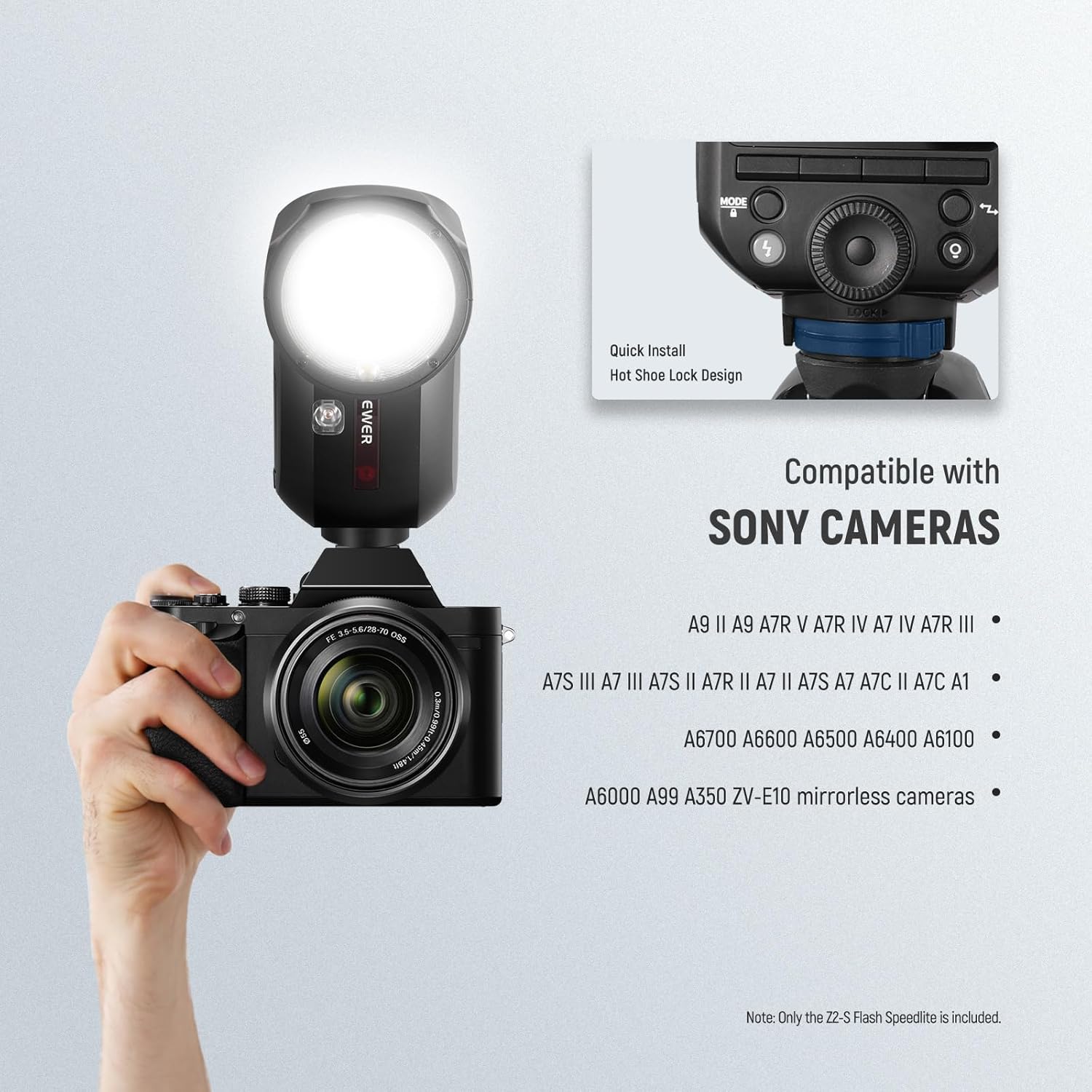
Image: The NEEWER Z2-S Speedlite securely mounted on a compatible Sony camera.
4. Operating Instructions
4.1 Power On/Off and User Interface
Press and hold the power button to turn the unit on or off. The Z2-S features an upgraded UI display for intuitive navigation and settings adjustment.

Image: The enhanced user interface and the TCM conversion button for quick mode switching.
4.2 Flash Modes
- TTL Auto Flash Mode: The flash automatically meters and adjusts output for accurate exposure. Use the TCM side key to quickly switch to Manual mode.
- Manual (M) Mode: Allows precise control over flash output from 1/1 to 1/256. Adjust settings using the control dial.
- Multi Strobe Mode: Fires a series of rapid flashes to capture multiple movements in a single exposure. Adjustable frequency (Hz) and number of flashes.
- S1/S2 Optical Slave Modes: Enables the flash to trigger optically from another flash unit.

Image: The flash operating in TTL Auto Flash mode, automatically adjusting for accurate exposure.

Image: Manual mode for fine-tuning flash output and Multi Strobe mode for capturing sequential motion.
4.3 Modeling Lamps
The Z2-S features two 2W 3300K LED modeling lamps. One is located below the flash head. Each lamp has 10 adjustable brightness levels (01-10) to help preview lighting effects and assist with focusing.

Image: The two independent LED modeling lamps, useful for previewing lighting and assisting focus.
4.4 Wireless Q System
The built-in 2.4G Wireless Q System allows the Z2-S to function as a Master or Slave unit. It supports 4 groups (M/A/B/C), 32 channels (1-32), and 99 IDs (1-99) for flexible wireless control. Compatible with QPRO-S TTL transmitters (sold separately).

Image: Overview of the NEEWER 2.4G Wireless Q System and compatible devices.
4.5 Advanced Sync Functions
- High Speed Sync (HSS): Supports shutter speeds up to 1/8000s, ideal for shooting with wide apertures in bright conditions.
- Front/Rear Curtain Sync: Allows synchronization with the first or second curtain of the shutter for creative motion blur effects.
- FEC/FEB (Flash Exposure Compensation/Bracketing): Adjust or bracket flash exposure for precise lighting control.
5. Maintenance
5.1 Cleaning
To clean the flash unit, use a soft, dry cloth. For stubborn marks, a slightly damp cloth can be used, followed by a dry one. Do not use strong detergents or solvents.
5.2 Battery Care
To prolong battery life, avoid fully discharging the battery frequently. Store the battery in a cool, dry place when not in use. If storing for extended periods, charge the battery to approximately 50% capacity.
5.3 Firmware Updates
Firmware updates may be released periodically to improve performance or add new features. Updates are supported via the USB Type-C port. Refer to the NEEWER official website for the latest firmware and instructions.
6. Troubleshooting
If you encounter issues with your NEEWER Z2-S Speedlite, please refer to the following common solutions:
| Problem | Possible Cause / Solution |
|---|---|
| Flash does not fire. |
|
| Inconsistent flash output. |
|
| Wireless trigger not working. |
|
If the problem persists, please contact NEEWER customer support for further assistance.
7. Technical Specifications
| Model | Z2-S |
| Maximum Flash Power | 76Ws |
| Flash Coverage | 28-105mm (Automatic zoom, Manual zoom) |
| Rotating Angle of Light Head | 0° - 330° horizontally |
| Light Head Tilt Angle | -7° - 120° vertically |
| Flash Duration | 1/180s - 1/20000s |
| Flash Light Color Temperature | 5600K ± 200K |
| Exposure Control System | TTL auto flash, Manual flash |
| Synchronous Method | High speed sync (up to 1/8000s), Front curtain synchronization, Back curtain synchronization |
| Wireless Function | TX, RX, OFF |
| Main Control Unit Group | M, A, B, C |
| Controlled Subordinate Unit Group | A, B, C, D, E (group E can use the QPRO series of flashes to control) |
| Transmission Range | 328ft / 100m (no obstacles) |
| Channel | 32 groups (01 - 32) |
| ID | 99 (01 - 99) |
| Modeling Light Power | 2W |
| Modeling Light Color Temperature | 3300K ± 200K |
| Effective Range (Modeling Light) | Central: 0.6-10m / Edge: 0.6-5m |
| Battery | 7.4V / 2600mAh lithium battery |
| Number of Full Power Flashes | Approx. 480 times |
| Synchronous Trigger | Hot shoe, 2.5mm synchronous line |
| Dimensions (L x W x H) | 2.9" x 2.9" x 8.1" / 76 x 76 x 208mm |
| Weight (including battery) | 1.27lb / 580g |
8. Warranty and Support
NEEWER products are designed and manufactured to the highest quality standards. For warranty information and technical support, please visit the official NEEWER website or contact their customer service department. Keep your purchase receipt as proof of purchase for warranty claims.
Website: www.neewer.com