
GOTCOZY MP-F-ALN-Q
GOTCOZY Heated Mattress Pad Queen Size Dual Control User Manual
Model: MP-F-ALN-Q
1. Introduction
This user manual provides detailed instructions for the safe and efficient operation, installation, and maintenance of your GOTCOZY Heated Mattress Pad, Queen Size with Dual Control. Please read this manual thoroughly before first use and retain it for future reference.

Image: The GOTCOZY Heated Mattress Pad, Queen Size, displayed on a bed, highlighting its dual control feature.
2. Important Safety Instructions
WARNING: To reduce the risk of burns, electric shock, fire, or injury to persons, this product must be used in accordance with the following instructions.
- Do not use with an infant, a child, an incapacitated person, a paraplegic, a quadriplegic, a diabetic, anyone insensitive to heat, or anyone who cannot clearly understand the instructions and/or operate the controls.
- Do not use with or on an animal.
- This mattress pad is equipped with an Overheat Protection System and automatic safety shut-off. If the pad reaches an unsafe temperature, the system will automatically turn it off.
- Always unplug the mattress pad from the electrical outlet when not in use.
- Do not use if the power cord or controller is damaged. Contact customer support for assistance.
- Do not use pins or other metallic objects with this product. They may damage the wiring and cause electric shock or fire.
- Do not use this product in an adjustable bed unless the mattress pad is designed for such use. Ensure the heating elements are not pinched or creased.
- Keep the controller away from open windows or sources of moisture.
- Do not dry clean this product. Dry cleaning solvents may damage the insulation of the heating elements.
- Do not iron, bleach, or dry clean the mattress pad. Refer to the "Maintenance" section for proper cleaning instructions.
- Ensure the mattress pad is not folded, bunched, or tucked in when in use, as this can cause overheating.
3. Package Contents
Upon opening the package, please verify that all components are present and undamaged:
- 1 x GOTCOZY Heated Mattress Pad (Queen Size)
- 2 x Digital Controllers (for Dual Control)
- 1 x User Manual
4. Setup Instructions
- Prepare the Bed: Ensure your mattress is clean and dry.
- Position the Mattress Pad: Place the heated mattress pad directly on top of your mattress. The pad is designed with a fitted sheet style and a stretchy skirt to accommodate mattresses up to 15 inches deep. Ensure the connection cords for the controllers are positioned at the foot of the bed.
- Secure the Pad: Stretch the elasticized skirt over the corners and sides of your mattress, similar to a fitted sheet. The 360° all-around elastic ensures a snug and smooth fit, preventing crinkling or slipping during use.
- Connect Controllers: Locate the connection ports at the foot of the mattress pad. Plug each digital controller securely into its respective port. For Queen size pads, there are two separate controllers for dual zone heating.
- Plug into Power: Plug the power cords from the controllers into a standard 120V AC electrical outlet. Avoid using extension cords.
- Cover with Bedding: Place your regular fitted sheet and other bedding over the heated mattress pad.
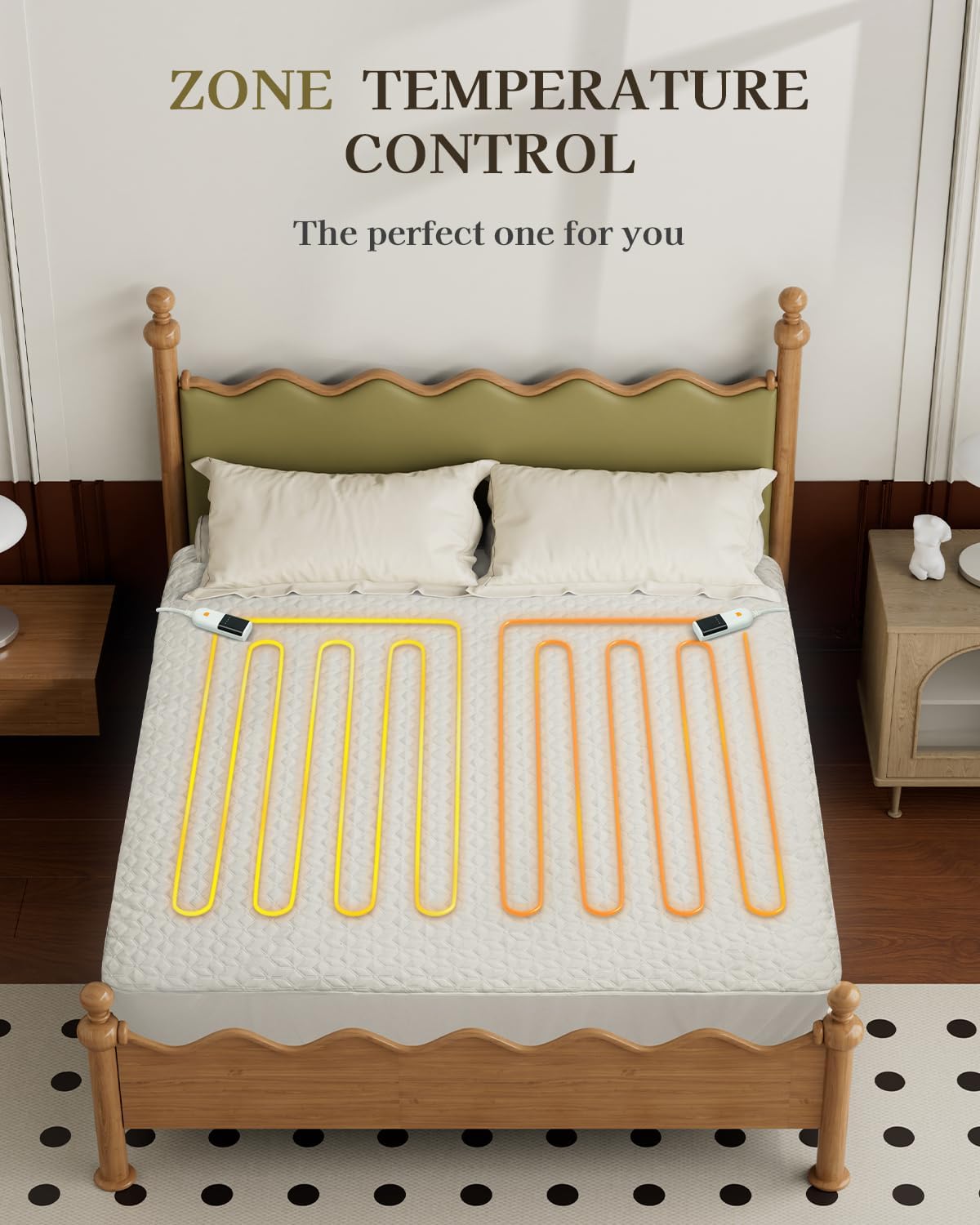
Image: The heated mattress pad correctly installed on a bed, demonstrating its fitted sheet design.
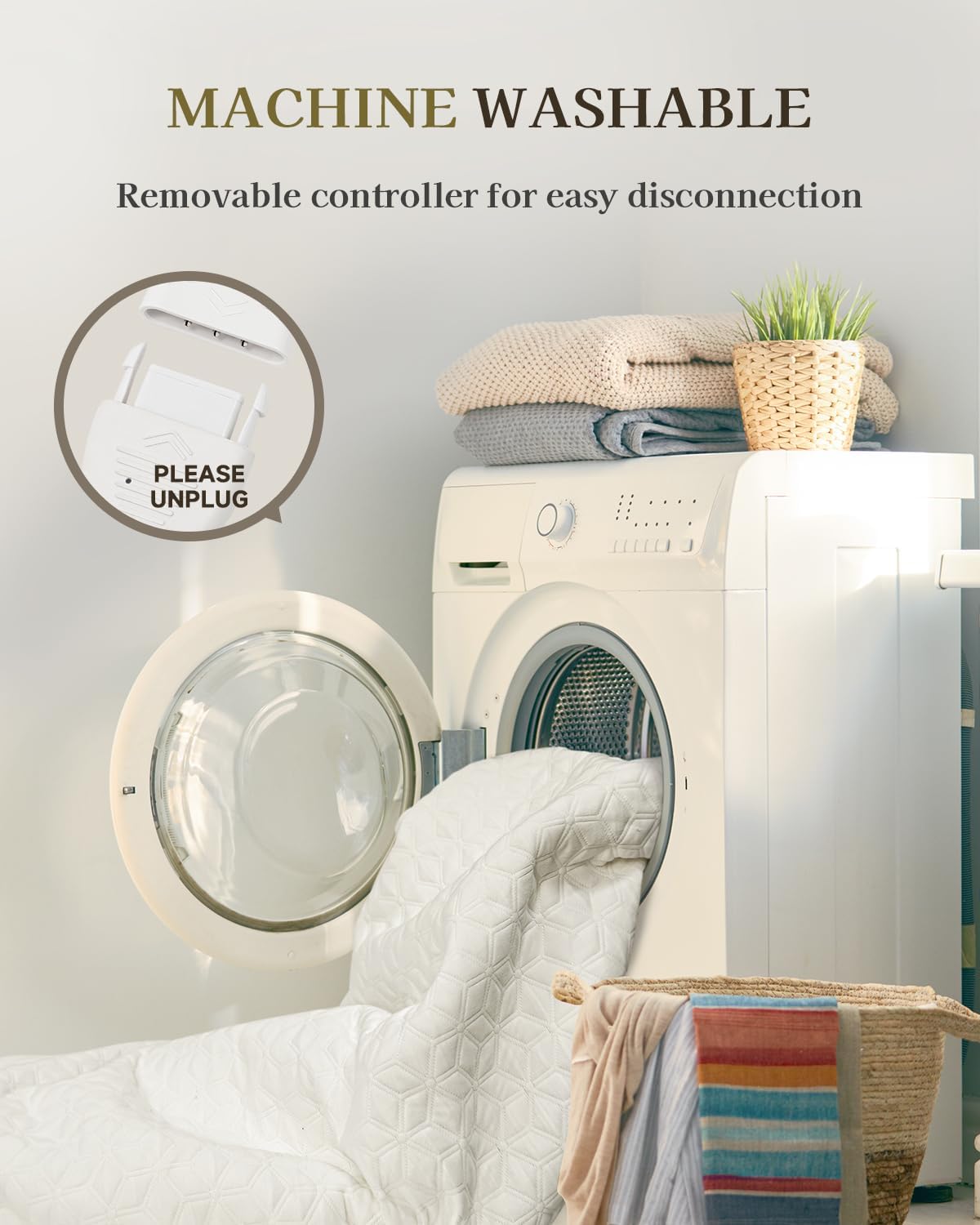
Image: Detail of the mattress pad's deep pocket and 360° elastic, designed to fit mattresses up to 15 inches.
5. Operating Instructions
Your GOTCOZY Heated Mattress Pad features dual digital controllers, allowing independent heat settings for each side of the bed.

Image: A detailed view of the digital controller, indicating the power button, 6 heat settings, and 1-10 hour auto-off timer.
5.1. Controller Functions
- Power Button: Press to turn the mattress pad ON or OFF.
- Heat Settings: Use the heat adjustment buttons to select one of 6 heat levels (1-6). Level 1 is the lowest heat, and Level 6 is the highest.
- Auto-Off Timer: Use the timer adjustment buttons to set the automatic shut-off duration from 1 to 10 hours. The pad will automatically turn off after the selected time.
5.2. Using Dual Controls
For Queen size mattress pads, two controllers are provided. Each controller operates one half of the mattress pad independently. This allows two users to customize their preferred heat level and auto-off timer without affecting the other side.

Image: A visual representation of the dual temperature control feature, showing independent heating zones.
5.3. Initial Use
It is recommended to pre-heat the mattress pad for 15-30 minutes on a higher setting (e.g., Level 4-6) before getting into bed. Once in bed, adjust the heat to a comfortable level (e.g., Level 1-3) for continuous warmth.
6. Care and Maintenance
Proper care ensures the longevity and performance of your heated mattress pad.
- Disconnect Controllers: Before cleaning, always ensure the mattress pad is unplugged from the wall outlet and the controllers are disconnected from the pad. Allow the controllers to cool down.
- Machine Wash: The mattress pad is machine washable. Wash in cold water on a gentle cycle.
- Tumble Dry: Tumble dry on low heat. Ensure the pad is completely dry before reconnecting the controllers and using it.
- Do Not: Do not iron, bleach, or dry clean the mattress pad. These actions can damage the heating elements and fabric.
- Storage: When not in use, store the mattress pad in a cool, dry place. Avoid folding it tightly or placing heavy objects on it, which could damage the internal wiring.

Image: The mattress pad being prepared for machine washing, emphasizing the need to unplug the controller.
7. Troubleshooting
If you experience issues with your heated mattress pad, please refer to the following common problems and solutions:
| Problem | Possible Cause | Solution |
|---|---|---|
| Mattress pad does not heat. |
|
|
| Uneven heating. |
|
|
| Controller display is off or blinking. |
|
|
If the problem persists after attempting these solutions, please contact GOTCOZY customer support.
8. Specifications
| Feature | Detail |
|---|---|
| Brand | GOTCOZY |
| Model Name | SCE-205 |
| Item Model Number | MP-F-ALN-Q |
| Size | Queen (60 x 80 inches) |
| Mattress Fit | Up to 15 inches deep |
| Color | White |
| Material | Polyester |
| Fabric Type | 3D Air Layer |
| Heat Settings | 6 Levels |
| Auto-Off Timer | 1-10 Hours |
| Special Features | Dual Control, Overheat Protection, Machine Washable |
| Item Weight | 7.41 pounds |
| Certifications | ETL, FCC |
9. Warranty and Customer Support
For warranty information and details regarding your GOTCOZY Heated Mattress Pad, please refer to the documentation included with your purchase or visit the official GOTCOZY website. If you require technical assistance, troubleshooting beyond this manual, or have questions about your product, please contact GOTCOZY customer support.
Contact Information:
- Refer to your product packaging or the official GOTCOZY website for the most current contact details.
- Online Support: Visit the GOTCOZY Store on Amazon
Ask a question about this manual
Ask about setup, troubleshooting, compatibility, parts, safety, or missing instructions. Manuals+ will review the question and use this page’s manual context to help answer it.