
Introduction
Thank you for choosing the SOKANY SK-LF-9967 Professional Hair Clipper and Shaver. This manual provides essential information for the safe and effective use, maintenance, and troubleshooting of your device. Please read it thoroughly before first use and retain it for future reference.
Safety Information
Important Safety Instructions:
- Use with caution around the ears and nose.
- Avoid use on wet hair.
- Keep away from water sources.
- Always unplug the trimmer when not in use.
- Follow recommended cleaning and maintenance procedures.
Failure to follow these safety guidelines may result in injury or damage to the device.
Product Overview
The SOKANY SK-LF-9967 is a professional-grade hair clipper and shaver designed for precise grooming. It features a high-performance T-blade and a durable stainless steel cutter head.
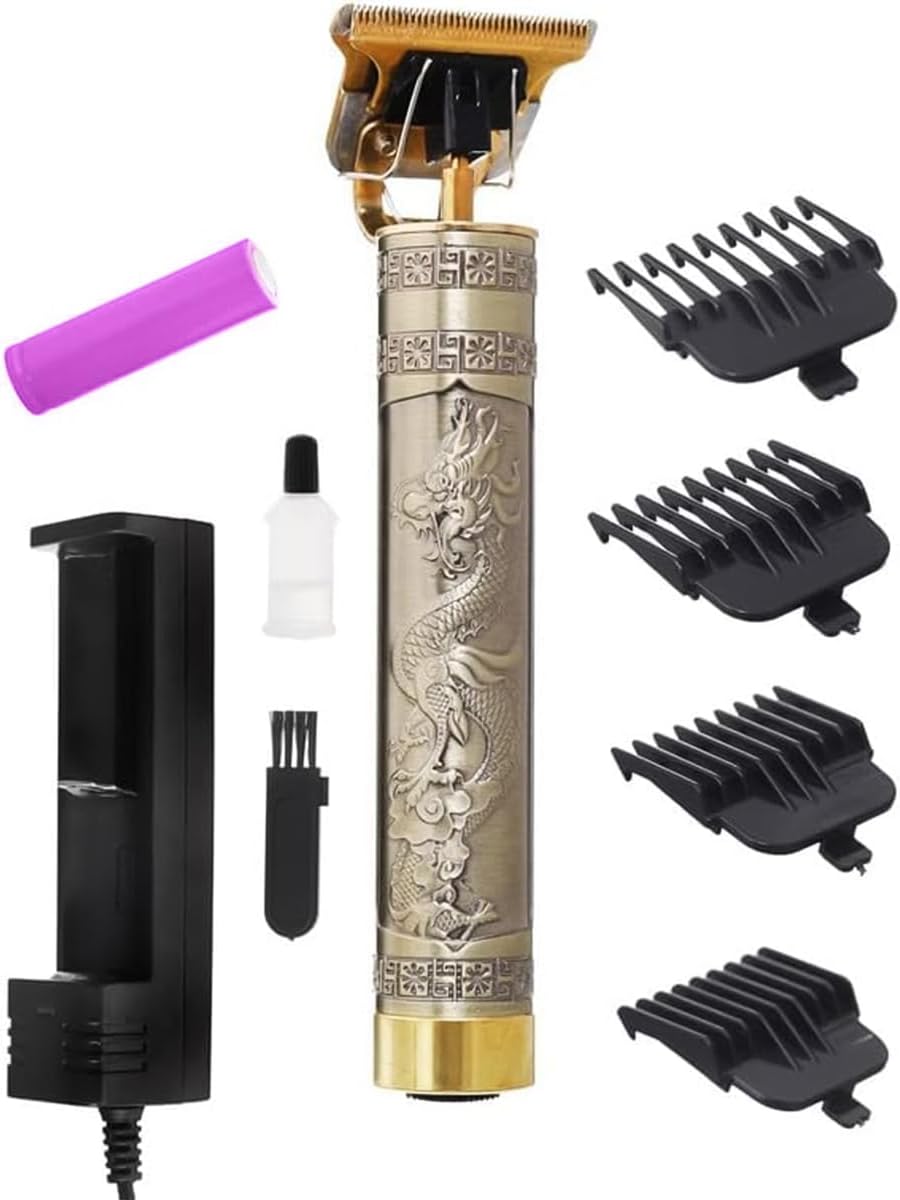
Figure 1: SOKANY SK-LF-9967 Hair Clipper with included accessories. This image displays the main clipper unit, a purple rechargeable battery, a charging dock, a small bottle of lubricating oil, a cleaning brush, and three different sized comb attachments.
Key Features:
- High-Performance T-Blade: Designed for precise and efficient hair cutting.
- Extended Usage Time: Up to 120 minutes of operation on a single charge.
- Unique Blade Design: Provides a clean and smooth cutting experience.
- High-Speed Rotation: Motor delivers exceptional cutting power for various hair types.
- Self-Sharpening Blades: Ensures long-lasting sharpness without frequent maintenance.
- Durable Construction: Stainless steel cutter head and stylish retro pattern design.
- Cordless Operation: Offers flexibility and ease of use.
Setup
Unpacking and Initial Inspection:
- Carefully remove all components from the packaging.
- Check for any signs of damage. If any part is damaged, do not use the device and contact customer support.
- Ensure all accessories listed in the "Product Overview" section are present.
Attaching Comb Attachments:
The clipper comes with multiple comb attachments for different hair lengths.
- Select the desired comb attachment.
- Align the attachment with the clipper blade and push it firmly until it clicks into place.
- To remove, gently pull the attachment away from the blade.
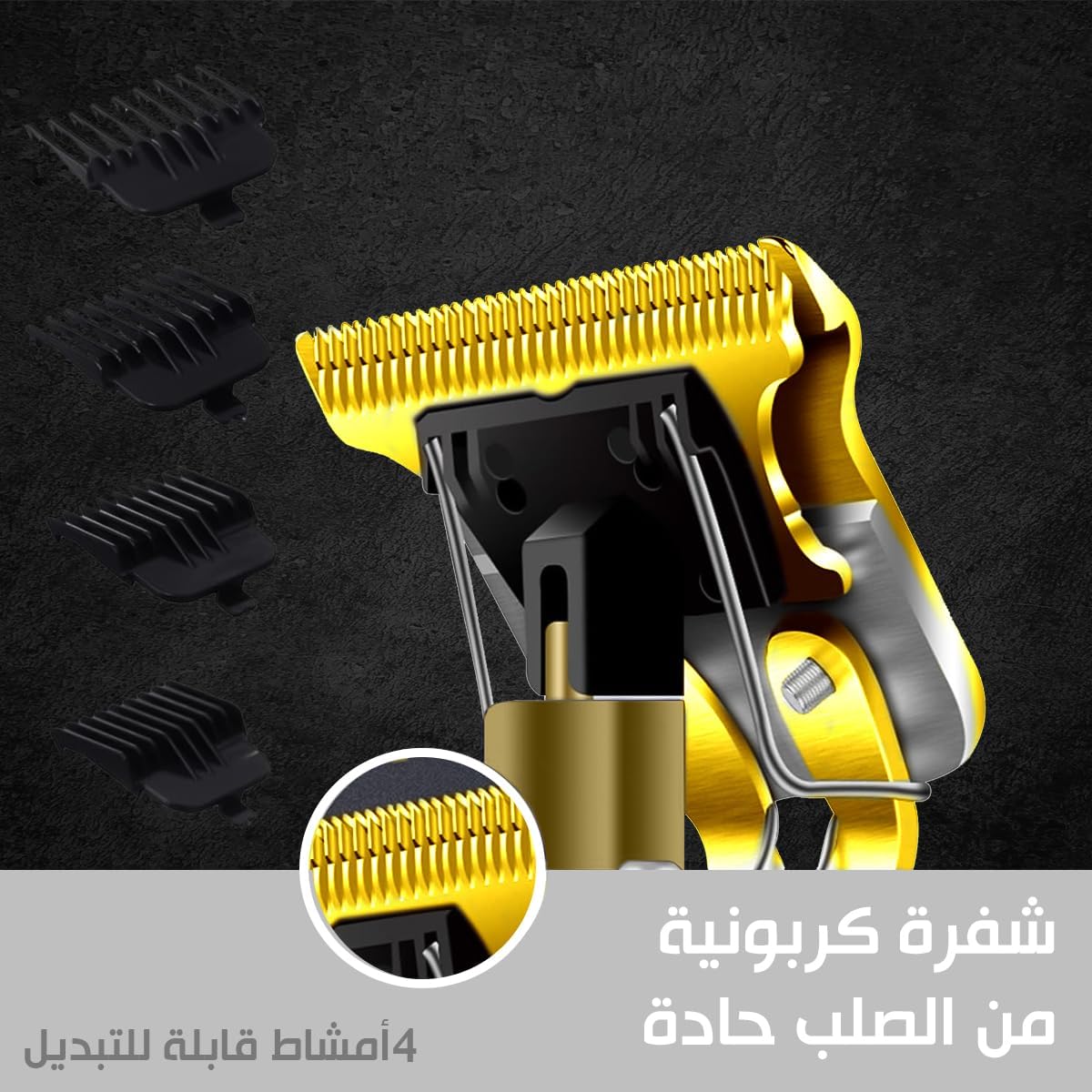
Figure 2: Close-up view of the T-blade and various comb attachments. This image highlights the sharp carbon steel T-blade and shows three different sized comb attachments that can be easily swapped.
Charging the Device
Before first use, fully charge the clipper for optimal performance.
- Insert the rechargeable battery into the clipper's battery compartment.
- Connect the charging cable to the charging dock and plug it into a suitable power outlet.
- Place the clipper onto the charging dock.
- A full charge typically takes approximately 3 hours.
- Once fully charged, the clipper provides up to 120 minutes of cordless operation.

Figure 3: The hair clipper placed on its charging dock, with an illustration of the 1200mAh battery, 3-hour charging time, and 120-minute operating time.
Operating Instructions
General Use:
- Ensure the clipper is fully charged.
- Attach the desired comb attachment for the desired hair length. For very close cuts or detailing, the clipper can be used without an attachment.
- Press the power button to turn on the clipper.
- Hold the clipper firmly and guide it against the direction of hair growth for an even cut.
- For beard trimming, use smooth, controlled strokes.
- After use, press the power button to turn off the clipper.

Figure 4: A man using the SOKANY SK-LF-9967 clipper to trim his beard, demonstrating its application for facial hair grooming.

Figure 5: A person receiving a haircut using the SOKANY SK-LF-9967 clipper, illustrating its use for head hair styling.
Maintenance and Cleaning
Regular cleaning and maintenance ensure the longevity and optimal performance of your clipper.
- After Each Use:
- Turn off and unplug the clipper.
- Remove any comb attachments.
- Use the provided cleaning brush to remove loose hairs from the blades and the clipper body.
- Apply a small drop of lubricating oil (included) to the blades. Turn the clipper on for a few seconds to distribute the oil, then turn it off.
- Wipe the clipper body with a soft, dry cloth.
- Storage: Store the clipper and its accessories in a dry, cool place, away from direct sunlight and moisture.
Troubleshooting
| Problem | Possible Cause | Solution |
|---|---|---|
| Clipper does not turn on. | Battery is not charged or incorrectly inserted. | Ensure the battery is fully charged and correctly inserted. |
| Reduced cutting performance. | Blades are dirty or require lubrication. | Clean the blades and apply lubricating oil as per maintenance instructions. |
| Clipper makes unusual noise. | Blades may be misaligned or require lubrication. | Check blade alignment and apply lubricating oil. If the issue persists, contact customer support. |
Specifications
| Model Number | SK-LF-9967 (also referred to as SK-LF-9947 in some documentation) |
| Brand | SOKANY (Generic) |
| Power Source | Battery Powered (Cordless) |
| Blade Material | Stainless Steel |
| Battery Capacity | 1200 mAh (estimated from image) |
| Charging Time | Approx. 3 hours |
| Operating Time | Up to 120 minutes |
| Product Dimensions | 10 x 10 x 10 cm |
| Item Weight | 200 Grams |
| Color | Gold |
Warranty and Support
Specific warranty information is not provided in the product details. For warranty claims or technical support, please refer to the retailer or manufacturer's official website where the product was purchased. Keep your proof of purchase for any warranty-related inquiries.