
1. Introduction
Thank you for choosing the YINMIK Digital Food pH Meter. This device is designed for accurate pH measurement in various food products and other substances, including dough, sushi rice, fermented foods, meat, cheese, and water. Its precise readings and easy calibration make it an essential tool for quality control and safety in food preparation and other applications.
This manual provides detailed instructions on how to set up, operate, maintain, and troubleshoot your pH meter to ensure optimal performance and longevity.
2. Safety Information
- Always handle the pH meter and calibration solutions with care.
- Keep the device out of reach of children.
- Do not immerse the entire meter in liquid; only the probe is designed for immersion.
- Store the probe with its protective cap containing KCL solution to keep it moist and extend its life.
- Dispose of used batteries and solutions according to local regulations.
3. Package Contents
Upon opening the package, please verify that all components are present:
- 1 x YINMIK Digital Food pH Meter (Model: YK-F01)
- 1 x pH 4.00 Calibration Solution (50ml)
- 1 x pH 7.00 Calibration Solution (50ml)
- 1 x pH Electrode Storage Solution (30ml)
- 1 x User Manual (this document)
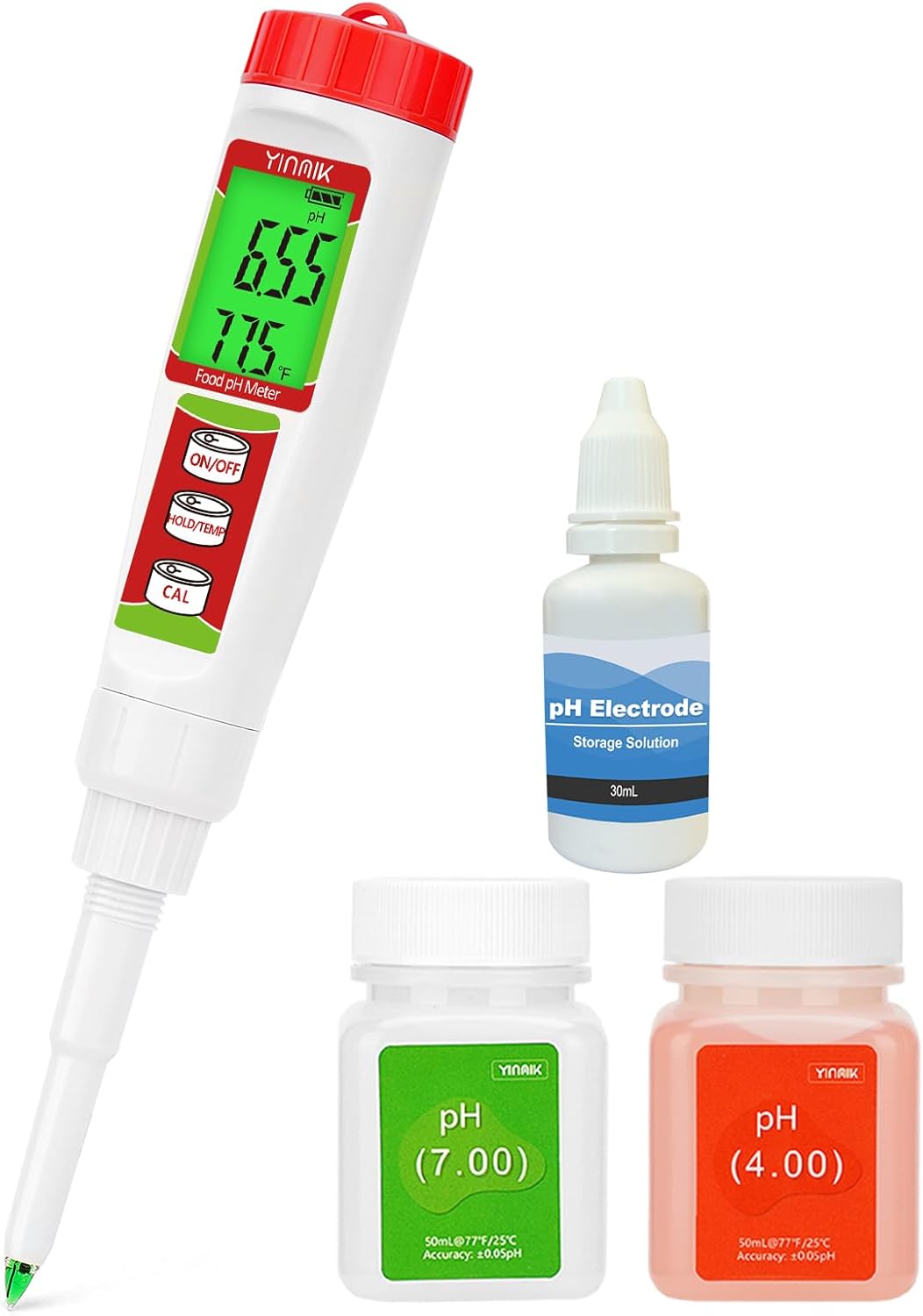
Image: The YINMIK Digital Food pH Meter, accompanied by bottles of pH 4.00 and pH 7.00 calibration solutions, and a bottle of pH electrode storage solution.
4. Product Features
- Accurate and Stable Readings: Equipped with advanced chips for stable and precise measurements.
- Automatic Temperature Compensation (ATC): Ensures accurate readings regardless of temperature fluctuations.
- Specialized Spear Probe: Designed for semi-solid foods like dough, meat, and cheese, featuring a conical tip and open junction.
- Easy Calibration: One-click automatic calibration with included pH 4.00 and pH 7.00 solutions.
- Electrode Protection: Protective cap contains KCL solution to keep the spear probe moist, extending its lifespan.
- Wide Application: Suitable for fermentation, sourdough, kombucha, water, and various food products.
5. Setup
5.1. Battery Installation
The YINMIK pH meter requires alkaline batteries. Ensure they are installed correctly according to the polarity markings inside the battery compartment.
5.2. Initial Preparation
- Carefully remove the protective cap from the electrode. The cap contains a wet sponge soaked in KCL solution; do not discard this.
- Rinse the electrode with distilled water and gently blot dry with a clean, lint-free tissue.
- Turn on the meter by pressing the ON/OFF button.
6. Operating Instructions
6.1. Calibration
Regular calibration is crucial for accurate readings. It is recommended to calibrate the meter before first use and then regularly, especially if readings seem inconsistent or after prolonged storage.
- Prepare the pH 7.00 and pH 4.00 calibration solutions. Ensure they are at room temperature.
- Turn on the pH meter.
- Rinse the electrode with distilled water and blot dry.
- Immerse the electrode into the pH 7.00 calibration solution.
- Press and hold the CAL button until the display shows "CAL" and then "7.00". The meter will automatically recognize the solution and calibrate. Wait for the reading to stabilize and the "CAL" indicator to disappear.
- Rinse the electrode with distilled water and blot dry.
- Immerse the electrode into the pH 4.00 calibration solution.
- Press and hold the CAL button again. The meter will automatically recognize the solution and calibrate. Wait for the reading to stabilize.
- After successful calibration, rinse the electrode thoroughly with distilled water.
Note: Always start calibration with pH 7.00. If you encounter issues, refer to the troubleshooting section or contact support.
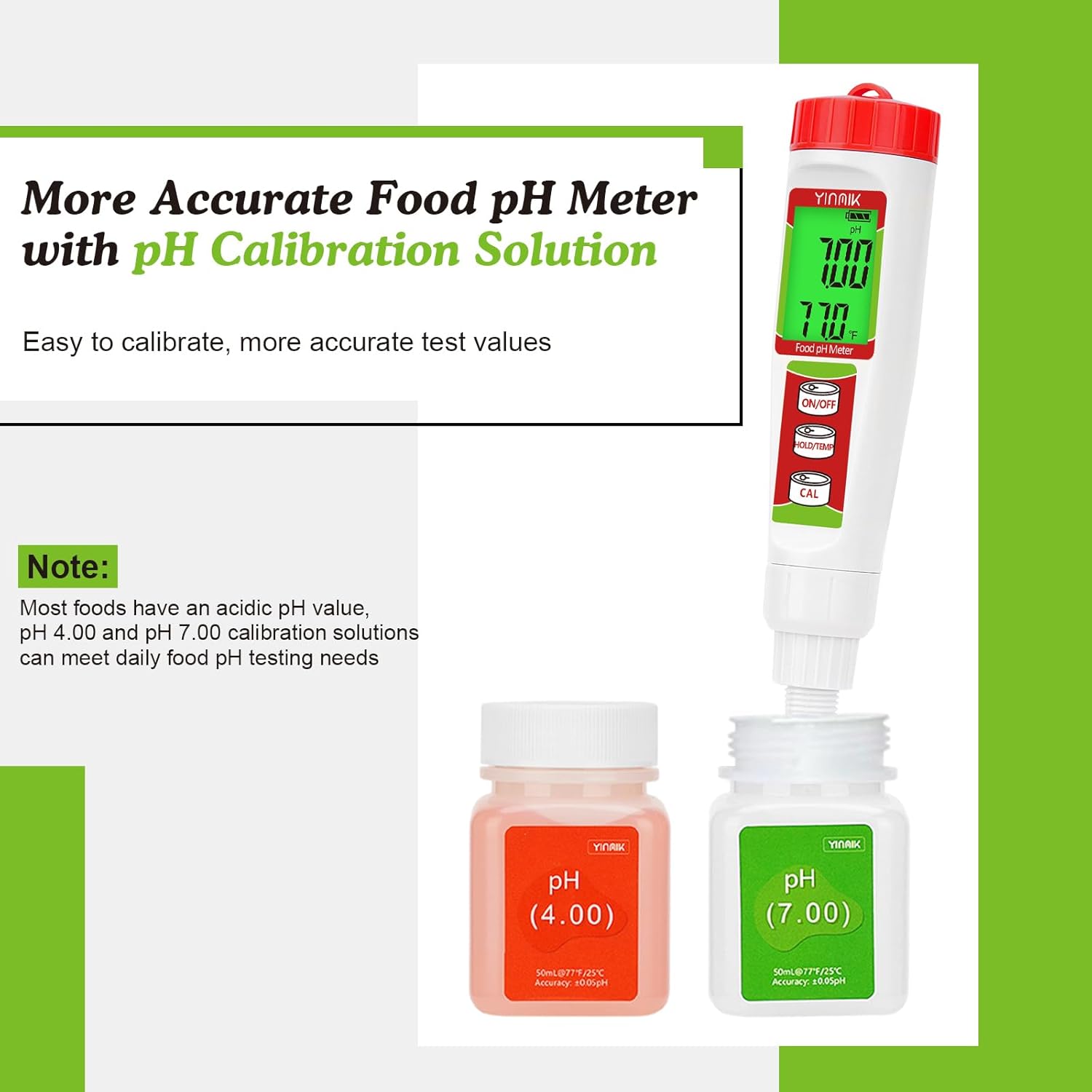
Image: The YINMIK pH meter being calibrated, showing the probe immersed in pH 4.00 and pH 7.00 calibration solutions, highlighting the ease of calibration.
6.2. Taking a Measurement
- Ensure the meter is calibrated.
- Rinse the electrode with distilled water and blot dry.
- Gently insert the spear probe into the sample to be tested. For semi-solid foods, ensure the probe is fully immersed and stable.
- Wait for the reading to stabilize on the display. The meter will automatically compensate for temperature.
- Record the pH value.
- After measurement, rinse the electrode thoroughly with distilled water and replace the protective cap containing KCL solution.

Image: The YINMIK pH meter being used to measure pH in different food items such as canned goods, hot sauce, and cheese, demonstrating its versatility.

Image: The YINMIK pH meter measuring pH in a glass of Kombucha, with additional images showing its use for drinking water, brewing, hydroponics, and pools.

Image: The YINMIK pH meter measuring pH in a piece of meat and a lab solution, illustrating its multi-purpose use and the replaceable electrode design.
6.3. Temperature Measurement
The meter also displays temperature. To switch between Celsius and Fahrenheit, press the HOLD/TEMP button briefly.
6.4. Hold Function
To hold the current reading on the display, press the HOLD/TEMP button. Press it again to release the hold function.
7. Maintenance
7.1. Electrode Cleaning
After each use, rinse the electrode thoroughly with distilled water to prevent contamination and residue buildup. For stubborn residues, a mild cleaning solution specifically designed for pH electrodes can be used, followed by a thorough rinse with distilled water.
7.2. Electrode Storage
Proper storage is vital for the longevity of the electrode. Always replace the protective cap after use, ensuring the sponge inside is moist with KCL storage solution. If the sponge dries out, re-moisten it with the provided pH electrode storage solution.

Image: The YINMIK pH meter with its protective cap removed, showing the application of pH electrode protection solution to maintain probe sensitivity and extend electrode working life.
7.3. Battery Replacement
When the battery indicator on the display shows low power, replace the batteries promptly to ensure accurate readings. Refer to section 5.1 for battery installation instructions.
8. Troubleshooting
| Problem | Possible Cause | Solution |
|---|---|---|
| Inaccurate readings | Uncalibrated meter, dirty electrode, dry electrode, expired calibration solution. | Calibrate the meter (start with pH 7.00), clean the electrode, re-moisten the electrode with KCL solution, use fresh calibration solutions. |
| Reading fluctuates or is unstable | Electrode not fully immersed, air bubbles on electrode, damaged electrode, interference. | Ensure full immersion, gently tap to remove bubbles, inspect electrode for damage (replace if necessary), avoid strong electromagnetic fields. |
| Meter does not turn on | Dead batteries, incorrect battery installation. | Replace batteries, check battery polarity. |
| Calibration fails | Incorrect calibration solution, dirty electrode, incorrect calibration procedure. | Ensure correct pH 7.00 and pH 4.00 solutions are used, clean electrode, follow calibration steps precisely (start with 7.00). |
9. Specifications
| Model Number | YK-F01 |
| pH Range | 0.00 - 14.00 pH |
| pH Accuracy | ±0.05 pH |
| Temperature Compensation | Automatic Temperature Compensation (ATC) |
| Power Supply | Alkaline Batteries (Included) |
| Included Components | Digital pH meter, Manual, pH 4.00 solution, pH 7.00 solution, Storage solution |
| Package Dimensions | 27.3 x 19.51 x 5.69 cm |
| Package Weight | 408 g |
10. Warranty and Support
For warranty information and technical support, please refer to the contact details provided with your purchase or visit the official YINMIK website. Keep your purchase receipt as proof of purchase for warranty claims.
If you have any questions or require assistance with your YINMIK Digital Food pH Meter, please do not hesitate to contact our customer support team.


