
Careud H360

Careud H360 Motorcycle Bluetooth Helmet
Instruction Manual
Product Overview
The Careud H360 Motorcycle Bluetooth Helmet headset is designed to provide seamless communication and audio entertainment for various outdoor activities, including motorcycling, skiing, snowboarding, and mountain biking. It features advanced Bluetooth 5.3 technology, a noise-canceling microphone, and a convenient remote control for effortless operation.
Key Features:
- Effortless Control: Dedicated remote control for managing volume, song selection, and calls without distraction.
- Crystal-Clear Communication: Built-in noise-canceling microphone ensures clear communication even at speeds up to 120 km/h.
- Superior Audio Quality: 40mm drivers and Bluetooth 5.3 chipset deliver balanced, high-quality sound.
- Extended Playtime: 1450mAh charging case provides multiple recharges, offering over 7 hours of continuous music playback and up to 50 hours of standby time.
- Wide Compatibility: Lightweight and comfortable design compatible with a broad range of audio helmets.
What's in the Box
The Careud H360 package includes the following components:
- Headset (2 units)
- Remote Control (1 unit)
- Charging Case (1 unit)
- Type-C Charging Cable (1 unit)
- VELCRO® Adhesives (4 units)
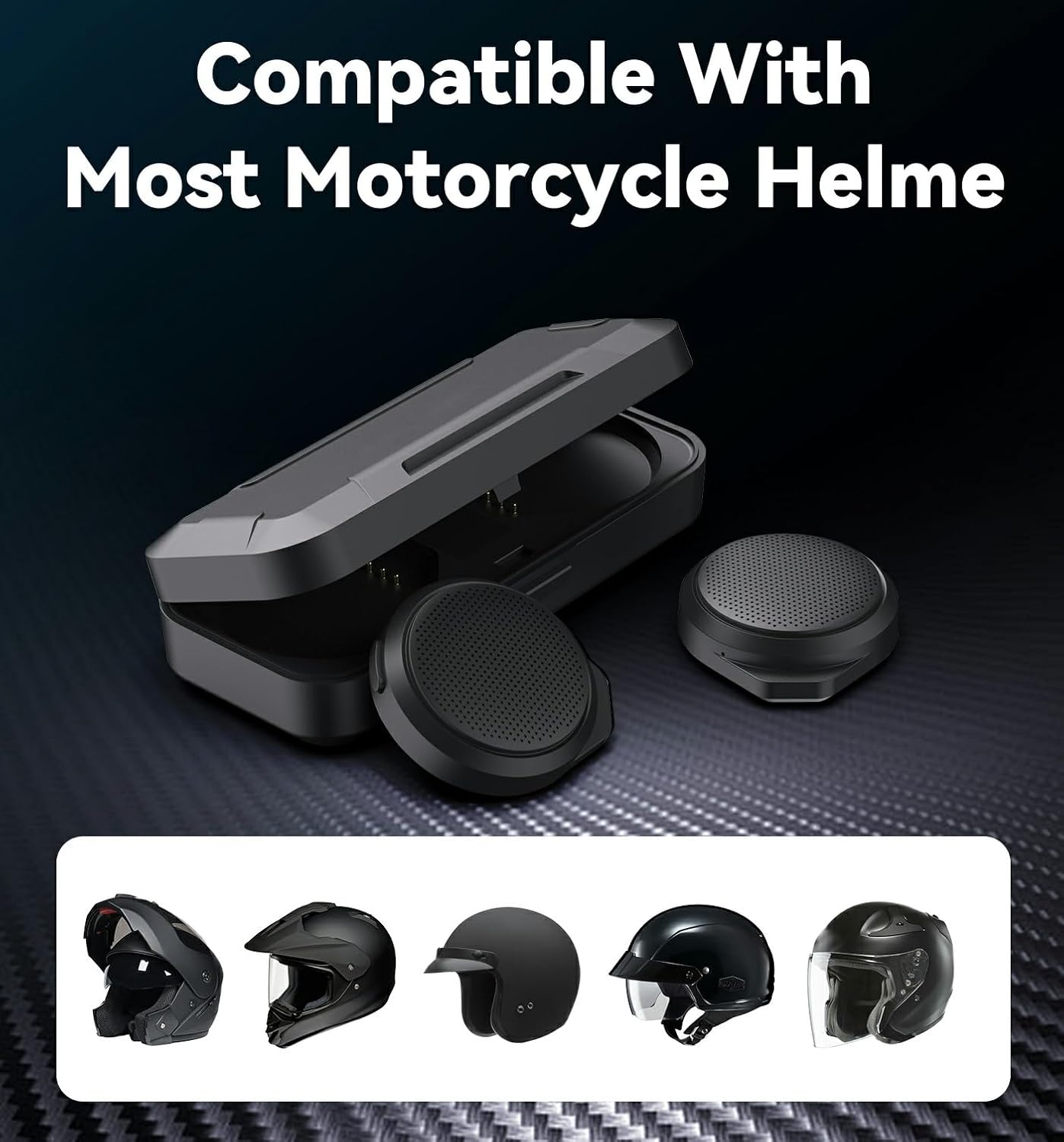
Image: All components included in the Careud H360 package.
Setup and Installation
Follow these steps to properly set up and install your Careud H360 Bluetooth Helmet headset.
1. Charging the Headset and Case:
Before first use, ensure both the headset and charging case are fully charged. Connect the provided Type-C charging cable to the charging case and a suitable USB power source. The charging case has an LED display indicating battery levels for both the case and the individual headsets.

Image: The charging case with headset speakers, displaying battery status.
2. Installing the Headset Speakers in Your Helmet:
- Identify suitable flat areas inside your helmet, typically near the ears, where the speakers can be comfortably placed without obstructing ventilation or padding.
- Peel off the protective backing from one side of the provided VELCRO® adhesive pad.

Image: Peeling the adhesive backing from a VELCRO® pad.
- Firmly press the adhesive side of the VELCRO® pad onto the back of a headset speaker.

Image: Attaching the VELCRO® pad to the headset speaker.
- Peel off the remaining protective backing from the VELCRO® pad on the speaker. Carefully position the speaker inside the helmet at the desired location and press firmly to secure it. Repeat for the second speaker.

Image: Inserting the headset speaker into the helmet's ear pocket.

Image: Headset speaker fully installed within the helmet.

Image: The Careud H360 headset installed on a helmet, showing the concealed speaker placement and external control unit.
3. Bluetooth Pairing:
Once the headset speakers are installed and charged, they are ready for Bluetooth pairing with your smartphone or other compatible device.
- Ensure your device's Bluetooth is enabled.
- The headset will automatically enter pairing mode when removed from the charging case.
- On your device, search for new Bluetooth devices and select "Careud H360" (or similar name) from the list.
- Once connected, you will hear an audible confirmation.

Image: Illustrates Bluetooth connectivity between riders or devices.
Operating Instructions
The Careud H360 is designed for intuitive operation using the included remote control.
Remote Control Functions:

Image: The remote control with clearly labeled buttons for various functions.
- Up Arrow Button: Increase Volume / Previous Track (short press for volume, long press for previous track).
- Center Button: Play/Pause Music / Answer/End Call (short press for play/pause, short press to answer/end call).
- Down Arrow Button: Decrease Volume / Next Track (short press for volume, long press for next track).
- Power Button (on remote): Power On/Off (long press).
Noise Cancellation:
The integrated CVC noise reduction technology actively eliminates various ambient noises, ensuring clear audio and communication even in noisy environments like high-speed riding. This allows for conversations that feel as clear as speaking indoors.

Image: Visual representation of CVC noise reduction technology, demonstrating its effectiveness in eliminating various types of noise.
Maintenance
Proper maintenance ensures the longevity and optimal performance of your Careud H360 headset.
Cleaning:
- Wipe the headset speakers and remote control with a soft, dry cloth.
- Do not use abrasive cleaners or solvents.
- Avoid exposing the devices to excessive moisture. While designed for outdoor use, the product is not waterproof.
Battery Care:
- Recharge the headset and charging case regularly, even if not in frequent use, to maintain battery health.
- Store the device in a cool, dry place when not in use.
- Avoid extreme temperatures, which can degrade battery performance.
Troubleshooting
If you encounter issues with your Careud H360 headset, refer to the following common problems and solutions.
| Problem | Possible Cause | Solution |
|---|---|---|
| No sound or low volume | Low battery; Device not paired; Volume too low on headset or connected device. | Charge the headset and case; Re-pair the device; Increase volume using the remote control and your connected device. |
| Remote control not responding | Remote battery low; Remote exposed to water/damage. | Ensure remote is charged (if applicable, or replace battery if user-replaceable); Avoid exposing remote to rain or moisture. |
| Cannot pair with device | Headset not in pairing mode; Device's Bluetooth off; Interference. | Ensure headset is out of charging case and in pairing mode; Turn Bluetooth off and on again on your device; Move away from other wireless devices. |
| Speakers feel too thick/uncomfortable in helmet | Helmet padding not suitable for speaker depth. | Ensure your helmet has adequate ear pockets or space for the speakers. Some helmets may require minor adjustments to padding. |
| Velcro pads not sticking properly | Surface not clean; Incorrect application; Defective pads. | Clean the helmet surface thoroughly before applying; Ensure firm pressure during application; Contact support if pads are defective. |
If the issue persists after attempting these solutions, please contact Careud customer support for further assistance.
Specifications
| Feature | Detail |
|---|---|
| Model Name | H360 bluetooth motorcycle helmet |
| Material | Plastic |
| Speaker Type | Outdoor |
| Special Feature | Lightweight, Microphone Included |
| Recommended Uses | Motorcycling, Skiing, Snowboarding, Mountain Biking |
| Compatible Devices | Smartphone, Laptop |
| Controller Type | Remote Control |
| Color | Black |
| Battery Life (Headset) | 7 Hours (continuous music playback) |
| Battery Capacity (Charging Case) | 1450 Milliamp Hours |
| Included Components | Headset, Remote Control, Charge Case |
| Impedance | 16 Ohm |
| Water Resistance Level | Not Water Resistant |
| Wireless Communication Technology | Bluetooth 5.3 |
| Speaker Size | 40 Millimeters |
| Bluetooth Range | 10 Meters |
| Audio Output Mode | Stereo |
| Item Weight | 8.8 ounces |
| Manufacturer | CAREUD |
Warranty and Support
Warranty Information:
The Careud H360 Motorcycle Bluetooth Helmet headset comes with a 1-year manufacturer warranty. Please retain your proof of purchase for warranty claims.
Customer Support:
For technical assistance, troubleshooting beyond this manual, or warranty inquiries, please contact Careud customer support through the retailer where you purchased the product or visit the official Careud website for contact information.
Related Documents - H360
 |
User Manual: Wireless Tyre Pressure Monitoring System This user manual provides instructions for the Wireless Tyre Pressure Monitoring System, covering display descriptions, parameter settings, sensor matching, battery replacement, installation, and troubleshooting. |
 |
Moman HA1 Wireless Helmet Headphones User Manual User manual for the Moman HA1 Wireless Helmet Headphones, detailing product overview, packing list, operation, connection instructions, and specifications. |
 |
Penntek XP 275 Winter Part A (Black) Safety Data Sheet - Industrial Floor Coating Safety Data Sheet for Penntek XP 275 Winter Part A (Black), an industrial floor coating. Provides comprehensive information on product identification, hazards, composition, first aid, fire-fighting, handling, storage, exposure controls, physical properties, stability, toxicology, ecological impact, disposal, and transportation regulations. |
 |
User Manual: H360-3.5 Telephone Headset User manual for the VBESTLIFE H360-3.5 Telephone Headset, featuring noise reduction, comfortable design, and 3.5mm jack compatibility. |
 |
ESAB Firepower 1108 Solder Wire Safety Data Sheet (SDS) Comprehensive Safety Data Sheet (SDS) for ESAB Firepower 1108 solder wire, detailing hazard identification, composition, first aid, handling, storage, exposure controls, and regulatory information. |
 |
Powerloads, Standard Priming Safety Data Sheet (SDS) - CCI/Speer Safety Data Sheet (SDS) for CCI/Speer Powerloads, Standard Priming cartridges. Provides comprehensive information on hazard identification, composition, first aid, fire-fighting, handling, storage, exposure controls, physical and chemical properties, toxicological and ecological information, transport, and regulatory status. |
Ask a question about this manual
Ask about setup, troubleshooting, compatibility, parts, safety, or missing instructions. Manuals+ will review the question and use this page’s manual context to help answer it.